AI से videos rename करें
MP4, MOV, screen recordings और clips को frames, context और subtitles से names दें।
- 🤖 v3.6.0
- ✨ Free में शुरू करें
- 💳 Credit card नहीं चाहिए


Zush का tour लें
हर feature का एक short demo — किसी tab पर click करके action में देखें
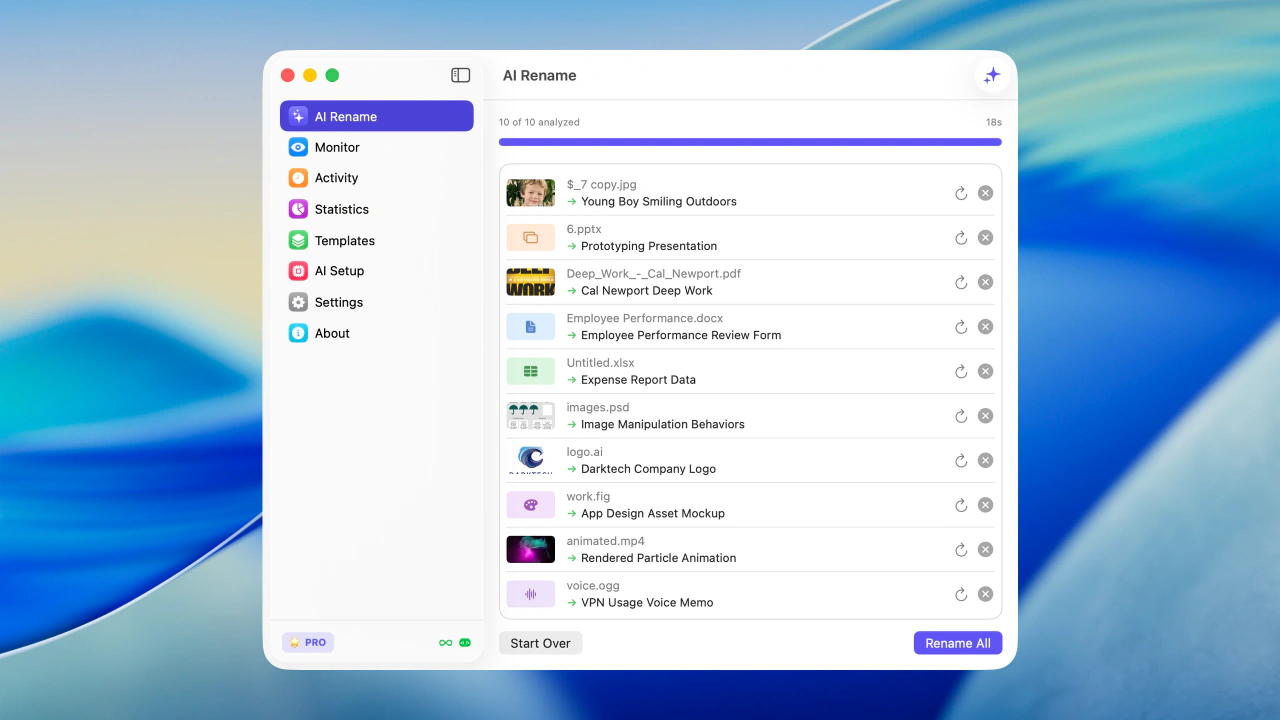
Apply करने से पहले files को real content से bulk rename करें
Zush Features
Screenshots, PDFs, photos, audio, videos, documents और mixed folders के लिए desktop AI file renamer
AI analysis
Advanced AI images, videos और supported documents, including PDFs, को analyze करके useful file names automatically बनाता है।
Folder monitoring
एक या कई folders watch करें। Zush background में चलता है और नई files automatically process करता है।
Smart metadata
Finder tags और Spotlight metadata automatically add करें, ताकि files natural search से तुरंत मिलें।
Rename history
हर change track करें। कुछ गलत लगे तो original file name पर one click में वापस जाएँ।
Templates
PRO 🌟Screenshots, expenses, music tracks, client work, legal files, travel bookings और watched folders के लिए reusable rename setups save करें।
Naming Blocks
PRO 🌟Dates, metadata, audio, photos, finance, legal, travel, clients और AI fields के 145+ blocks से consistent file names बनाएं।
Custom AI prompts
PRO 🌟Names, tags और metadata के rules set करें, ताकि AI output आपकी style और workflow से match करे।
अपनी key use करें
PRO 🌟Unlimited cloud renames के लिए Gemini, Groq, OpenAI या Claude की अपनी API key connect करें। Keys local secure storage में रहती हैं।
Offline AI mode
PRO 🌟Ollama के जरिए private local models। Supported files को Zush cloud या AI providers को analysis content भेजे बिना process करें।
Supported file formats
Images
Documents
Videos
Audio
Design

Zush free try करें
Files batch rename करें, folders monitor करें, और screenshots, PDFs, photos, audio, videos और documents को content से rename करें।
Free · credit card नहीं चाहिए · macOS Sequoia+
अपना platform चुनें — वही Zush, हर जगह native
macOS के लिए signed और notarized .dmg। Windows के लिए Microsoft Store install। वही rename engine, वही BYOK और Offline AI mode, हर OS के लिए native।
Frequently asked questions
अपना PRO plan चुनें
Monthly flexibility या one-time lifetime access। दोनों plans unlimited PRO unlock करते हैं।
PRO 🌟 Features
- Unlimited PRO renamesPaid plans cloud rename limit हटाते हैं
- BYOK - अपनी key use करेंUnlimited cloud renames के लिए अपने provider की key use करें
- Offline AI modeOllama के जरिए private local models
- Custom AI promptsअपने rename और tagging instructions से AI behavior control करें
- TemplatesAI Rename और Monitor के लिए reusable rename setups
- Naming BlocksDates, media, documents, metadata और बहुत कुछ से names बनाएं
Zush PRO Monthly
Flexible monthly plan
- कभी भी cancel करें
- सबसे कम entry price
- कोई long-term commitment नहीं
Zush PRO One-Time
एक बार pay करके lifetime access
- एक बार pay करें, हमेशा use करें
- सभी future updates included
- ~5 महीनों में payoff
14-day money-back guarantee • Paddle के जरिए secure