10 Digital Photo Organization Mistakes and Fixes (2026)

Jump to section
Quick answer: the most damaging digital photo organization mistakes are reorganizing without a backup, keeping duplicates, using deep folder trees, leaving IMG_ filenames unchanged, and waiting for one huge cleanup day. Protect the originals first, consolidate the library, remove duplicates, then add a simple folder and naming system.
Most photo libraries become messy for the same reasons: generic filenames, weak folder structure, duplicate files, and no consistent maintenance habit. The good news is that you do not need a perfect archival system to fix that. You need to stop repeating the mistakes that make retrieval harder over time.
For the full setup, read How to Organize Photos on Mac. This page is the diagnostic checklist: use it to find the part of your current system that will fail first.
Sort photo files into folders with AI
Zush can give supported files descriptive names and group them into real folders by content in the same batch. AI folder sorting is in beta on Mac and Windows. Leave Folder rules empty for Auto grouping, or describe the groups in plain language. For photo files, try:
Group images by subject, such as People, Food, and Landscapes.
- Add a small copied batch in AI Rename and select a Template.
- Enable + Sort and choose the Destination folder, which is the root for the sorted subfolders. Without a separate destination, the source folder remains the root.
- Enter the grouping instruction in Folder rules. Naming Blocks set the filename format separately.
- Enable Reuse existing folders if suitable groups already exist inside the destination root. Zush can create a new folder when none fits.
- Review both the proposed names and folder groups. Correct folder names or file placement before applying the batch.
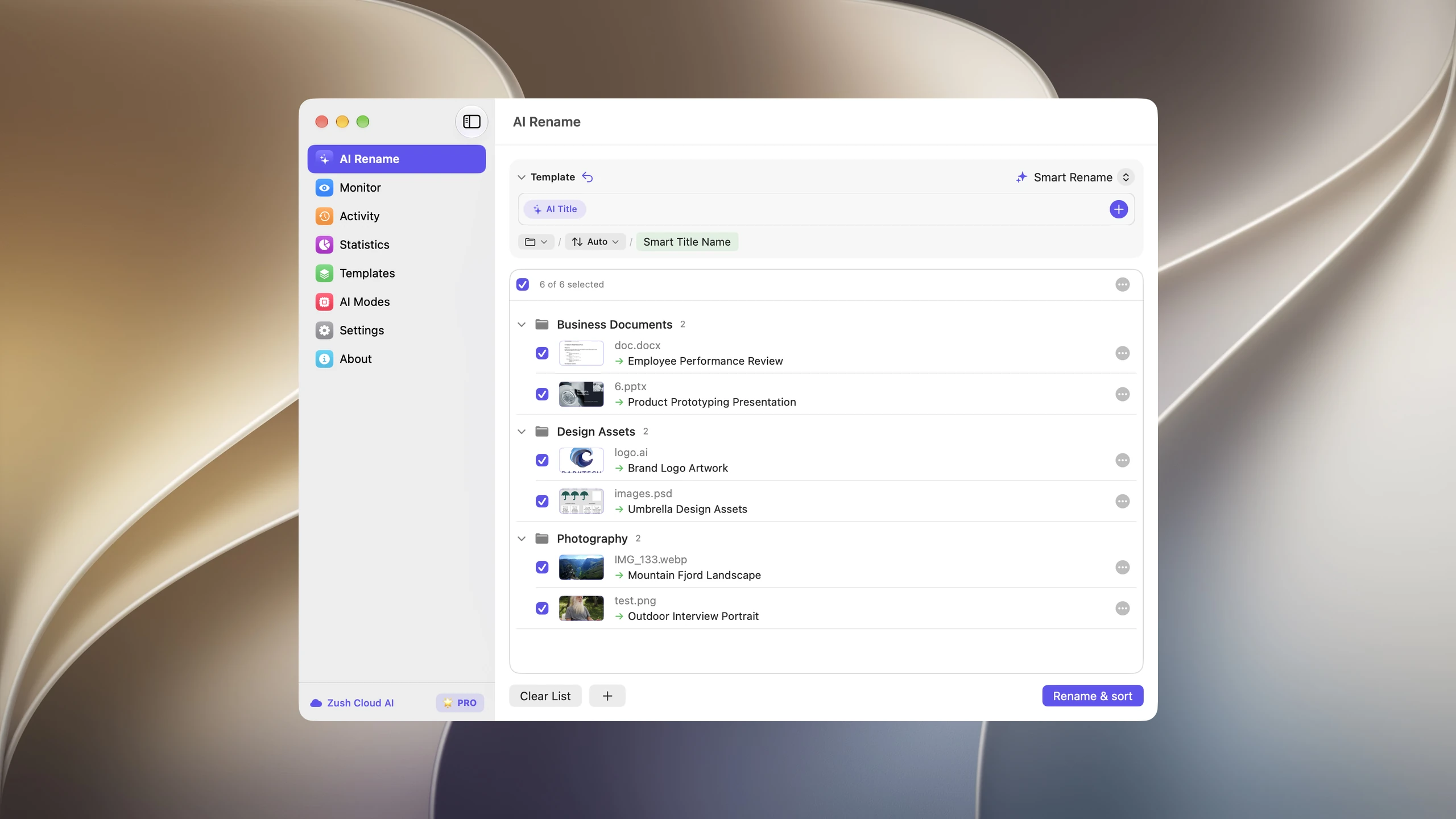
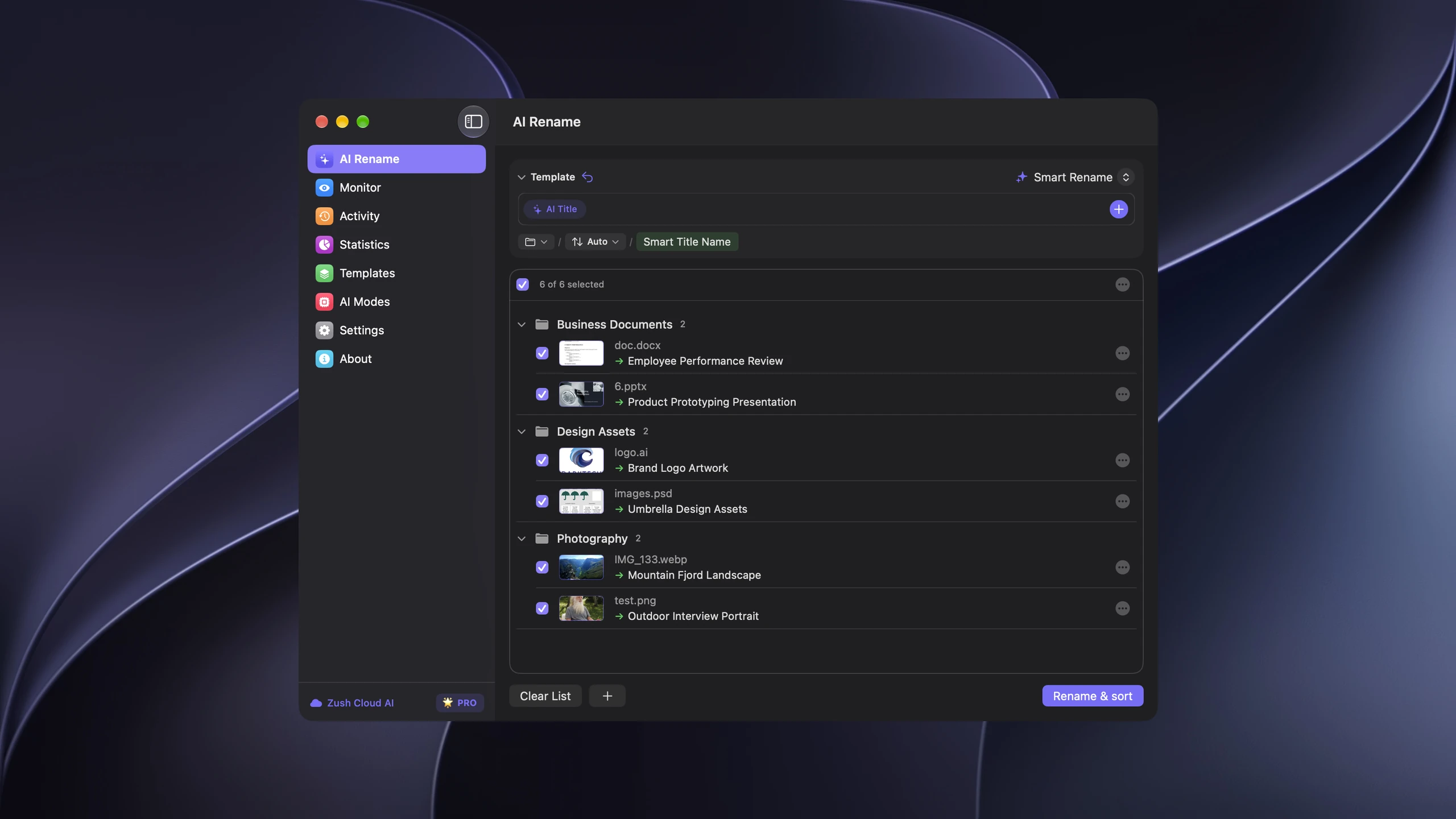
Save the tested destination and rules in the Template. Assign it to Monitor to rename and sort new files arriving directly inside the watched folder. This does not retroactively reorganize files already processed. With sorting off and the original destination selected, files keep their current folder.
Use ordinary exported images or a copied Finder/File Explorer folder. Do not reorganize a Photos library package; for originals tracked by a catalog, follow its rename or relink workflow. Folder grouping does not add albums, face recognition, duplicate removal, or backup.
Follow the step-by-step Mac sorting guide or see the folder sorting documentation and 30 example Folder rules.
Find your highest-risk mistake
| Symptom | Likely mistake | Fix first |
|---|---|---|
| The same image appears in several folders | Duplicates and scattered libraries | Consolidate, back up, then deduplicate |
Search results are full of IMG_ and DSC_ names | Default filenames | Add descriptive names to important sets |
| You cannot tell originals from edits | Mixed masters and exports | Separate originals from exports |
| Deleting on one device removes photos elsewhere | Sync treated as backup | Create an independent backup copy |
| Every cleanup attempt stops halfway | System is too complicated | Reduce folders and work in short sessions |
1. Keeping default camera filenames
Names like IMG_4382 and DSC_0091 are unique enough for a camera but carry no subject, event, client, or location context.
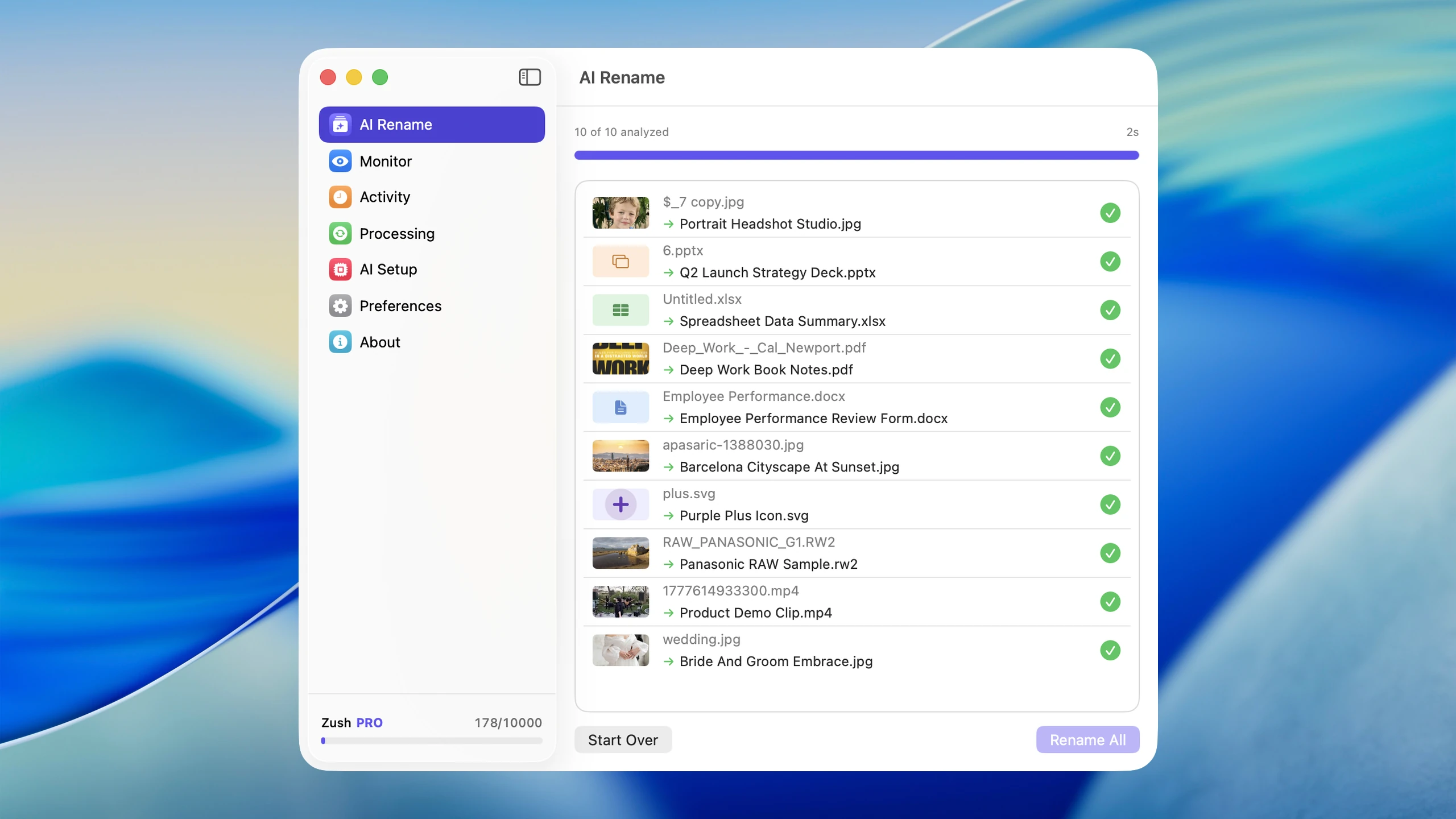
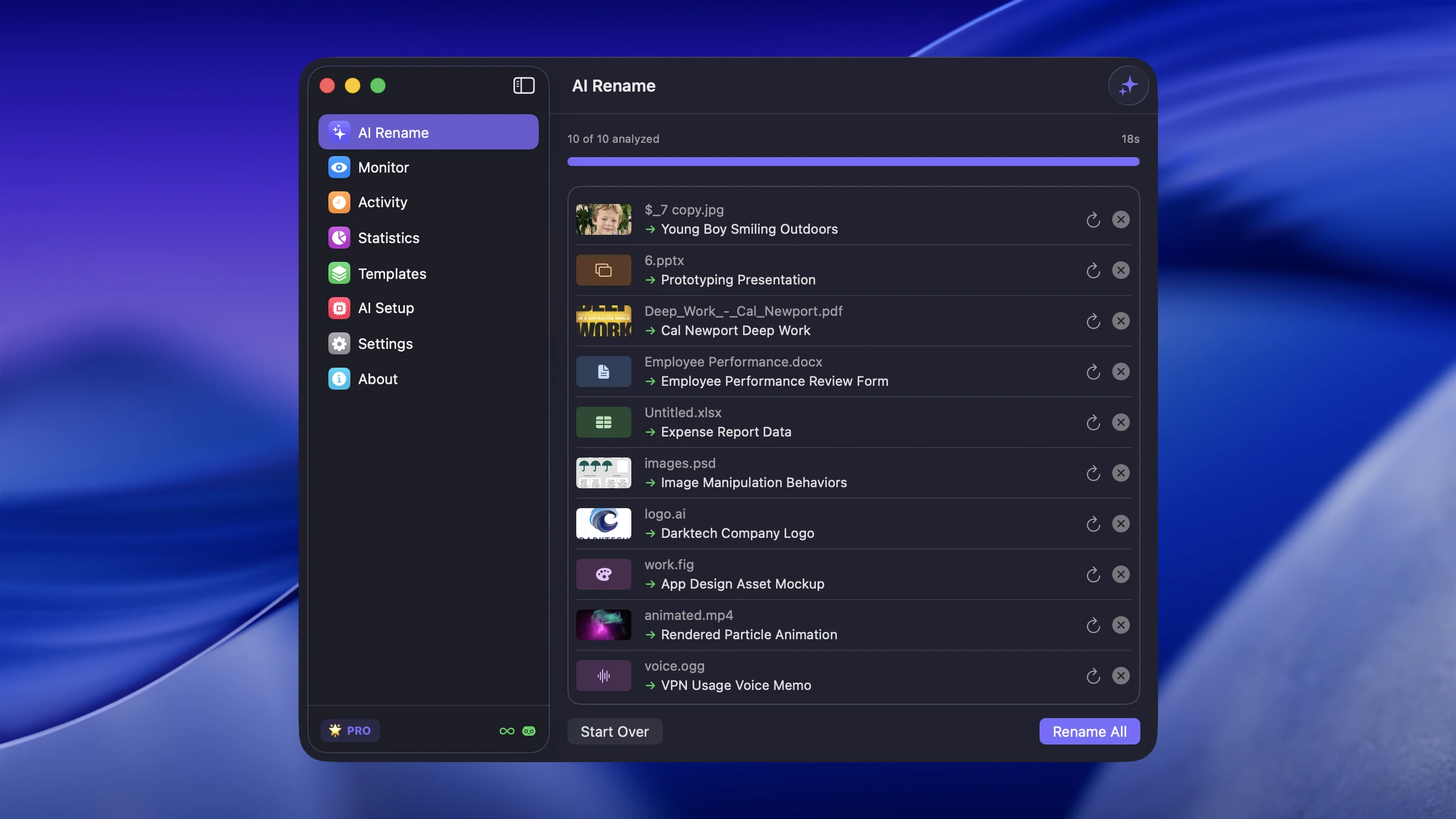
Why it fails: six months later, the filename cannot help Spotlight distinguish a product shoot from a family trip. Folder context disappears when the image is copied, attached, or exported.
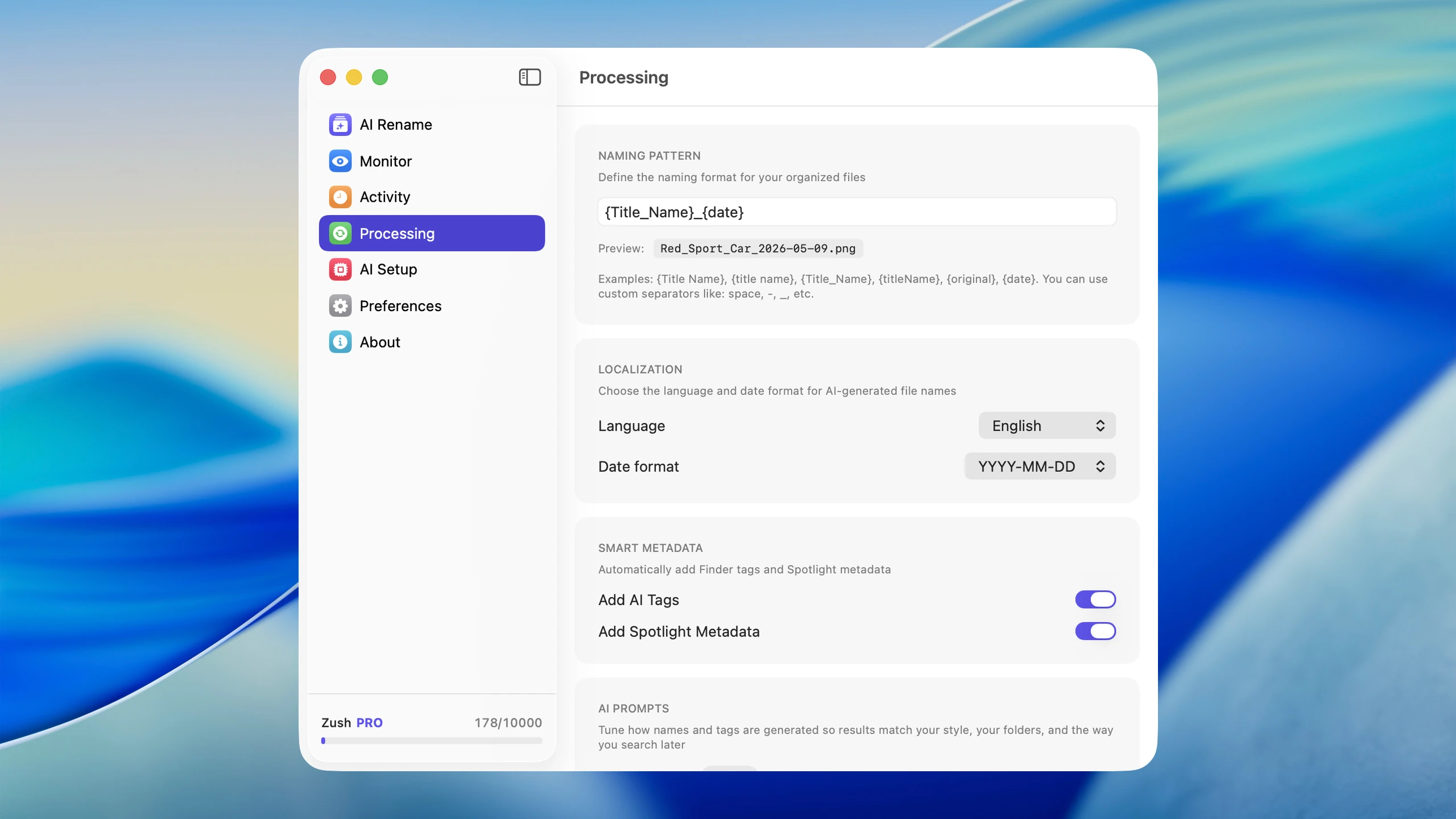
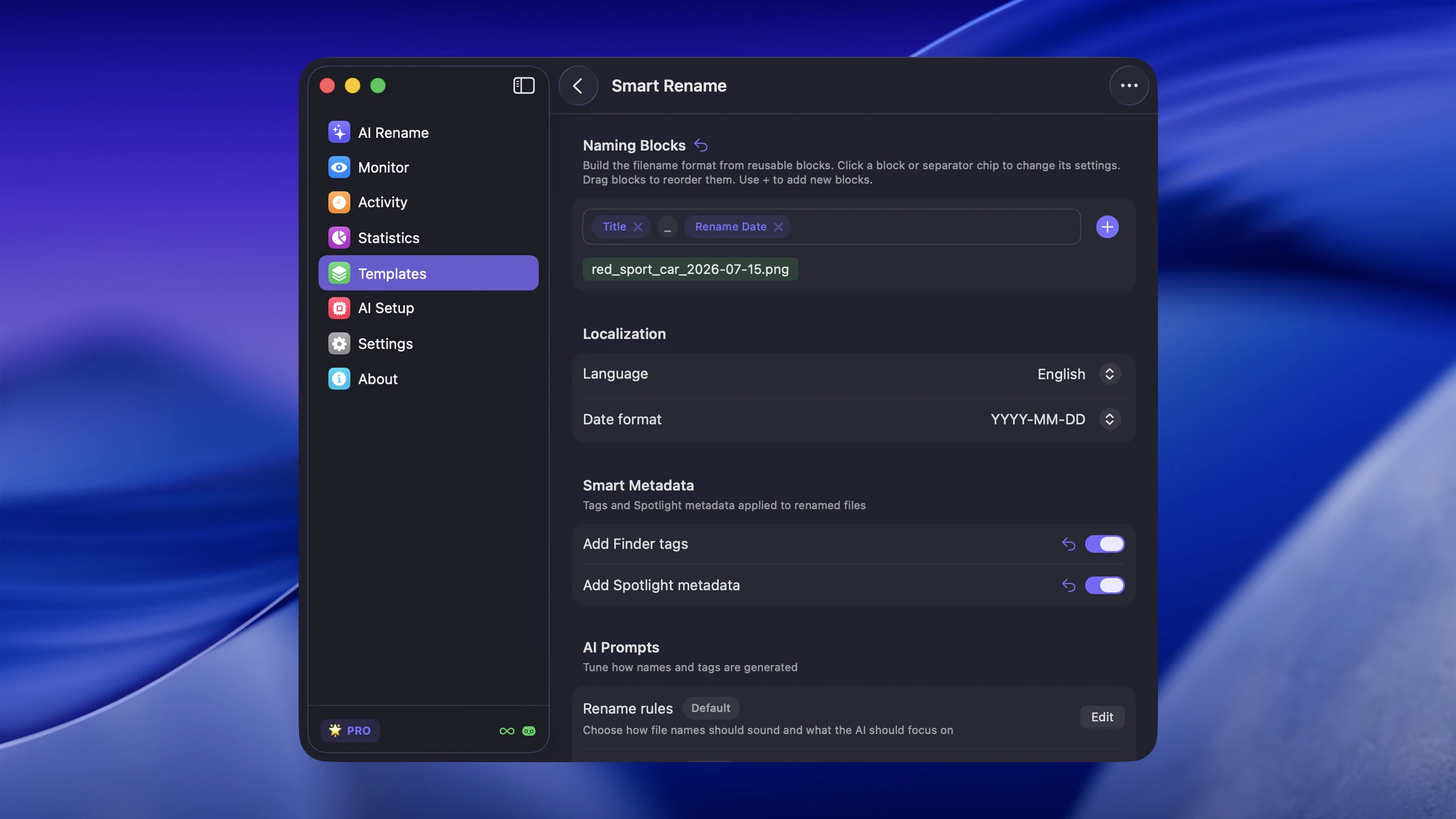
Fix: rename important sets with a stable pattern such as date_event_subject_sequence. For a large visual backlog, AI photo renaming can propose descriptive names, but preview the first batch and preserve the original extension.
2. Throwing everything into one folder
One flat folder makes import easy but forces every future search to depend on memory, thumbnails, or metadata.
Why it fails: originals, edits, screenshots, downloads, and client exports become indistinguishable. Similar filenames collide, and moving a subset later becomes risky.
Fix: separate by year plus event for personal libraries, or client plus project for professional work. Keep the structure shallow enough that a photo belongs in one obvious place.
3. Relying only on folders
Folders provide location, but a weak filename inside a good folder is still hard to find through search or after sharing.
Why it fails: one image can belong to several concepts, while a folder allows only one physical location. Deep nesting also hides context from Spotlight results and exported copies.
Fix: use folders for the primary home, filenames for durable context, and tags or metadata for secondary attributes such as people, rating, client, or status.
4. Never deleting duplicates or near-duplicates
Photo libraries fill up with burst shots, message attachments, re-downloads, edited copies, and exports at several resolutions.
Why it fails: duplicates inflate backups and make every search or culling decision slower. They also increase the chance of editing or sharing the wrong copy.
Fix: back up first, then merge exact duplicates before judging near-duplicates. Apple’s Photos app can surface items in its Duplicates collection; keep intentional edits and resolution variants in clearly labeled export folders.
5. Using inconsistent naming conventions
Some files get dates, others get events, others keep the original camera name.
Why it fails: inconsistent order breaks alphabetical sorting and makes batch operations unreliable.
Fix: pick one rule for each workflow and document it with two examples. 2026-08-10_bangkok-street-market_001.jpg is predictable, sortable, and specific enough to search.
6. Skipping backups
Organization without backup is fragile. Moving, merging, and renaming thousands of files increases the cost of a mistake.
Why it fails: a synced library can mirror deletions across devices. Apple notes that iCloud Photos changes, including deletions, are reflected on connected devices and recommends keeping backup copies of the library in its iCloud Photos guidance.
Fix: create an independent backup before reorganizing. On Mac, Time Machine can automatically back up photos and other files to external storage.
7. Waiting for a “big cleanup day”
Backlogs grow because cleanup keeps getting postponed, while a full-library project creates too many decisions at once.
Fix: work on one bounded set, such as the latest import or one month, for 15 to 20 minutes. Stop when the timer ends and repeat next week.
8. Ignoring screenshots and downloaded images
Screenshots, downloaded graphics, and message attachments often create more naming chaos than camera photos because they lack consistent capture metadata and arrive from several apps.
Fix: give them separate intake folders, delete disposable items quickly, and rename only the images worth preserving. Do not mix screenshots into an originals folder simply because they are all image files.
9. Trusting memory instead of metadata
You will not remember what IMG_8392 was six months from now, and a copied file may lose the folder context that once made it recognizable.
Fix: preserve capture dates and EXIF data, then add only the context the camera could not know: event, client, project, subject, or usage rights.
10. Making the system too complicated
An overdesigned taxonomy is another way to fail. If every image requires a new decision, the backlog will return during the first busy week.
Fix: choose one folder rule, one filename rule, one backup routine, and one weekly review. Add another layer only when a real retrieval problem appears.
The best practical fix
For most people, a workable photo organization system includes:
- one clear folder structure
- descriptive filenames
- routine duplicate cleanup
- reliable backup
- automation for the files that pile up fastest
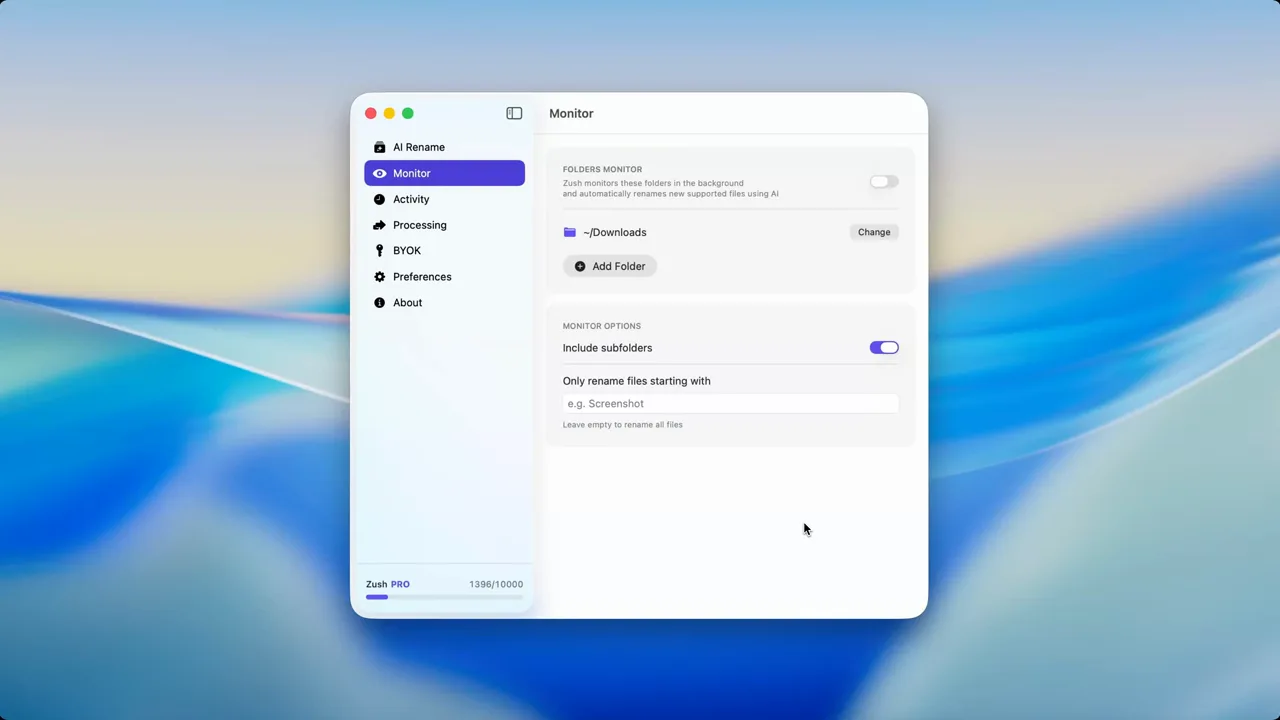
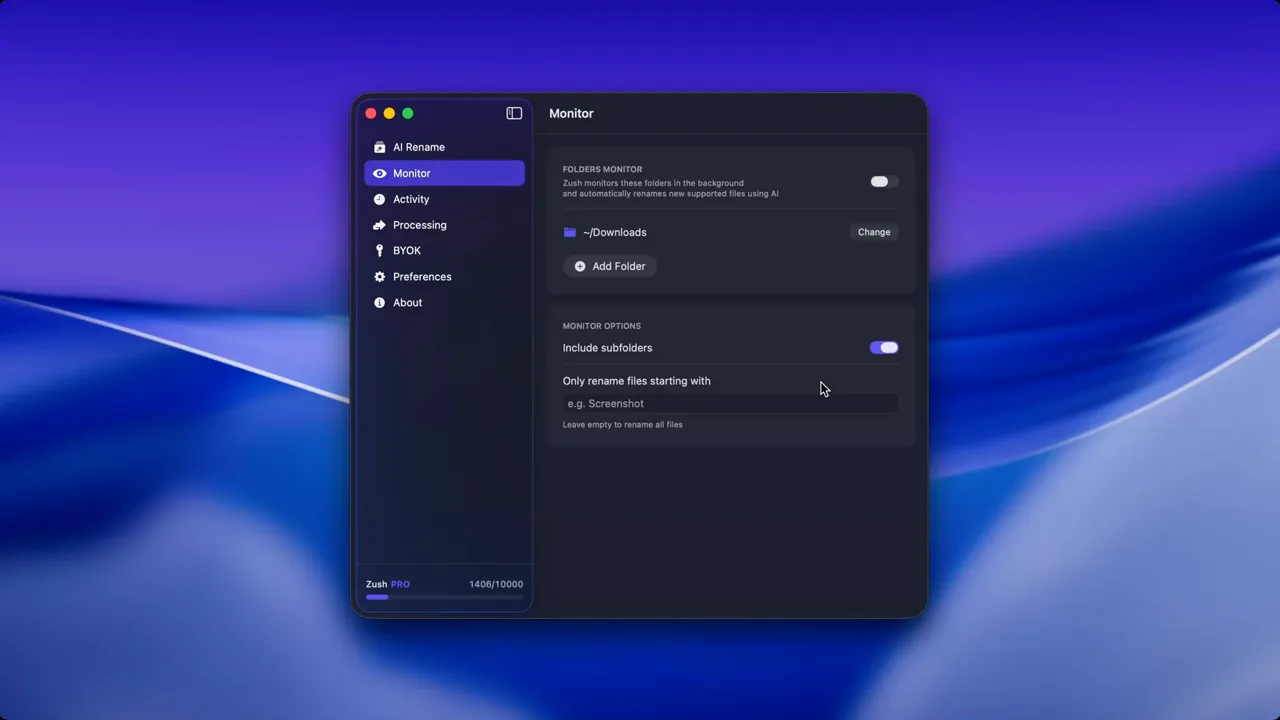
That last part matters. If screenshots, downloads, and exported images keep arriving with bad names, the system will decay again. Zush helps prevent that by reducing the manual rename burden on the image-heavy side of the workflow.
If you want the automation layer, pair this checklist with Auto Rename Files on Mac or Cloud AI vs Local AI File Renaming.
A 20-minute recovery plan
- Protect the library: confirm that an independent backup exists.
- Choose one small batch: use the latest import, one event, or one month.
- Separate originals and exports: do not rename or delete both as if they were duplicates.
- Merge exact duplicates: handle easy wins before subjective culling.
- Apply one naming rule: test it on a representative set and keep rollback available.
- Schedule the next session: repeat the same process instead of expanding the scope today.
FAQ
Should I organize photos by date or event?
Use date as the stable top-level structure and event, client, or project as the descriptive layer. Dates sort reliably, while event names provide human context. A pattern such as 2026/2026-08-bangkok-trip works for personal libraries; client work is usually clearer under client/project/date.
Should I remove duplicates before creating folders?
Back up and consolidate first, then remove exact duplicates before detailed sorting. Otherwise, you may spend time organizing the same image several times. Review near-duplicates separately because burst shots, edits, and different resolutions may be intentional.
Is iCloud Photos a backup of my photo library?
iCloud Photos stores and synchronizes the library across devices, but edits and deletions also synchronize. Keep an independent backup of important originals so one account or library action is not the only copy of your archive.
Should I rename every photo?
No. Rename important sets and files that must remain understandable outside the photo library. For casual camera-roll images, capture date, albums, people, and location metadata may already be enough. Spend naming effort where retrieval, sharing, or client handoff depends on it.
Fix the recurring part first
The fastest improvement is not renaming the entire archive. Pick the inflow that keeps recreating the mess, such as screenshots, RAW imports, or downloaded images. Try 50 photo renames free, validate one naming pattern, and keep the rest of the library unchanged until the workflow proves useful.


