Rename Screenshots with AI
Zush replaces generic screenshot timestamps with searchable names based on the app, page, error, chart, or conversation shown. Batch rename an existing archive or monitor a screenshot folder on Mac or Windows for new captures.
- Get started for free
- No registration
- No credit card required




Take a tour of Zush
One quick showcase per feature. Click a tab to see it in action.
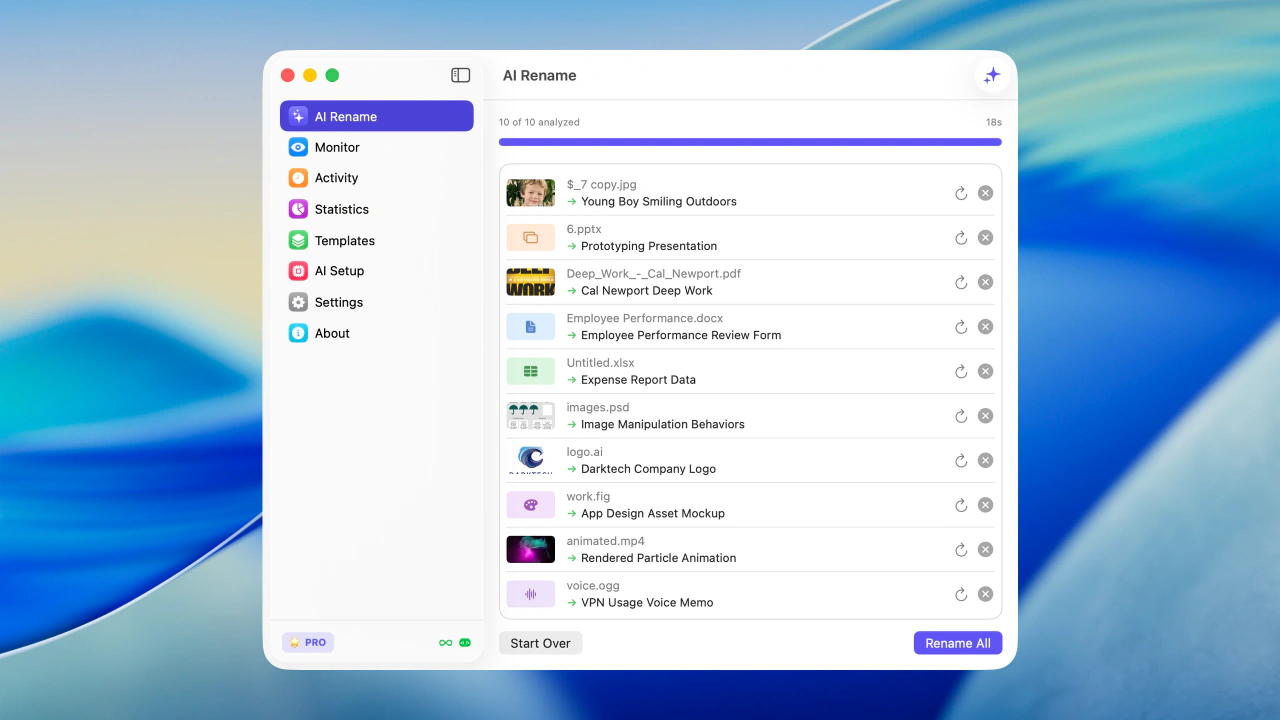
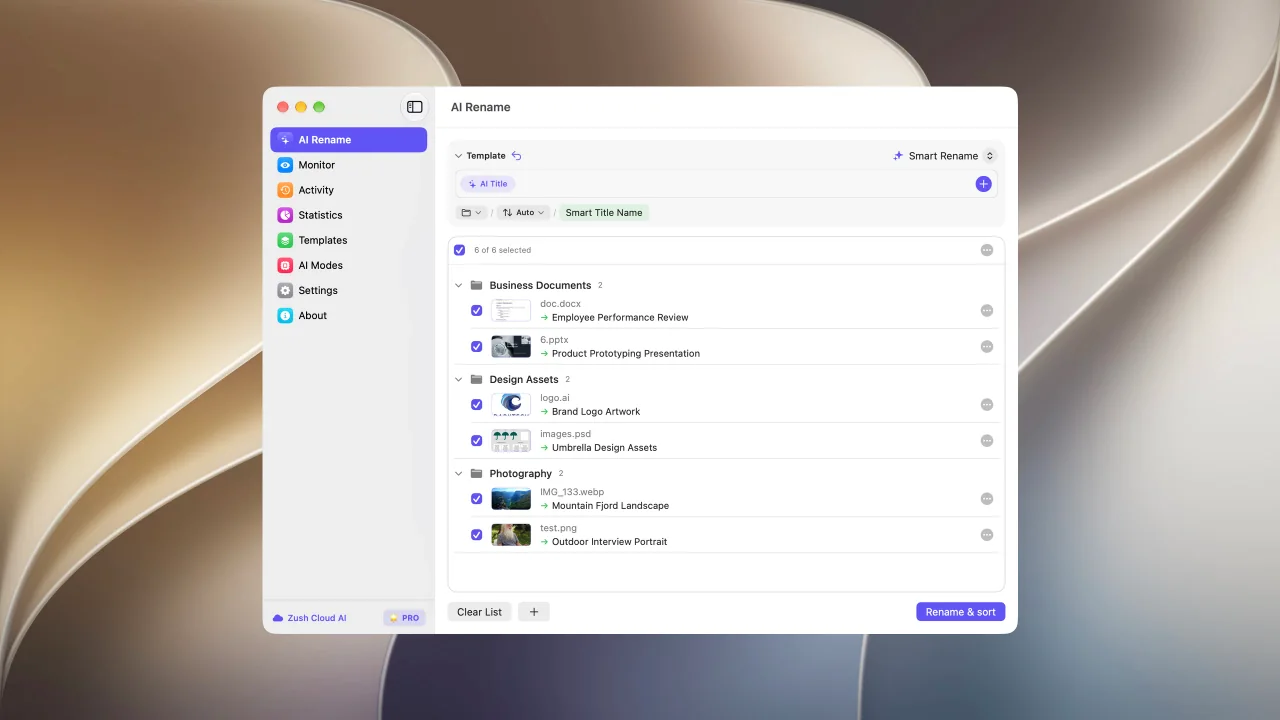
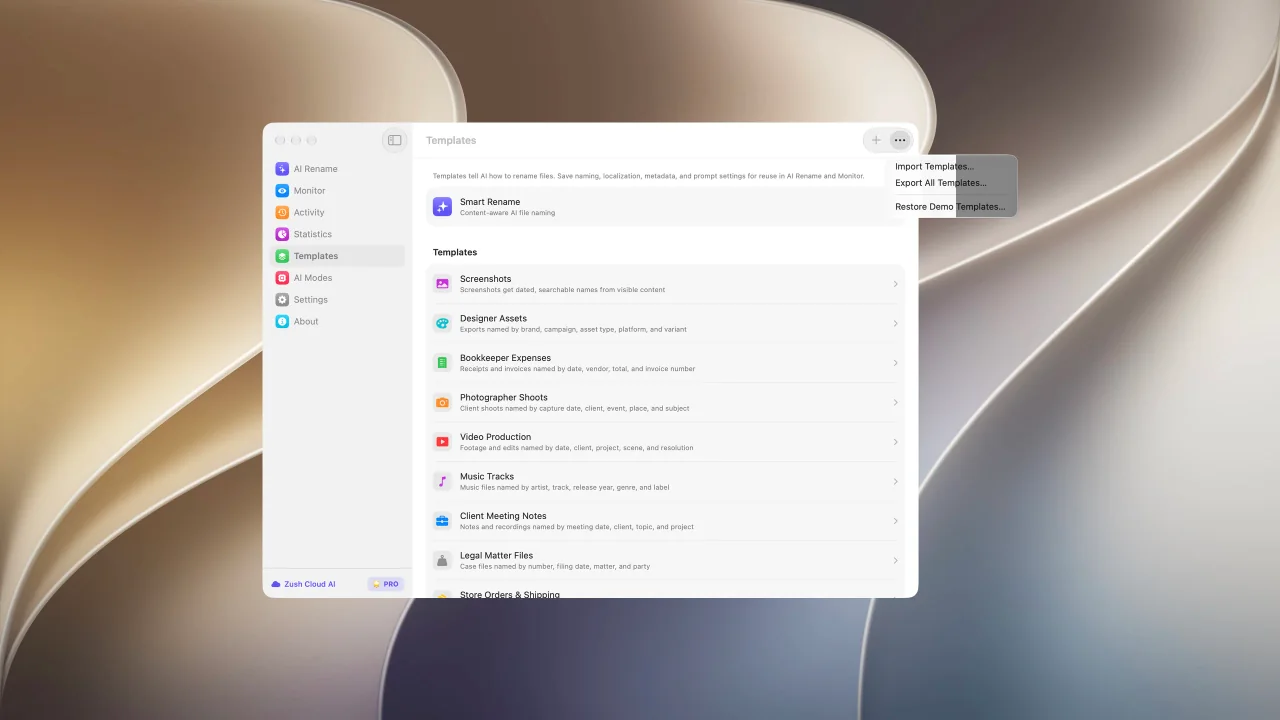
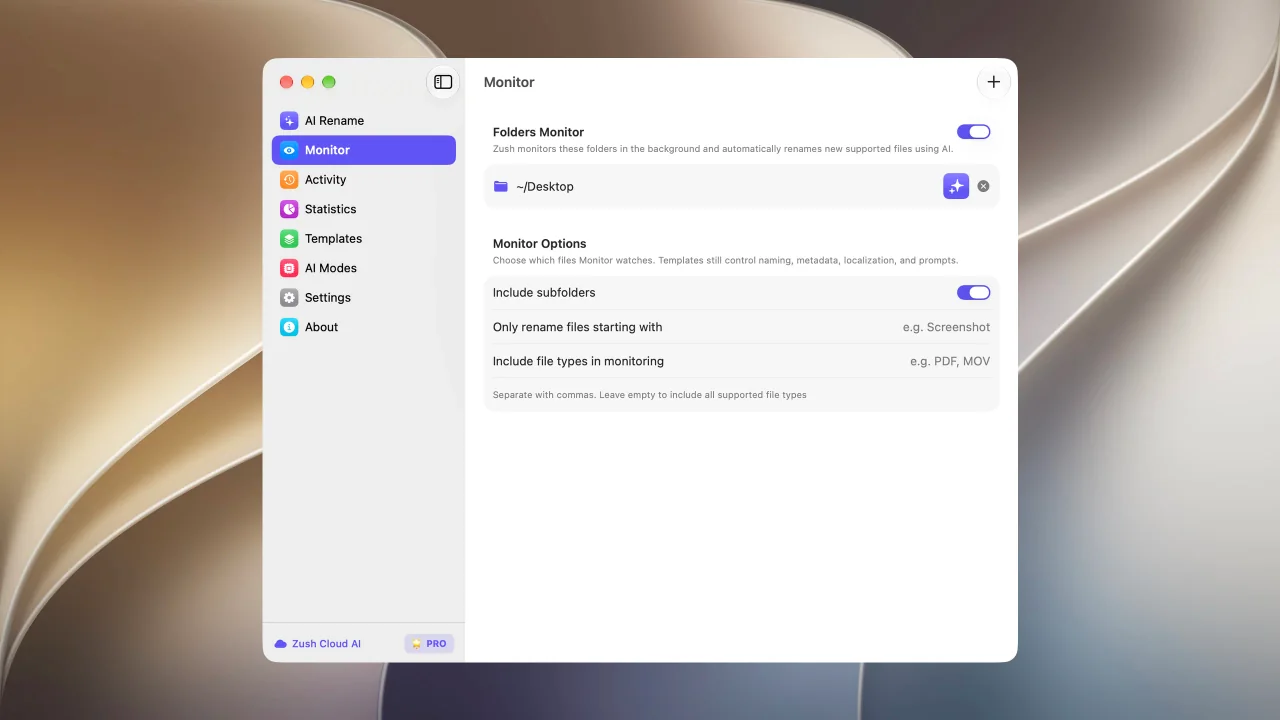
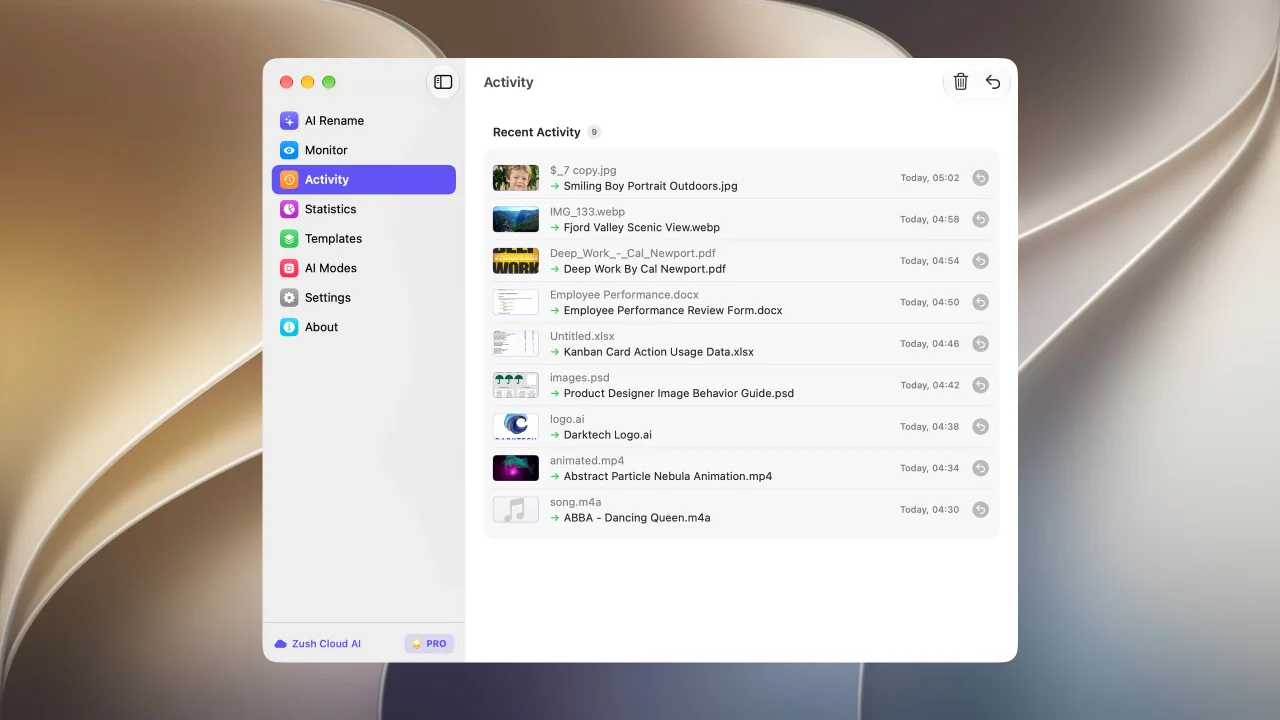
Bulk rename files by real content before you apply changes
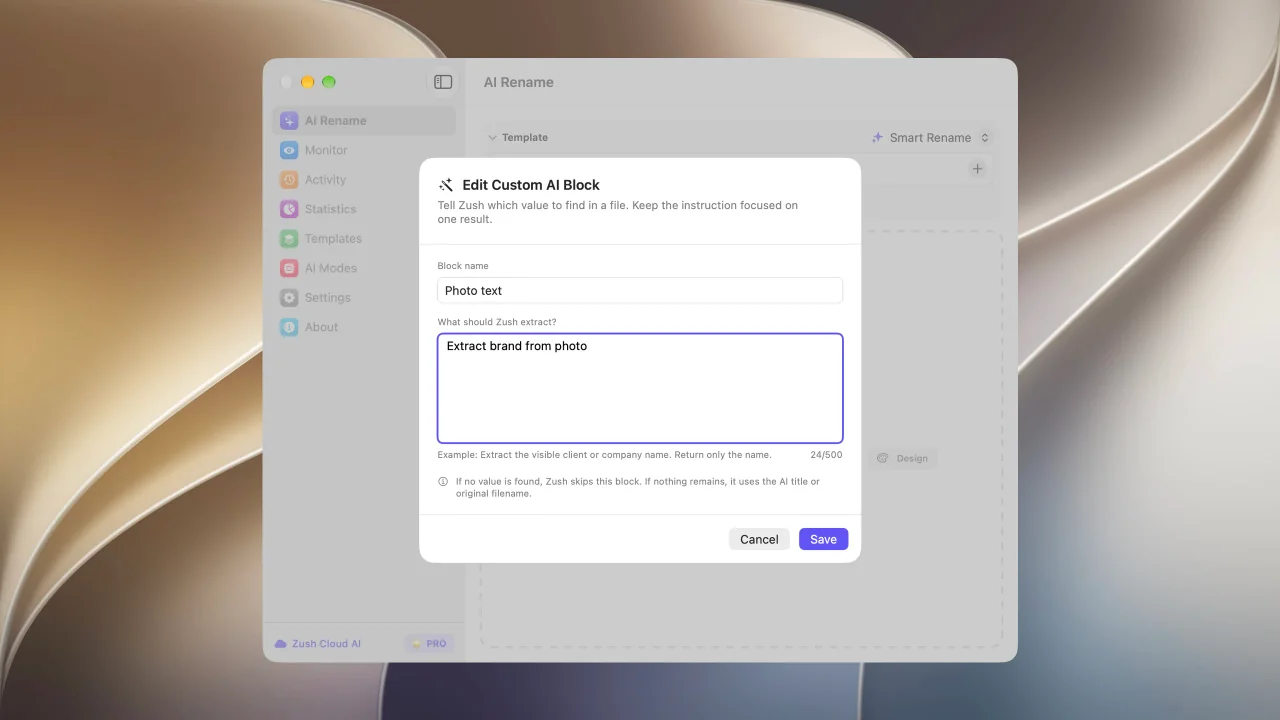
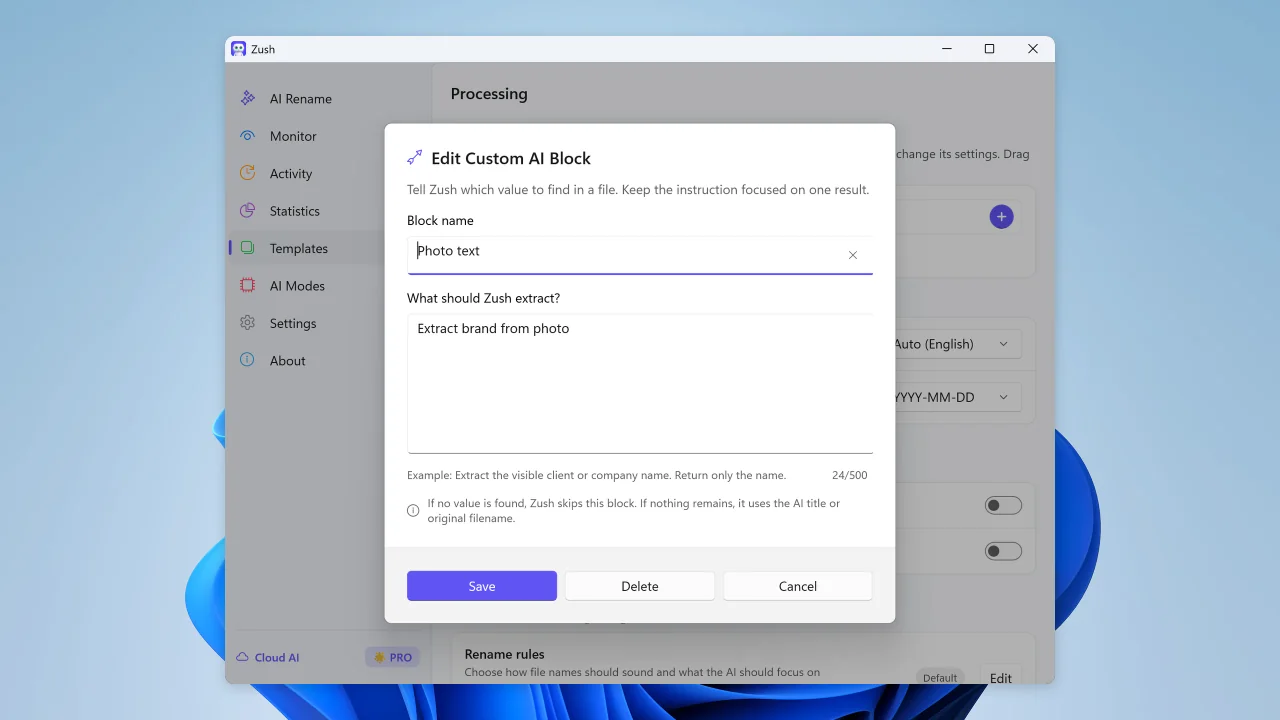
Describe what AI should extract and reuse it as your own naming block
Sort files into folders using your own instructions
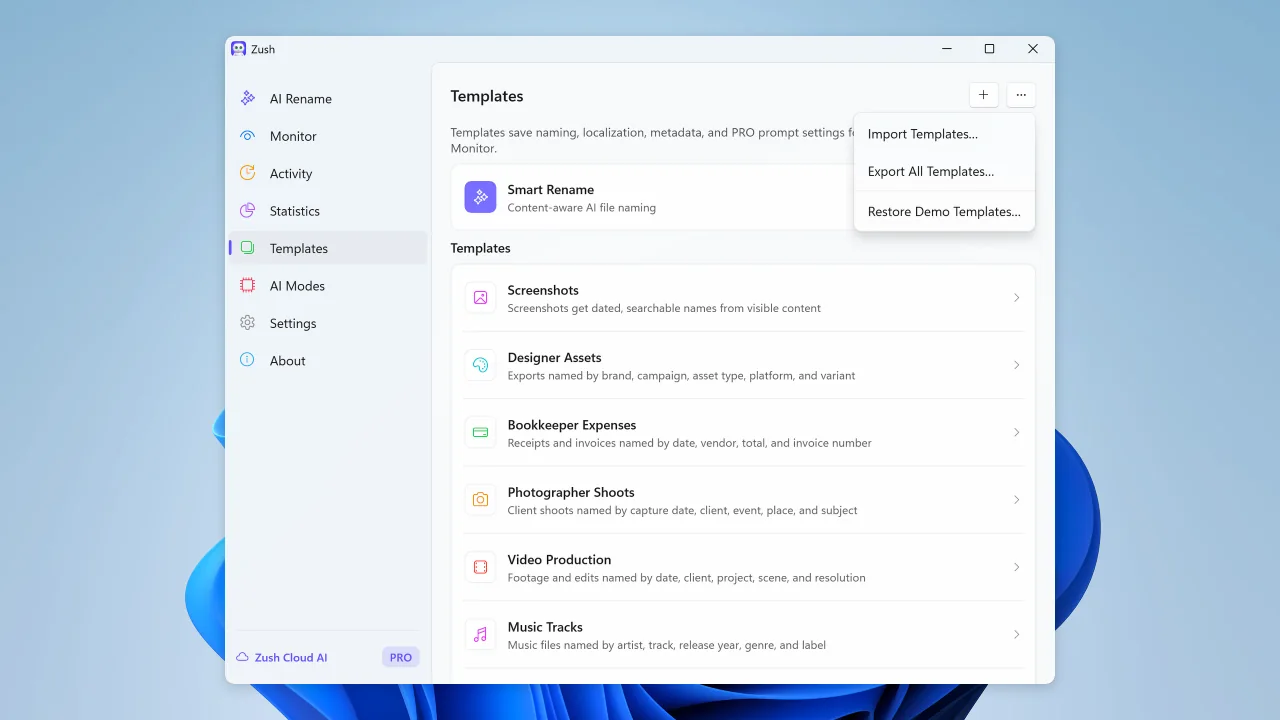
Share and back up your naming templates
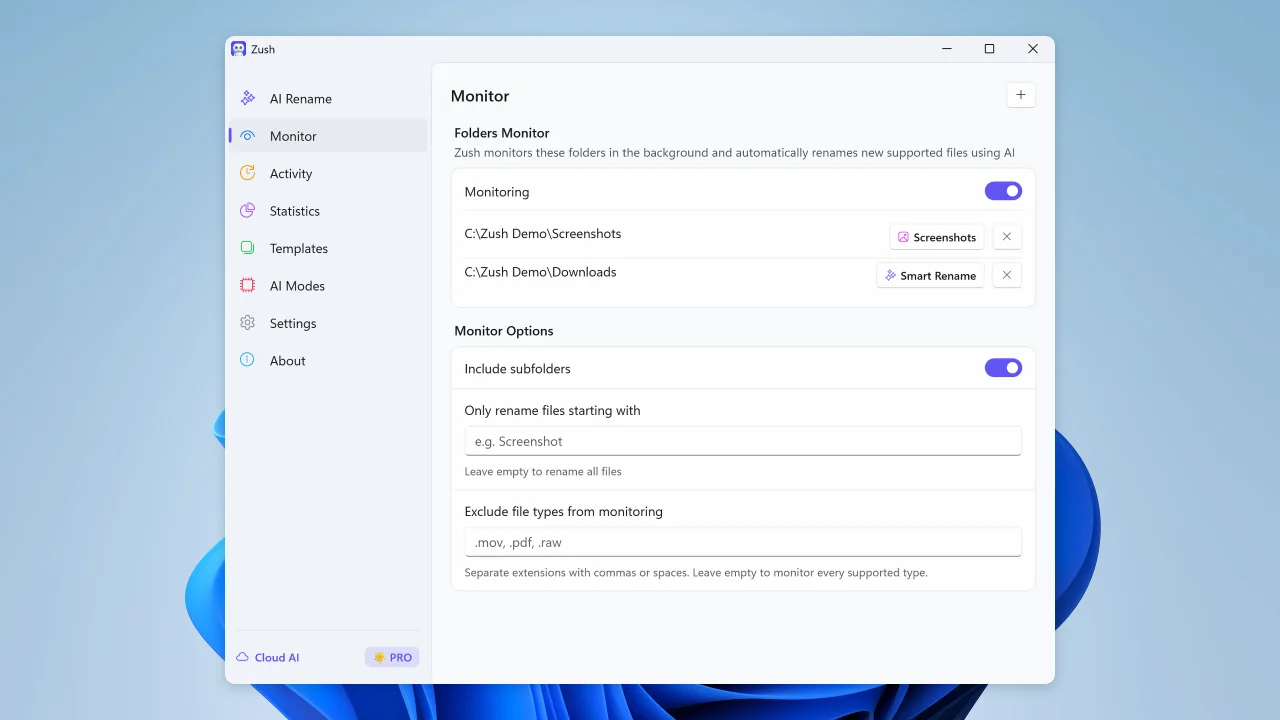
Watch folders and rename new files automatically
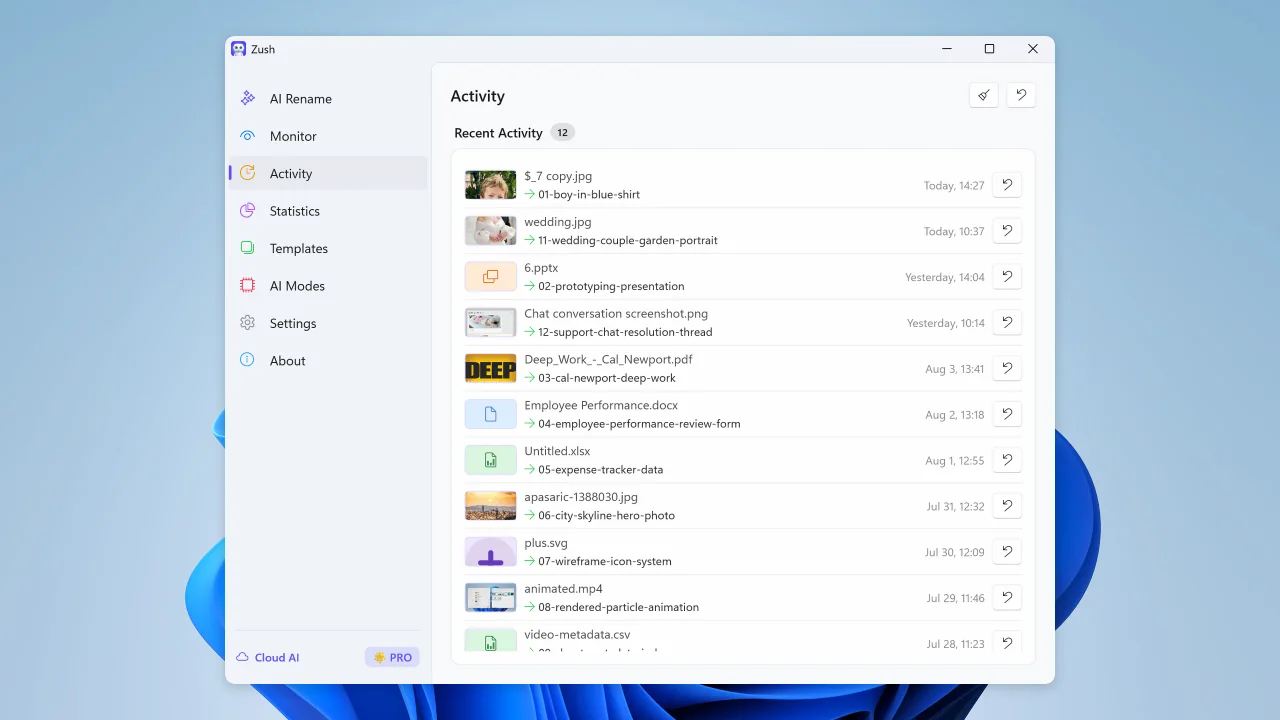
Review recent renames and undo changes when needed
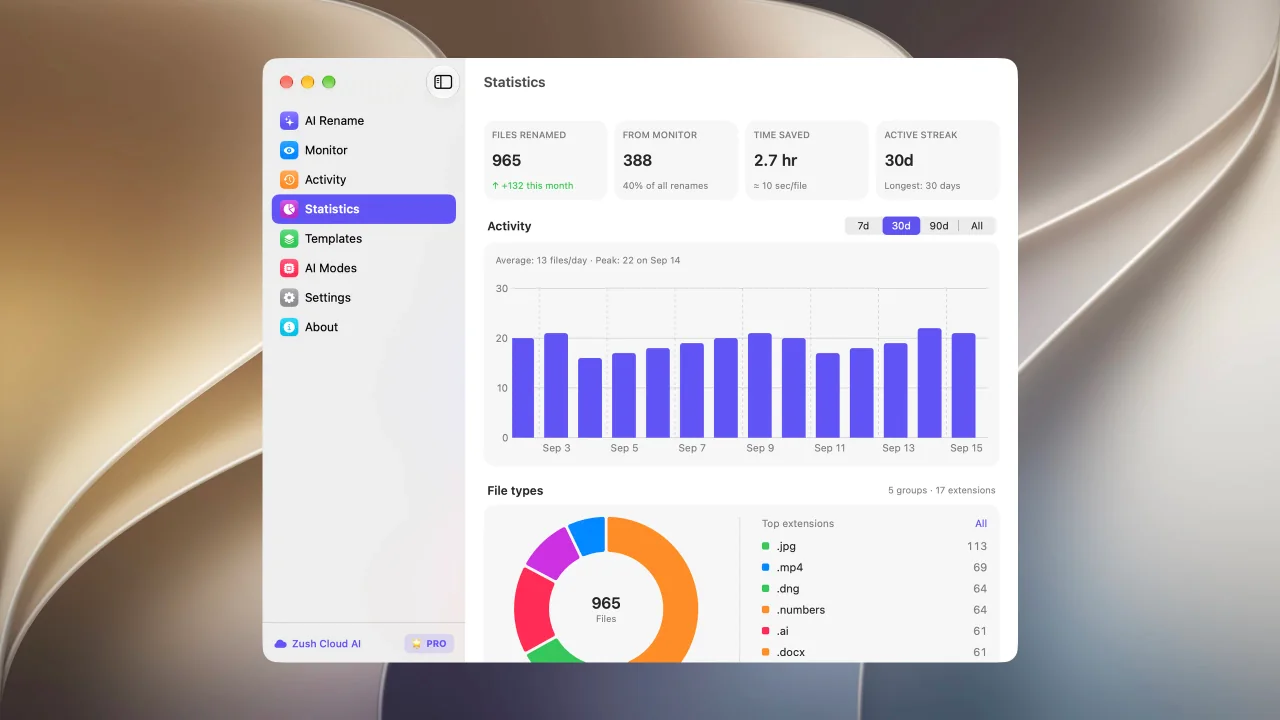
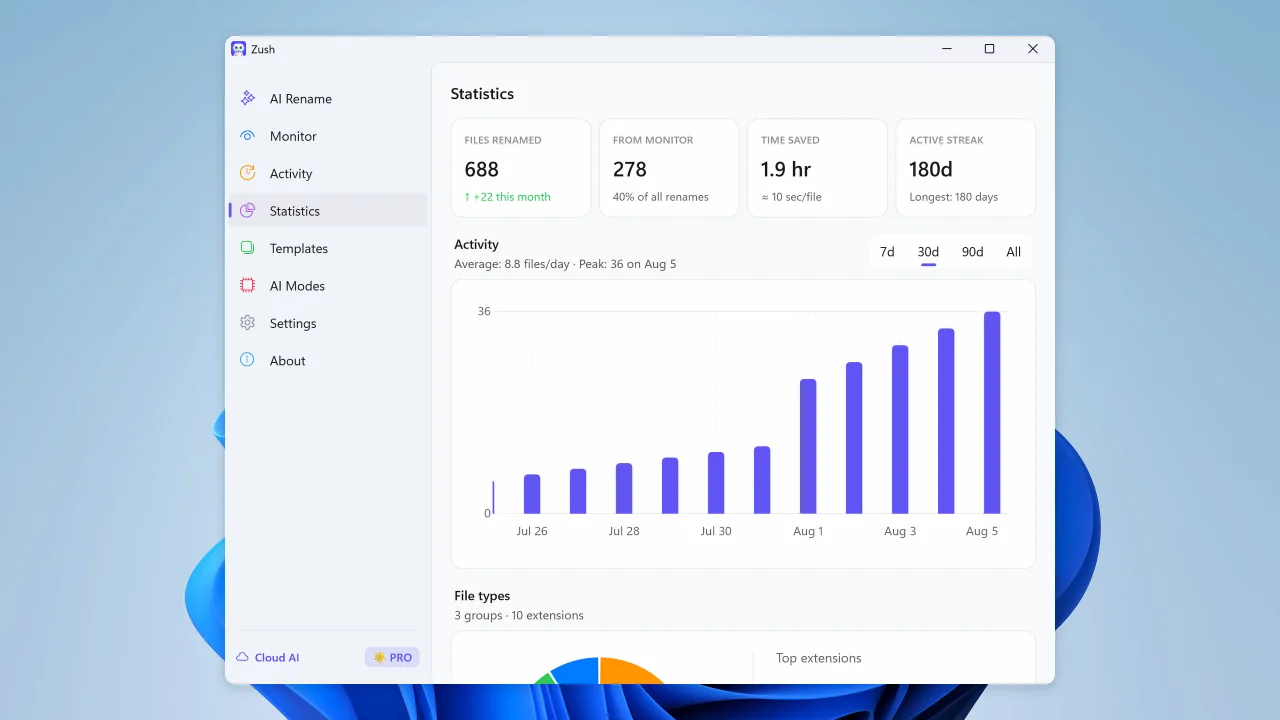
See rename volume, Monitor share, activity, and file type trends
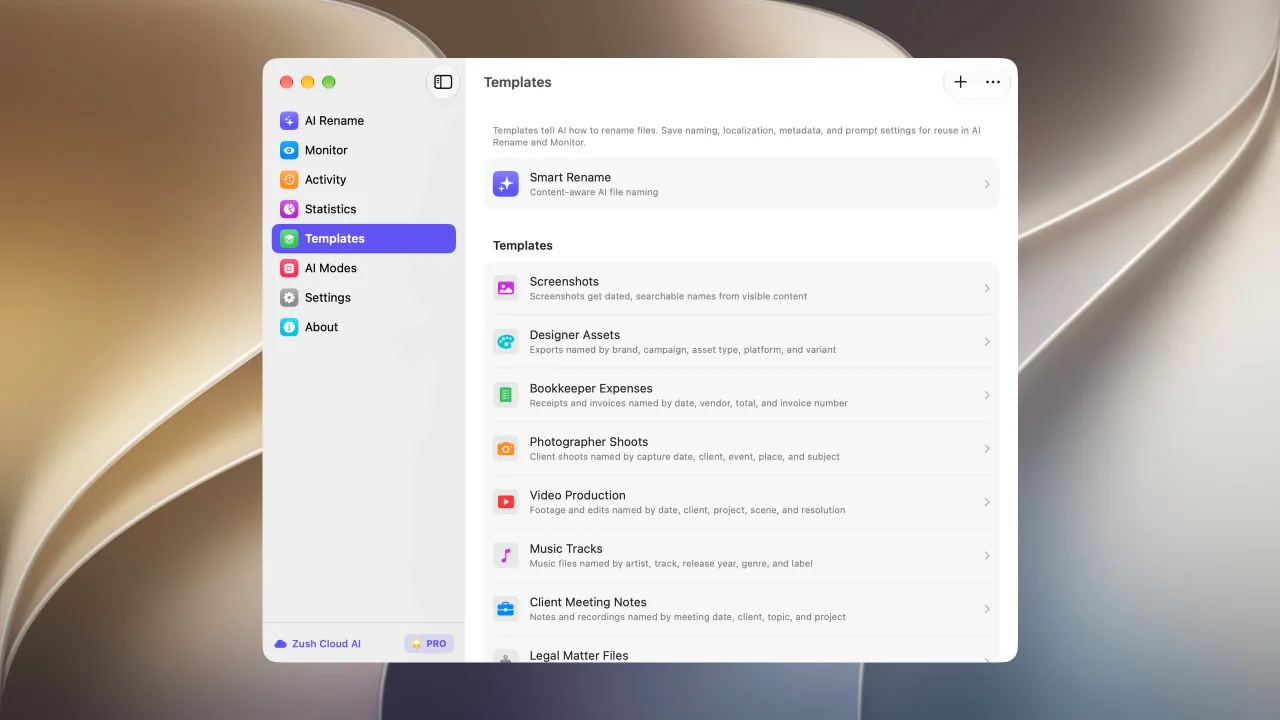
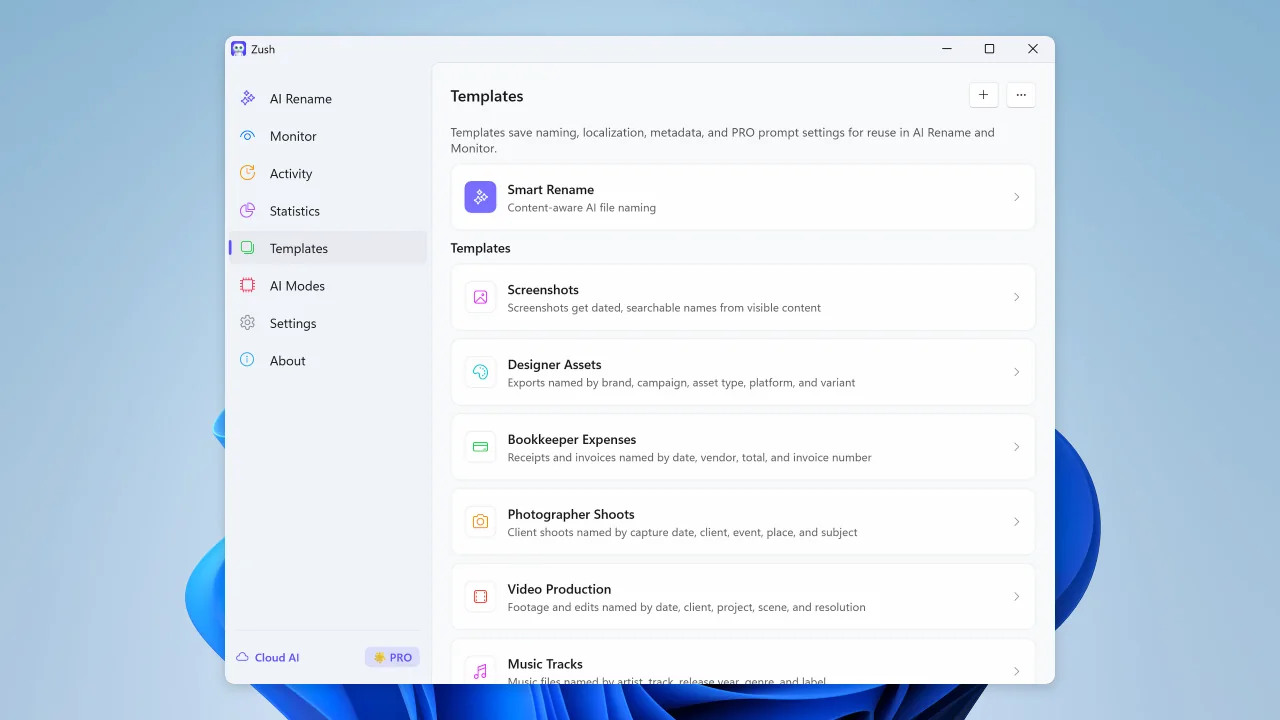
Save reusable rename setups for repeated AI Rename and Monitor workflows
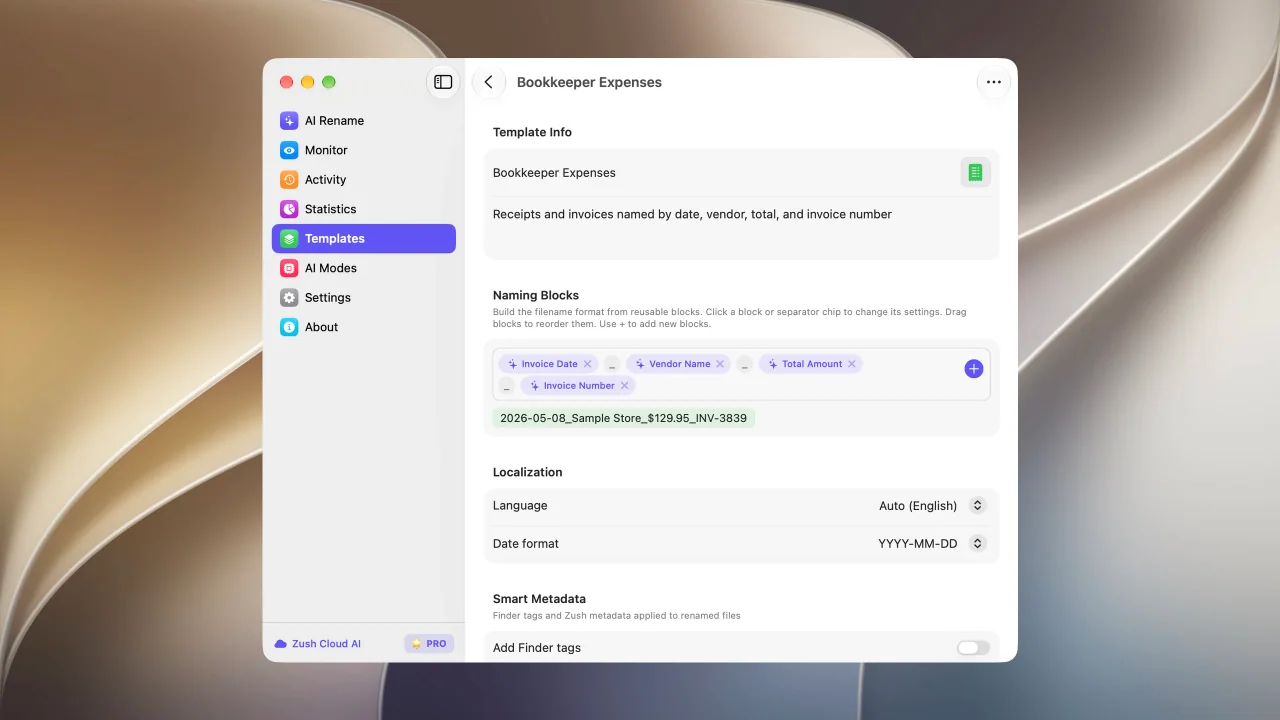
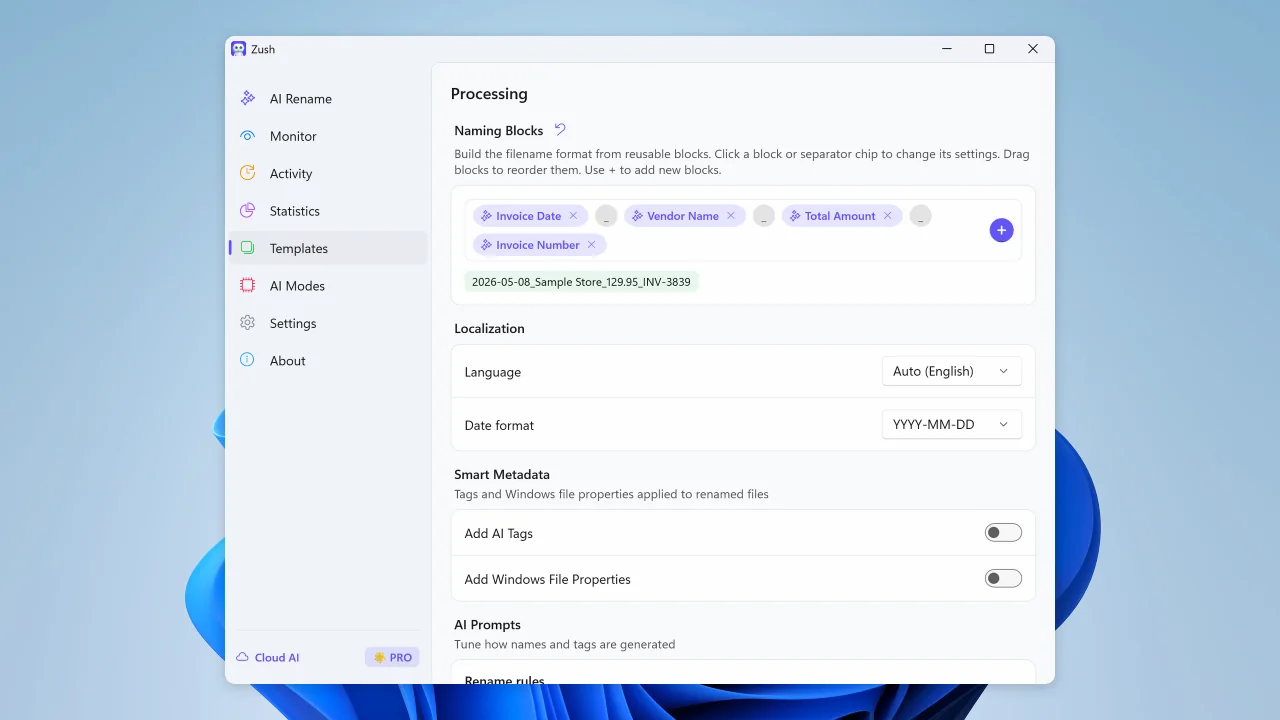
Build filenames from your file content using 145+ ready-made blocks
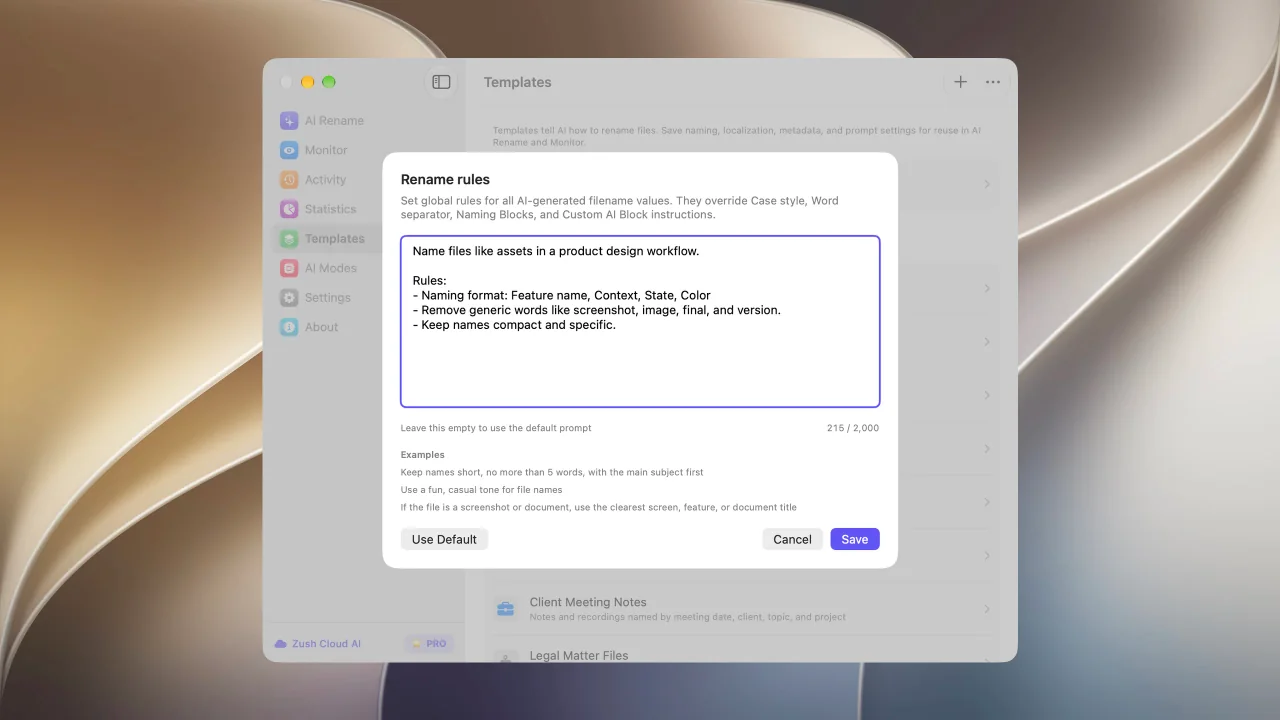
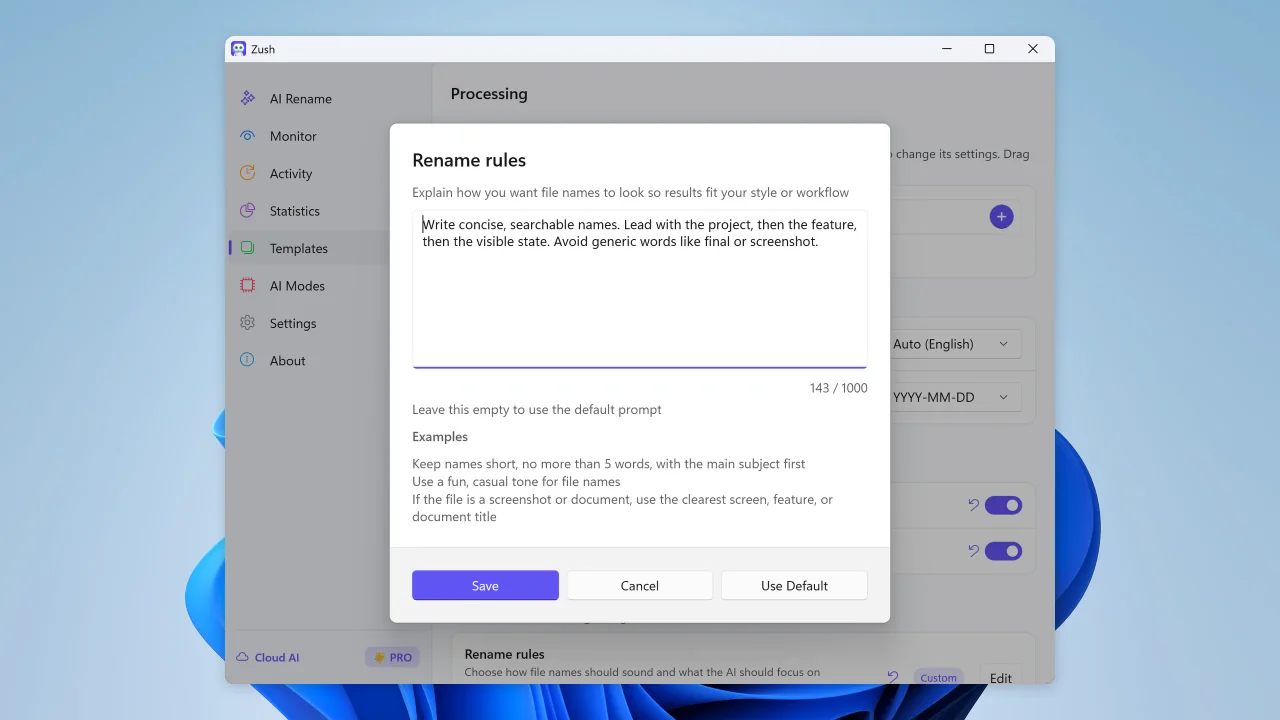
Guide filename generation with your own instructions
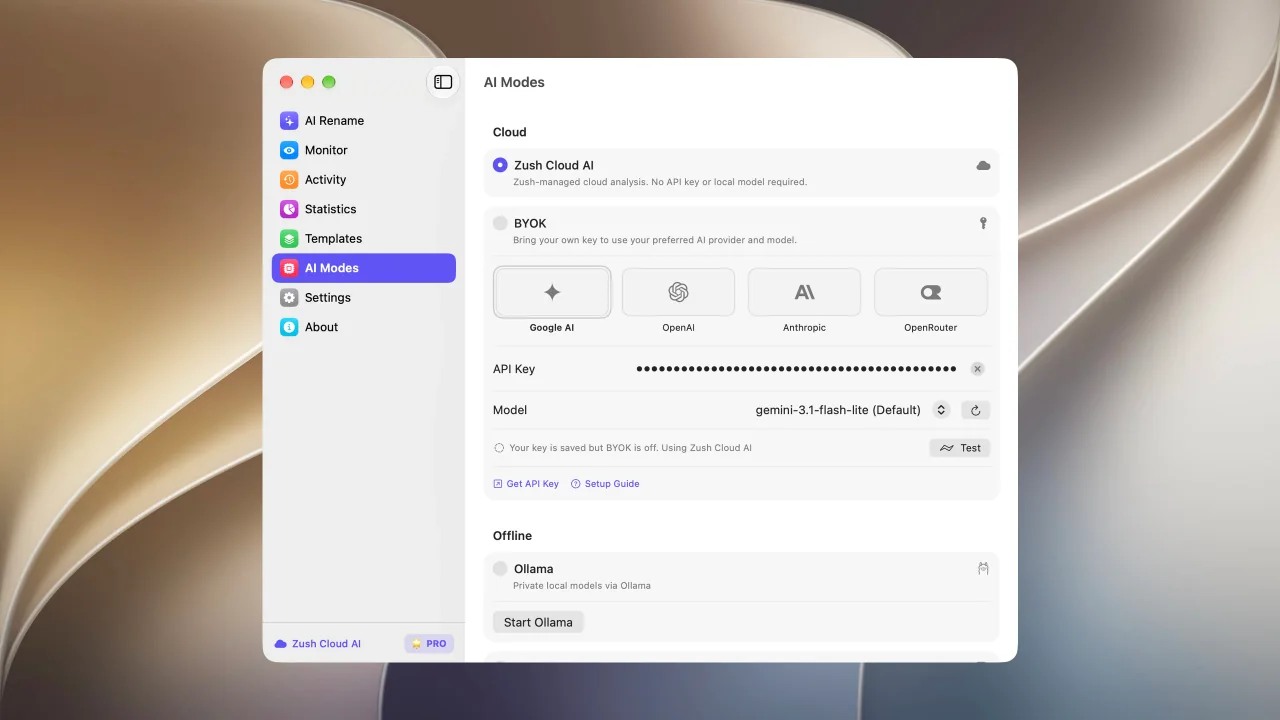
Start renaming immediately with managed cloud analysis and no setup
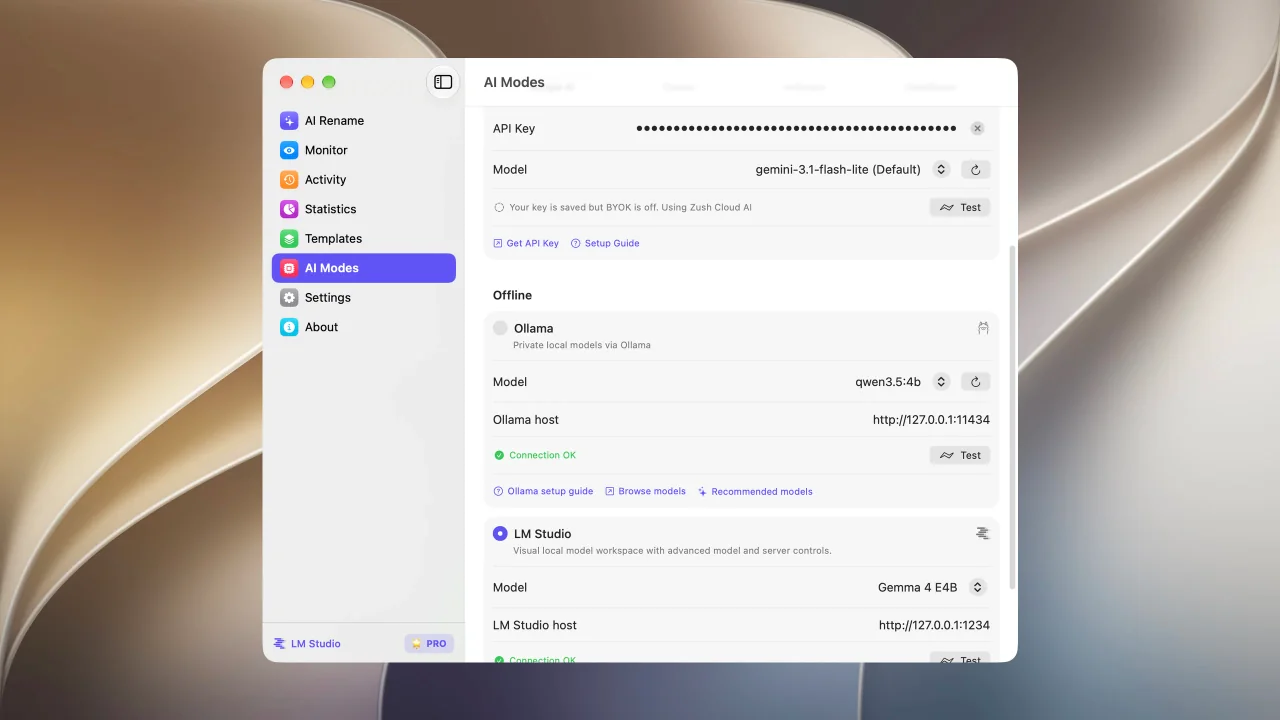
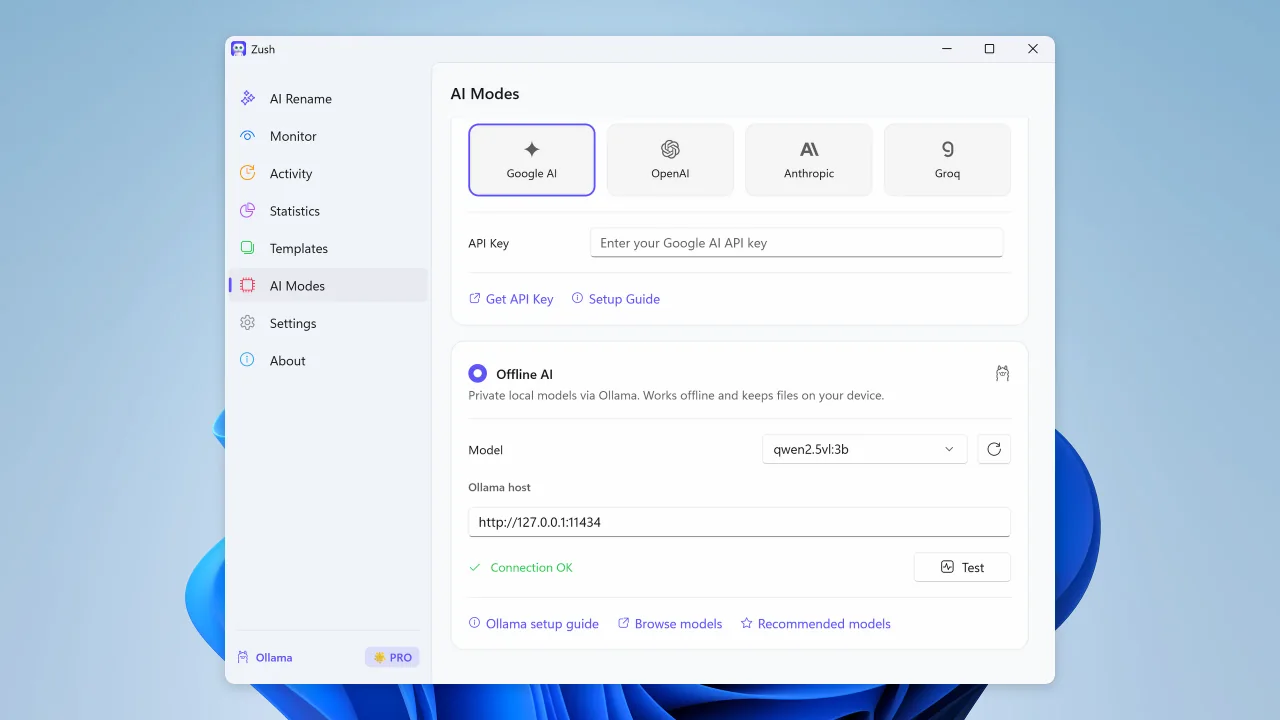
Run supported analysis on your Mac with LM Studio or Ollama.
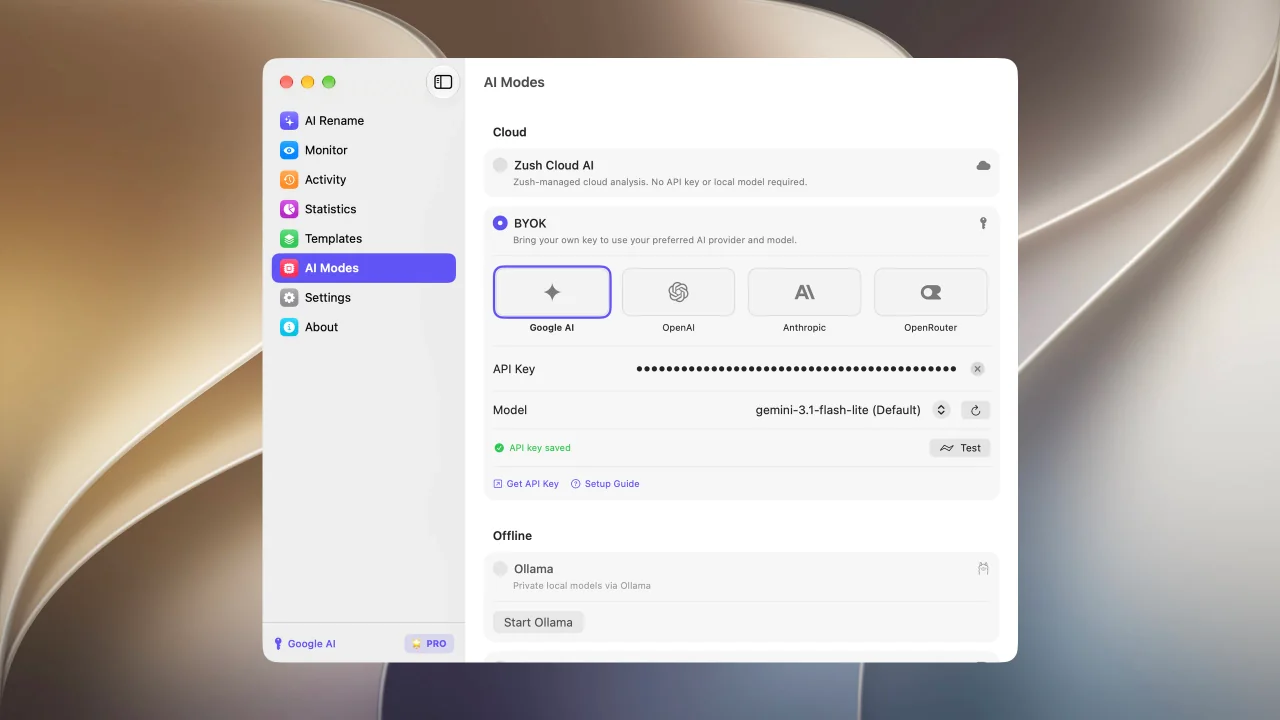
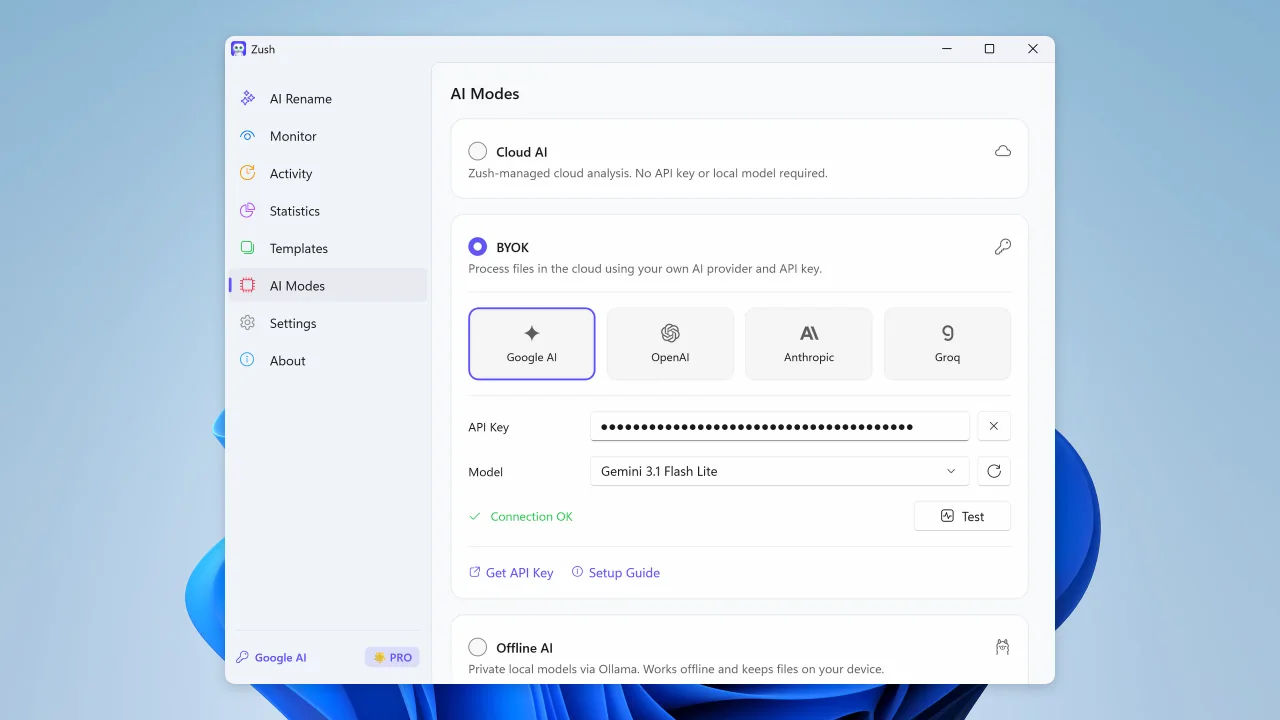
Connect your own AI provider for renaming; FREE includes 50 across all modes and PRO is unlimited
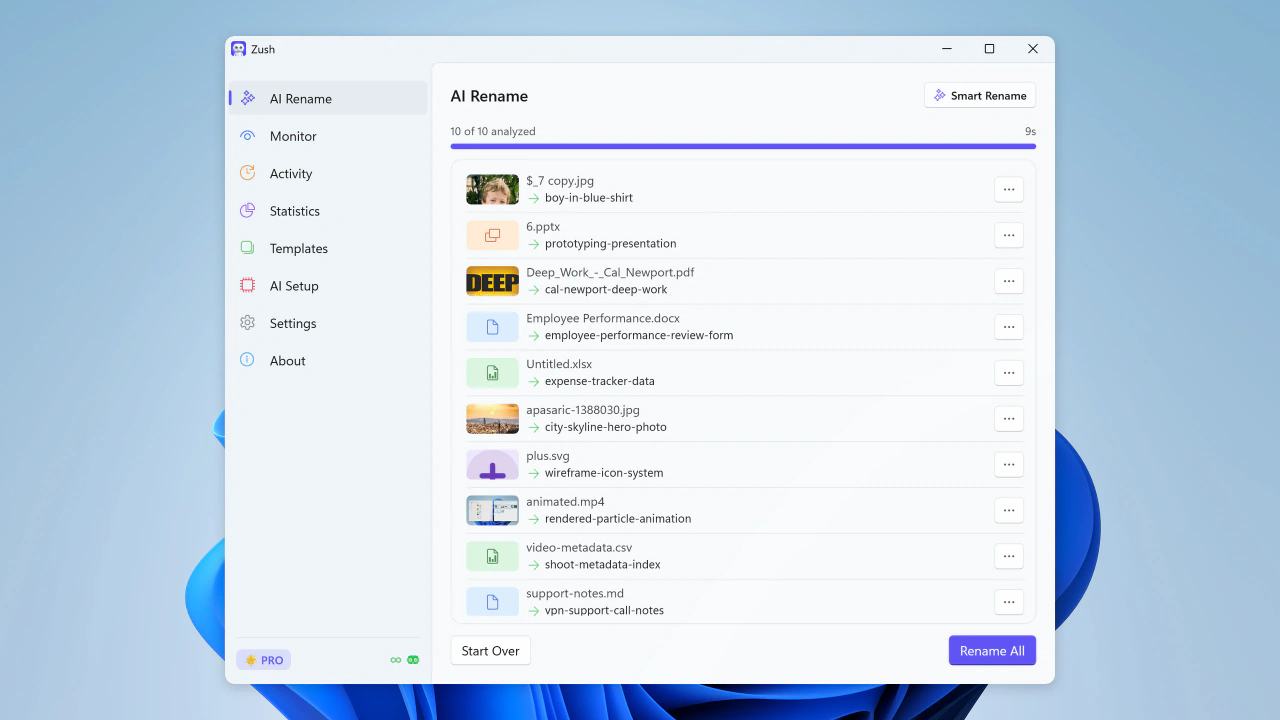
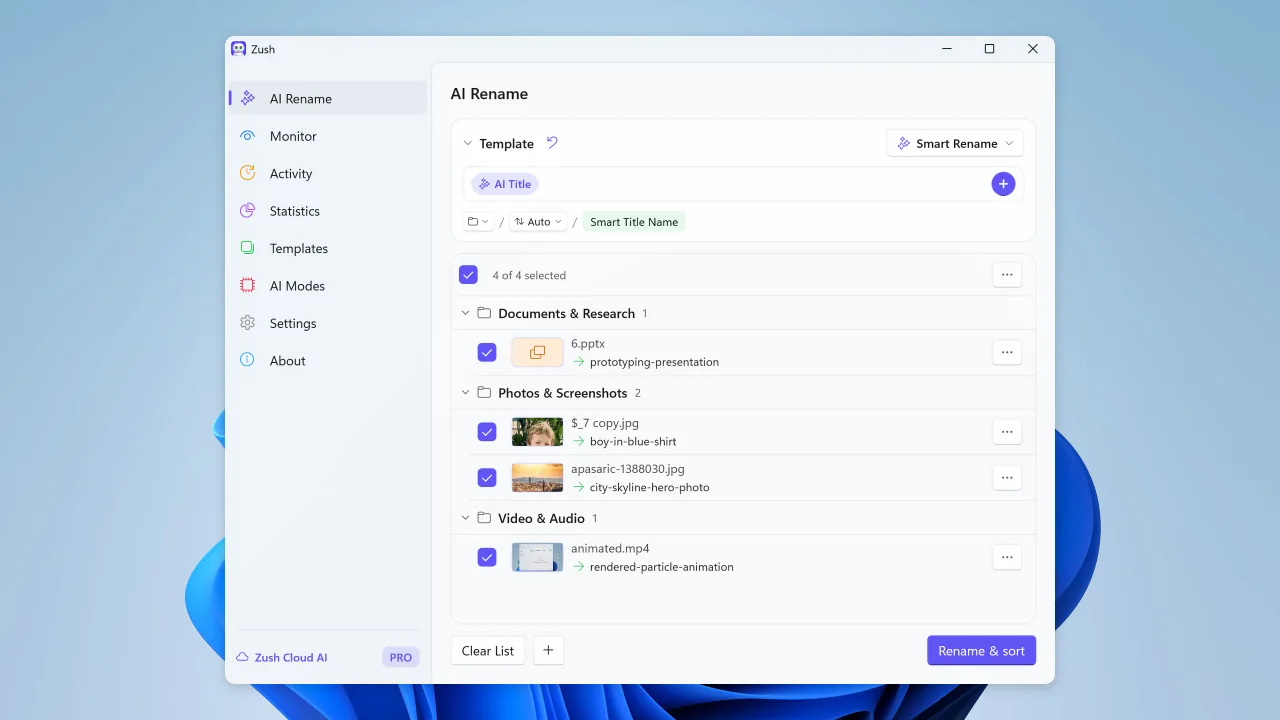
Bulk rename files by real content before you apply changes
Sort files into folders using your own instructions
Share and back up your naming templates
Watch folders and rename new files automatically
Review recent renames and undo changes when needed
See rename volume, Monitor share, activity, and file type trends
Save reusable rename setups for repeated AI Rename and Monitor workflows
Build filenames from your file content using 145+ ready-made blocks
Describe what AI should extract and reuse it as your own naming block
Guide filename generation with your own instructions
Connect your own AI provider for renaming; FREE includes 50 across all modes and PRO is unlimited
Use LM Studio or Ollama for supported on-device analysis, even without an internet connection
Your naming system, powered by AI
Combine file content, metadata, dates, custom instructions, and reusable blocks into filenames that match the way you work. Zush suggests — you review and decide.
Smart Batch Rename
Analyze and rename 100+ file formats in one batch, from images, EPUB and FB2 ebooks, and PDFs to audio, video, and Office files. Describe any detail for Zush to extract, then reuse it as a Custom AI Block in any template.
Choose where AI runs
Choose Zush Cloud, BYOK, LM Studio or Ollama for the same review-first rename workflow.
Cloud AI
Goes through our relay to a commercial AI provider, under their standard API terms. The relay exists so the API key can’t be pulled out of the app.
Bring Your Own Key
Connect your own API key from Gemini, OpenRouter, OpenAI, or Claude for cloud renames; FREE includes 50 across all modes and PRO is unlimited. Keys are stored locally in secure platform storage.
Private Local AI Options
Keep supported analysis on your device with LM Studio or Ollama. Each local mode works offline after setup.
Watch one or multiple folders — including iCloud Drive, Google Drive, Dropbox, and OneDrive folders. Zush runs in the background and processes new files automatically.
Save reusable rename setups for screenshots, expenses, music tracks, client work, legal files, travel bookings, and monitored folders.
Build consistent filenames from 145+ blocks covering dates, file metadata, audio, photos, finance, legal, travel, clients, and AI-detected fields.
Set rename, tagging, and metadata rules so AI output follows your style and workflow.
Automatically add Finder tags and Spotlight metadata. Find files instantly with natural search queries.
Keep track of every change. Made a mistake? Rollback to the original filename with one click.
Supported File Formats
Images
Documents
Videos
Audio
Design

Try Zush free
Rename and organize files with AI, monitor folders, and clean up screenshots, design files, PDFs, photos, audio, videos, iWork, and Office documents by content.
Free · No credit card required · macOS Sequoia+ · Windows 10+
Pick your platform — same Zush, native everywhere
A signed and notarized .dmg, Mac App Store build, or Homebrew cask for macOS. A Microsoft Store install for Windows. Same renaming engine, same BYOK and Local AI mode, native to each OS.
How does automatic screenshot renaming work?
Zush watches the folder where screenshots arrive, reads the visible content of each image, and proposes a descriptive filename. You can review names before applying a batch and undo any rename from history.
- Add Pictures\Screenshots, the macOS Screenshots folder, Downloads, or an existing screenshot archive.
- Choose a template and let Zush identify the app, page, error, chart, or conversation shown.
- Review the proposed names, apply the batch, and keep folder monitoring on for new captures.
Frequently Asked Questions
What does an AI screenshot renamer do?
Can Zush automatically rename Snipping Tool and macOS screenshots?
Can Zush automatically rename screenshots as I take them?
Does it work with default screenshot naming formats?
What if I take multiple screenshots of the same app?
Can I use Zush for screenshots saved as different formats?
How does this help with bug reporting?

Choose your PRO plan
Monthly flexibility or one-time lifetime access. Both plans remove the rename limit across every AI mode.
PRO Monthly
Flexible monthly plan
$10/month +VAT
PRO One-Time
Pay once for lifetime access
$48$36one-time +VAT
14-day money-back guarantee • Secure via Paddle
Built in the open
How we score, update, and back up every claim on this page.
Open scoring rubric
Weighted criteria for naming accuracy, automation, and rollback — published and auditable.
View methodology →Updated each release
Claims are refreshed with every shipped version — no stale copy.
See changelog →Backed by evidence
Benchmarks, privacy terms, and head-to-head comparisons — all linked, not just claimed.