AI File Sorter: Sort Files into Folders with Your Own Rules
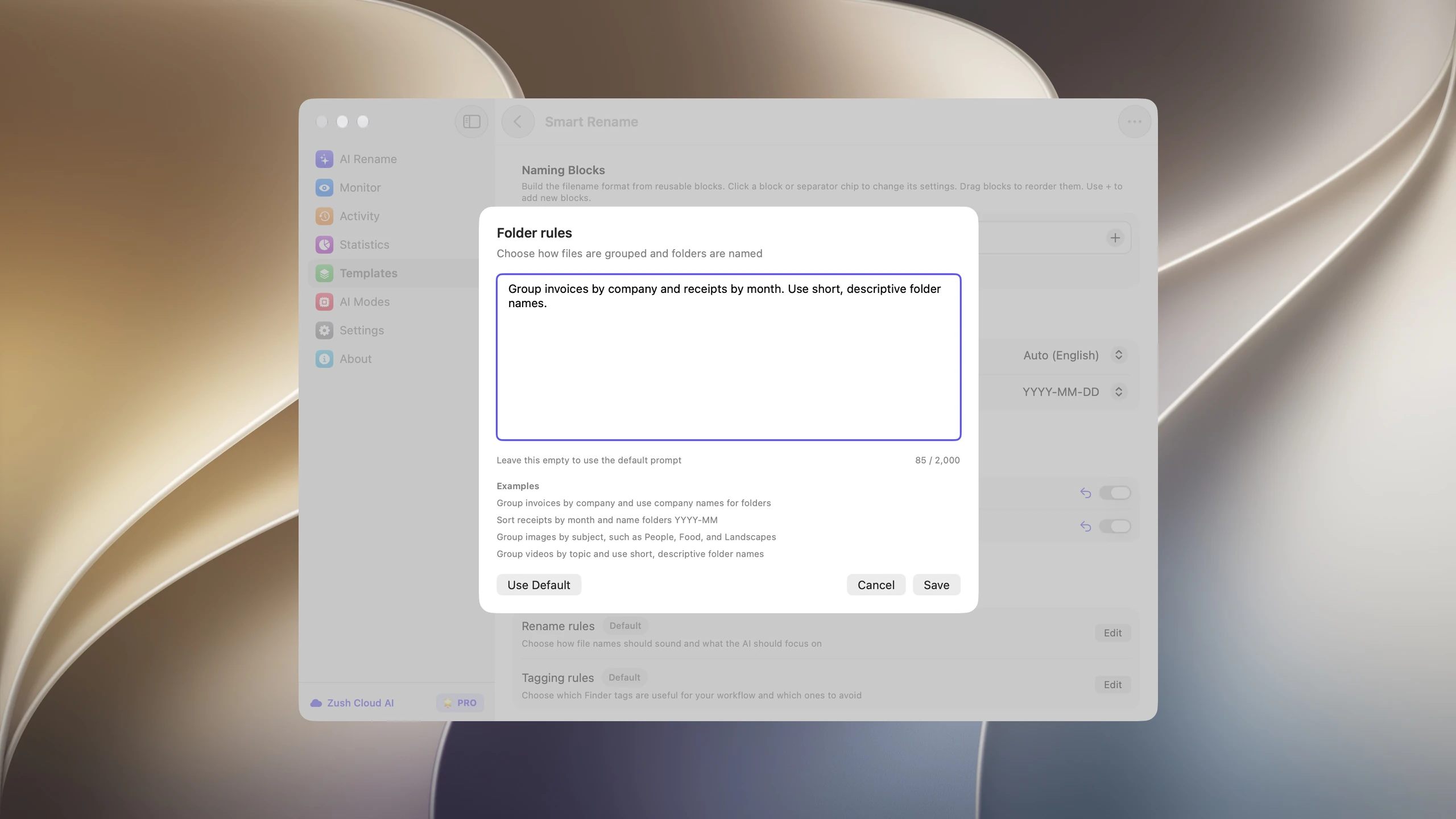
Zush is an AI file sorter for Mac and Windows. Describe the folders you want in plain language, such as “Group invoices by company and receipts by month,” or let Auto group files by content. Zush reads each file, renames it, and moves it into the right folder after you review the plan.
- Get started for free
- No registration
- No credit card required

Describe your folders once, then let Zush file everything
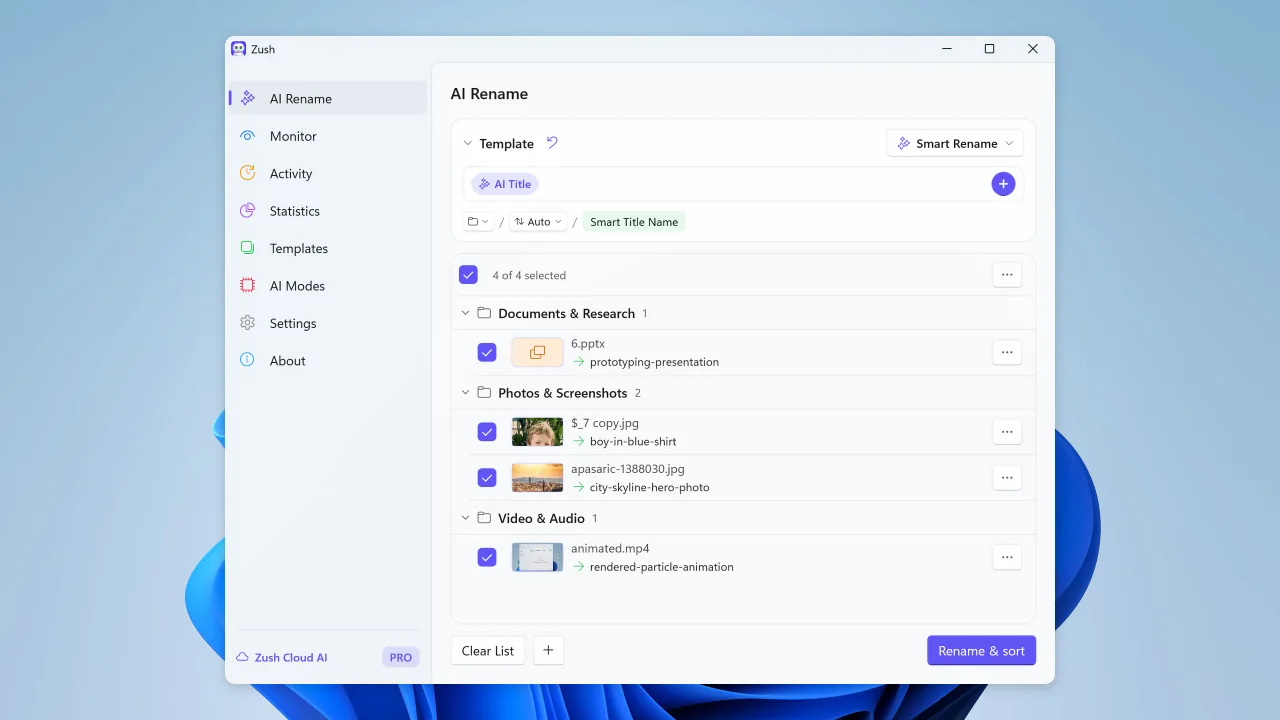
Zush sorts by what a file contains, not by its extension. Write Folder rules the way you would brief an assistant, or leave them empty for Auto. Zush analyzes each file, proposes a filename and a folder, and waits for your review before anything moves.
- Open AI Rename, choose a Template for the filenames, and pick a destination with the folder control below the Naming Blocks. Keep the original location if the folders should be created next to the files.
- Turn on Sort. Write a rule such as “Group invoices by company and receipts by month, name month folders YYYY-MM,” or leave Folder rules empty for Auto. Turn on Reuse existing folders to file into folders you already have.
- Add a small batch, review the proposed names and groups, rename a folder or move a file if needed, then apply. Save the setup in a Template and assign it to Monitor to sort new files automatically.
Downloads/scan_0042.pdfFinance/Acme Supply/2026-06-12 – Invoice 10234.pdfFolder sorting is in beta. It moves files, so test on a copy first and keep it off for folders that other apps reference by path. Rules work best when the answer is visible in the file, such as a company name, date, or subject. Files that fit no folder are renamed without being grouped.
Take a tour of Zush
One quick showcase per feature. Click a tab to see it in action.
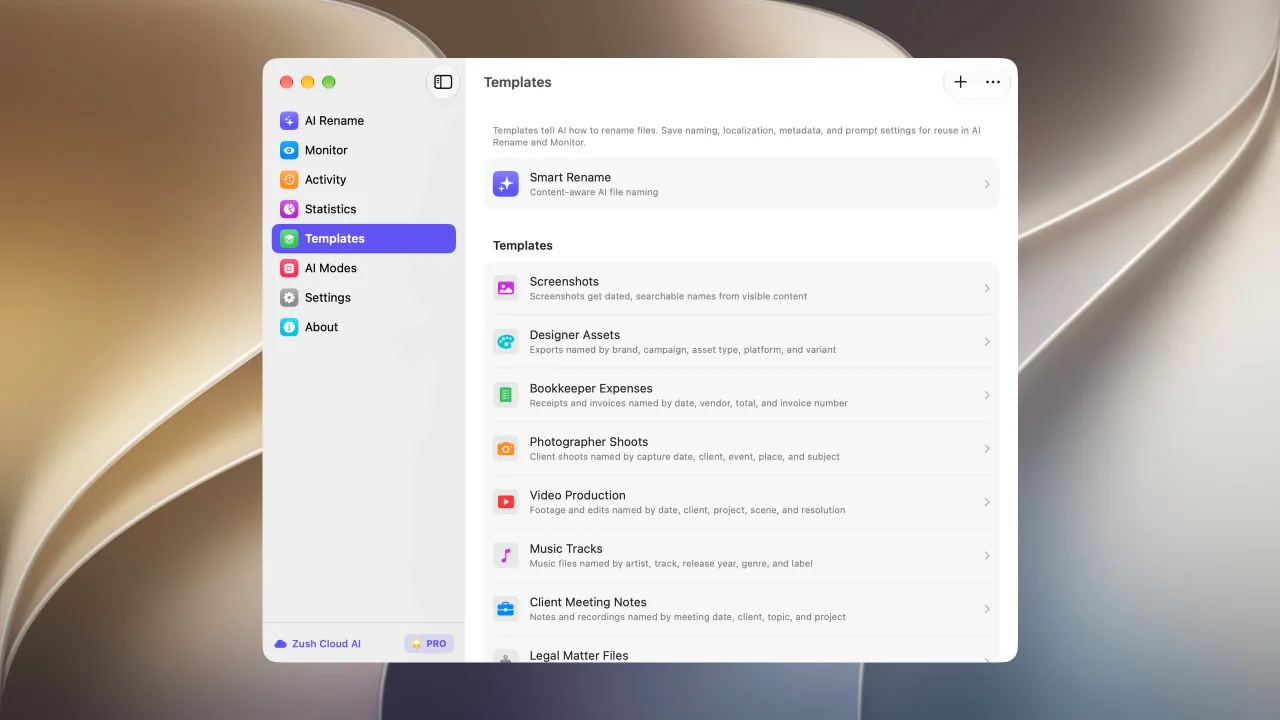
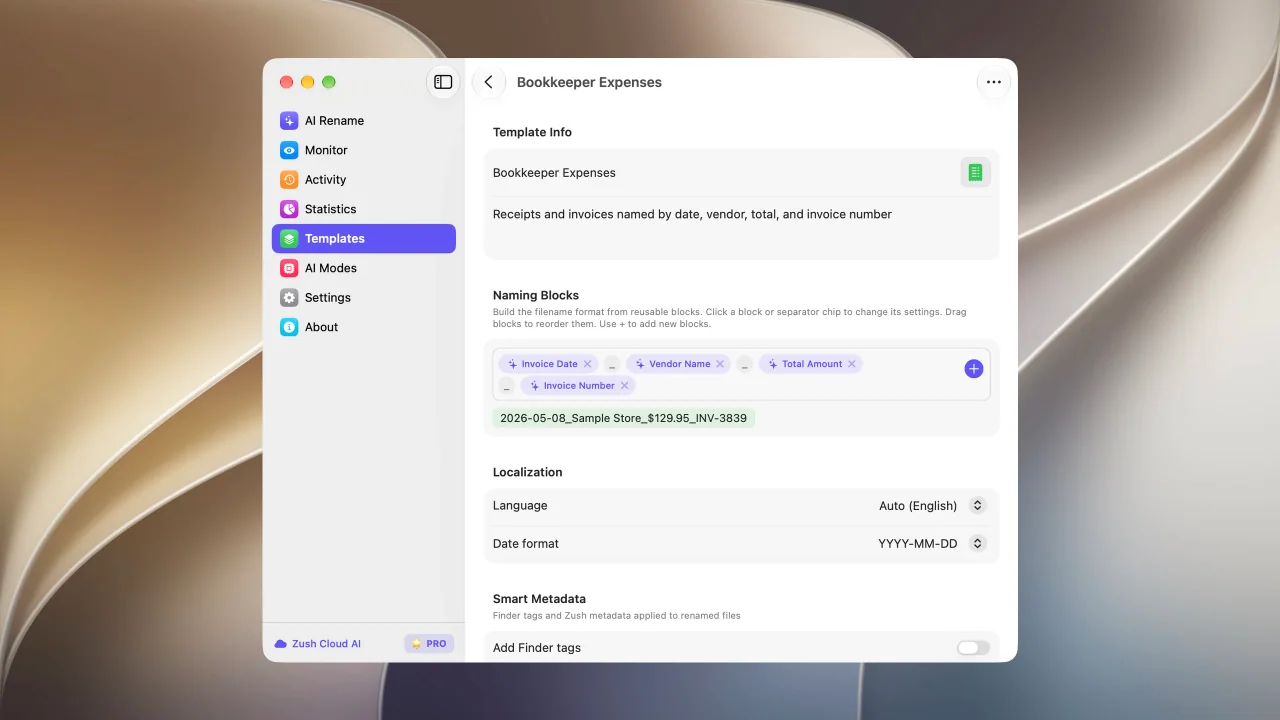
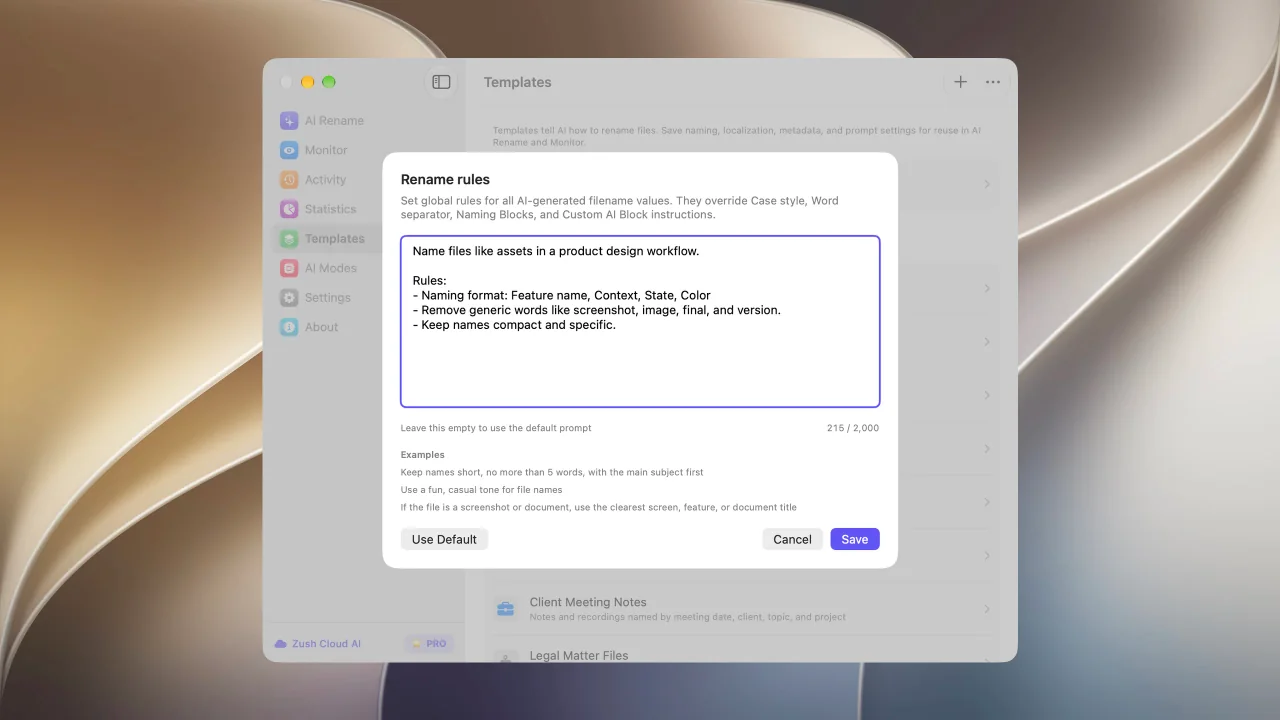
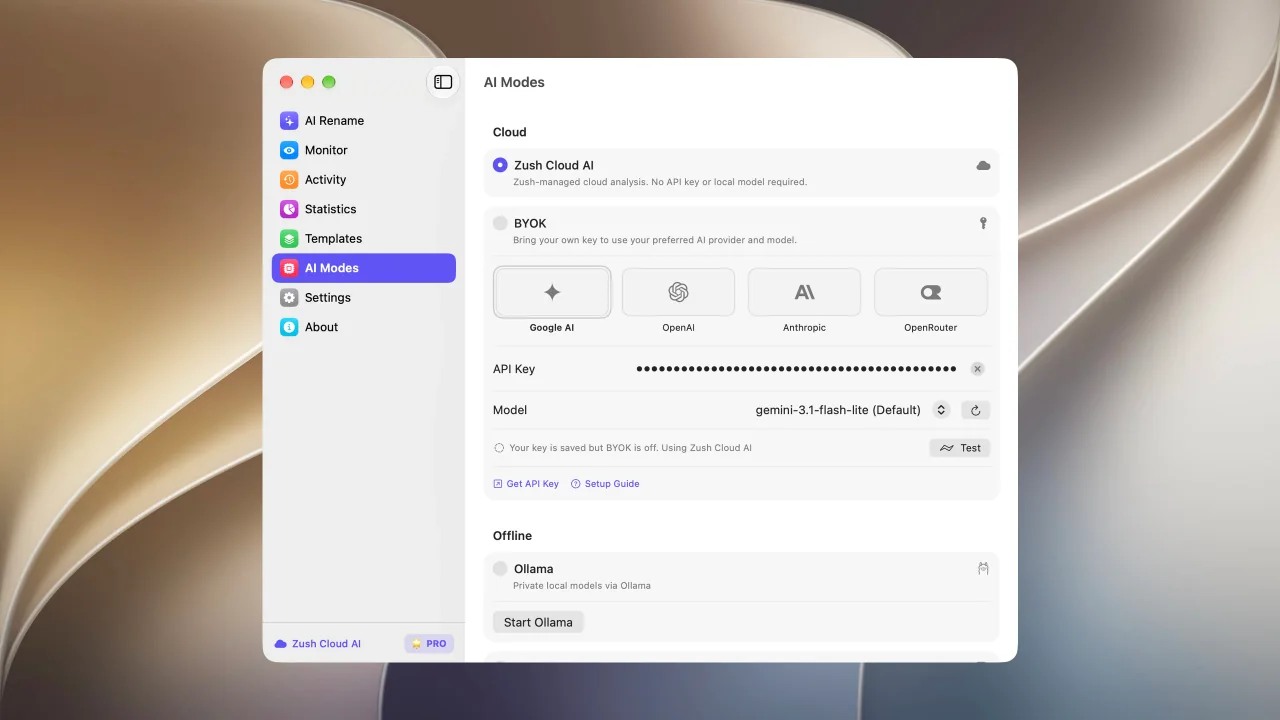
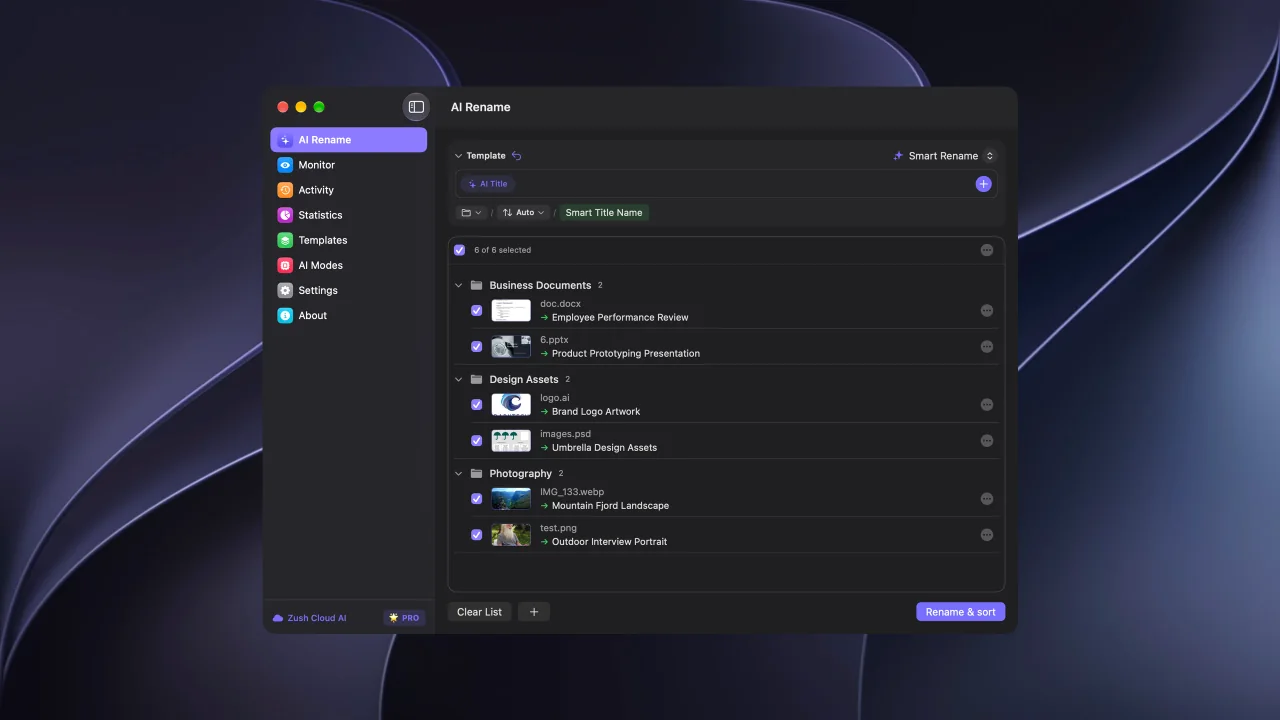
Bulk rename files by real content before you apply changes
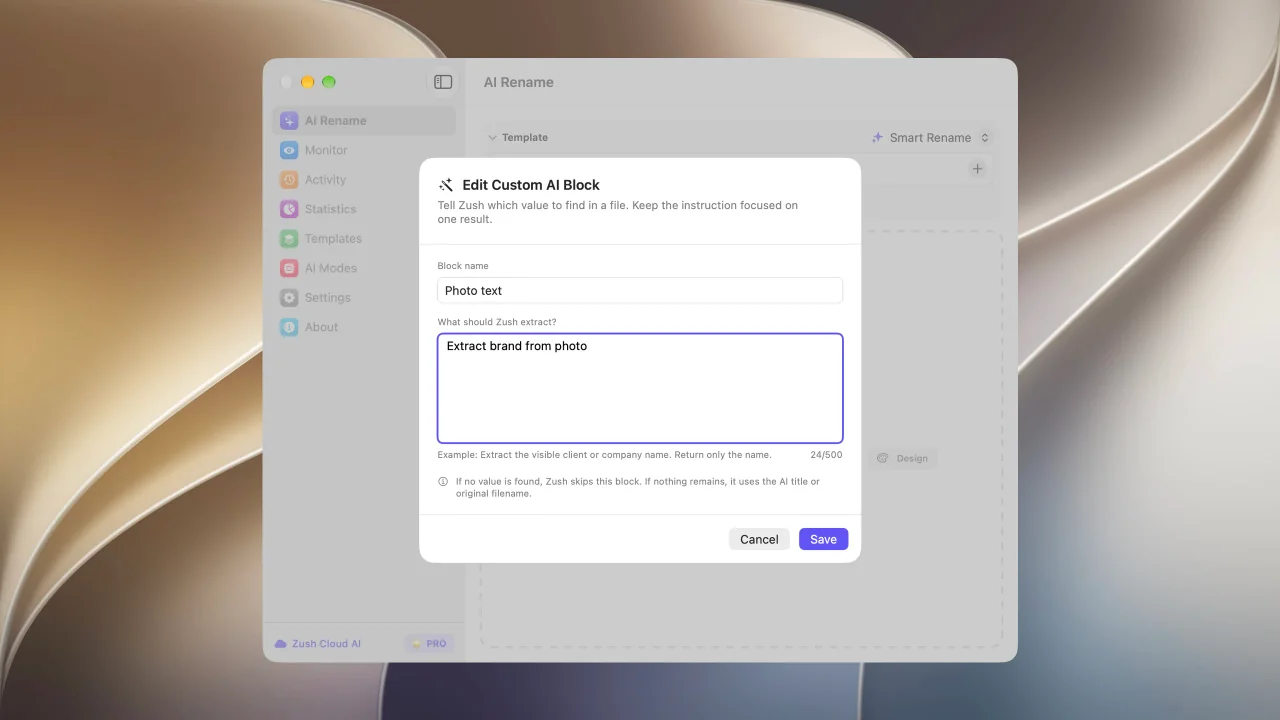
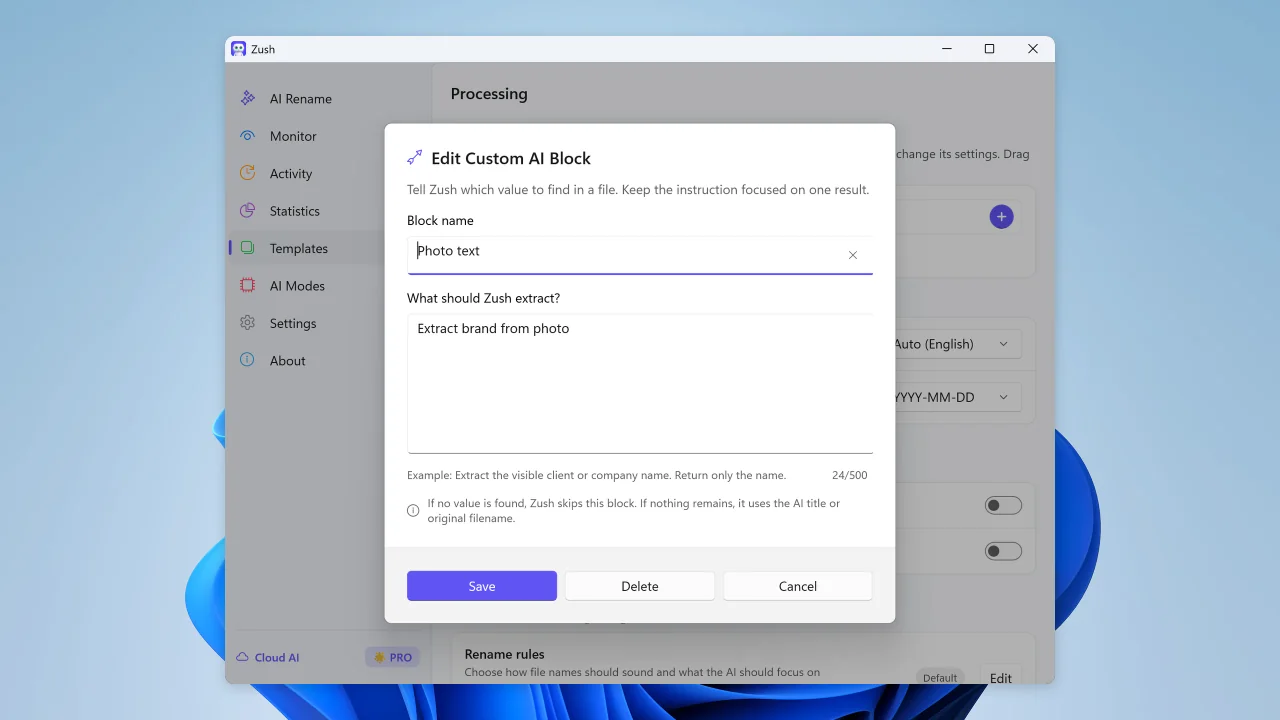
Describe what AI should extract and reuse it as your own naming block
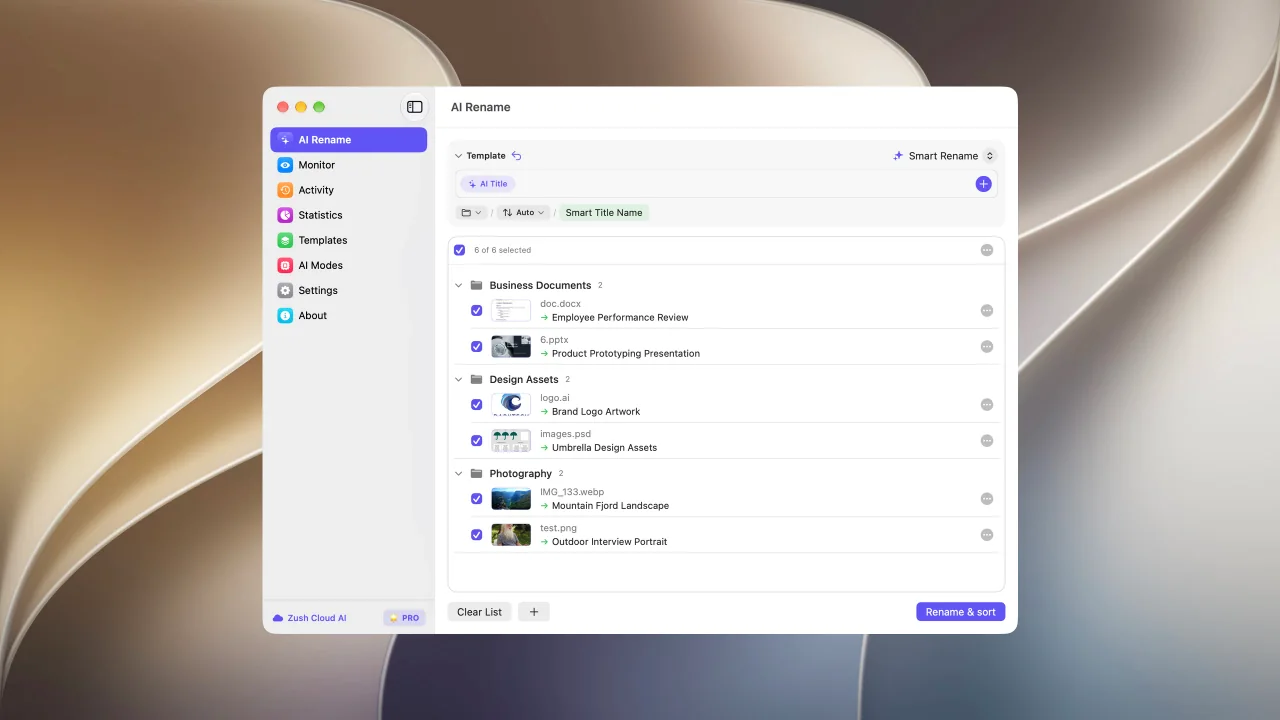
Sort files into folders using your own instructions
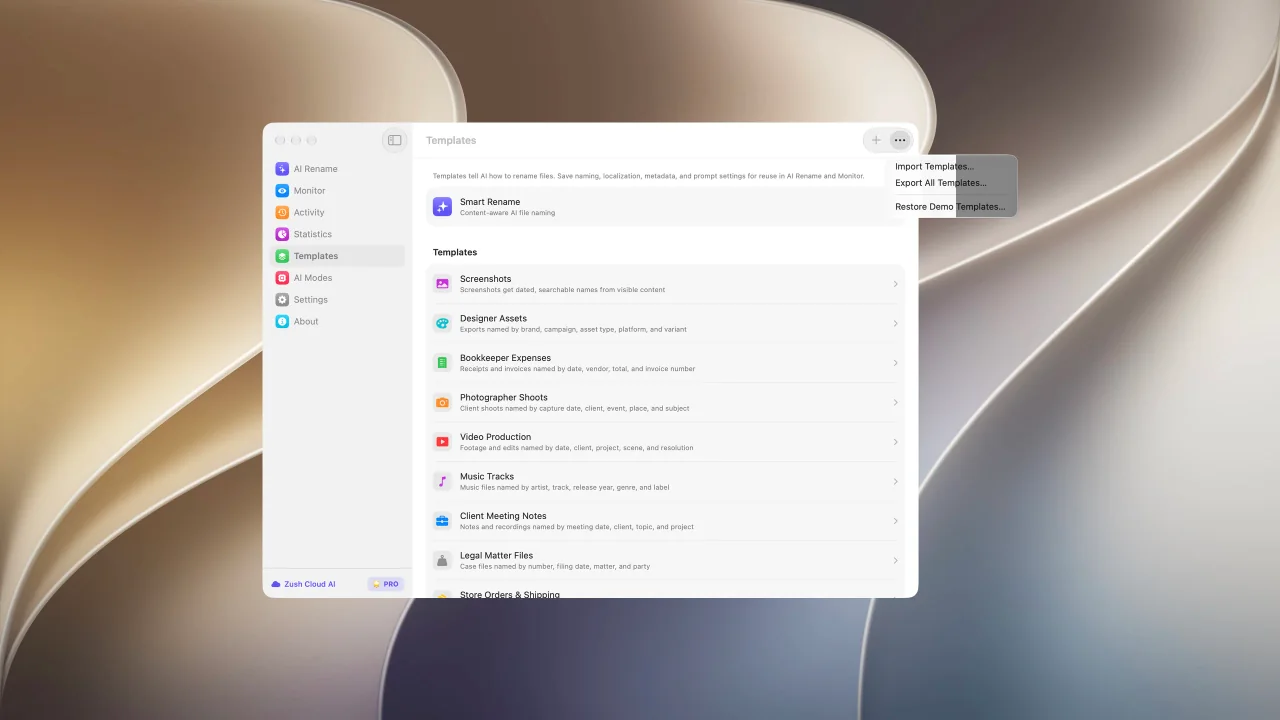
Share and back up your naming templates
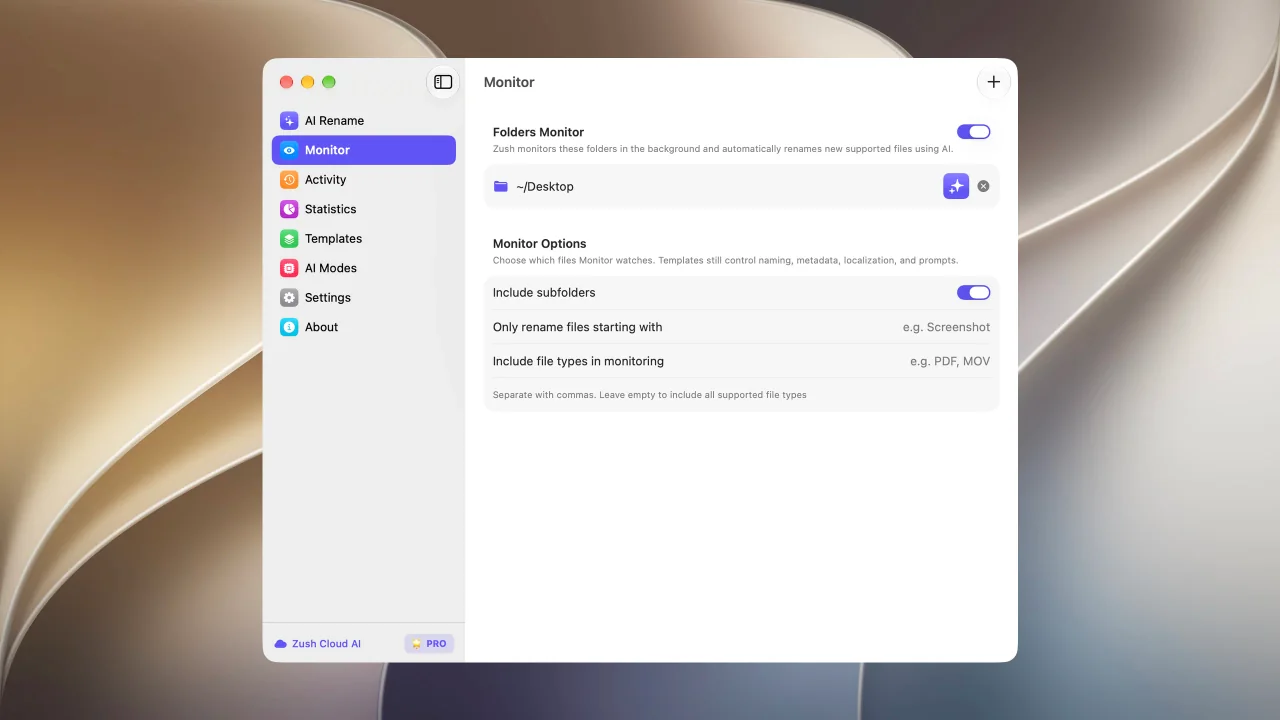
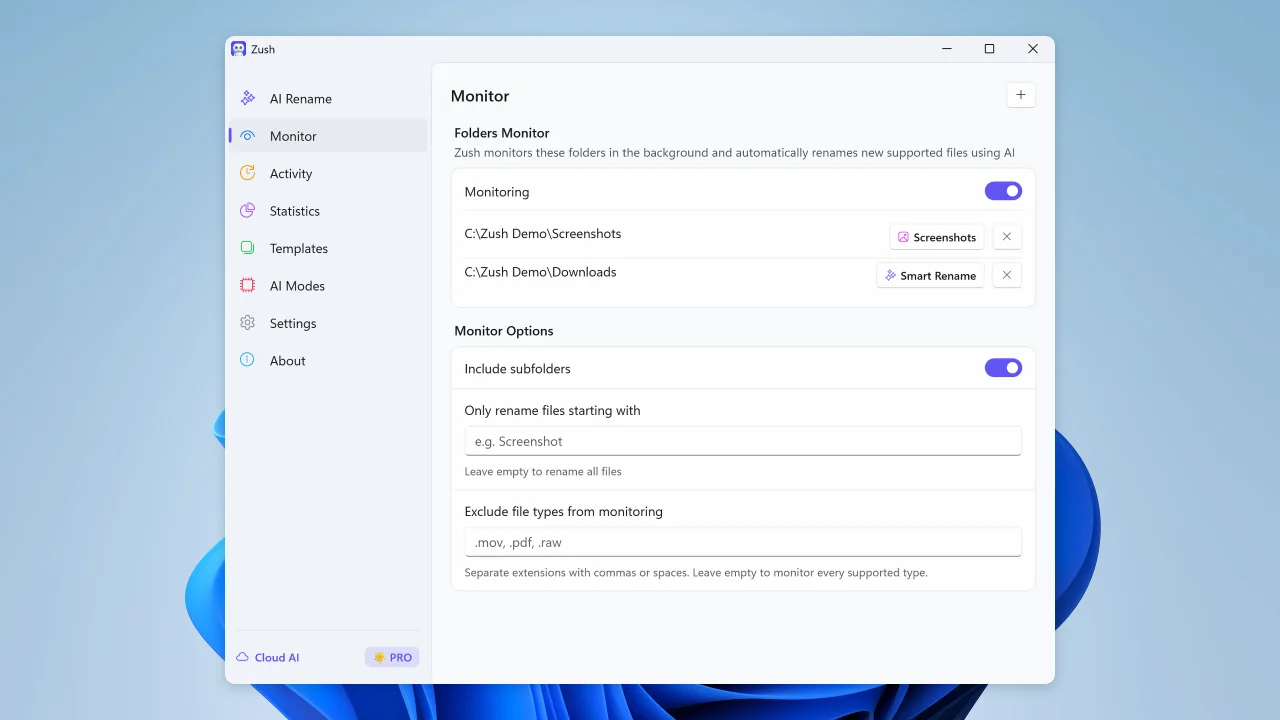
Watch folders and rename new files automatically
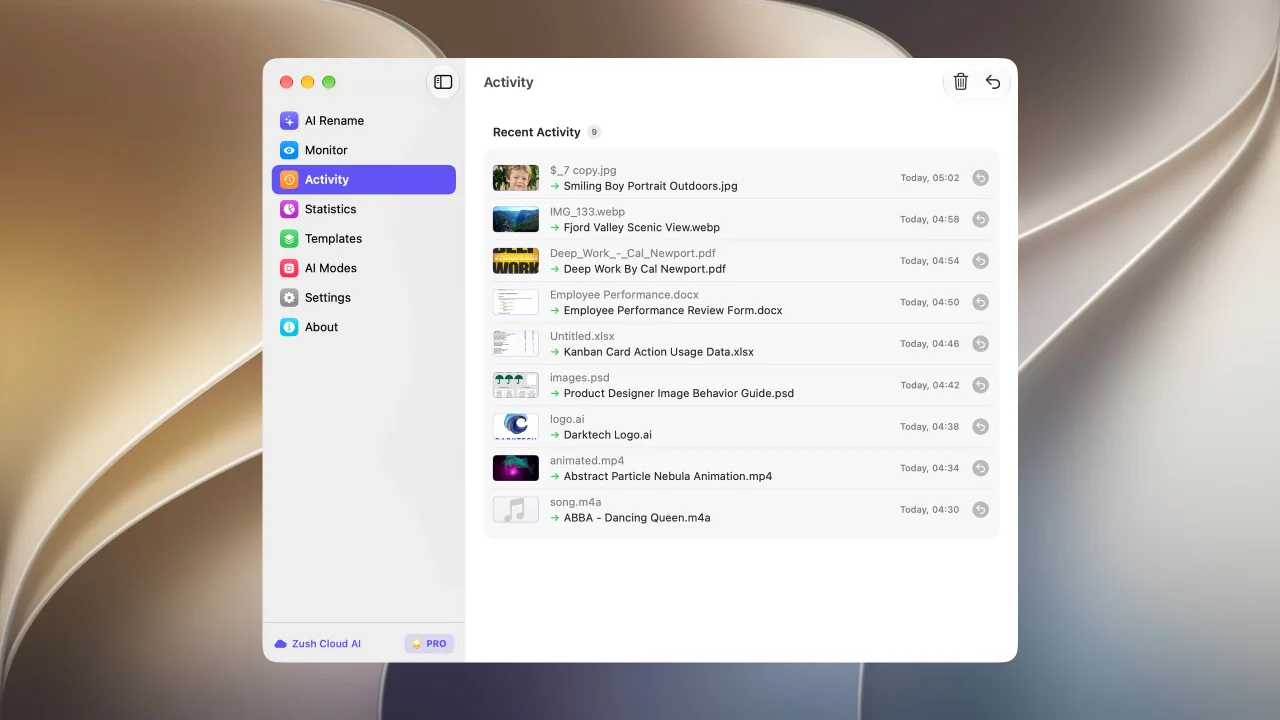
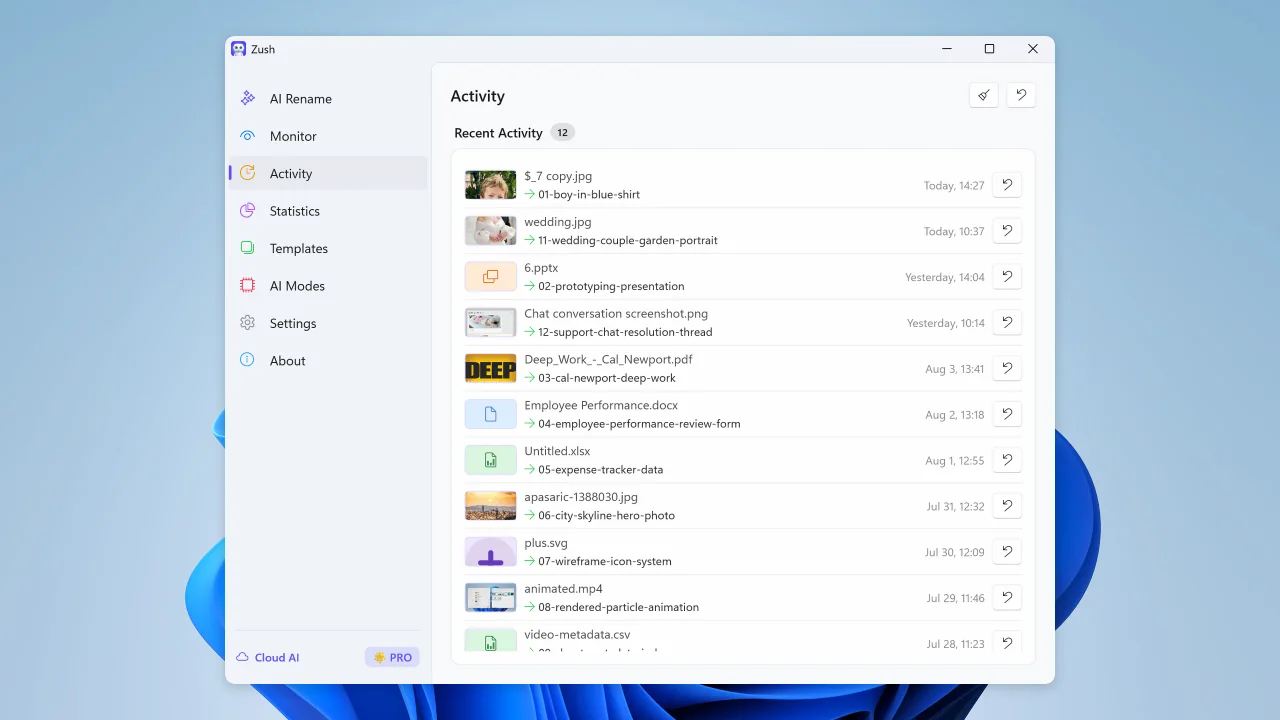
Review recent renames and undo changes when needed
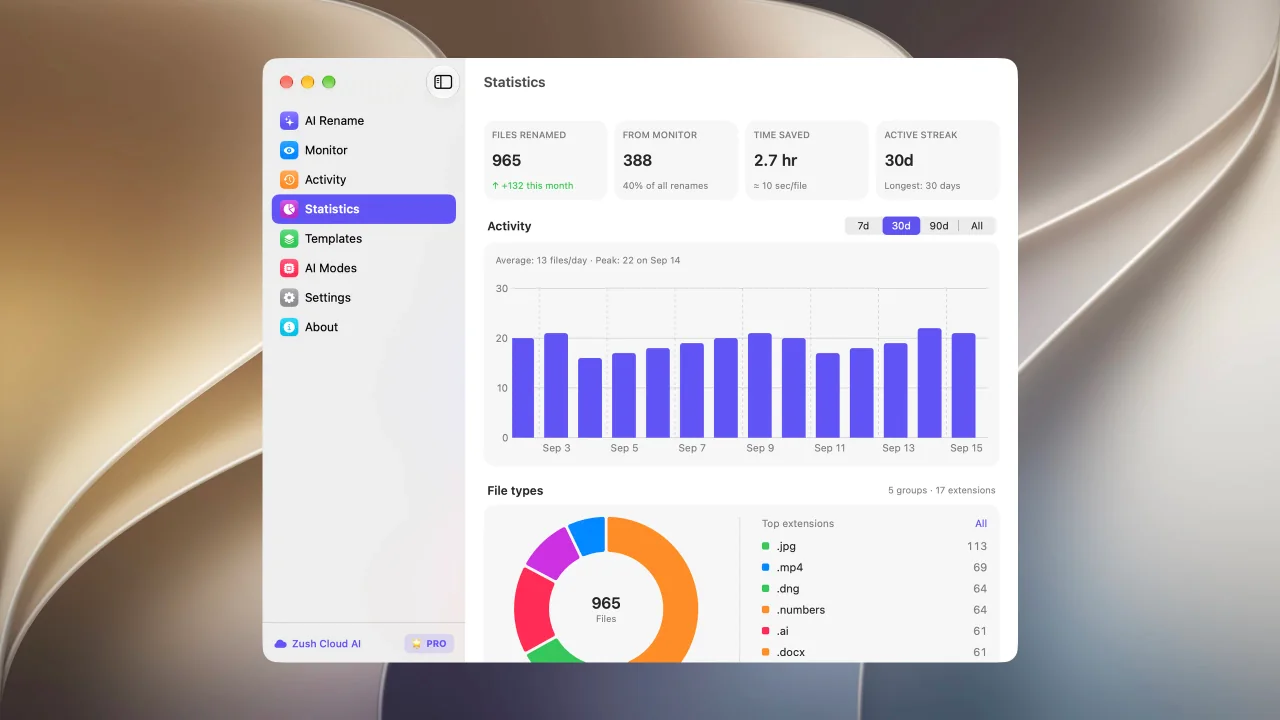
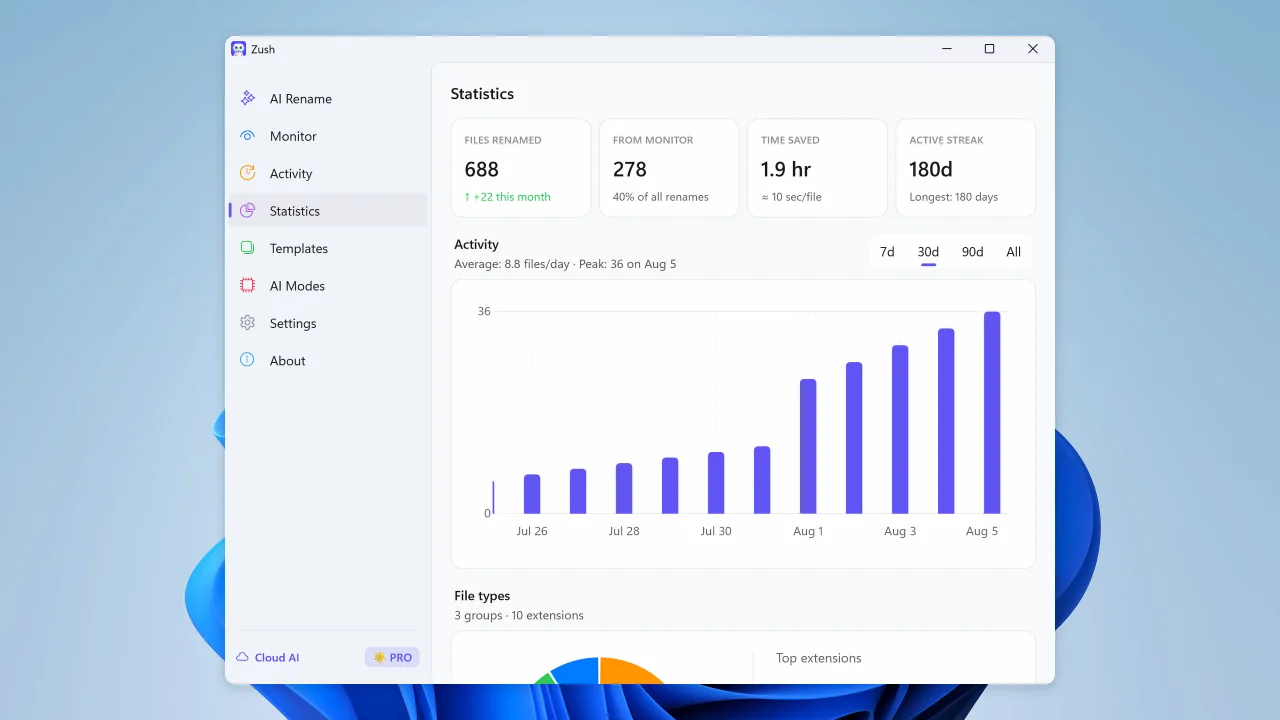
See rename volume, Monitor share, activity, and file type trends
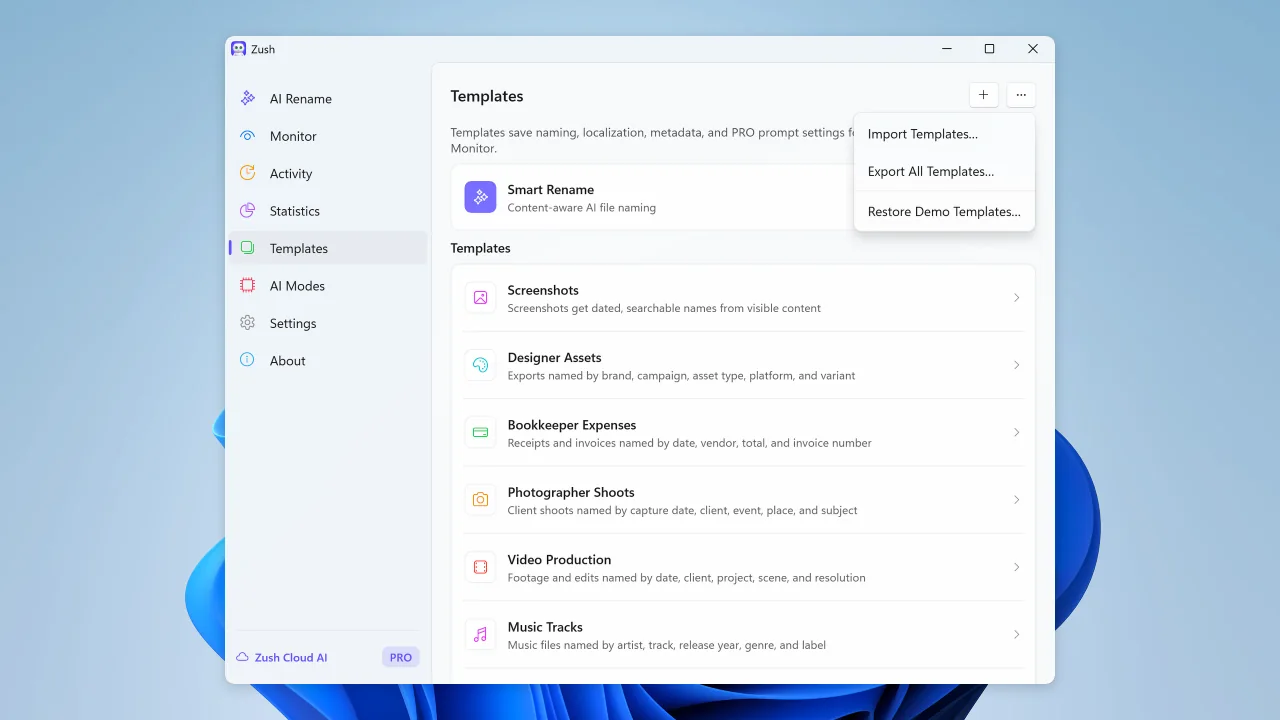
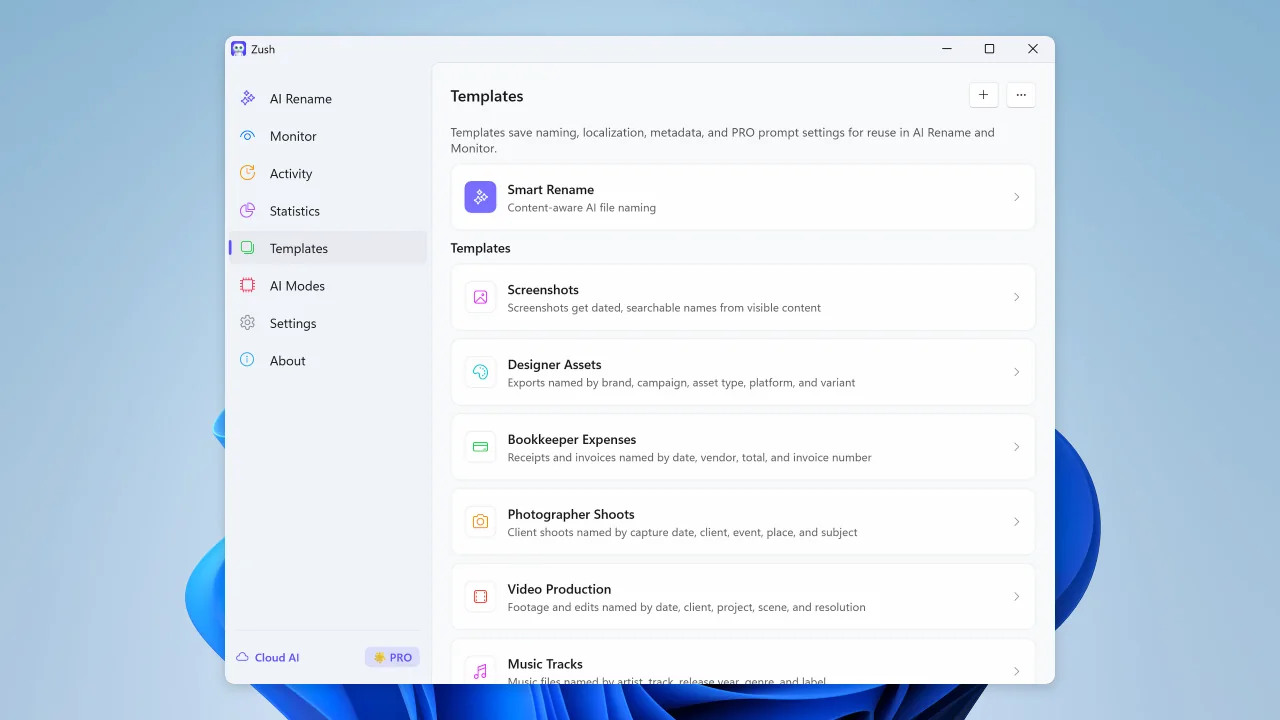
Save reusable rename setups for repeated AI Rename and Monitor workflows
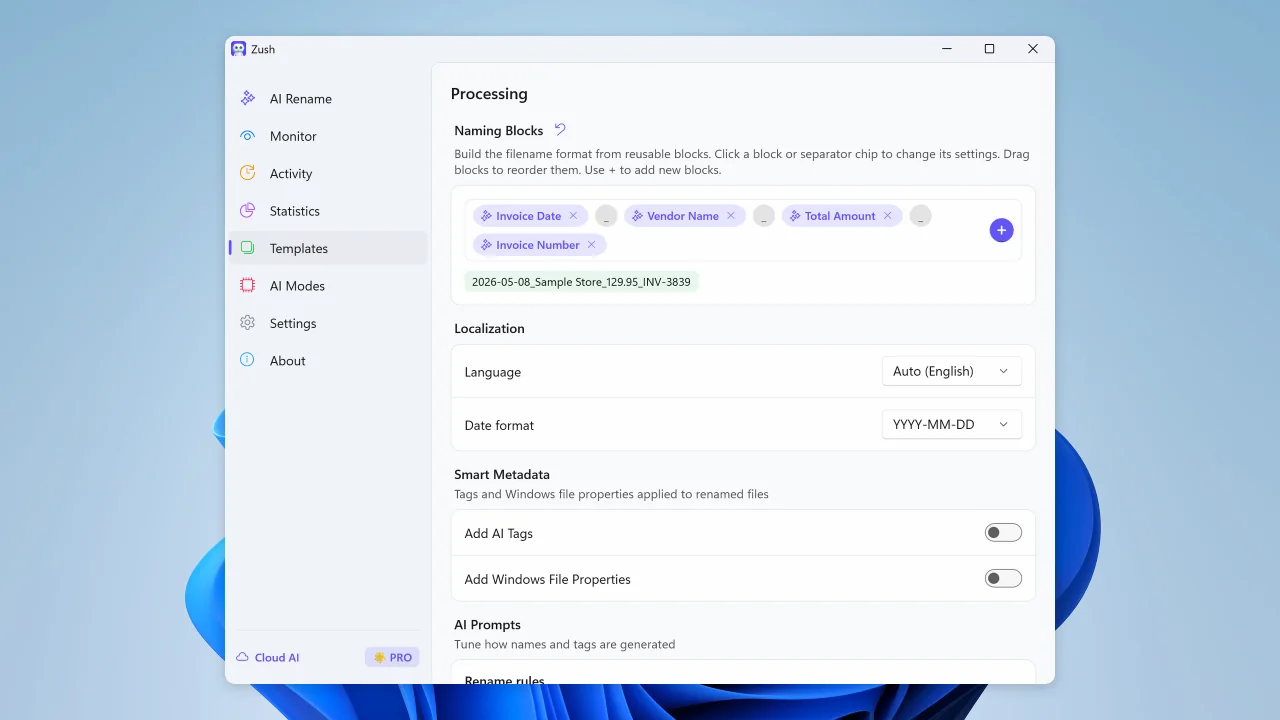
Build filenames from your file content using 145+ ready-made blocks
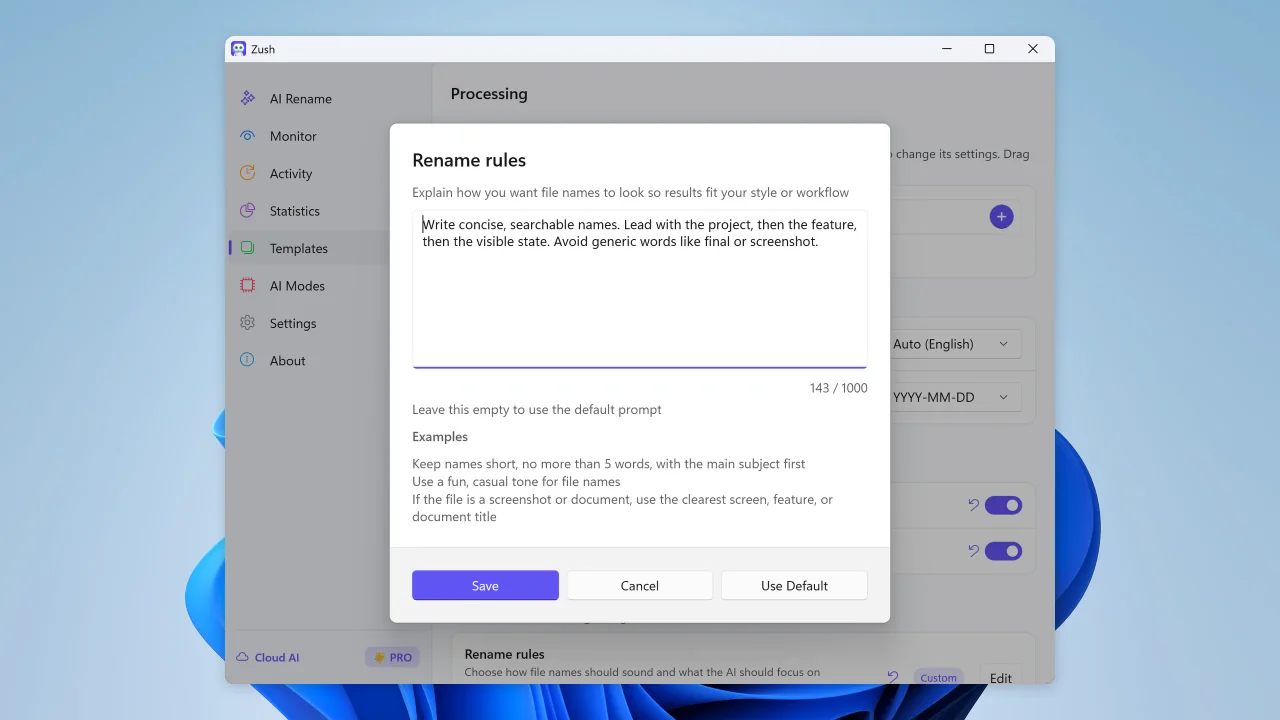
Guide filename generation with your own instructions
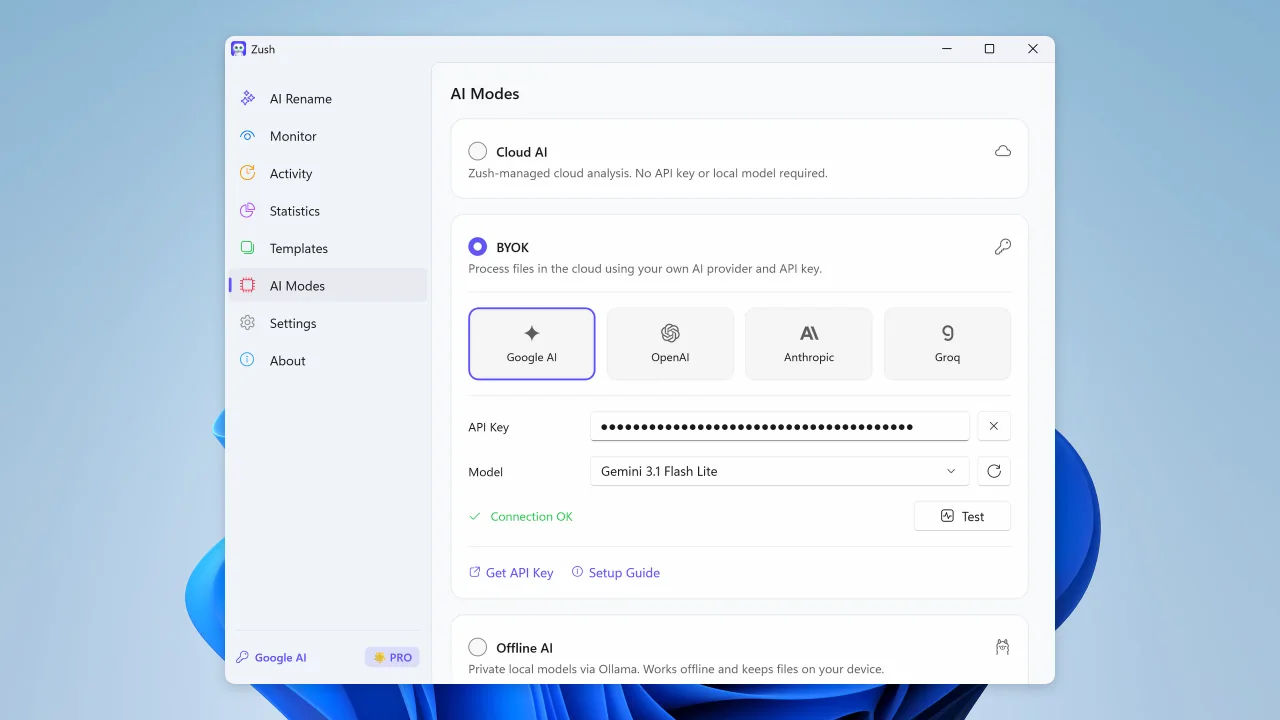
Start renaming immediately with managed cloud analysis and no setup
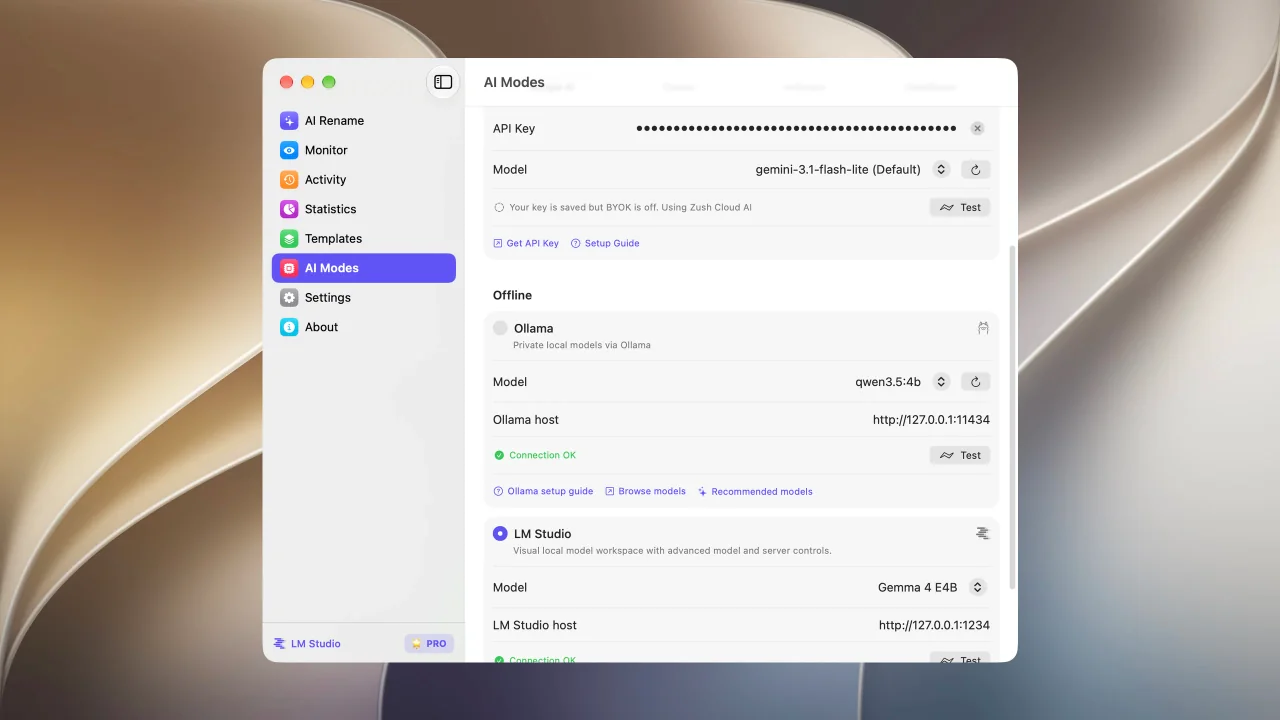
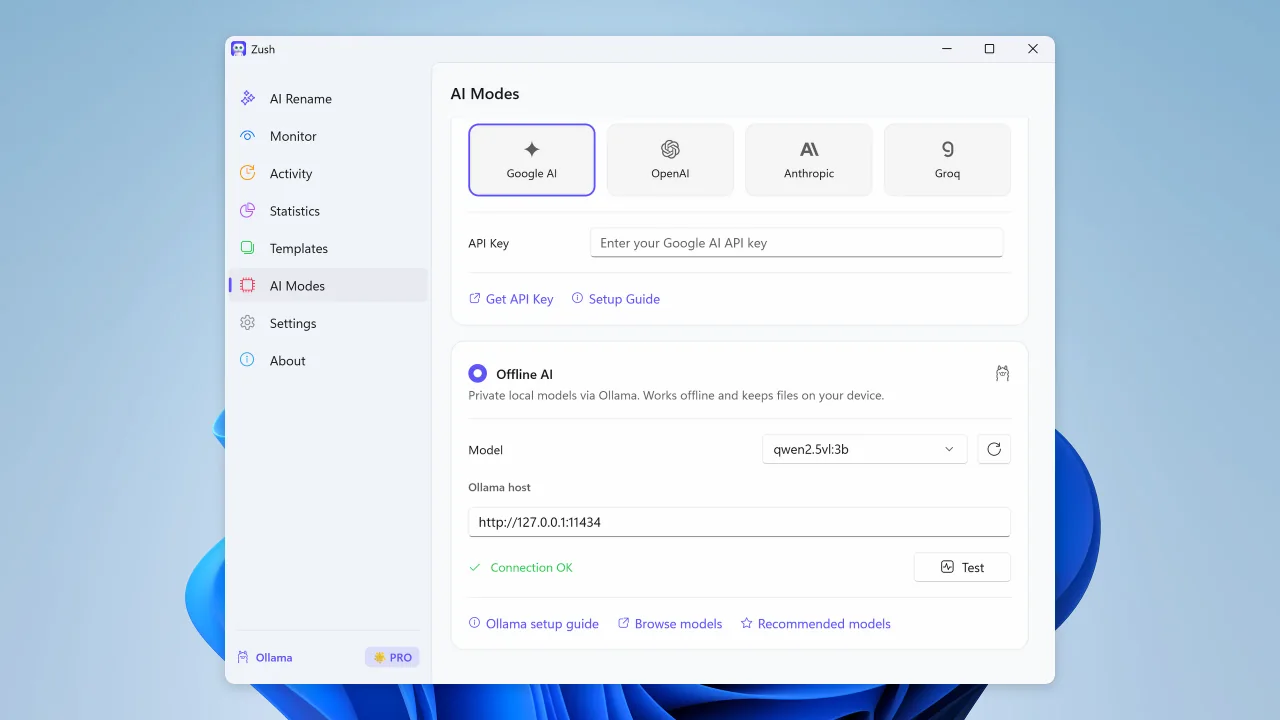
Run supported analysis on your Mac with LM Studio or Ollama.
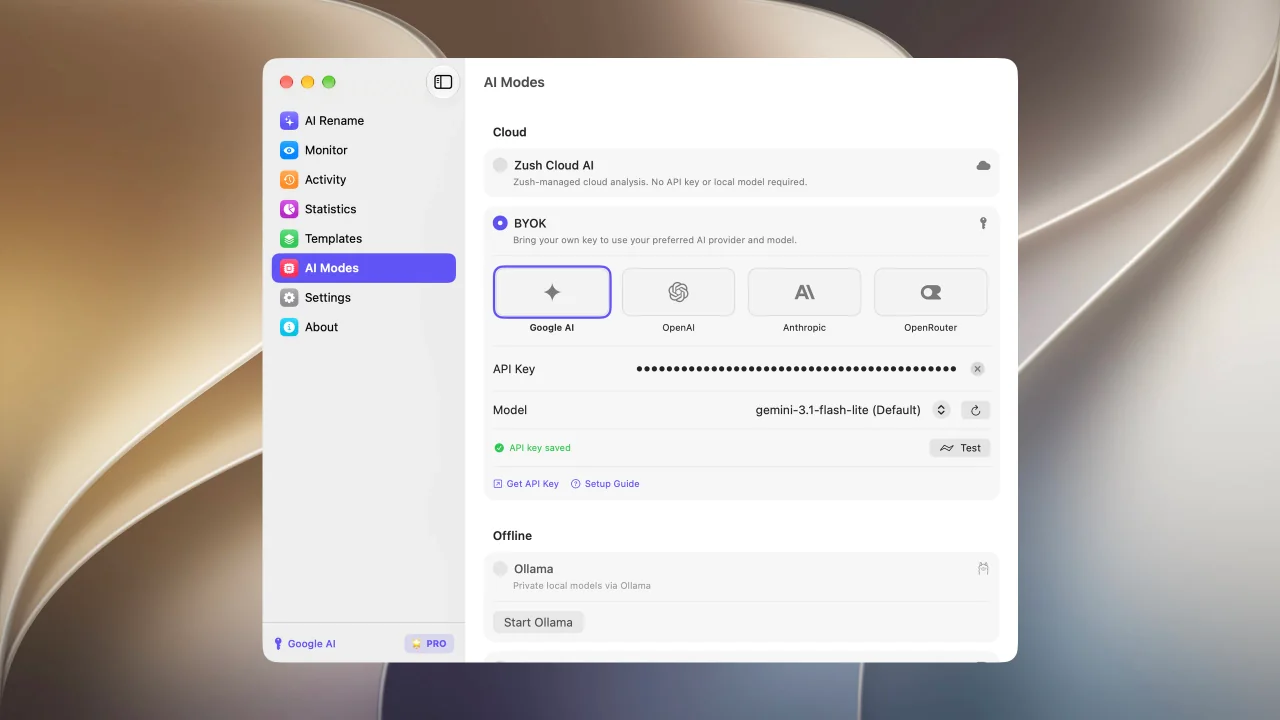
Connect your own AI provider for renaming; FREE includes 50 across all modes and PRO is unlimited
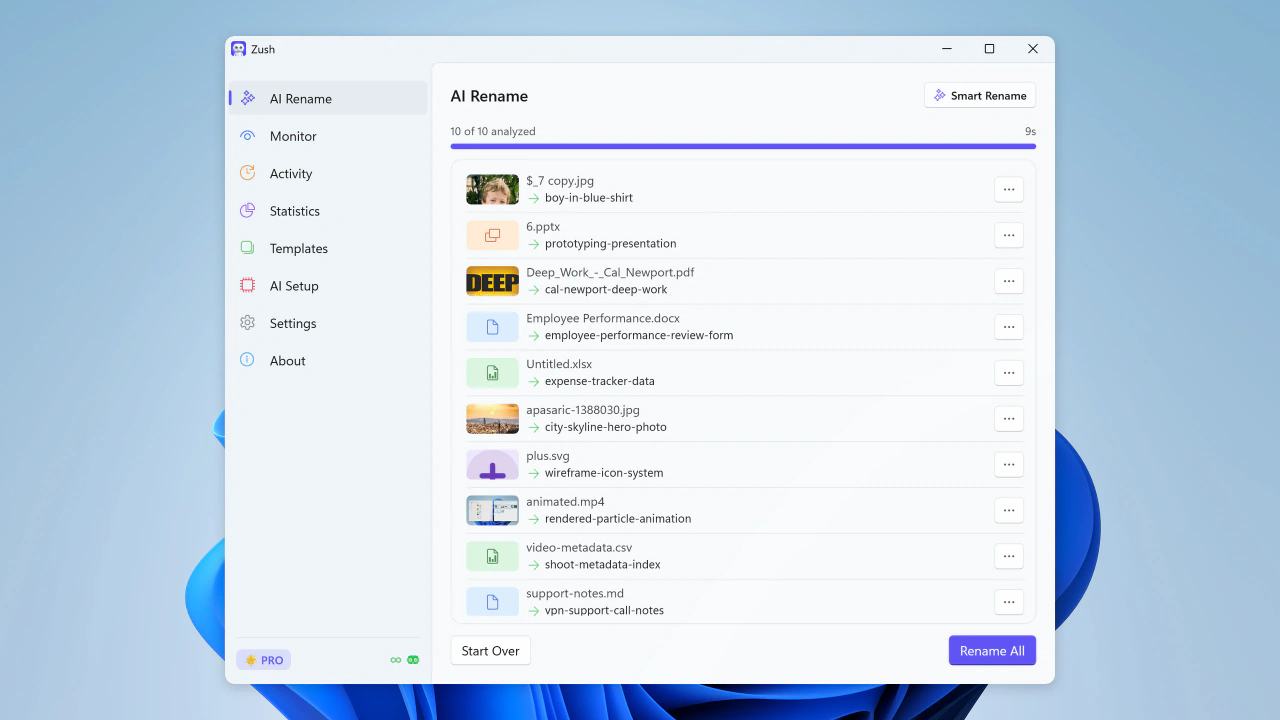
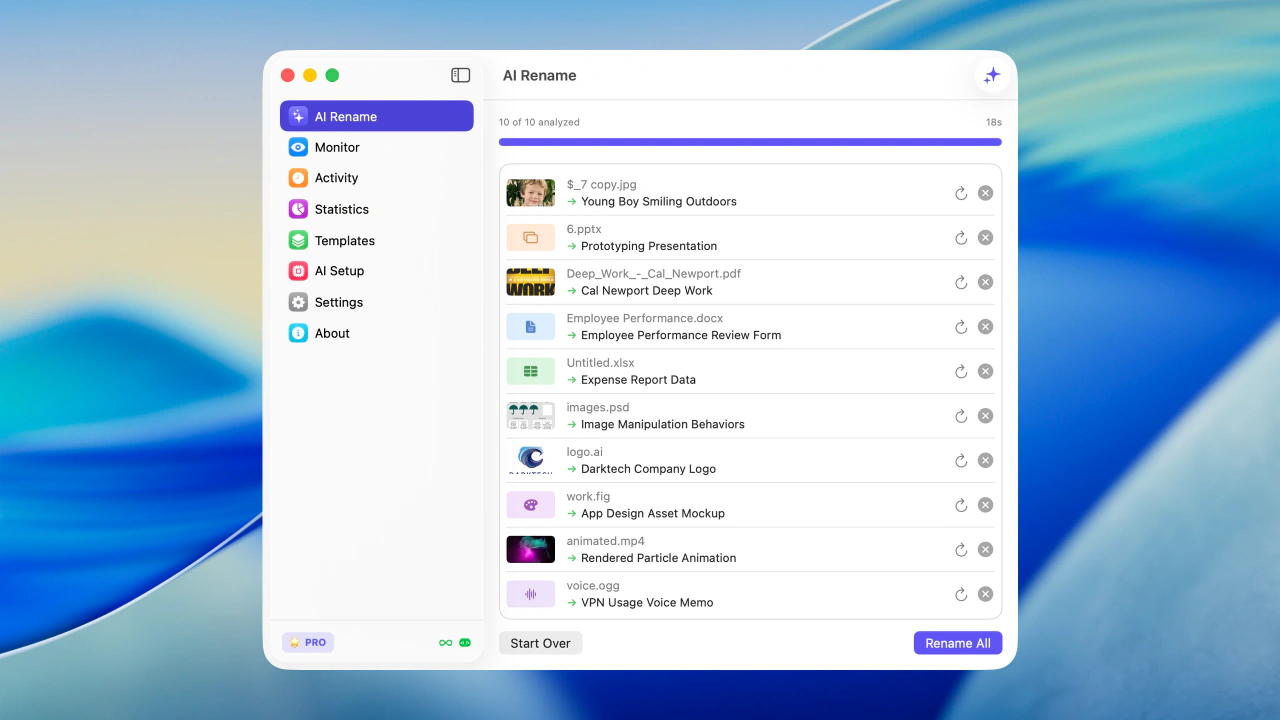
Bulk rename files by real content before you apply changes
Sort files into folders using your own instructions
Share and back up your naming templates
Watch folders and rename new files automatically
Review recent renames and undo changes when needed
See rename volume, Monitor share, activity, and file type trends
Save reusable rename setups for repeated AI Rename and Monitor workflows
Build filenames from your file content using 145+ ready-made blocks
Describe what AI should extract and reuse it as your own naming block
Guide filename generation with your own instructions
Connect your own AI provider for renaming; FREE includes 50 across all modes and PRO is unlimited
Use LM Studio or Ollama for supported on-device analysis, even without an internet connection
Your naming system, powered by AI
Combine file content, metadata, dates, custom instructions, and reusable blocks into filenames that match the way you work. Zush suggests — you review and decide.
Smart Batch Rename
Analyze and rename 100+ file formats in one batch, from images, EPUB and FB2 ebooks, and PDFs to audio, video, and Office files. Describe any detail for Zush to extract, then reuse it as a Custom AI Block in any template.
Choose where AI runs
Choose Zush Cloud, BYOK, LM Studio or Ollama for the same review-first rename workflow.
Cloud AI
Goes through our relay to a commercial AI provider, under their standard API terms. The relay exists so the API key can’t be pulled out of the app.
Bring Your Own Key
Connect your own API key from Gemini, OpenRouter, OpenAI, or Claude for cloud renames; FREE includes 50 across all modes and PRO is unlimited. Keys are stored locally in secure platform storage.
Private Local AI Options
Keep supported analysis on your device with LM Studio or Ollama. Each local mode works offline after setup.
Watch one or multiple folders — including iCloud Drive, Google Drive, Dropbox, and OneDrive folders. Zush runs in the background and processes new files automatically.
Save reusable rename setups for screenshots, expenses, music tracks, client work, legal files, travel bookings, and monitored folders.
Build consistent filenames from 145+ blocks covering dates, file metadata, audio, photos, finance, legal, travel, clients, and AI-detected fields.
Set rename, tagging, and metadata rules so AI output follows your style and workflow.
Automatically add Finder tags and Spotlight metadata. Find files instantly with natural search queries.
Keep track of every change. Made a mistake? Rollback to the original filename with one click.
Sort files into folders with AI
Auto
AI groups files by content and names the folders.
Custom
Write a prompt to tell AI how to group your files.
“Group invoices by company and receipts by month.”
Supported File Formats
Images
Documents
Videos
Audio
Design

Try Zush free
Rename and organize files with AI, monitor folders, and clean up screenshots, design files, PDFs, photos, audio, videos, iWork, and Office documents by content.
Free · No credit card required · macOS Sequoia+ · Windows 10+
Pick your platform — same Zush, native everywhere
A signed and notarized .dmg, Mac App Store build, or Homebrew cask for macOS. A Microsoft Store install for Windows. Same renaming engine, same BYOK and Local AI mode, native to each OS.
File sorters compared
Rules, categories, or a prompt: how file sorters decide
Every sorter needs a way to decide where a file goes. Rule engines match names and dates, category sorters pick from a list you maintain, and prompt-based sorters follow instructions you write. Zush follows your prompt, reads 107 formats including video and audio, and renames each file in the same batch. Competitor details were checked on vendor pages on September 27, 2026.
| Sorter | How it decides | Where it stops |
|---|---|---|
| Zush | Your plain-language Folder rules, or Auto grouping by content. Reads PDFs, scans, photos, screenshots, documents, video, and audio, then renames and sorts in one reviewed batch on Mac and Windows. | Creates one level of folders inside the destination per batch; folder sorting is in beta, so review ambiguous files before applying. |
| Sortio | A plain-language prompt that renames and routes files on Mac, Windows, and Linux | Pro is $14.99/month or $99/year with a monthly AI allowance; free plan is a one-time AI trial. |
| RenameClick | AI Categories picked from a preset list you define, or matching up to 50 existing top-level folders | You maintain the category list rather than describing the grouping; video is not in its format list. |
| Sparkle | Hands-off cleanup of Desktop, Downloads, and Documents on a schedule | Mac only and subscription based; it builds its own library structure rather than a naming convention you control. |
| Hazel, File Juggler, DropIt | Deterministic rules on name, extension, date, or matched text | Every condition must be written by hand, and none of them understand what a photo, video, or scan shows. |
Need a starting point for your own rules? Copy one of the 30 folder sorting prompts for invoices, receipts, photos, clients, videos, and Downloads.
Frequently Asked Questions
What is an AI file sorter?
Can I tell Zush how to sort my files in my own words?
Does Zush sort files into folders that already exist?
Can Zush sort new files automatically as they arrive?
Does AI folder sorting work on Windows?
Can I sort files into folders offline?
Is it safe to let AI move my files?
How much does the AI file sorter cost?

Choose your PRO plan
Monthly flexibility or one-time lifetime access. Both plans remove the rename limit across every AI mode.
PRO Monthly
Flexible monthly plan
$10/month +VAT
PRO One-Time
Pay once for lifetime access
$48$36one-time +VAT
14-day money-back guarantee • Secure via Paddle
Built in the open
How we score, update, and back up every claim on this page.
Open scoring rubric
Weighted criteria for naming accuracy, automation, and rollback — published and auditable.
View methodology →Updated each release
Claims are refreshed with every shipped version — no stale copy.
See changelog →Backed by evidence
Benchmarks, privacy terms, and head-to-head comparisons — all linked, not just claimed.