5.0
Awesome App
Awesome App, I had over 127 Reels that needed namimng, it did it flawlessly, so well that I ended up buying the App Permanently :)
Zush renames files by content with AI and your own naming rules. Preview every filename, undo any batch, and choose Zush Cloud, BYOK, LM Studio or Ollama.
Zush is an AI file renamer for Mac and Windows. It reads 107 file formats and names each file from its content, metadata, and your rules: review, batch rename, or undo anytime. Templates and folder monitoring automate repeat work; Cloud AI or Local AI decide where analysis runs.
Zush reads file content and metadata to suggest descriptive names. Add PDFs, photos, video or audio, set your naming rules, and review before applying. Files stay in place, and every rename can be undone.
Documents, photos, video and audio.
Set your rules with Naming Blocks.
Preview first. Undo when needed.
Combine file content, metadata, dates, custom instructions, and reusable blocks into filenames that match the way you work. Zush suggests — you review and decide.
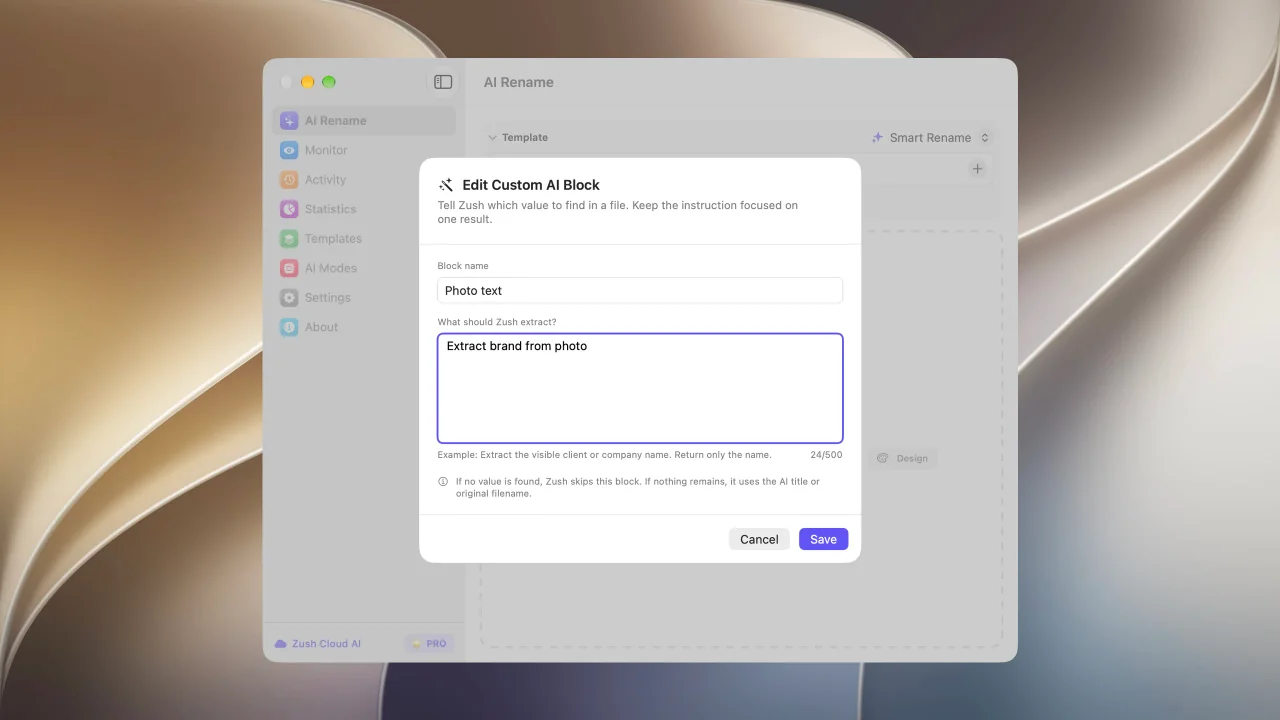
Analyze and rename 100+ file formats in one batch, from images, EPUB and FB2 ebooks, and PDFs to audio, video, and Office files. Describe any detail for Zush to extract, then reuse it as a Custom AI Block in any template.
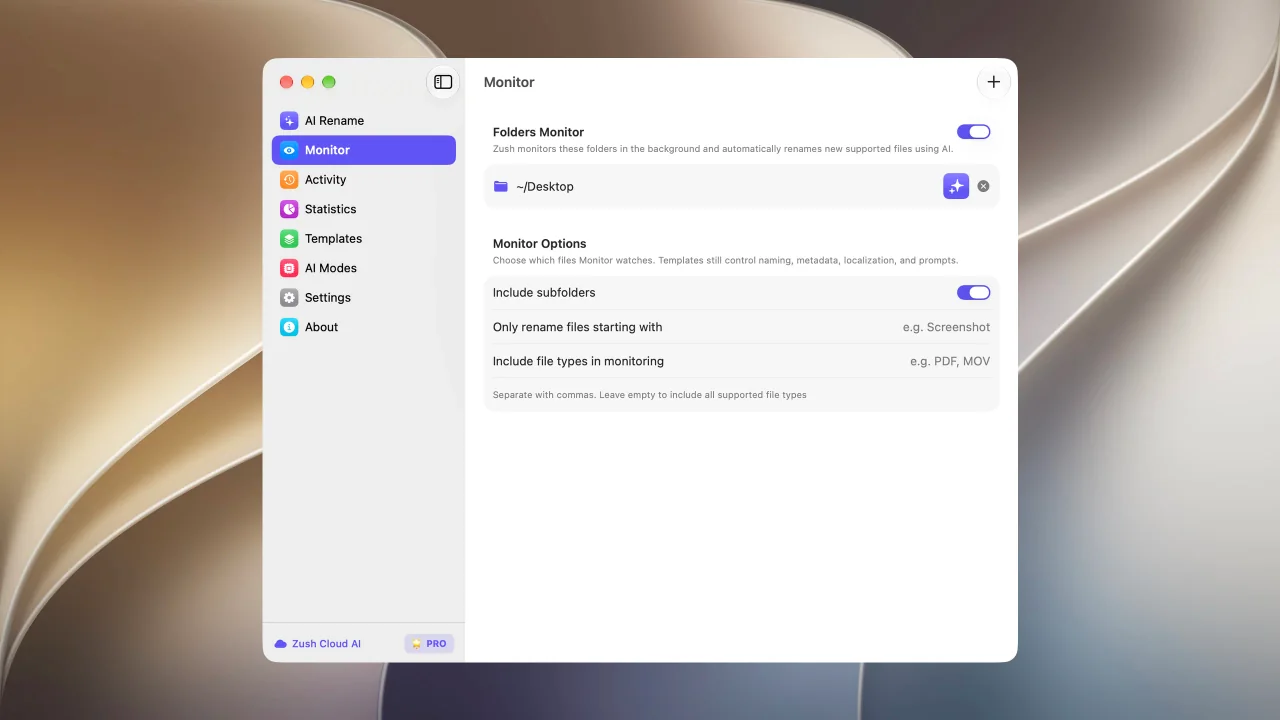
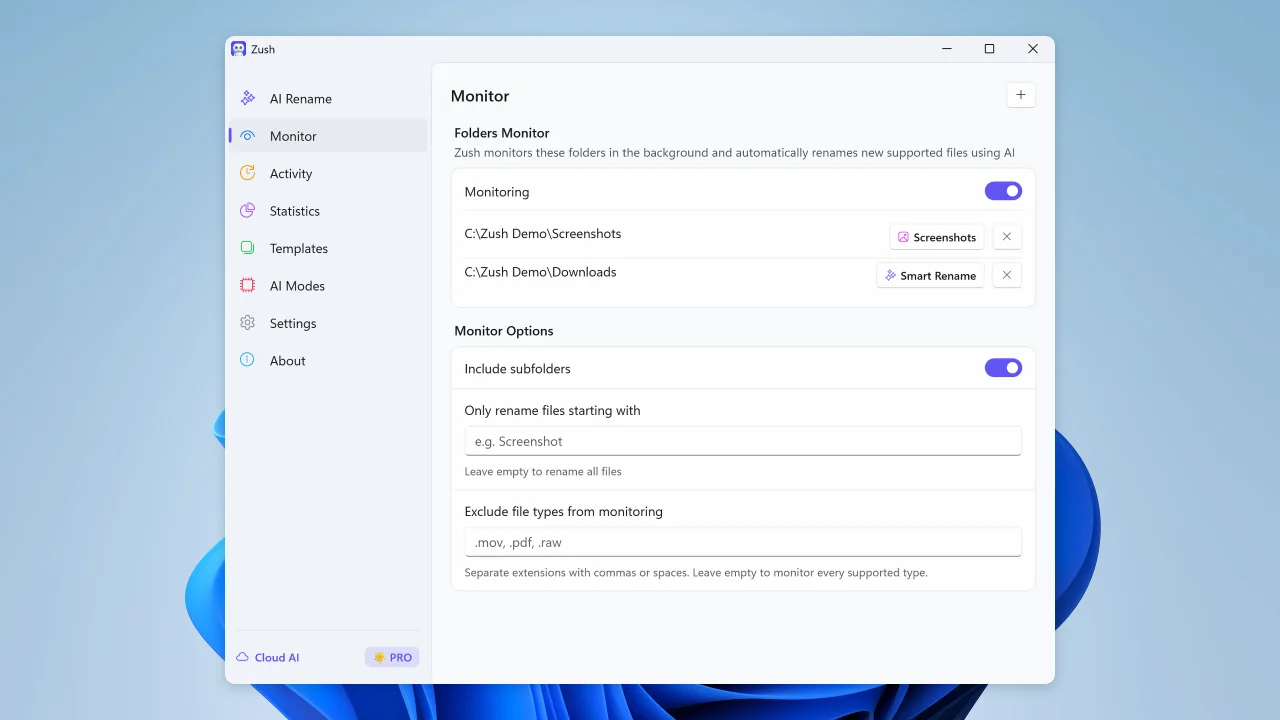
Watch one or multiple folders — including iCloud Drive, Google Drive, Dropbox, and OneDrive folders. Zush runs in the background and processes new files automatically.
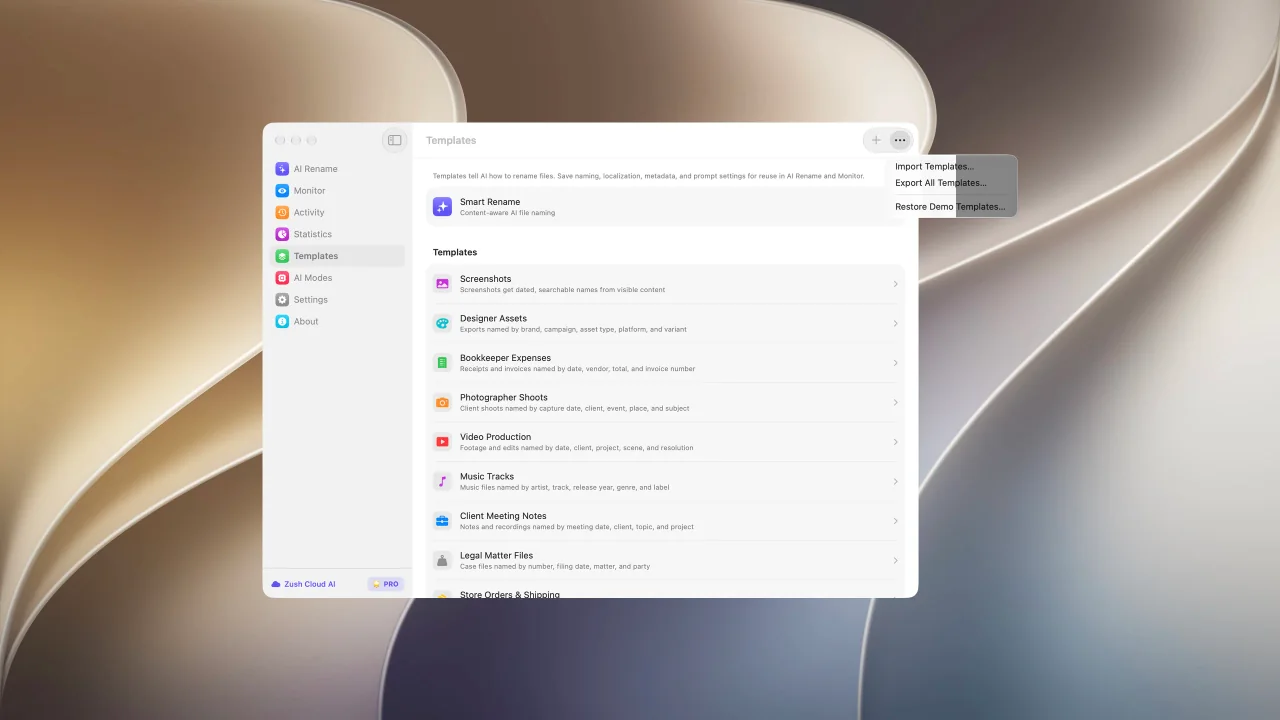
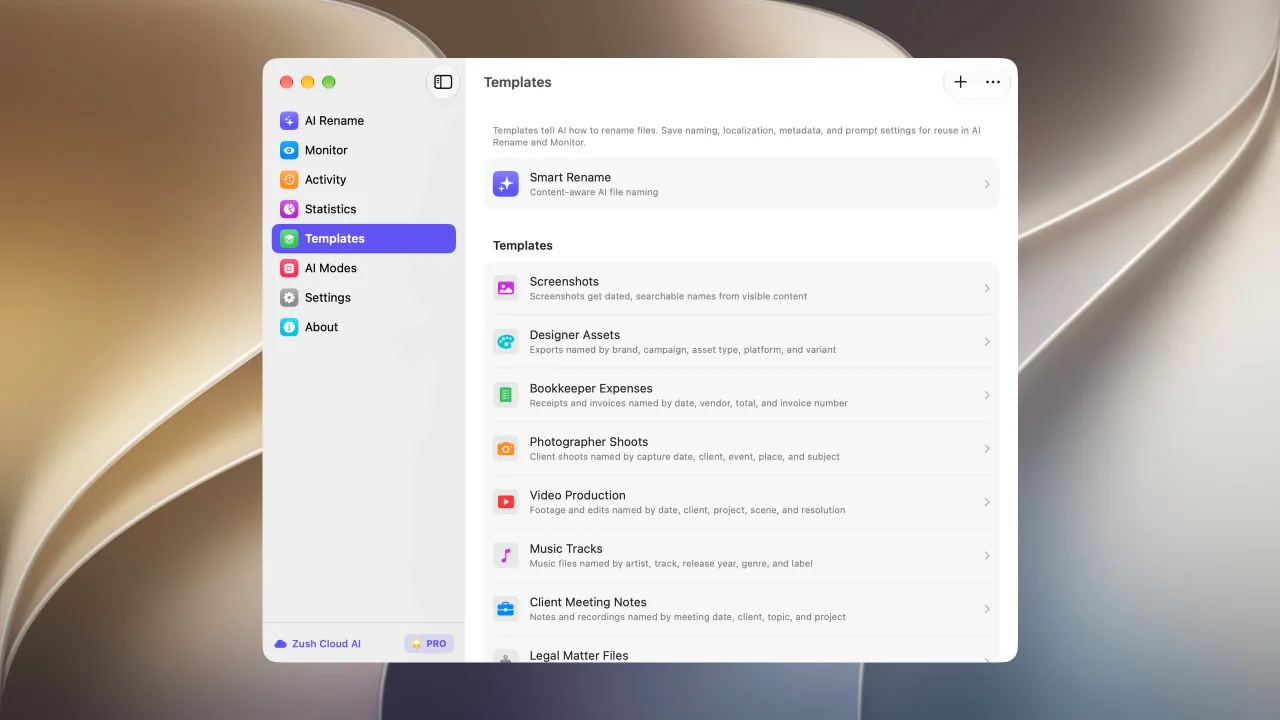
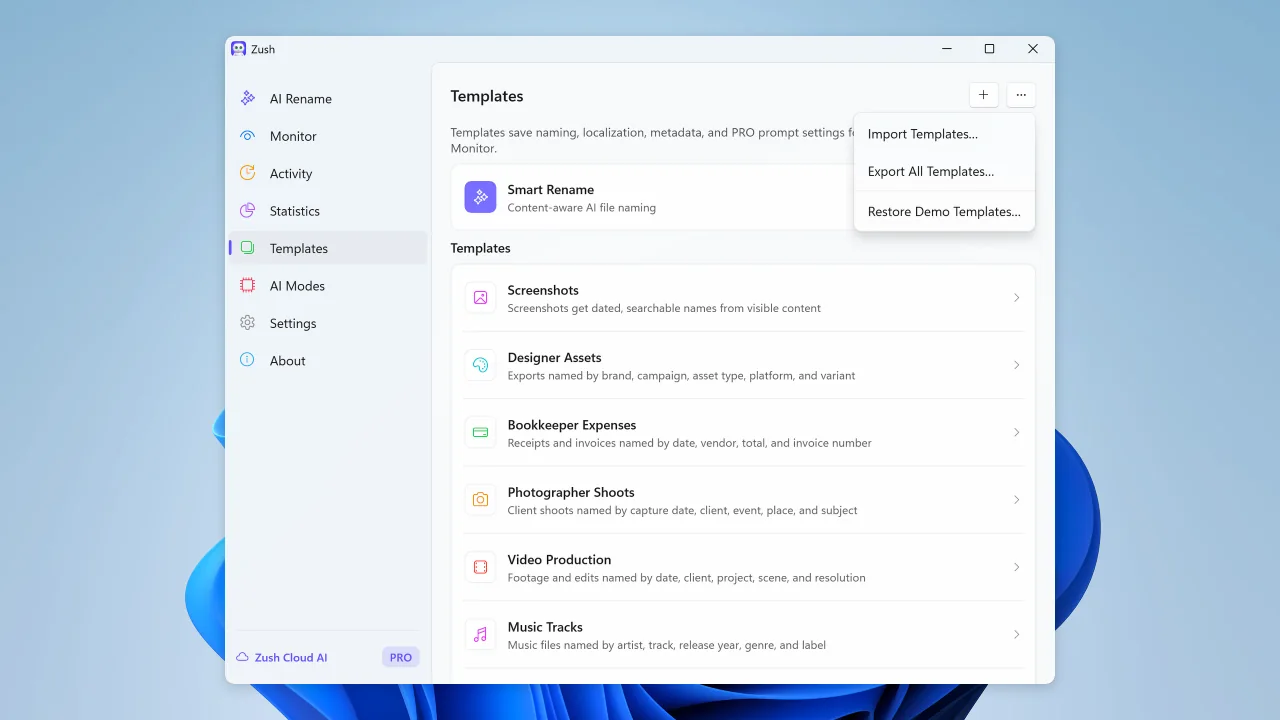
Save reusable rename setups for screenshots, expenses, music tracks, client work, legal files, travel bookings, and monitored folders.
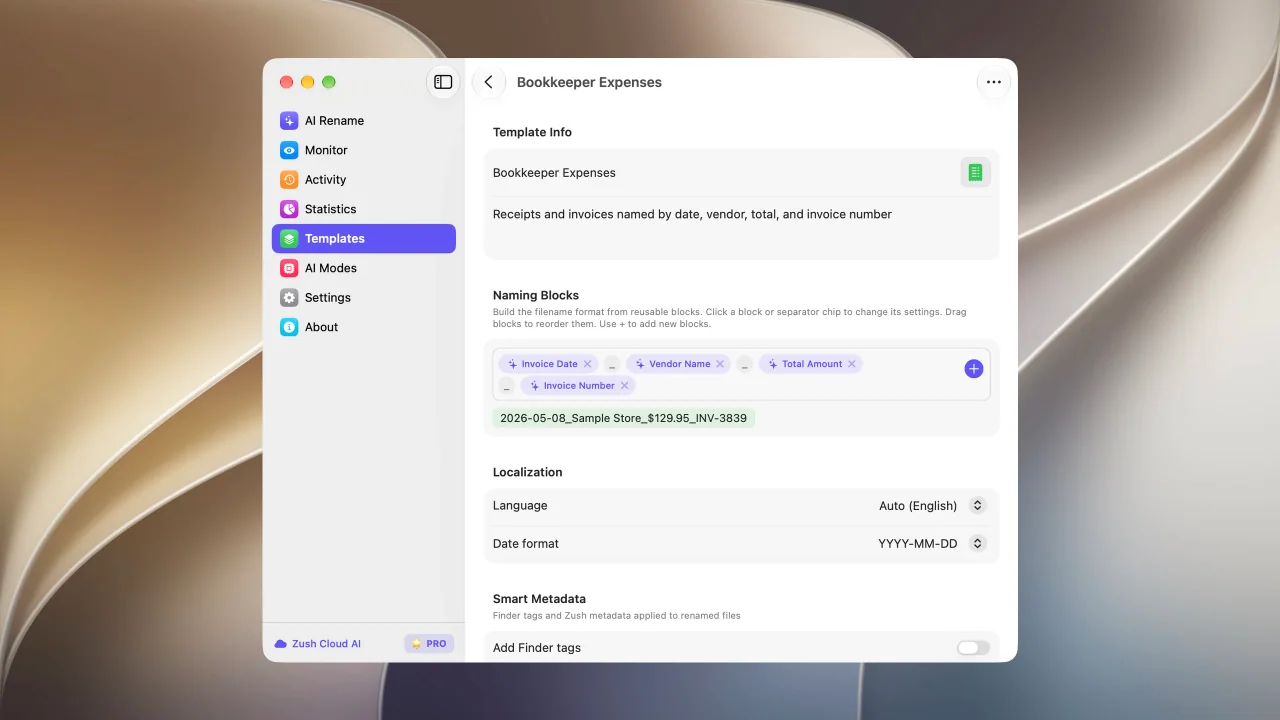
Build consistent filenames from 145+ blocks covering dates, file metadata, audio, photos, finance, legal, travel, clients, and AI-detected fields.
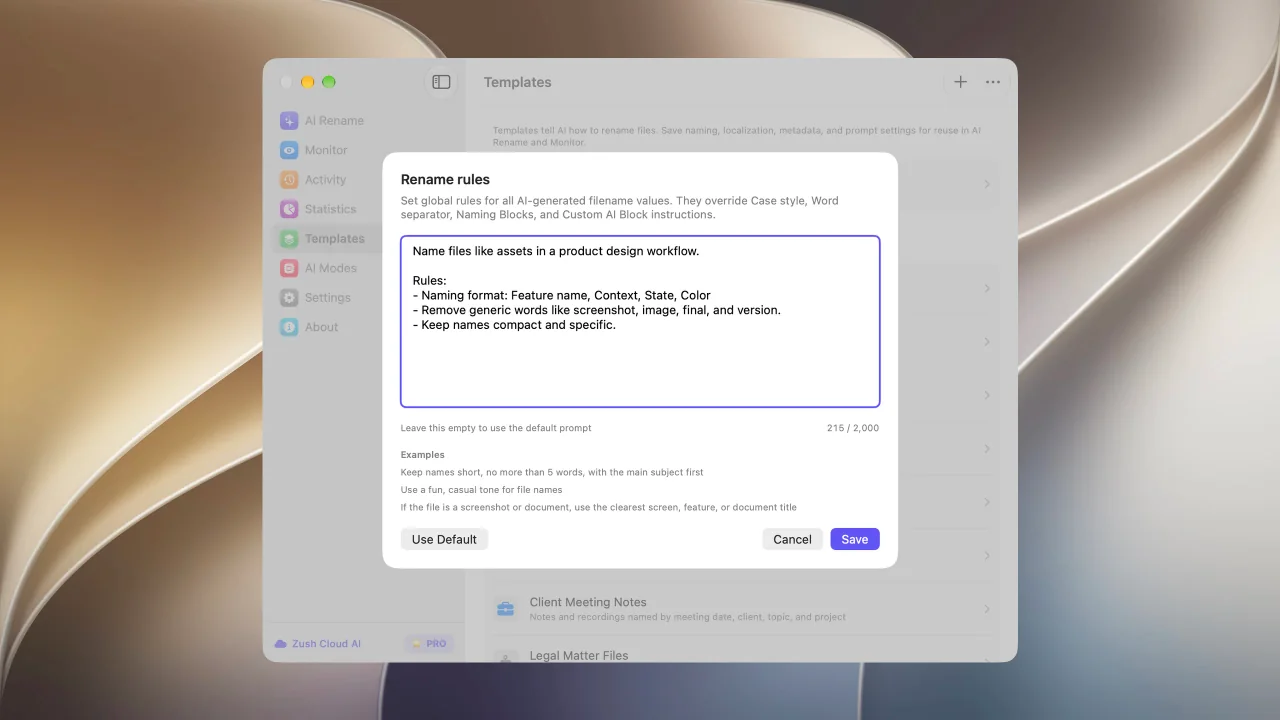
Set rename, tagging, and metadata rules so AI output follows your style and workflow.
Automatically add Finder tags and Spotlight metadata. Find files instantly with natural search queries.
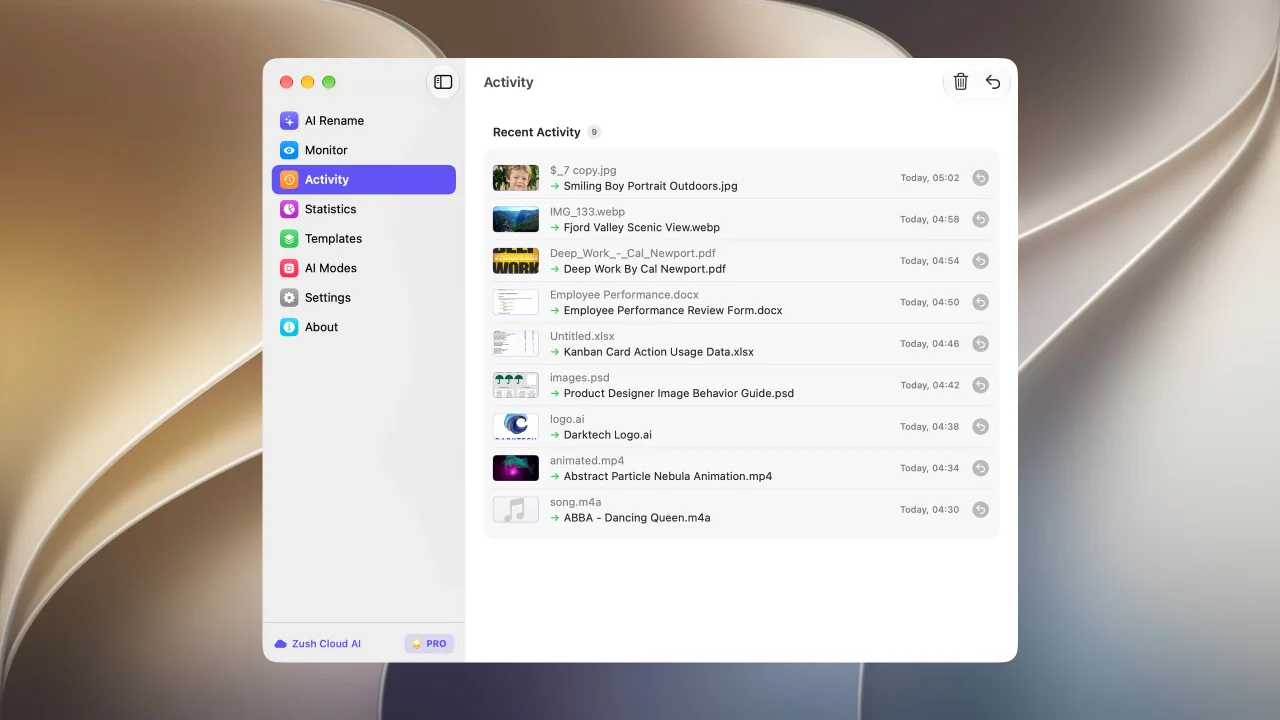
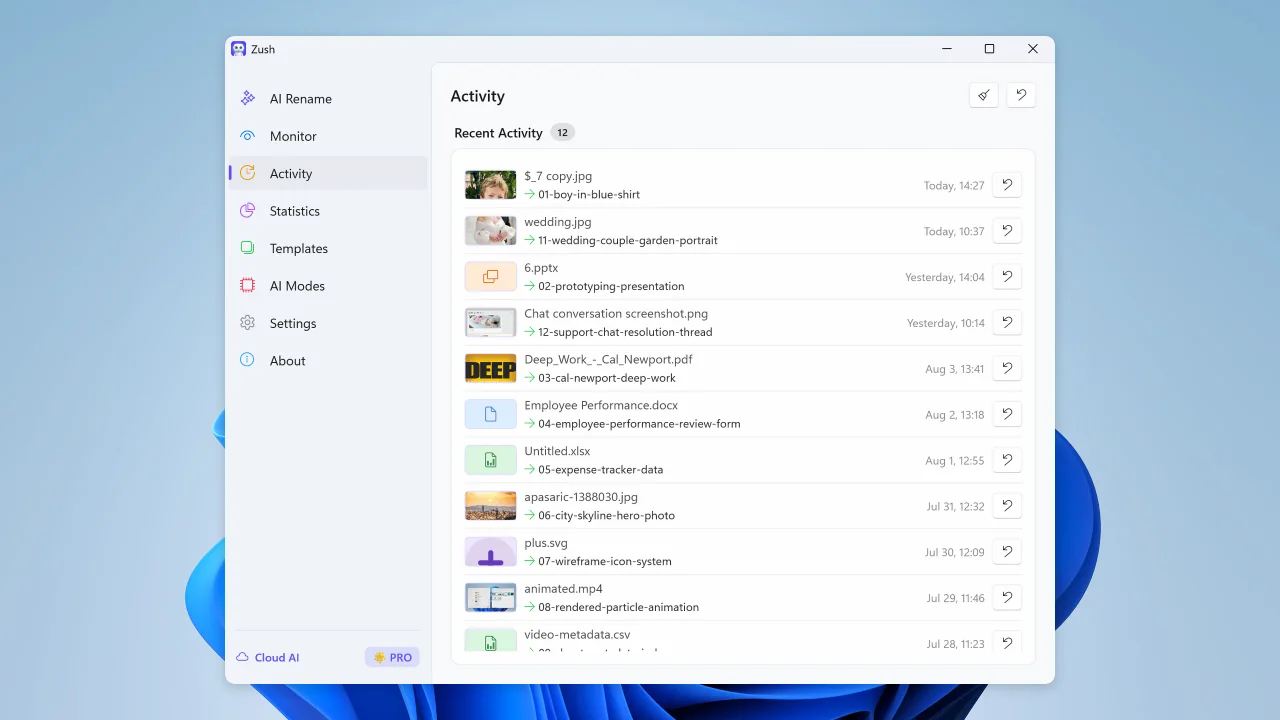
Keep track of every change. Made a mistake? Rollback to the original filename with one click.
AI groups files by content and names the folders.
Write a prompt to tell AI how to group your files.
“Group invoices by company and receipts by month.”
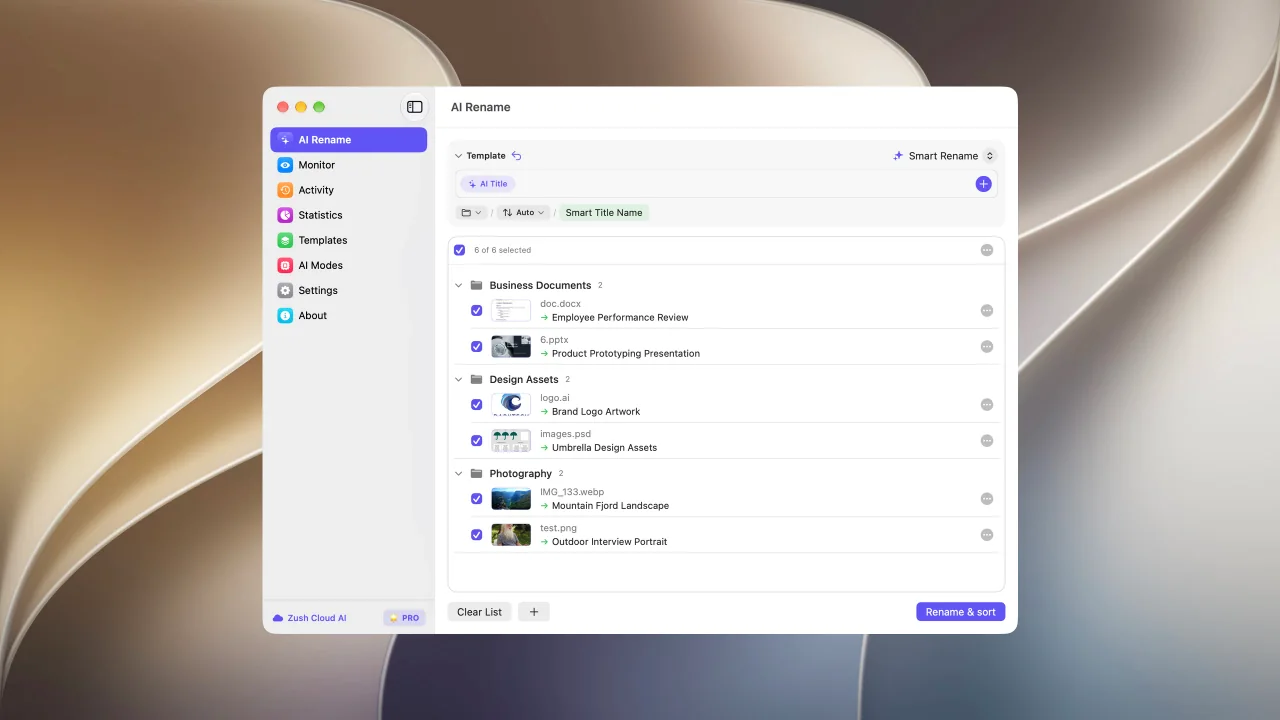
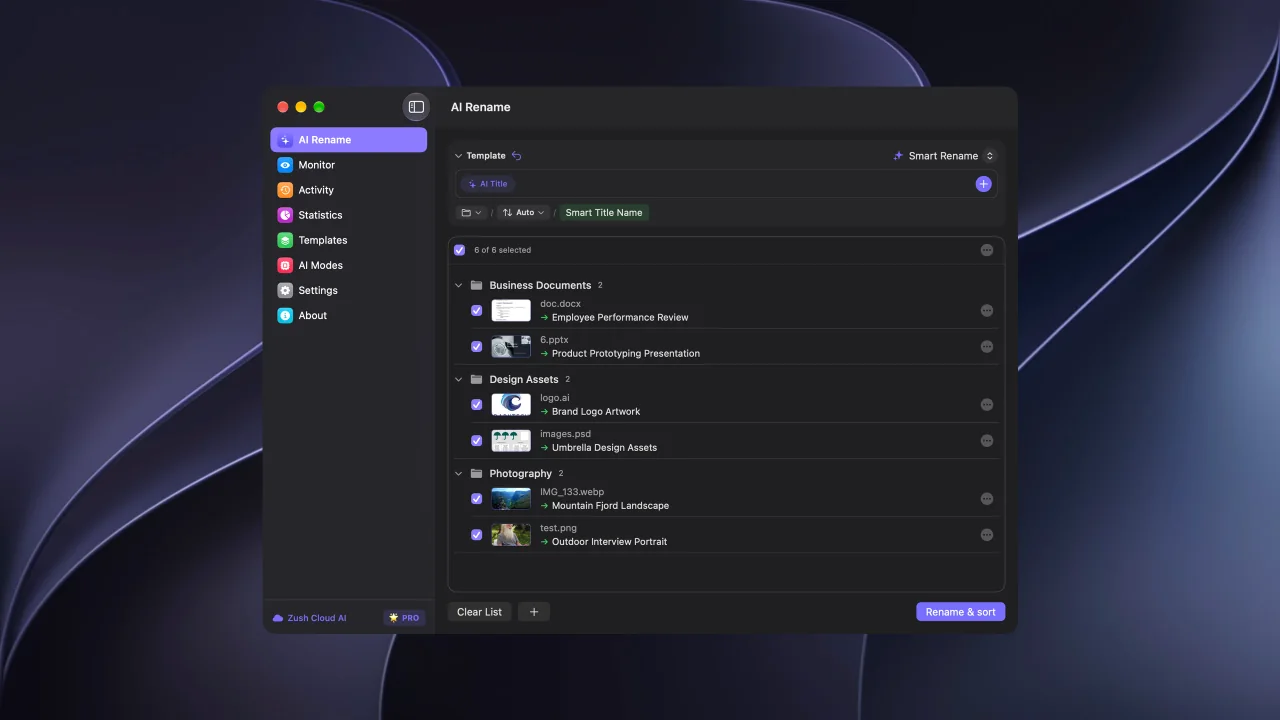
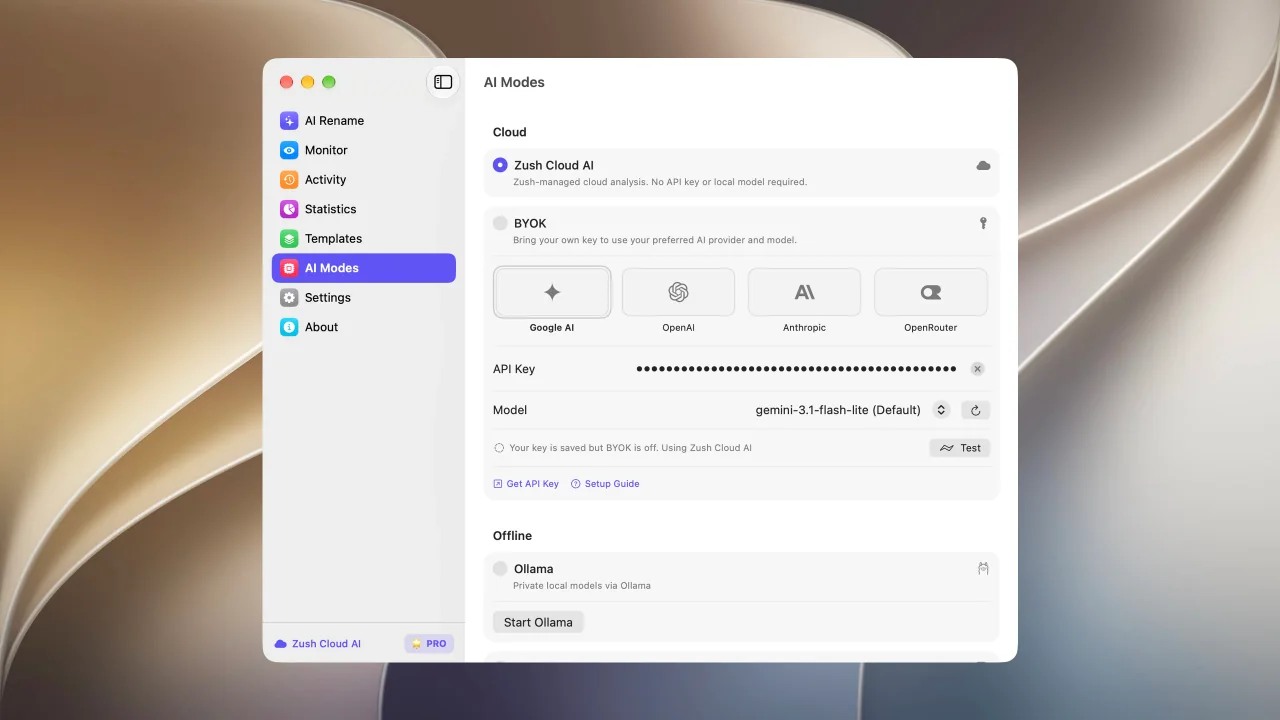
Choose Zush Cloud, BYOK, LM Studio or Ollama for the same review-first rename workflow.
Goes through our relay to a commercial AI provider, under their standard API terms. The relay exists so the API key can’t be pulled out of the app.
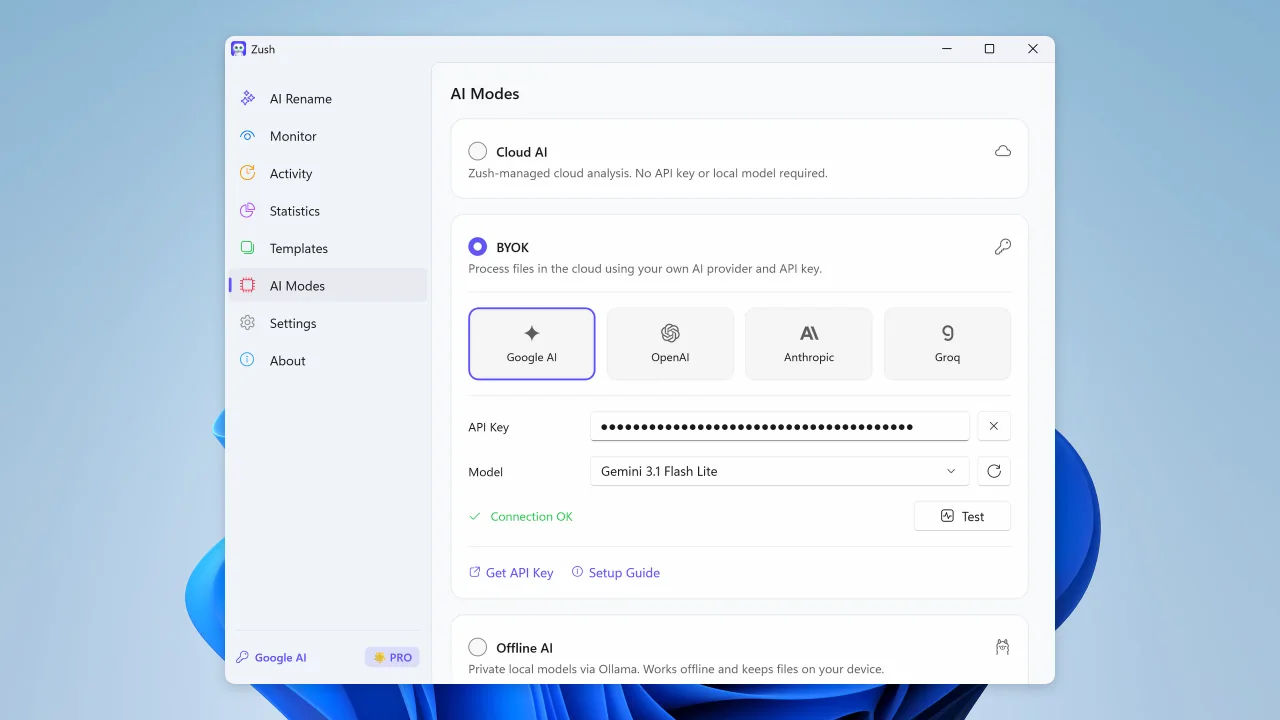
Connect your own API key from Gemini, OpenRouter, OpenAI, or Claude for cloud renames; FREE includes 50 across all modes and PRO is unlimited. Keys are stored locally in secure platform storage.
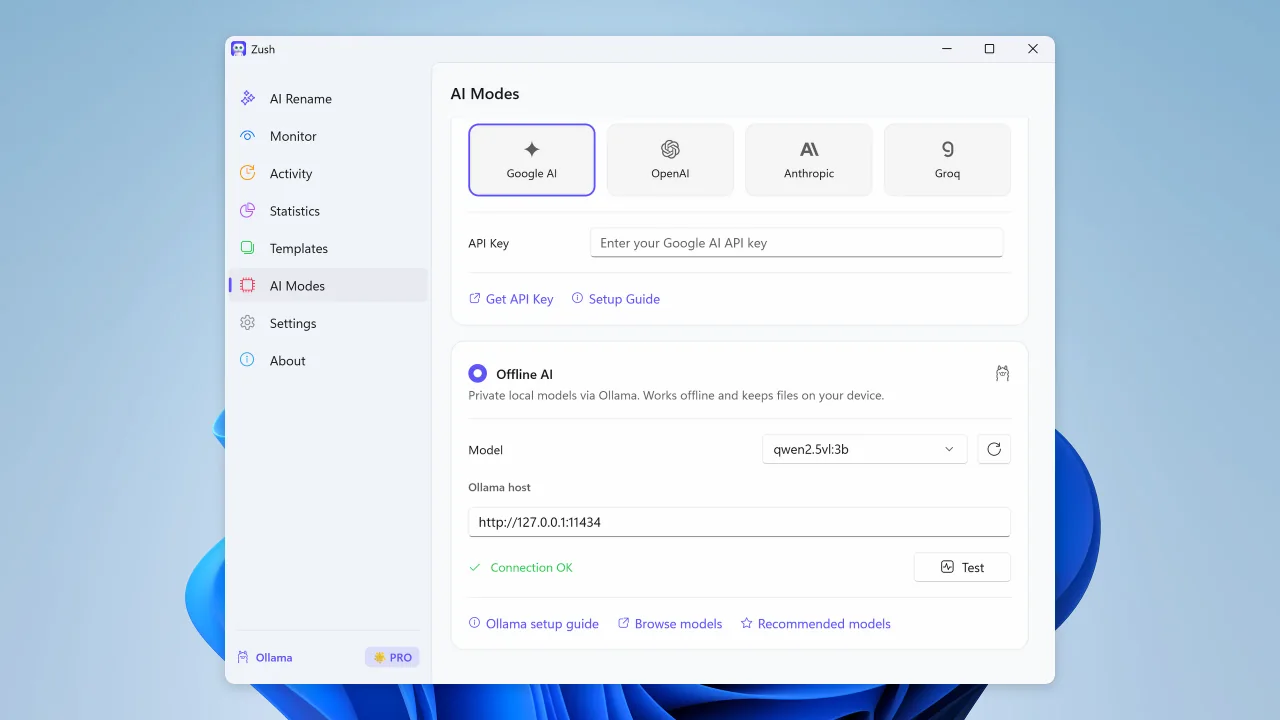
Keep supported analysis on your device with LM Studio or Ollama. Each local mode works offline after setup.
Who it’s for
Every profession has its own naming convention. Zush reads each file and fills the structure you choose — without changing the folders or tools you already use.

Invoices, receipts, and statements named by vendor, date, number, and amount — ready for reconciliation.

Scanned records named by identifier, date of service, and record type — with a local AI mode, so files never leave the machine.

Filings, contracts, and correspondence named by matter, date, type, and party — the folder reads as the case chronology.

Candidate, onboarding, review, and policy files named by employee, date, type, role, period, and status.

RAW photos, clips, and exports named by project, date, subject, scene, and take — from ingest to archive.

Agreements, disclosures, inspections, appraisals, and property photos named by address, date, type, party, and status.
Choose a workflow, decide which details Zush should extract, and control how the final filename is structured.
"Screenshot 2026-07-03" becomes a name that says what’s on screen.
Invoices, contracts, and scans named by the text inside the document.
RAW, HEIC, and JPG named by subject and scene.
EPUB, FB2, Word, Excel, PowerPoint, and iWork files named by topic.
Clean up Downloads and mixed folders with searchable names.
Figma, Sketch, PSD, and exports named by what they contain.
Recordings and clips named by frames and context.
MP3, WAV, and voice memos named by sound and metadata.
Hundreds of files at once, with preview and one-click undo.
Published reviews from the US Microsoft Store, plus Softpedia’s independent editorial assessment.
Awesome App, I had over 127 Reels that needed namimng, it did it flawlessly, so well that I ended up buying the App Permanently :)
Zush is a fast AI file renamer that really works and I can give tons of praise to them for creating this fantastic program. There are lots of things you can with Zush and templates to choose from or create your own templates. You can add all kinds of presets that can add more detail for your renaming but I bought the $10.00 monthly charge but soon will purchase the lifetime plan with this Great program so Thanks for creating this !!
Nothing fancy to say here: I had a bunch of files with generic “Screenshot” names, and Zush renamed them so I could actually search for later. The folder monitoring is pretty neat too - it just watches my screenshots and handles the new ones automatically. That’s exactly what I needed. Thanks for the app!
This app does exactly what I needed it to do.
Zush excels most in the freedom that it provides users with regarding the flexibility behind the renaming process.
One quick showcase per feature. Click a tab to see it in action.
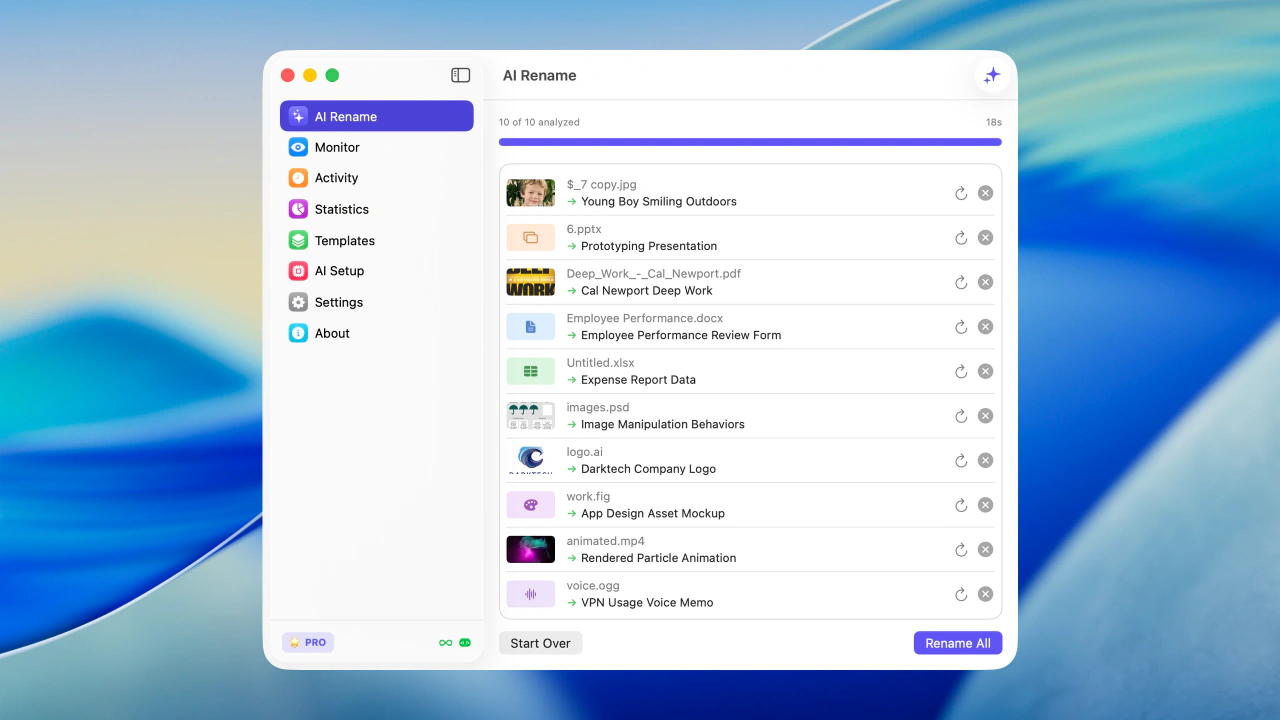
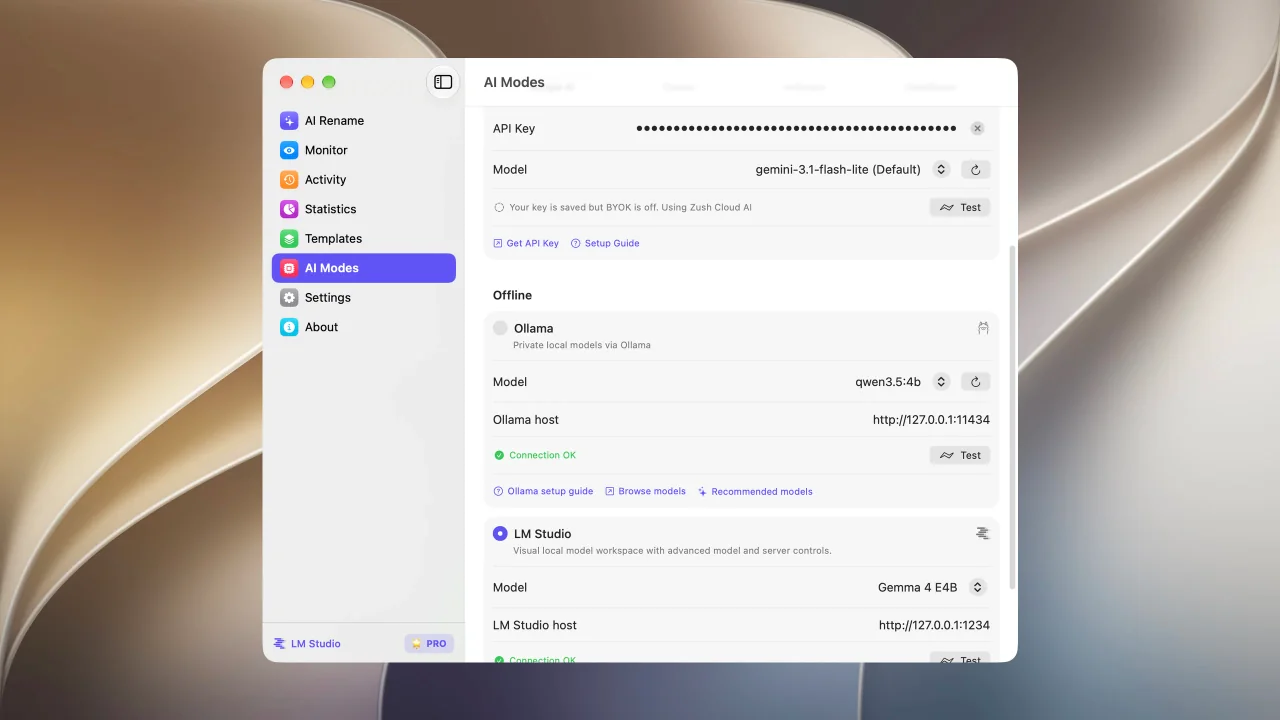
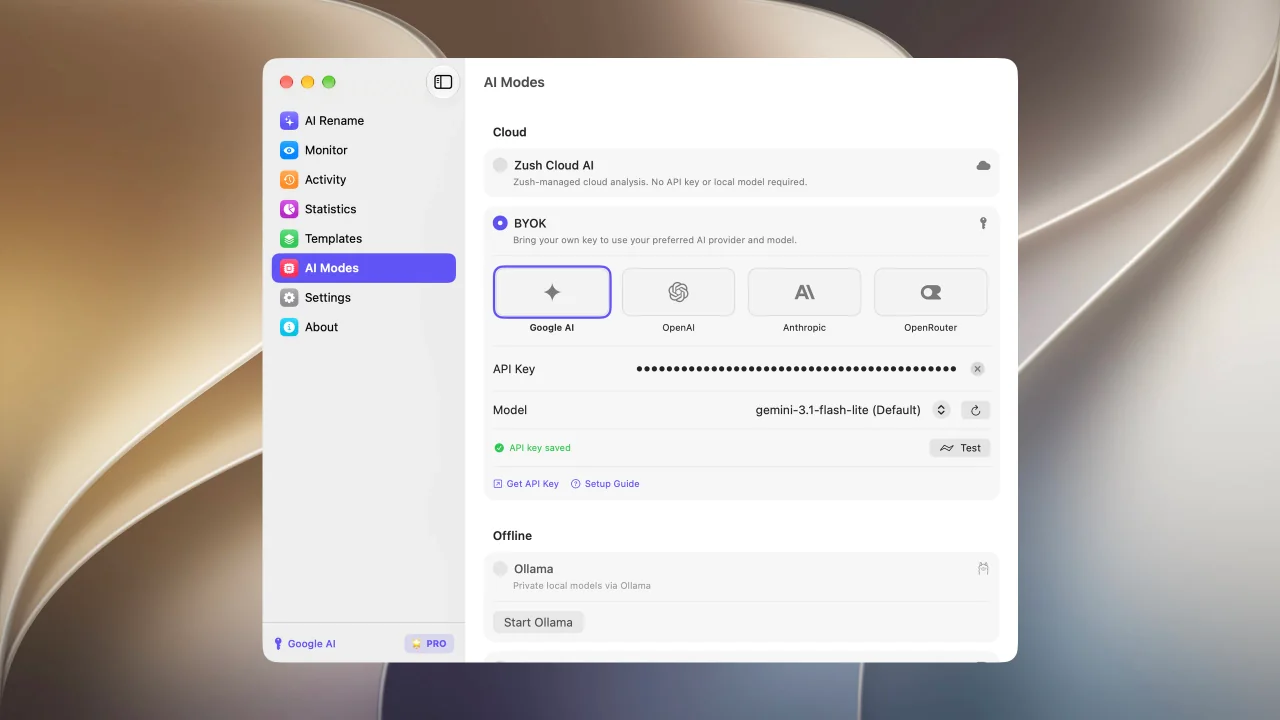
Bulk rename files by real content before you apply changes
Describe what AI should extract and reuse it as your own naming block
Sort files into folders using your own instructions
Share and back up your naming templates
Watch folders and rename new files automatically
Review recent renames and undo changes when needed
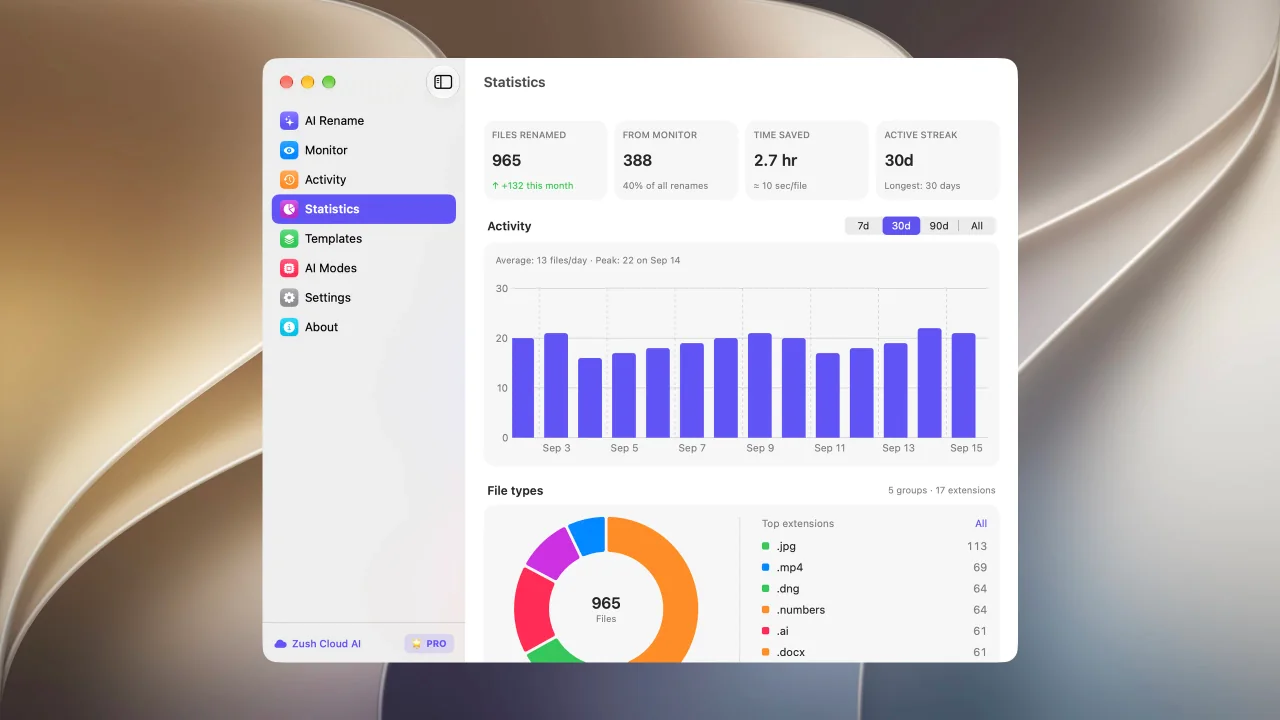
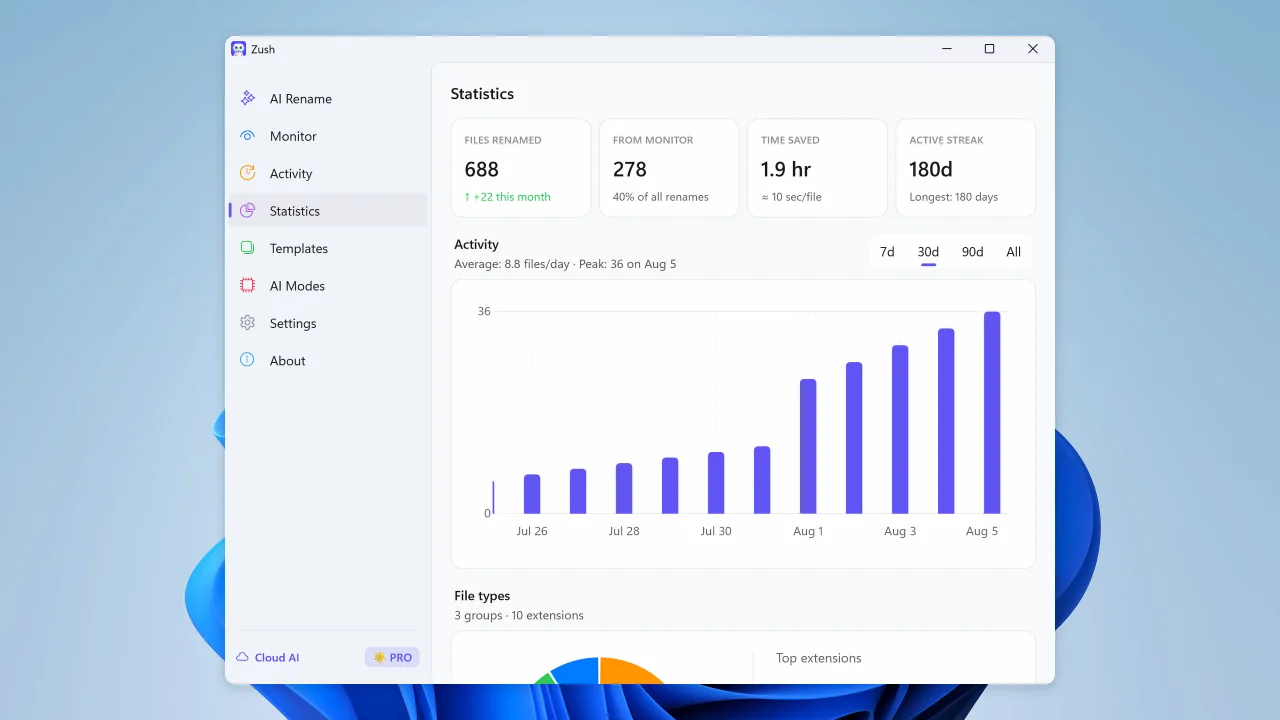
See rename volume, Monitor share, activity, and file type trends
Save reusable rename setups for repeated AI Rename and Monitor workflows
Build filenames from your file content using 145+ ready-made blocks
Guide filename generation with your own instructions
Start renaming immediately with managed cloud analysis and no setup
Run supported analysis on your Mac with LM Studio or Ollama.
Connect your own AI provider for renaming; FREE includes 50 across all modes and PRO is unlimited
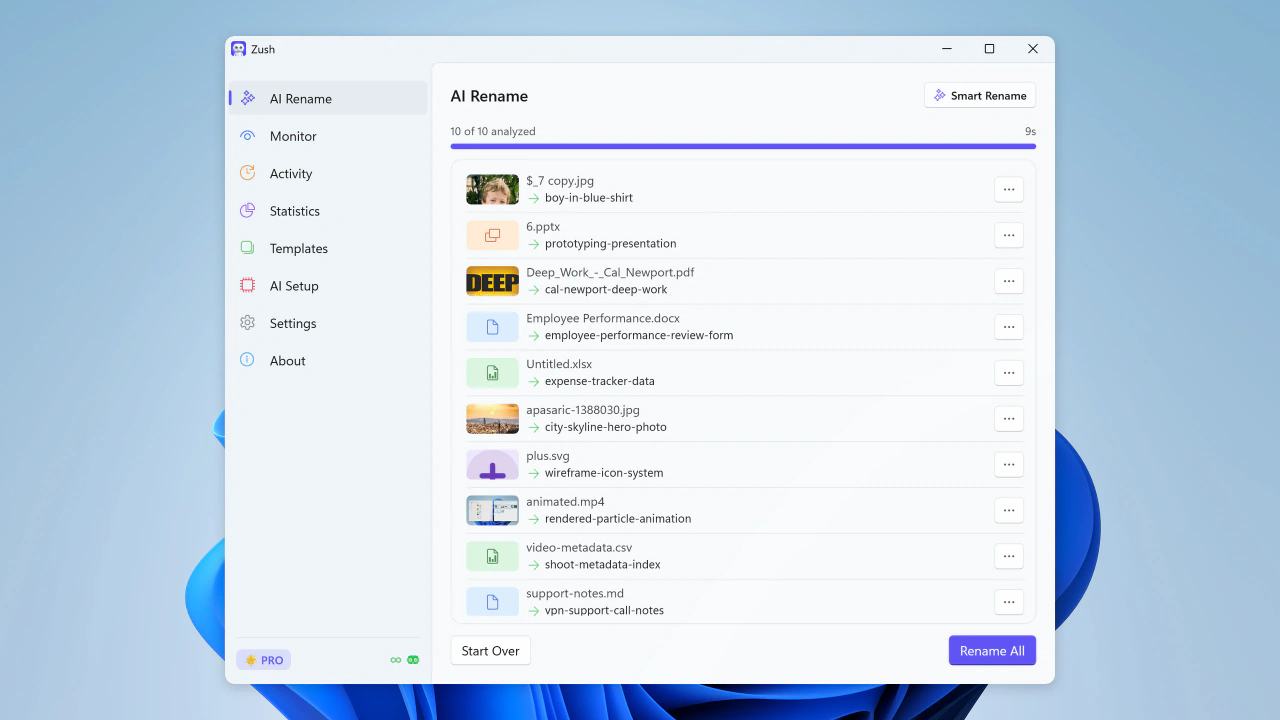
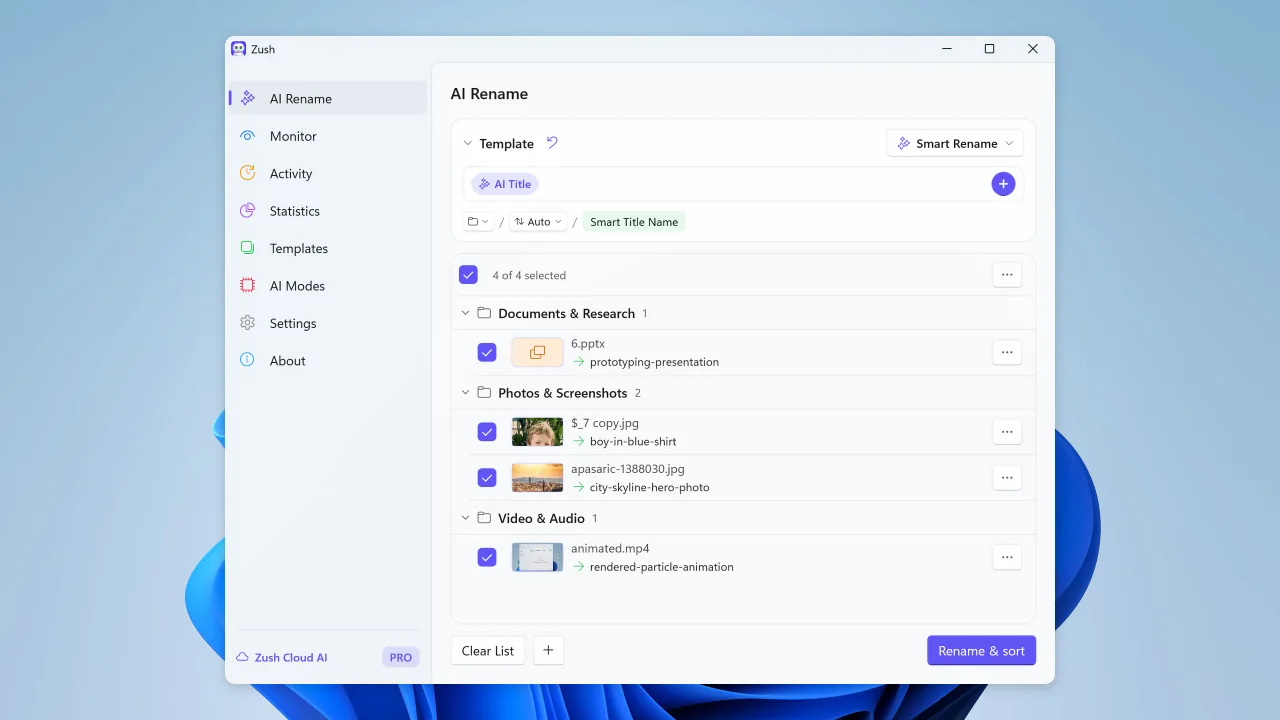
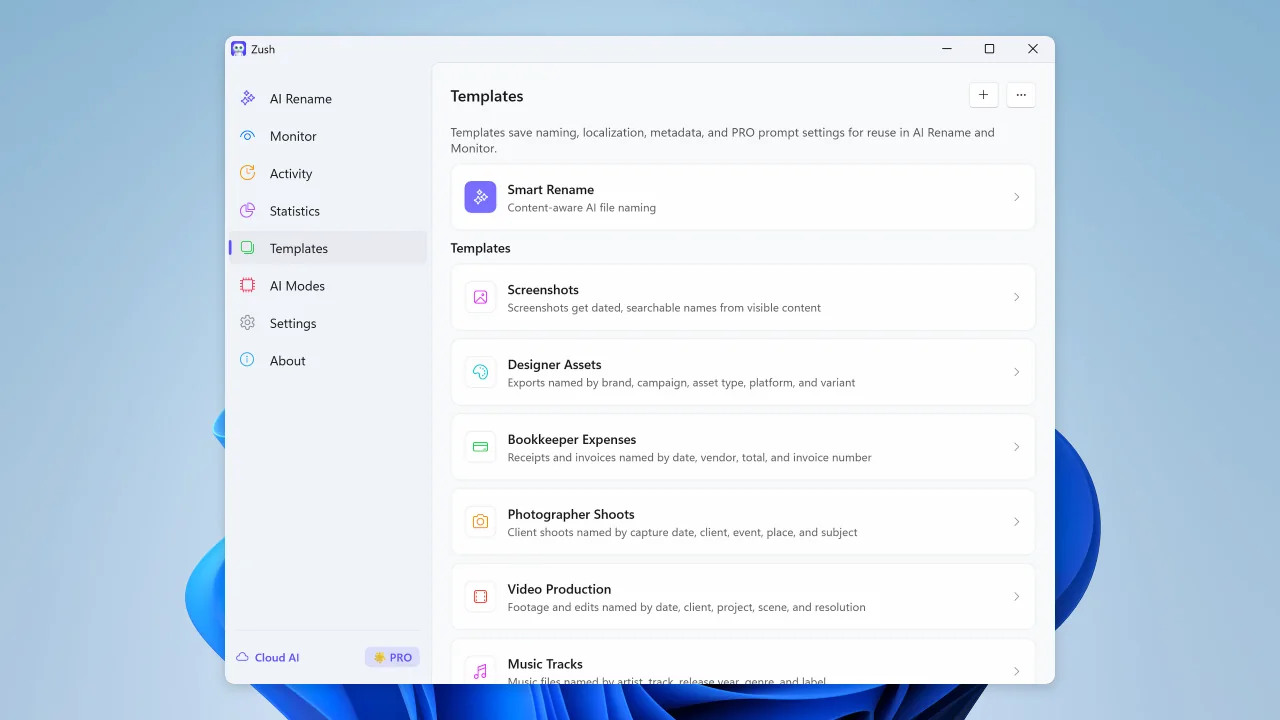
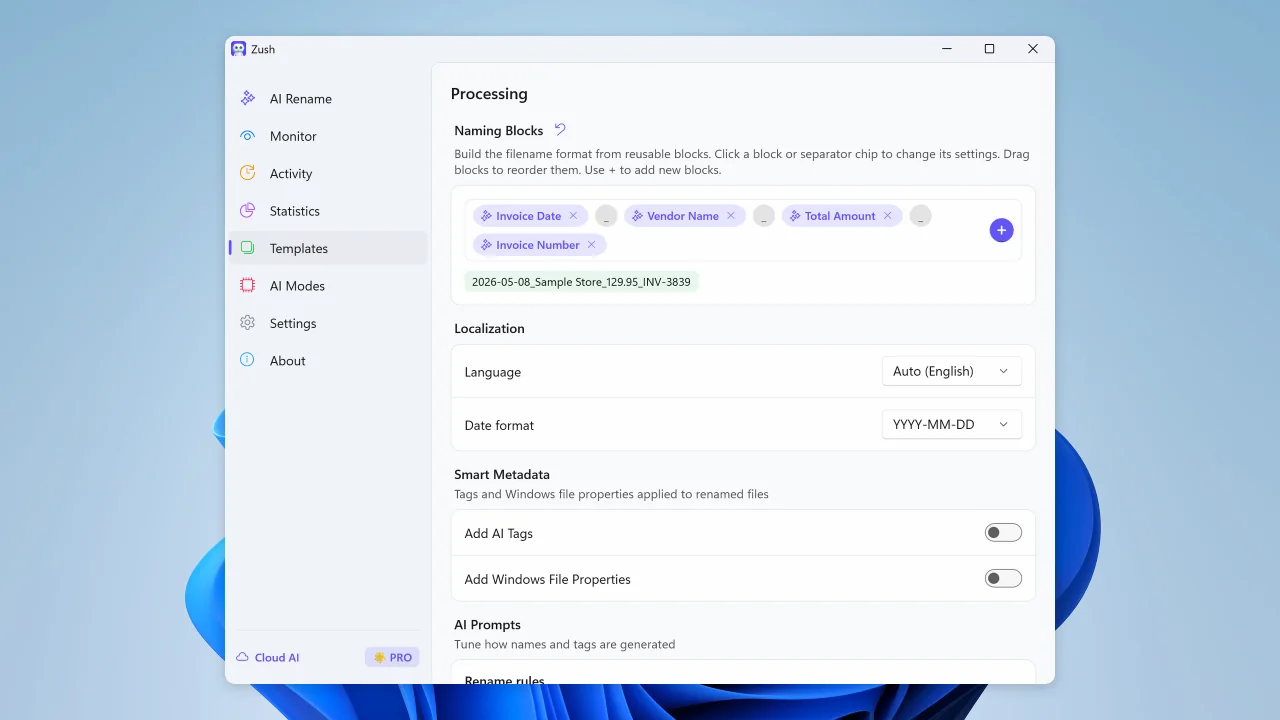
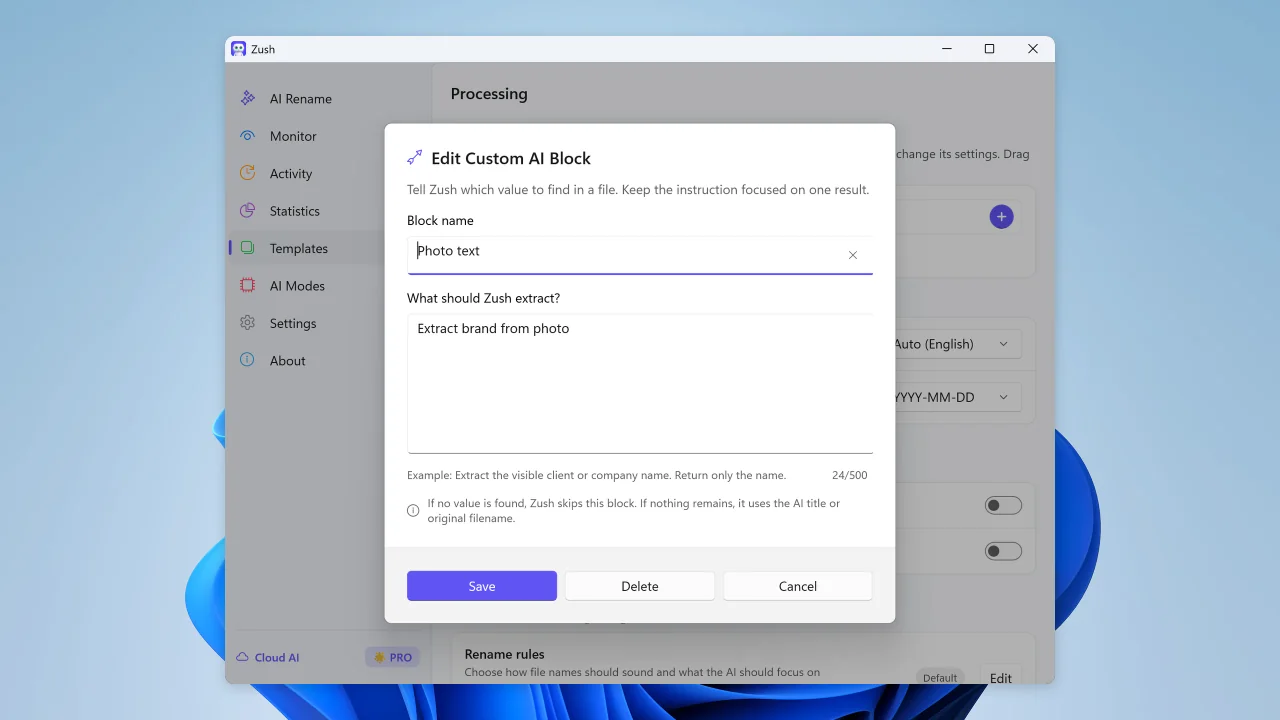
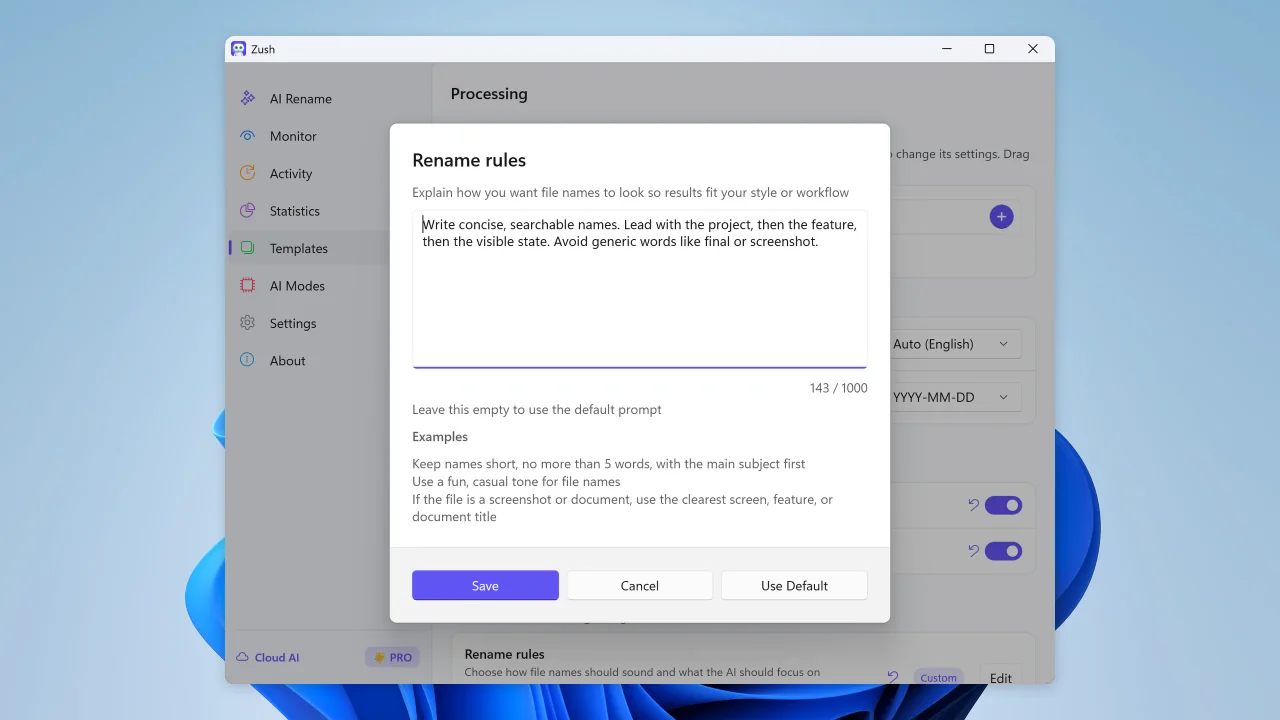
Bulk rename files by real content before you apply changes
Sort files into folders using your own instructions
Share and back up your naming templates
Watch folders and rename new files automatically
Review recent renames and undo changes when needed
See rename volume, Monitor share, activity, and file type trends
Save reusable rename setups for repeated AI Rename and Monitor workflows
Build filenames from your file content using 145+ ready-made blocks
Describe what AI should extract and reuse it as your own naming block
Guide filename generation with your own instructions
Connect your own AI provider for renaming; FREE includes 50 across all modes and PRO is unlimited
Use LM Studio or Ollama for supported on-device analysis, even without an internet connection
Monthly flexibility or one-time lifetime access. Both plans remove the rename limit across every AI mode.
Flexible monthly plan
$10/month +VAT
Pay once for lifetime access
$48$36one-time +VAT
14-day money-back guarantee • Secure via Paddle
Everything you need to know about Zush in one place
Rename and organize files with AI, monitor folders, and clean up screenshots, design files, PDFs, photos, audio, videos, iWork, and Office documents by content.
Free · No credit card required · macOS Sequoia+ · Windows 10+
A signed and notarized .dmg, Mac App Store build, or Homebrew cask for macOS. A Microsoft Store install for Windows. Same renaming engine, same BYOK and Local AI mode, native to each OS.
Zush is our pick for the best AI file renamer on Mac and Windows: one workflow that reads 107 file formats, follows your naming rules, previews every batch, and undoes it from Rename History. Paid PRO has no monthly rename meter, and the first 50 renames are free. The other rows summarize our Mac and Windows comparisons.
| Tool | Where it fits | Watch out for |
|---|---|---|
| Zush | Best overall on Mac and Windows: mixed folders, configurable naming, AI folder sorting that follows your own plain-language rules, folder monitoring, preview, and batch undo. Zush managed cloud, BYOK, Ollama, or LM Studio. PRO is $10/month or $48 one-time. | A desktop app, so it installs on the computer that holds the files. |
| NameQuick | Conditional routing Rules | Managed plans meter renames; the one-time plan needs your own API key or local model; no complete public format or platform matrix. |
| RenameClick | Rename-and-move routing into preset categories | No documented RAW, design-file, or video support; prices are quoted before VAT. |
| Renamer.ai | Document-heavy OCR workflows | Every paid tier is metered, with no published BYOK or local-model option. |
| FilesDesk | Setups that require vLLM | Managed suggestions are metered; the lifetime license needs your own API key or local model. |
| Finder, PowerRename, or Bulk Rename Utility | One shared pattern across many files | They never read file content, so every file gets the same rule instead of a descriptive name. |
Compare file renamers for Mac and Windows, organize files into folders with AI, and share reusable naming workflows.
 Windows Guide
 Mac Guide
 Mac Guide
 Mac Guide