
RAW photo shoots
Turn camera counters into names that carry the project, date, subject, scene, or location while preserving the original RAW extension.
2026-06-14 – Ortega Wedding – Ceremony – First Kiss.nefFor photographers and videographers
Zush is a desktop AI file renamer for photographers and videographers. It combines available metadata with visual content to name RAW photos, JPEGs, and supported video clips, while your catalog, editor, or NLE remains the creative system.
Built for visual workflows
Use the same naming layer across stills, footage, exports, and archives without replacing the creative tools your team already knows.

Replace repeated camera counters with project, date, subject, moment, and location — useful before culling and still understandable years later.
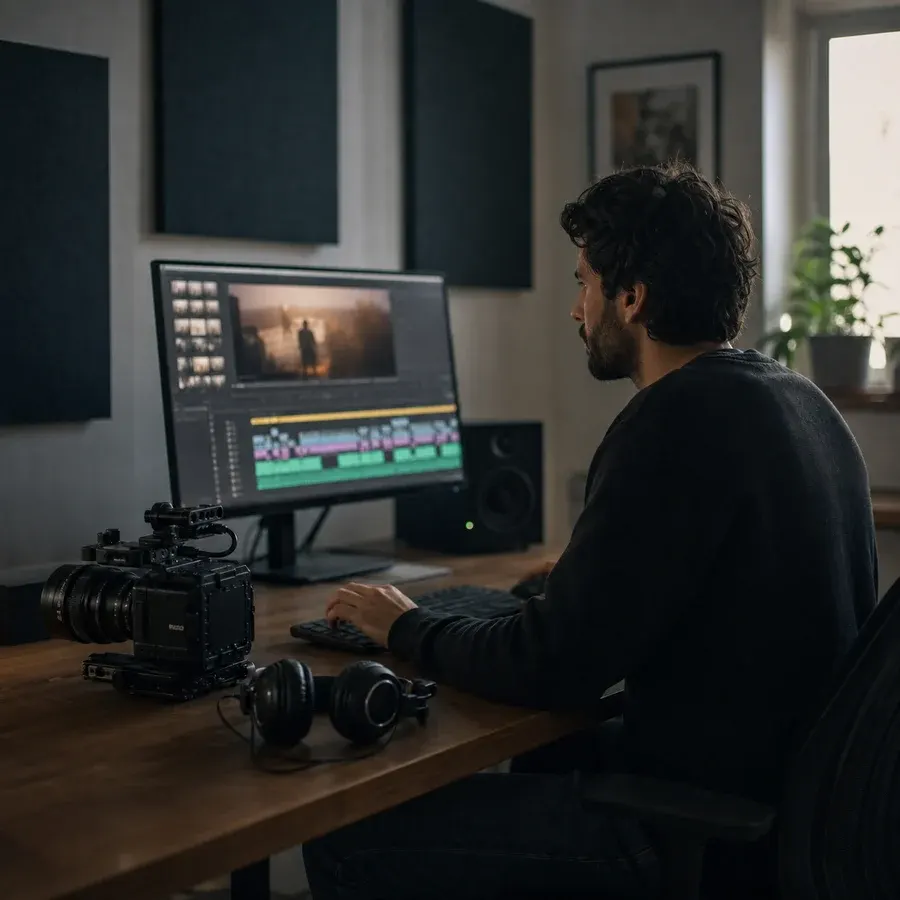
Turn generic camera clips into searchable b-roll, interview, location, scene, and take names before the edit begins.

Give assistants, producers, and editors one shared convention for ingest folders, active projects, deliverables, and archives.
Zush combines visible content, available metadata, sampled video frames, and your own instructions. Your Template decides which fields appear and in what order.
Choose a field to see it in the filename
Your Template controls the order and separators. Add a Custom AI Block when your studio needs a field that is not built in.
Start with managed AI, connect the provider account your studio controls, or run supported visual analysis locally for private and unreleased work.
Use Zush-managed AI to analyze visual previews and sampled video frames, then review the proposed names before applying them to the shoot.
Connect the provider and model your studio already uses. Your API key stays in secure local storage while you control the provider account.
Run supported visual analysis with local Ollama models on Mac or Windows when unreleased campaigns, private events, or client footage should stay local.
Zush renames media in place and does not become a new asset library. Choose the processing mode for each workflow, keep your existing folder structure, and use rename history when a batch needs to be reverted. Compare the three AI modes
Keep your catalog, editor, NLE, and storage layout. Add one reusable Zush naming step around the folders where media already lands.
Combine date, client, project, subject, location, scene, shot type, take, camera, and any custom field your team needs in one reusable Template.
Add a copied shoot, a card ingest, an export folder, or a mixed archive of RAW photos, JPEGs, and video clips without moving the source media.
Read the proposed names as one batch, correct exceptions, apply with undo available, then reuse the same Template on the next job.
Why Zush
Zush combines visual context with dates, camera metadata, sequence fields, and studio rules to create portable filenames before import, during handoff, or in an archive.
| Media file need | How Zush handles it | Workflow benefit |
|---|---|---|
| Describe what each file shows | Zush can propose subject, scene, location, shot type, take, and custom visual fields. | A folder becomes searchable before anyone opens every photo or clip. |
| Combine AI with stable metadata | Build a Zush Template from capture date, EXIF, camera, sequence, project, and AI-detected context. | Filenames stay predictable while still describing the individual shot. |
| Keep one convention across cameras | Apply the same field order, separator, date format, and studio rules to a mixed batch. | Files from different bodies, cards, and operators follow one naming system. |
| Review before import or handoff | See every original and proposed filename side by side before applying the batch. | Ambiguous subjects, scenes, and takes can be corrected before they enter production. |
| Recover an applied rename | Zush keeps the original-to-new mapping in Rename History. | The complete batch can be inspected and reverted when the Template needs another pass. |
Use separate Templates for capture media and exports, or apply one studio convention across a mixed project folder.
Turn camera counters into names that carry the project, date, subject, scene, or location while preserving the original RAW extension.
2026-06-14 – Ortega Wedding – Ceremony – First Kiss.nefApply one readable convention across JPEG, HEIC, TIFF, and RAW selects before culling, delivery, or long-term archiving.
Maya Chen – Studio Portrait – Look 02.cr3Name short clips by visible subject, setting, shot type, and project so editors can find useful footage before opening every file.
River House – Exterior – Golden Hour – Wide.movUse speaker, interview topic, camera, and take fields to make a day of similarly numbered clips easier to scan in Finder or File Explorer.
Founder Interview – Camera A – Take 04.mp4Replace final-final filenames with the project, deliverable, aspect ratio, language, or version fields your handoff requires.
Northwind Launch – Social Cut – 9x16 – v03.mp4Run one batch across photos, footage, audio, subtitles, and production documents, with a filename proposed from each file’s available context.
Coastal Editorial – Behind the Scenes – Studio Setup.jpgStart with stable metadata such as date, client, camera, and sequence. Add AI-detected subject, scene, location, or shot type only where it makes the archive easier to search.
Use a deterministic date and project prefix, then retain a camera or sequence field so files from multiple bodies stay unique.
{YYYYMMDD}_{Client}_{Shoot}_{Camera}_{Sequence}Combine project context with visible scene details, shot type, take, and camera before the clips enter an editing timeline.
{Project}_{Scene}_{ShotType}_{Take}_{Camera}Put stable client and date fields first, then add the subject, location, or moment that distinguishes each image.
{Client}_{CaptureDate}_{Subject}_{Location}The payoff is not cosmetic. It is media that stays understandable before import, during collaboration, and after delivery.
A descriptive subject, scene, location, or take turns the folder listing into a useful first-pass index of the shoot.
A reusable Template makes files from different bodies, cards, and operators follow the same studio naming order.
Editors and clients receive filenames that retain project context outside your catalog, NLE, shared drive, or delivery platform.
Monthly flexibility or one-time lifetime access. Both plans remove the rename limit across every AI mode.
Flexible monthly plan
$10/month +VAT
Pay once for lifetime access
$48$36one-time +VAT
14-day money-back guarantee • Secure via Paddle
How Zush handles RAW photos, video clips, Templates, processing modes, batch review, existing creative tools, and undo.
Naming and archive workflows for RAW shoots, photo libraries, client exports, and video clips.
 Mac Guide
 Mac Guide
 General Guide
 General Guide
Start with a small set of RAW photos or clips, review the proposed names, refine the Template, and undo the batch if it needs another pass.
Free · No credit card required · macOS Sequoia+ · Windows 10+