Why Are Photos Named IMG_? Meaning and How to Rename Them

Jump to section
Quick answer: photos are named IMG_ because iPhones and cameras use simple sequence numbers, not searchable titles. To rename IMG_ photos on Mac, use Finder for date or event patterns, or use an AI photo organizer when each image needs a different descriptive filename.
Your photos are named IMG_ because the device that created them was designed to capture quickly, not to produce meaningful filenames. A camera or phone only needs a reliable sequence. It does not know whether the image is a sunset, a receipt, or a screenshot of a client brief.
That system works for the device. It works terribly for humans. Once the files leave the camera roll and land in Finder, IMG_4382.HEIC tells you almost nothing. If you want searchable photo libraries on Mac, the fix is to replace those generic names with descriptive filenames and keep new images organized automatically.
For the complete photo workflow, read How to Organize Photos on Mac. If you need a tool instead of a manual convention, compare AI Photo Renamer for Mac and Mac AI renamer comparison.
Why cameras use IMG_ filenames
The reasons are practical:
- Sequential naming is simple and reliable
- Devices do not need to interpret image content
- Filenames are treated as technical identifiers, not search labels
- The device expects gallery views and thumbnails to do most of the work
The problem starts later, when the same files are moved into folders, client projects, backups, or shared drives.
Why IMG_ names become a problem on Mac
An IMG_ name is harmless when you are looking at ten recent photos in Apple Photos. It becomes a real problem when you are dealing with:
- exported photos in Finder
- mixed project folders
- screenshots and phone photos in the same directory
- backups and archives
- client image libraries
At that point, filenames start carrying real retrieval value. Search, sorting, and scanning all become harder when every image looks the same. Leaving the camera default in place is the first of the 10 digital photo organization mistakes to avoid, and it makes every later one harder to unwind.
The simplest way to fix IMG_ filenames
You need two things:
- A naming convention that is descriptive enough to be searchable
- A workflow that does not require typing every filename by hand
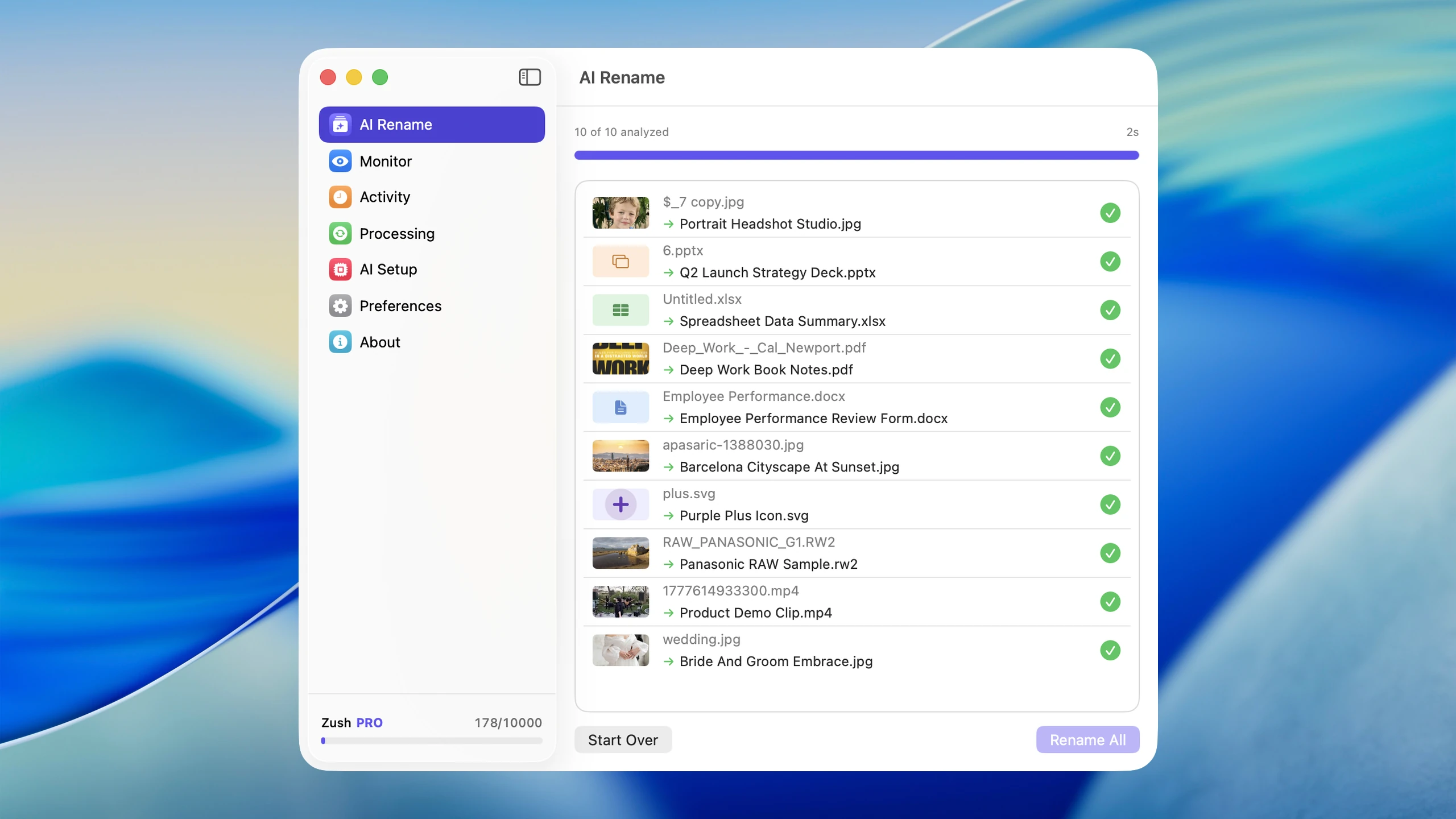
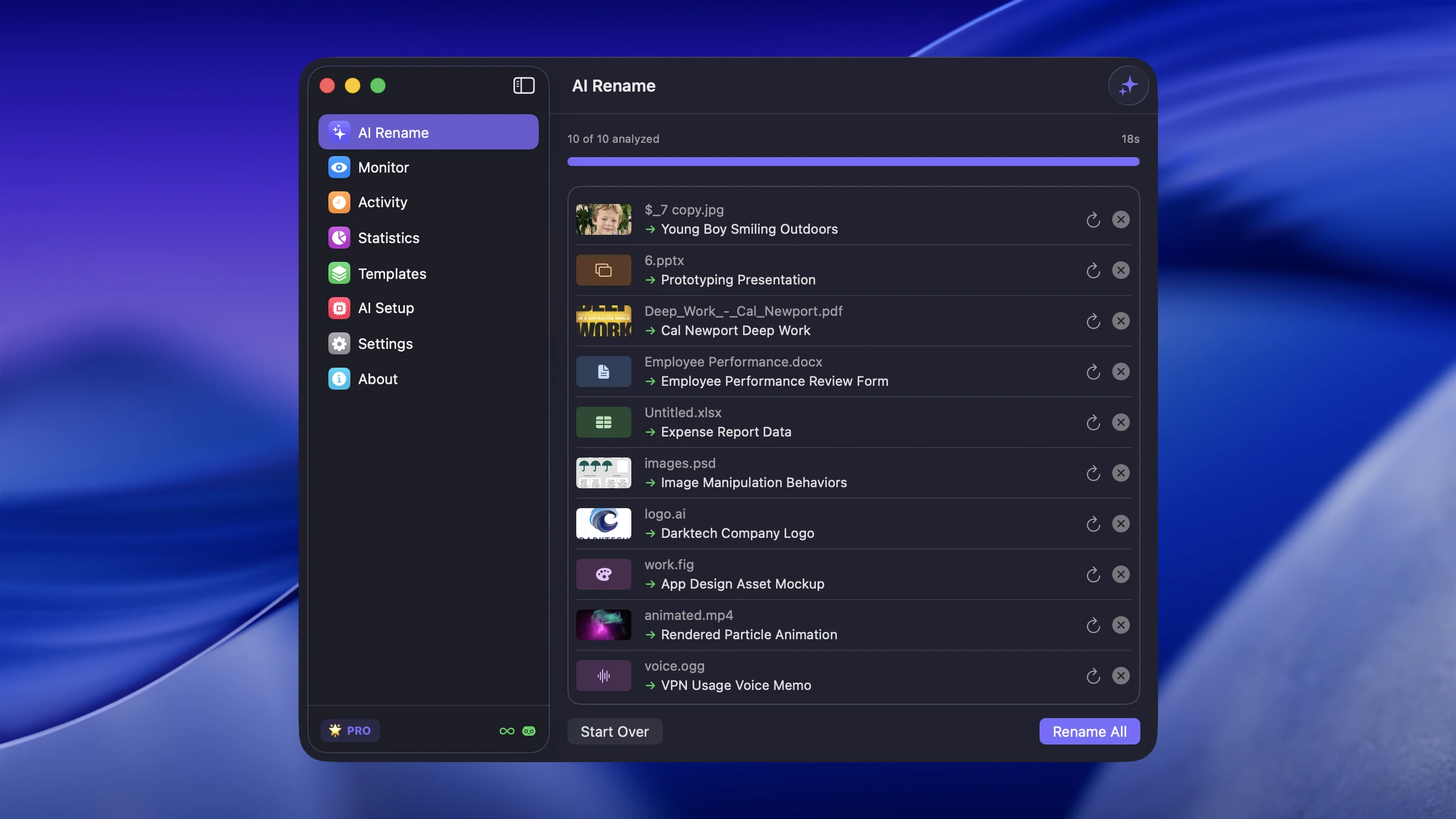
For a small folder, manual renaming is fine. For a large image library, that breaks down immediately. That is where AI-assisted naming becomes practical. AI file renamer for Mac can act as an AI photo organizer: it analyzes image content, generates filenames that describe what each photo actually shows, then applies a consistent pattern across the batch.
For the full workflow, see How to Rename Images with AI on macOS.
Better alternatives to IMG_
Examples of useful photo filenames:
sunset-over-lake-golden-hour.heicclient-headshot-studio-lighting-001.jpgproduct-box-front-view-white-background.pngrestaurant-bill-dinner-with-team.jpg
If dates matter, add them:
2026-03-05_sunset-over-lake-golden-hour.heic2026-03-05_client-headshot-studio-lighting-001.jpg
Which fix is right for you?
Manual renaming
Good for:
- Small photo sets
- One-off important files
- Highly curated folders
Finder batch rename
Good for:
- Adding dates or event labels
- Numbering a sequence
- Quick cleanup of a recent import
Weakness:
- It still does not tell you what the image contains
AI-assisted renaming
Good for:
- Large backlogs of
IMG_files - Mixed folders of photos and screenshots
- Users who want descriptive names fast
- Ongoing folder monitoring for new files
That last point matters. Renaming old files once helps, but preventing future IMG_ clutter is the real long-term fix.
A practical Mac workflow
- Choose your highest-friction folder
- Test a naming convention on a small batch
- Use AI for the descriptive part of the filename
- Turn on automation for future imports and screenshots
AI file renamer for Mac fits this well because it is built around image-heavy Mac workflows rather than generic rename rules. It can rename, tag, and make those files easier to find later with Spotlight.
Conclusion
Your photos are named IMG_ because cameras prioritize capture speed and reliability over human-readable organization. That default is not wrong; it is just not designed for the way people search and work with files on a Mac.
The fix is to replace IMG_ filenames with descriptive names and apply a repeatable system going forward. For large image libraries, AI-assisted renaming is the fastest way to do that without turning the process into a manual project.
On a Windows PC? See how to rename photos by date taken on Windows and the best photo organizers for Windows 11.


