
Custom AI Blocks for Your Own Naming Fields
Custom AI Blocks let you define your own Naming Block when the 145+ built-in blocks do not cover a detail you need. You describe in plain language what Zush should extract from a file — for example, “Extract the visible client or company name” — and the block becomes reusable in any template, just like a built-in one.
Custom AI Blocks are included in the free version.
When to use a Custom AI Block
Section titled “When to use a Custom AI Block”Built-in blocks cover common fields such as dates, titles, vendors, clients, and invoice numbers. Create a custom block when your workflow depends on something more specific:
- the brand shown in a product photo
- a court case or matter number in legal scans
- a property address in real estate documents
- an order or tracking number in receipts
- a course or lesson code in study materials
- any recurring detail your files contain
Create a Custom AI Block
Section titled “Create a Custom AI Block”- Open AI Rename (or a Template in Templates).
- In the Naming Blocks editor, click + to open the block picker.
- In the Custom AI Blocks section at the top, click Create.
- Give the block a short Field name, such as
BrandorCase number. The name appears on the block chip. - Describe what Zush should extract. Keep the instruction focused on one result, for example:
Extract the visible client or company name. Return only the name. - Click Save. The block is added to your pattern and stays available in the picker for every template.
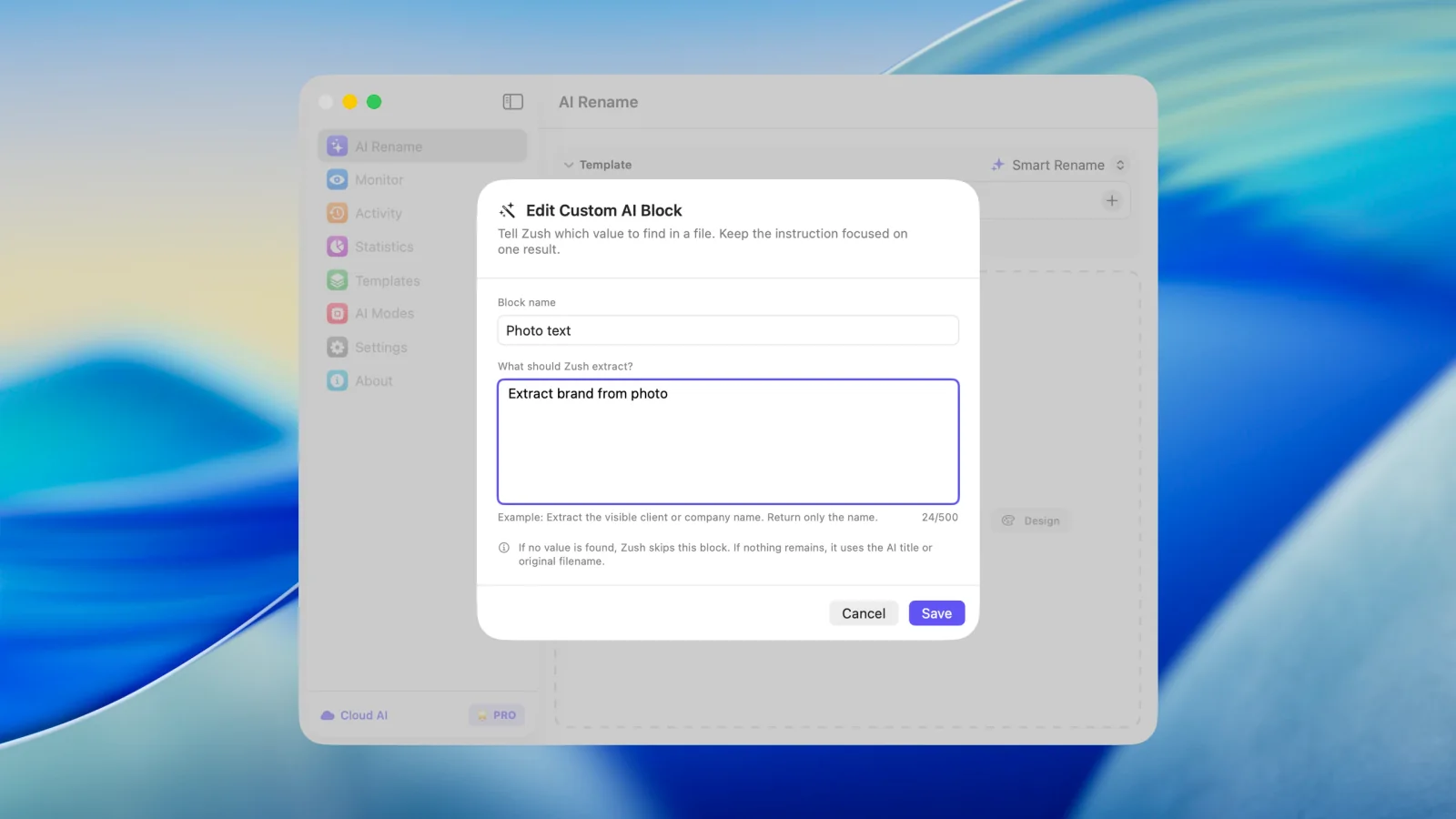
How Custom AI Blocks behave
Section titled “How Custom AI Blocks behave”- During analysis, the AI reads each file and fills your block with the extracted value.
- If no value is found in a file, Zush skips the block for that file. If nothing remains in the pattern, it falls back to the AI title or the original filename.
- One block can be reused across AI Rename, Templates, and monitored folders, so a
Brandblock defined once works everywhere. - Custom blocks support the same case style and separator formatting as built-in blocks.
Writing good instructions
Section titled “Writing good instructions”Keep each block focused on one value. A few patterns that work well:
| Goal | Instruction |
|---|---|
| Brand in a photo | Extract the brand name visible in the photo. Return only the brand. |
| Case number | Extract the court case number, such as 2:26-cv-01234. Return only the number. |
| Property address | Extract the street address of the property. Return street and number only. |
| Order number | Extract the order or tracking number. Return only the number. |
Avoid combining several requests in one block (“extract the client and the date and the total”) — create separate blocks instead and combine them in the pattern.