AI Image Tagging vs Manual Photo Organization (Mac, 2026)

Jump to section
Quick answer: AI image tagging wins once your library passes a few hundred photos. Manual organization is fine for small collections, but AI handles inconsistent naming, scale, and content-aware retrieval much faster than tagging by hand.
If you are choosing between AI image tagging and manual photo organization, the short answer is this: manual systems work for small libraries, but AI wins once volume, repetition, and inconsistency start slowing you down. The best setup for most Mac users is not pure automation or pure manual sorting. It is AI for the repetitive work, with light human review where context matters.
That is why tools like Zush are useful: they do not just tag files automatically. They help turn weak filenames and unsearchable folders into a system you can actually maintain.
For a complete photo workflow, read How to Organize Photos on Mac. If you need content-aware filenames first, compare AI Photo Renamer for Mac and Mac AI renamer comparison.
Sort photo files into folders with AI
Zush can give supported files descriptive names and group them into real folders by content in the same batch. AI folder sorting is in beta on Mac and Windows. Leave Folder rules empty for Auto grouping, or describe the groups in plain language. For photo files, try:
Group images by subject, such as People, Food, and Landscapes.
- Add a small copied batch in AI Rename and select a Template.
- Enable + Sort and choose the Destination folder, which is the root for the sorted subfolders. Without a separate destination, the source folder remains the root.
- Enter the grouping instruction in Folder rules. Naming Blocks set the filename format separately.
- Enable Reuse existing folders if suitable groups already exist inside the destination root. Zush can create a new folder when none fits.
- Review both the proposed names and folder groups. Correct folder names or file placement before applying the batch.

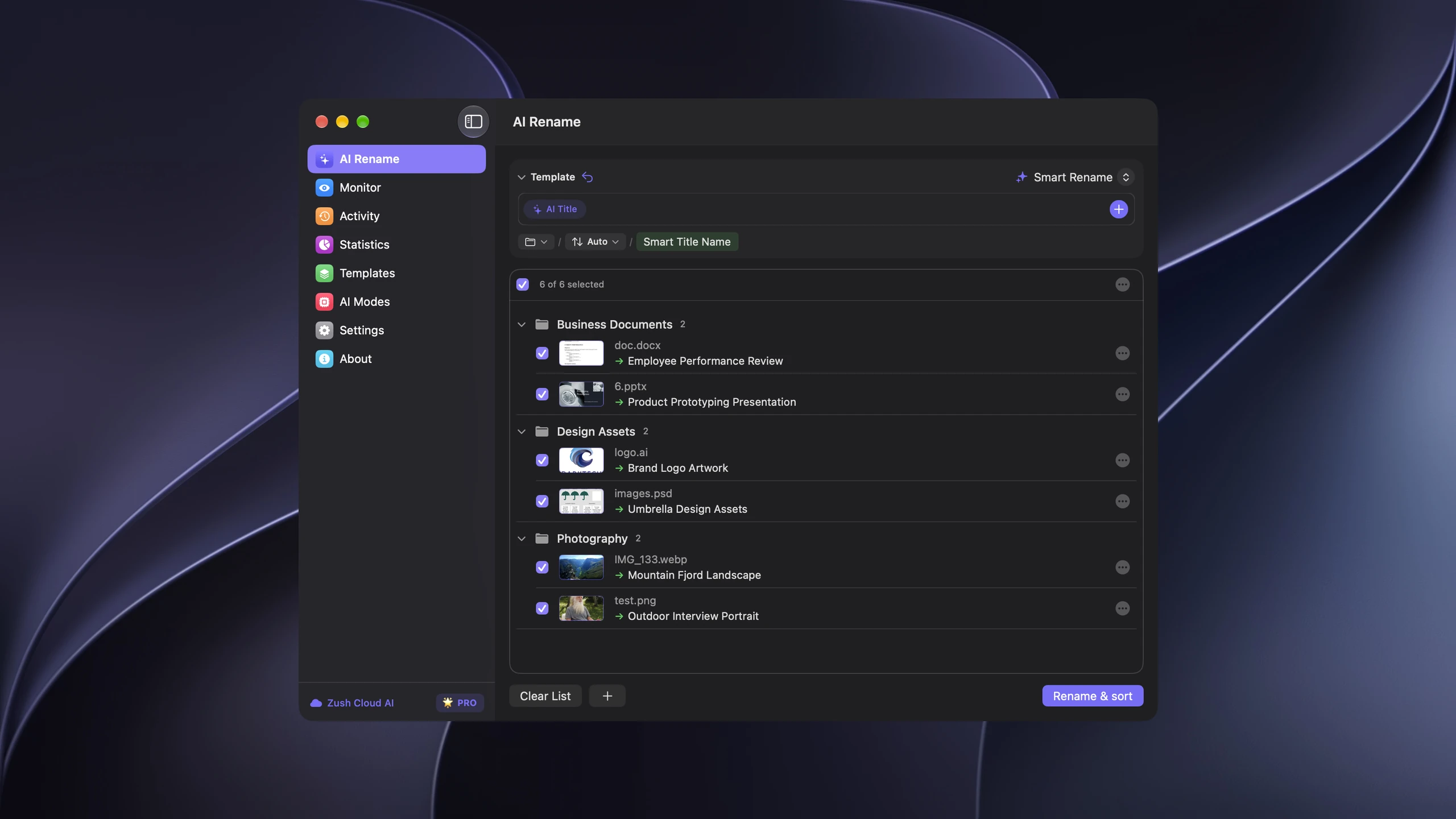
Save the tested destination and rules in the Template. Assign it to Monitor to rename and sort new files arriving directly inside the watched folder. This does not retroactively reorganize files already processed. With sorting off and the original destination selected, files keep their current folder.
Use ordinary exported images or a copied Finder/File Explorer folder. Do not reorganize a Photos library package; for originals tracked by a catalog, follow its rename or relink workflow. Folder grouping does not add albums, face recognition, duplicate removal, or backup.
Follow the step-by-step Mac sorting guide or see the folder sorting documentation and 30 example Folder rules.
Where manual organization is still useful
Manual organization has one real advantage: context.


You may know that a photo of a conference room belongs to a specific client kickoff, or that a screenshot is tied to a product bug that no model could infer from pixels alone. Humans are still better at assigning that kind of project-specific meaning.
Manual systems work best when:
- the library is small
- the files are high-value and low-volume
- you already use a strict folder or naming system
- context matters more than speed
If you only organize a few dozen images at a time, manual methods are fine.
Where manual organization breaks down
The problem is scale. Renaming, tagging, and filing images one by one is slow, inconsistent, and easy to postpone.
Common failure points:
- filenames stay generic because renaming takes too long
- tags drift over time because humans label similar files differently
- backlogs grow faster than they are processed
- search becomes unreliable because the metadata was never applied consistently
Those failure points are the same ones catalogued in 10 digital photo organization mistakes to avoid — they are habits, not one-off errors.
That is the real reason AI tagging has become attractive. It removes the repetitive part that humans are bad at sustaining.
Where AI image tagging wins
AI image tagging is strongest when the files are visually clear but poorly named.
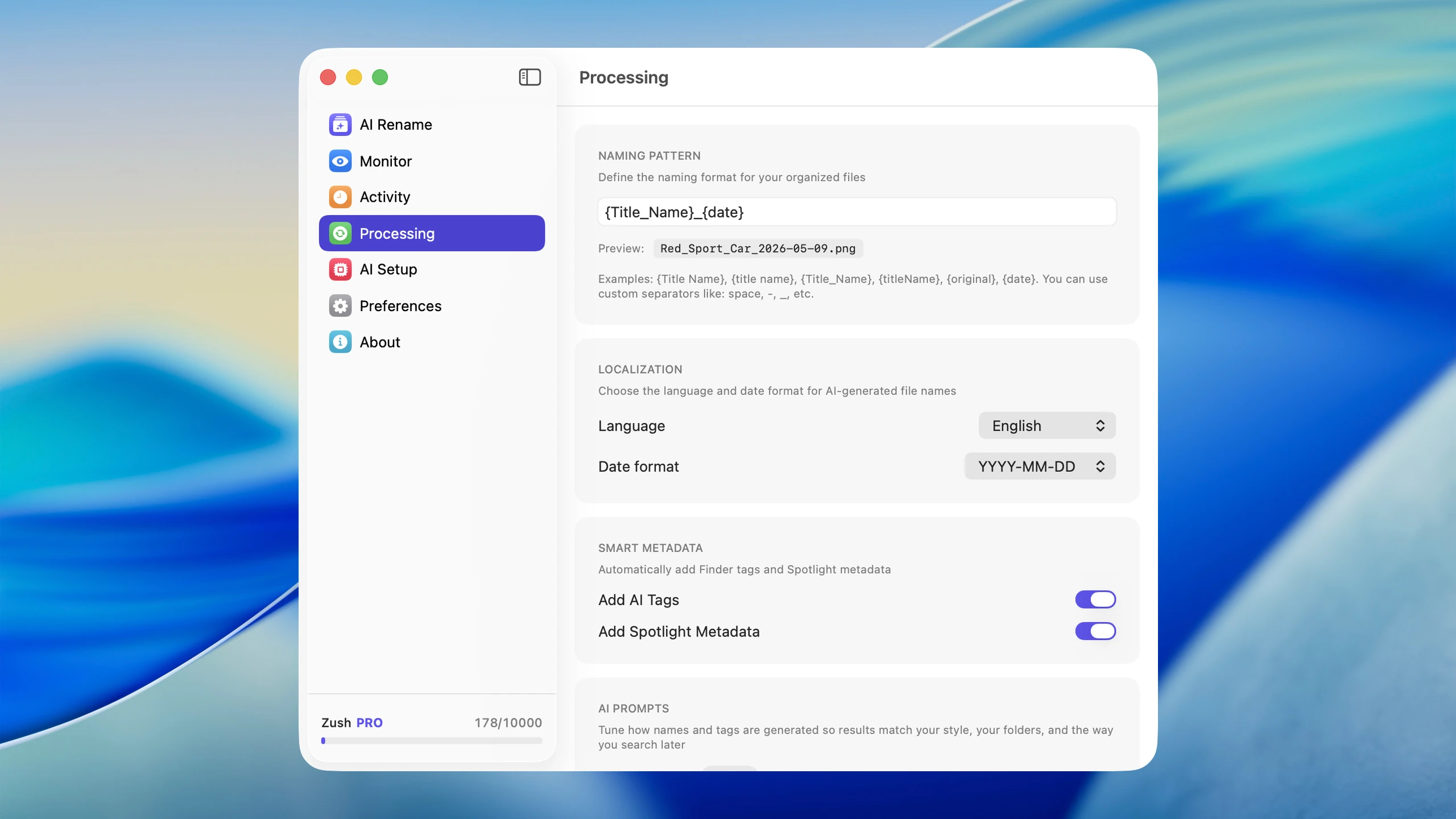
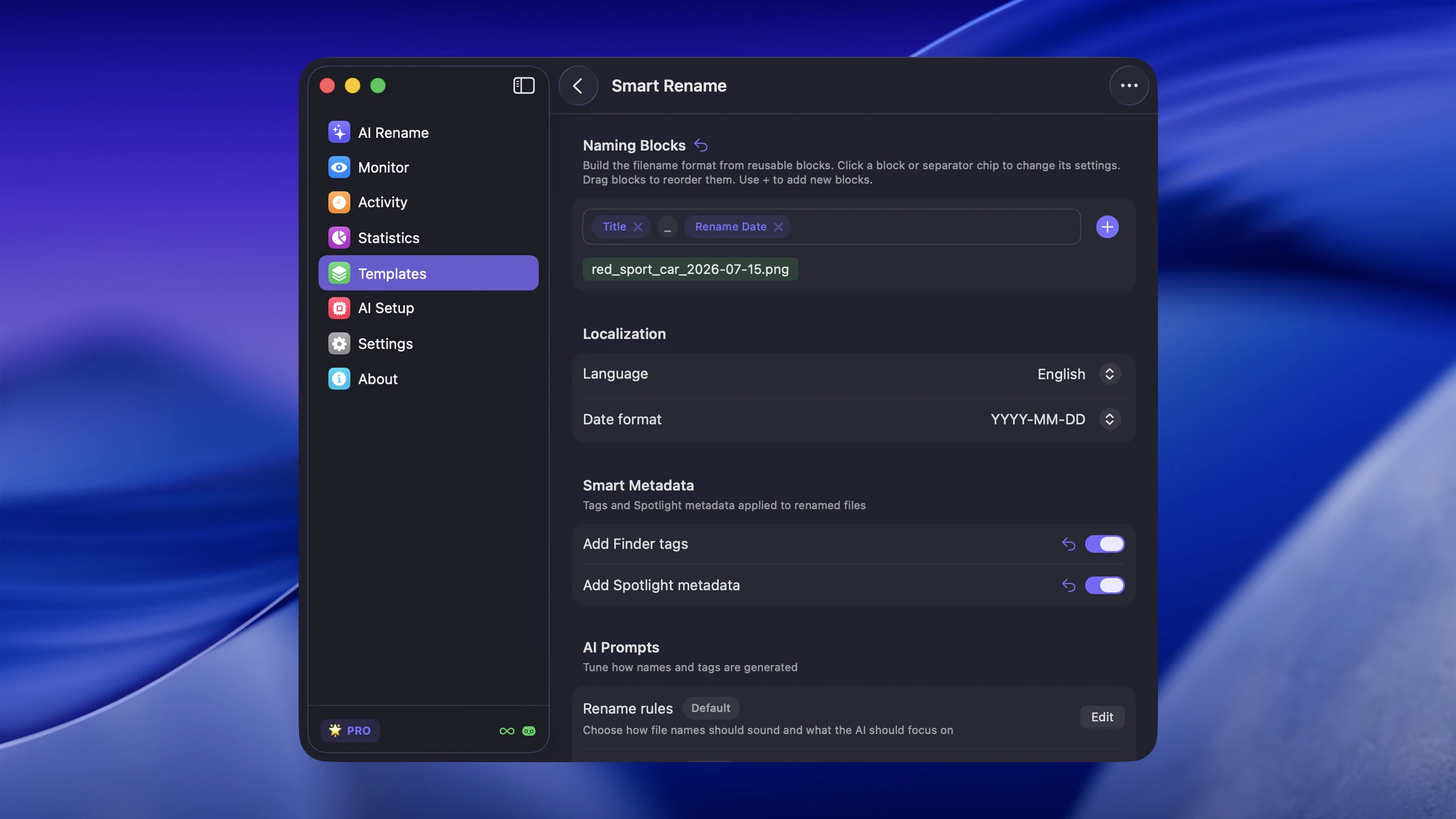
Examples:
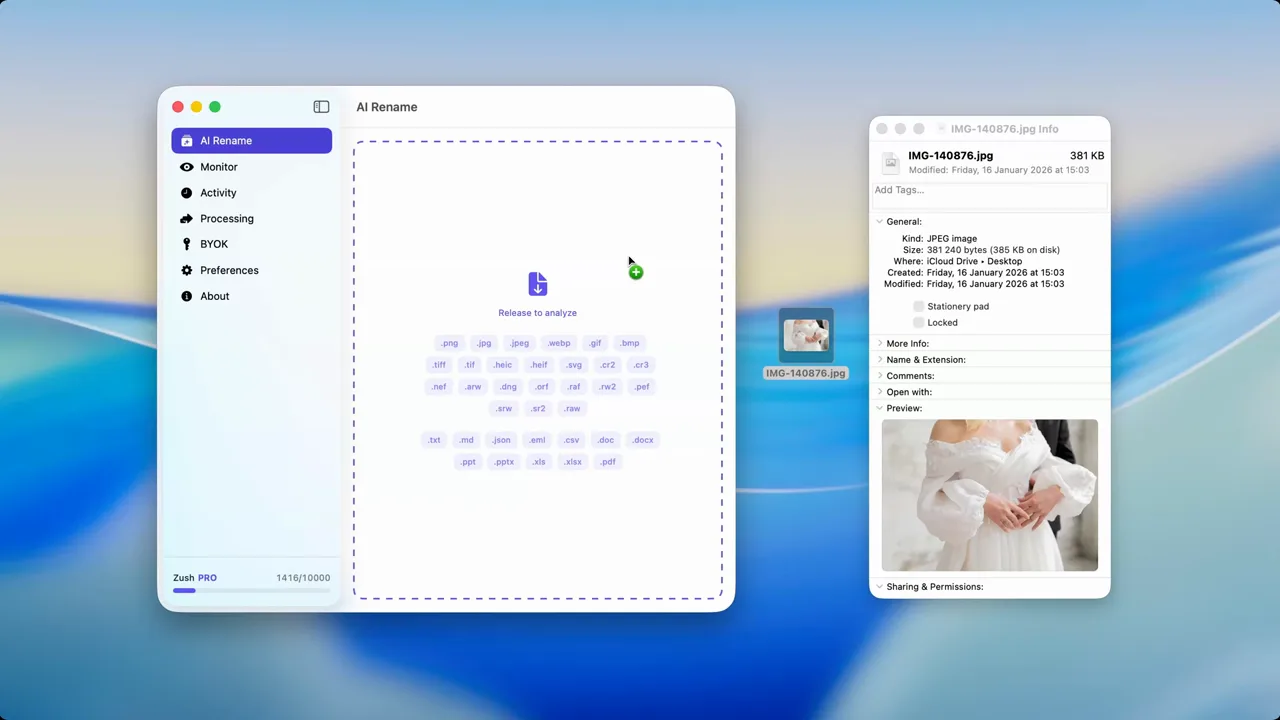
- screenshots with timestamp names
- downloaded images
- phone photos exported as
IMG_files - design references and UI captures
- mixed visual folders where every file needs a unique label
Instead of asking you to invent a name or set of tags from scratch, the AI can identify the visible subject first and generate a useful base layer of metadata.
This is especially useful on Mac because Finder, Spotlight, and folder views become much more valuable when filenames and tags actually describe the image.
The practical comparison
| Method | Strength | Weakness |
|---|---|---|
| Manual organization | Best context and nuance | Slow, inconsistent, hard to scale |
| AI image tagging | Fast, repeatable, scalable | Can miss project-specific nuance |
| Hybrid workflow | Best balance | Requires a light review step |
For most people, the hybrid model is the right answer.
The best hybrid workflow on Mac
A practical workflow looks like this:
- Let AI generate descriptive names or tags for new files
- Keep a small number of folder rules that reflect your real workflow
- Review only the files where context matters
- Use search and metadata instead of over-engineering the folder tree
That is where Zush fits well. It can generate descriptive filenames, write Finder-friendly metadata for images, PDFs, and supported documents alike, and reduce the manual effort to a quick review instead of a full tagging session.
If your main question is how to rename images rather than how to compare systems, go to How to Rename Images with AI on macOS.
When AI is not enough by itself
AI is not a magic replacement for all organizational judgment.
You will still want human input when:
- client codes or internal naming rules matter
- the image needs legal, editorial, or archival context
- you are organizing sensitive or highly specialized work
- the important meaning is not visible in the image itself
In those cases, AI should provide the first draft, not the final taxonomy.
Conclusion
Manual photo organization is precise but hard to maintain at scale. AI image tagging is fast and scalable but occasionally lacks context. For most Mac workflows, the best answer is a hybrid system: let AI handle the repetitive recognition work, then apply human judgment only where it actually adds value.
That is the model Zush supports best: descriptive filenames, AI-assisted organization, and less time spent cleaning up file clutter by hand.

