Declutter Your Mac: The Complete File Cleanup Guide

Jump to section
Quick answer: Mac clutter piles up in five predictable places — Desktop, Downloads, Screenshots, old project folders, duplicates. Tackle them one folder at a time with batch rename and AI-driven organization, then add folder monitoring so the mess does not return.
Decluttering your Mac is easiest when you stop thinking about the whole machine at once. Most clutter comes from a few predictable places: Desktop, Downloads, screenshots, old project folders, and duplicates. Fix those and you have handled the majority of the problem.
If clutter keeps returning because new files arrive with useless names, connect this cleanup routine to Auto Rename Files on Mac, Zush Templates, or the comparison of best AI file organizers for Mac.
Audit your storage first
Before deleting anything, figure out where your space is actually going. Guessing leads to wasted effort cleaning folders that barely matter.
Check overall storage: Go to Apple menu > About This Mac > More Info > Storage Settings (on macOS Ventura and later) or Apple menu > About This Mac > Storage (on earlier versions). This shows a color-coded breakdown of what is consuming your disk: apps, documents, photos, system data, and other categories.
Check individual folders: Right-click any folder in Finder and select “Get Info” (or press Cmd+I) to see its total size. Run this on your biggest suspects:
| Folder | Typical Size Range | Why It Grows |
|---|---|---|
~/Downloads | 2 — 30 GB | Installers, PDFs, images, forgotten downloads |
~/Desktop | 1 — 10 GB | Screenshots, quick saves, drag-and-drop dumps |
~/Library/Caches | 5 — 20 GB | App caches, browser data |
~/Library/Application Support | 3 — 15 GB | App data, old app remnants |
~/.Trash | 0 — 50 GB | Deleted files not yet purged |
Start your cleanup with whatever folder is largest. That is where you get the most space back for the least effort.
Start with the worst folders
Most users should clean these first:
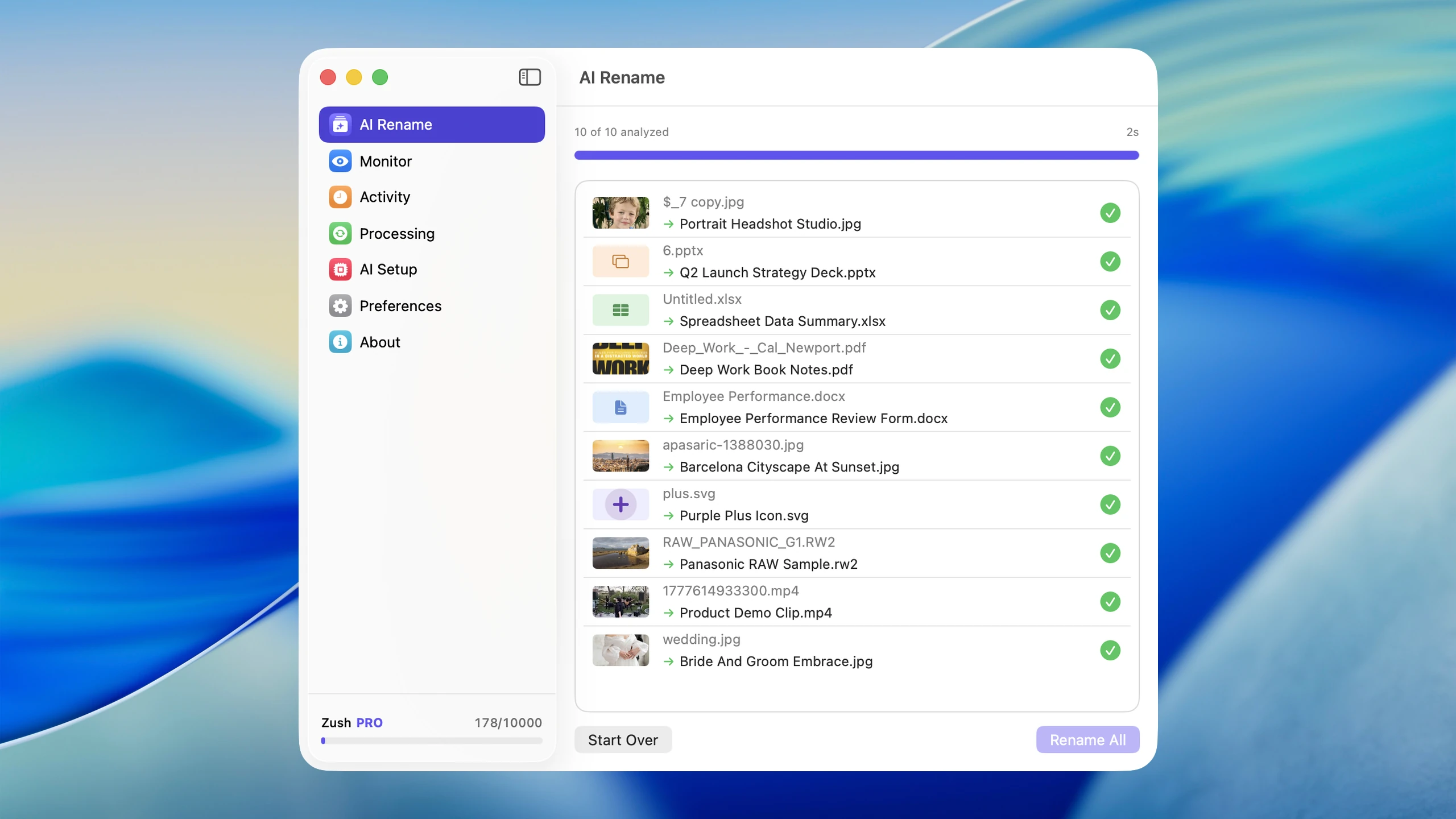
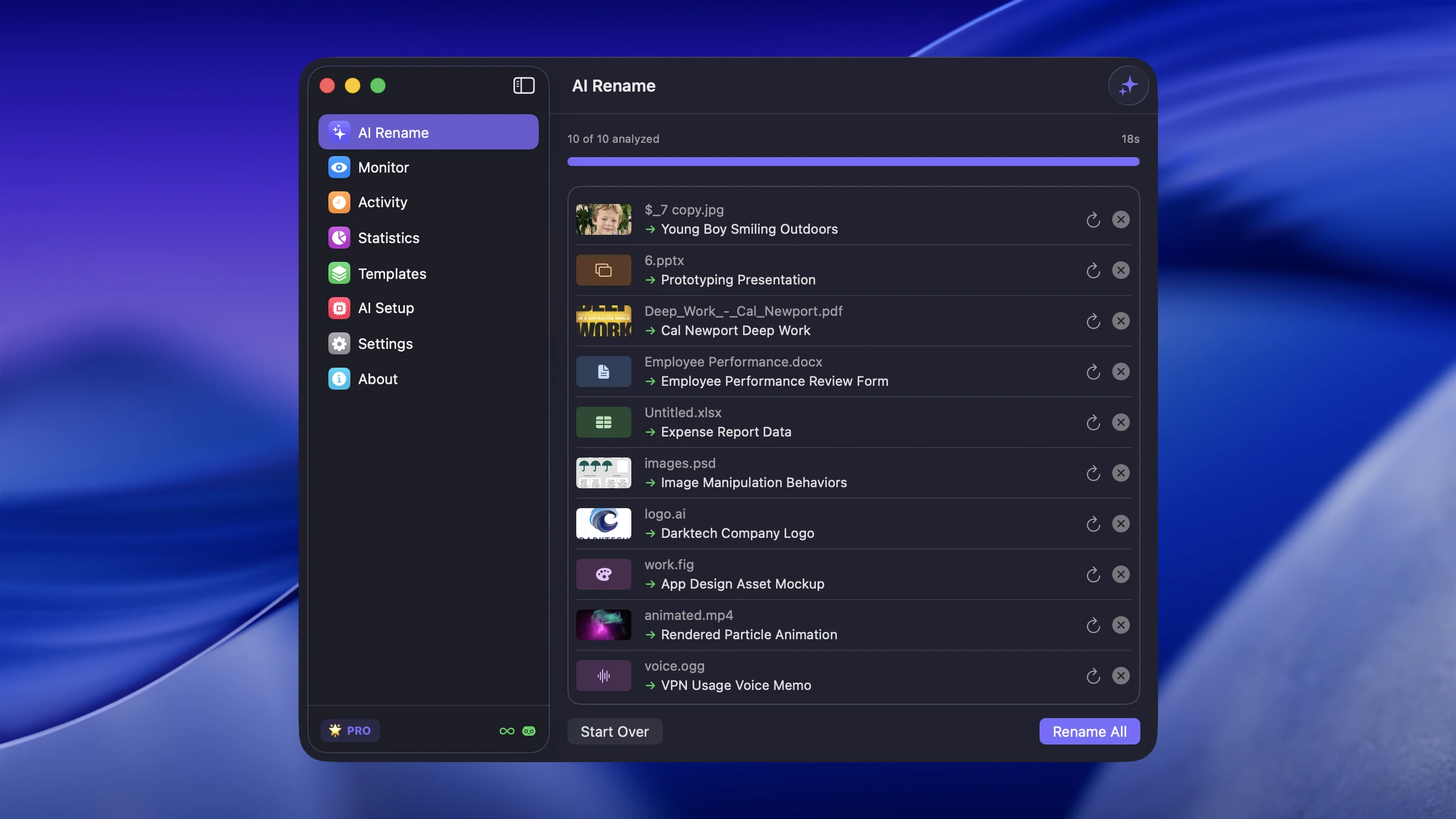
- Downloads — The default dumping ground. Installers, PDFs, images, zip files, and email attachments pile up here faster than anywhere else. Sort by Date Added and work from oldest to newest. For a dedicated system, see how to organize your Downloads folder on Mac.
- Desktop — Treat this as an inbox, not a filing cabinet. Anything that has lived on your Desktop for more than a week either needs a proper home or needs to be deleted.
- Screenshots — macOS saves screenshots to Desktop by default. If you take more than a few per week, they accumulate fast. Consider changing the screenshot save location to a dedicated
~/Screenshotsfolder (usedefaults write com.apple.screencapture location ~/Screenshotsin Terminal). - Old project folders — Finished projects with dozens of exports, drafts, and references. Archive what matters, delete the rest.
- Oversized media dumps — Video files, RAW photos, and disk images are the biggest individual space consumers. One forgotten screen recording can be 2 GB.
What to delete first
Not everything needs careful sorting. Some files are safe to remove immediately:
- Duplicate downloads — The third copy of the same PDF or installer
- Used installers —
.dmgand.pkgfiles for apps you already installed - Outdated drafts — Old versions of documents where the final version already exists
- Temporary downloads — Files you opened once to read and never needed again
- Low-value screenshots — Screenshots of confirmation dialogs, shipping notifications, or one-time references
A good rule: if you downloaded it more than 90 days ago and have not opened it since, you almost certainly do not need it.
What to organize instead of delete
Some files are worth keeping but need to be moved out of the clutter zone:
- Current project files that belong in a project folder
- Recurring reference material (tax templates, brand guidelines, contracts)
- Photos worth archiving to a dedicated photos library
- Financial or legal documents that should be filed by year
Dealing with duplicate files
Duplicates are one of the biggest hidden space wasters. They happen when you download the same file twice, copy files between folders without deleting the original, or save multiple exports of the same asset.
Finding duplicates manually: Sort a folder by size in Finder (View > Arrange By > Size). Files with identical sizes are candidates. Open them to verify before deleting.
Finding duplicates by name: Look for files with (1), (2), or copy in the name. These are almost always duplicates created by macOS when a file with the same name already existed in the destination folder.
Photos specifically: If you use Apple Photos, it has a built-in duplicate detection feature (Photos > Duplicates in the sidebar on macOS Ventura and later). This finds matching images even if the filenames differ.
Delete the duplicates, keep the one in the most logical location, and rename it if needed.
Cleaning up old app data and caches
Apps leave behind data even after you delete them. This residual data accumulates in two main locations:
Caches (~/Library/Caches): Browser caches, app caches, and temporary data. These are generally safe to delete because apps rebuild their caches as needed. You can clear specific app caches by deleting their subfolder inside ~/Library/Caches. To access the Library folder, open Finder and press Cmd+Shift+G, then type ~/Library.
Application Support (~/Library/Application Support): This contains app settings, databases, and user data. If you uninstalled an app and its folder still exists here, you can usually remove it. Check that the app is truly gone from your Applications folder before deleting its support data.
Other places to check:
~/Library/Preferences— Small.plistfiles from old apps. Individually tiny but they add up.~/Library/Logs— System and app logs. Safe to clear periodically.~/Library/Saved Application State— Window state data for apps. Safe to delete.
Why filenames matter in cleanup
A lot of clutter survives because it is too hard to identify quickly. Weak names like download (7).pdf and IMG_4822.heic make decisions slower. You cannot tell if a file is worth keeping without opening it, so you skip it, and the clutter stays.
For files with weak names, Zush can help by analyzing images, videos, PDFs, and documents and turning them into descriptive filenames. A file named scan_003.pdf becomes apartment-lease-agreement-2026.pdf, and suddenly the keep-or-delete decision takes a second instead of a minute.
What NOT to delete
Some folders look like clutter but are essential to macOS. Deleting them can break your system or your apps.
/Systemand/Library— Core system files. Never touch these.~/Library— Contains app data, preferences, and caches. Only delete specific subfolders you understand (like caches for apps you no longer use). Never delete the Library folder itself.~/.zshrc,~/.bash_profile— Shell configuration files. Invisible in Finder by default for a reason.- Files inside app bundles — Do not open
.appfiles and delete contents. Uninstall the whole app or leave it alone. ~/Library/Keychains— Your saved passwords and certificates. Deleting this locks you out of accounts.- iCloud Drive system folders — If you use iCloud Drive, some folders are managed by the system. Deleting them can cause sync issues.
When in doubt, do not delete it. Move it to a temporary quarantine folder instead. If nothing breaks after a month, then delete the quarantine folder.
A realistic cleanup schedule
One-time cleanups do not last. A lightweight recurring schedule keeps clutter from rebuilding.
Weekly (10 minutes):
- Delete obvious junk from Downloads and Desktop
- Move active files into their correct project folders
- Empty the Trash
Monthly (30 minutes):
- Review and clear old downloads (sort by Date Added, delete anything older than 60 days you have not touched)
- Rename files you are keeping but that still have weak names — run a batch rename on screenshots, exports, and scanned documents
- Archive completed projects to an external drive or cloud storage
- Check storage usage (About This Mac > Storage) and investigate anything unexpectedly large
Quarterly (1 hour):
- Clear app caches in
~/Library/Caches - Remove data from uninstalled apps in
~/Library/Application Support - Review and consolidate duplicate files
- Back up important documents and photos
The key is keeping the weekly habit. Ten minutes of maintenance prevents hours of crisis cleanup later.
FAQ
How do I find what is taking up the most space on my Mac?
Go to Apple menu > About This Mac > More Info > Storage Settings for an overview. For folder-level detail, right-click folders in Finder and select Get Info (Cmd+I). Start with ~/Downloads, ~/Desktop, ~/Library/Caches, and ~/.Trash as those are the most common space consumers outside of apps and media libraries.
Is it safe to delete everything in the Caches folder?
Generally yes. App caches are designed to be rebuilt. Deleting them frees space and rarely causes issues beyond slightly slower app launches the first time after clearing. Do not delete the ~/Library/Caches folder itself — just the subfolders inside it for specific apps.
How do I stop my Downloads folder from getting cluttered again?
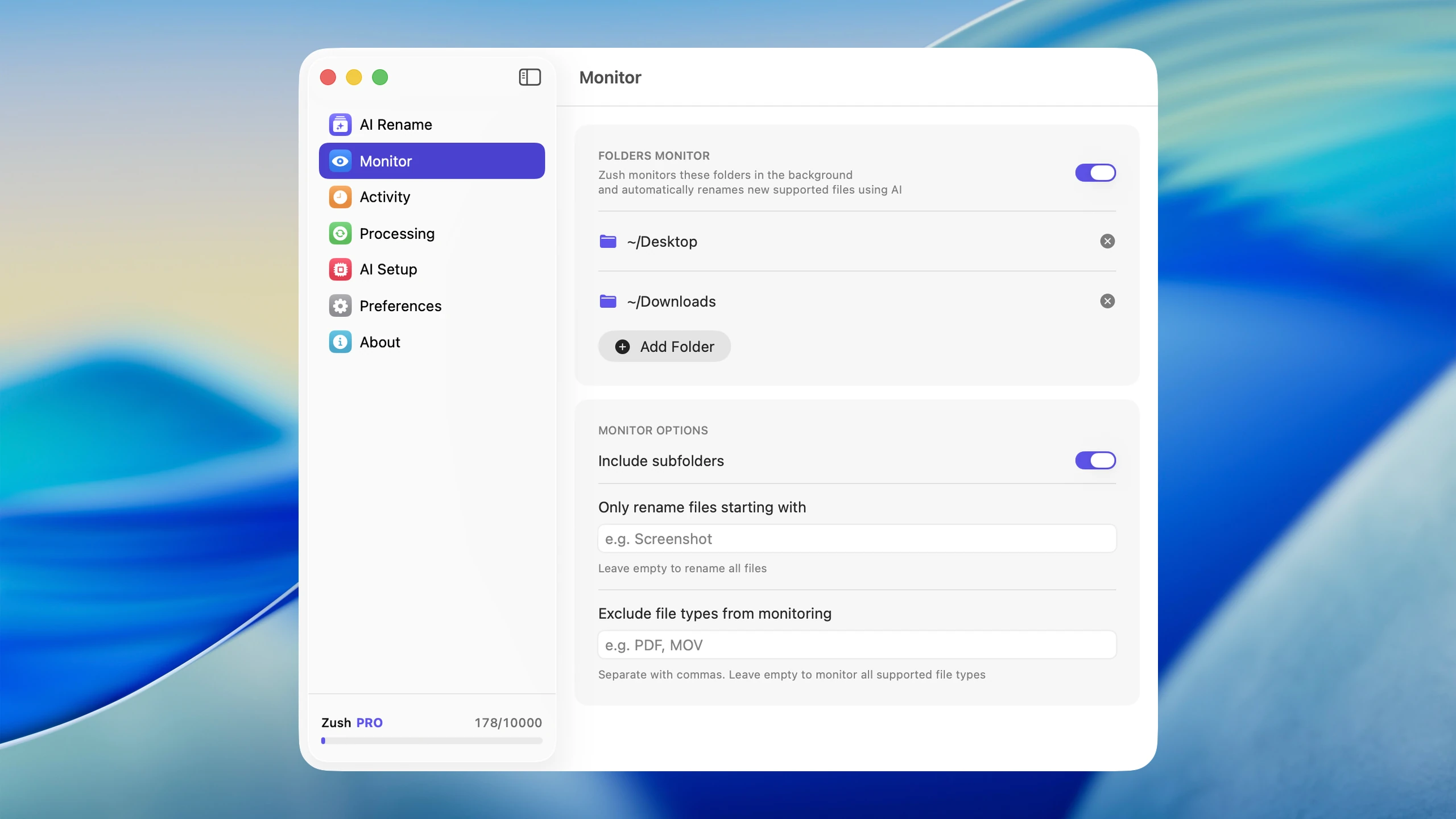
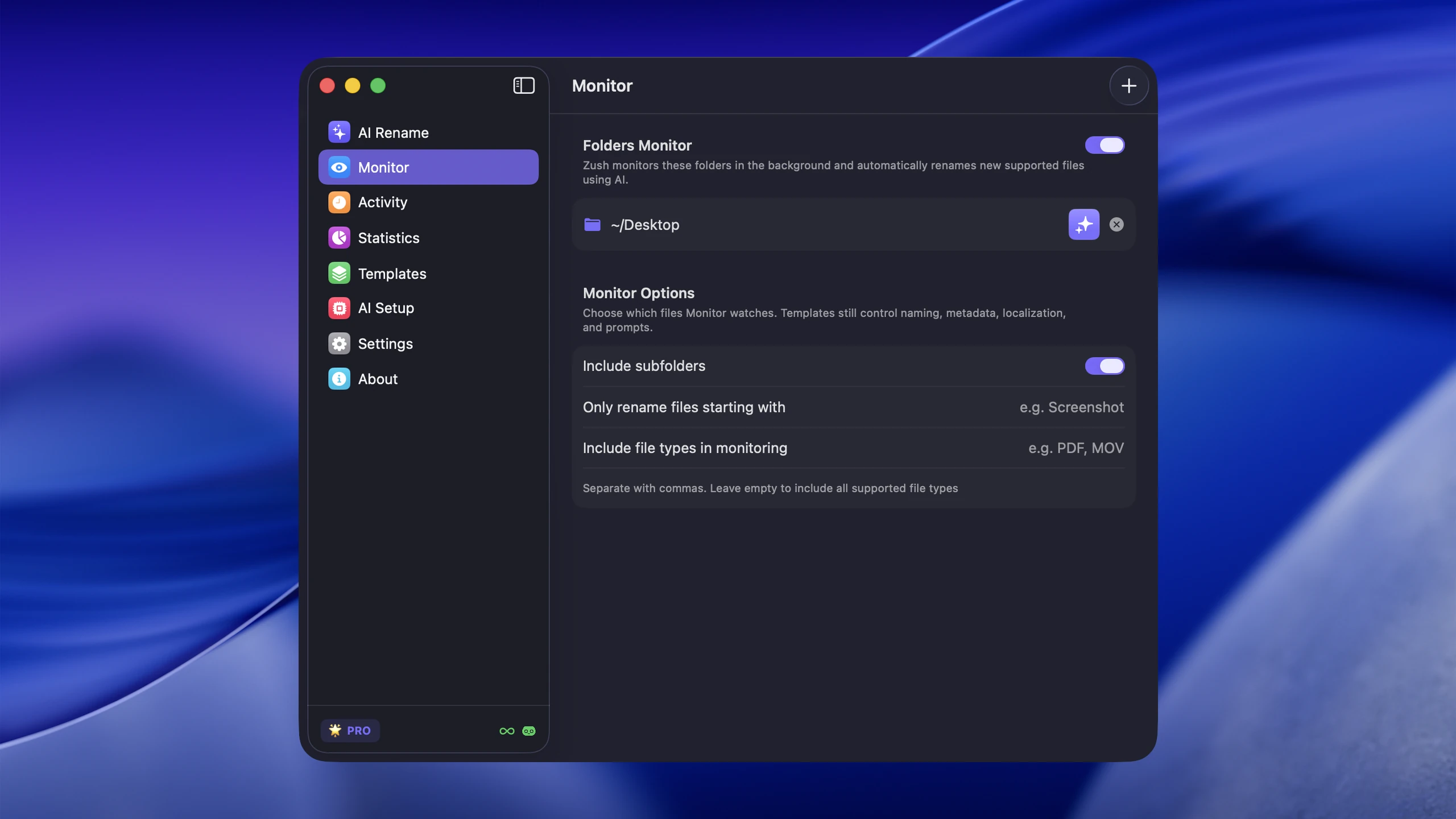
Change your browser’s default download location to a folder you actually check, or keep using Downloads but build a weekly habit of clearing it. For files you keep, rename them immediately so they are identifiable later. Setting up Zush to monitor your Downloads folder and automatically rename new files removes the naming burden and makes weekly cleanup faster because you can instantly see what each file is.
Should I use a Mac cleaning app?
Most paid Mac cleaning apps (CleanMyMac, DaisyDisk, etc.) are convenient but not necessary. Everything they do can be done manually through Finder and System Settings. The main value they add is visualization — showing disk usage graphically so you can spot large files faster. If you prefer a visual approach, they are fine. If you are comfortable with Finder and Get Info, you can do the same work for free.
Conclusion
The best Mac cleanup strategy is targeted, not heroic. Audit your storage to find the real offenders, fix the folders that accumulate clutter fastest, make filenames more useful so keep-or-delete decisions are fast, and build a lightweight weekly habit that prevents the mess from rebuilding. You do not need to organize your entire machine in one sitting. You just need a system light enough that you will actually maintain it.


