File Naming Conventions: Rules, Examples & Templates

Auf Deutsch lesen: Dateinamenskonventionen: Regeln, Beispiele und Vorlagen
Jump to section
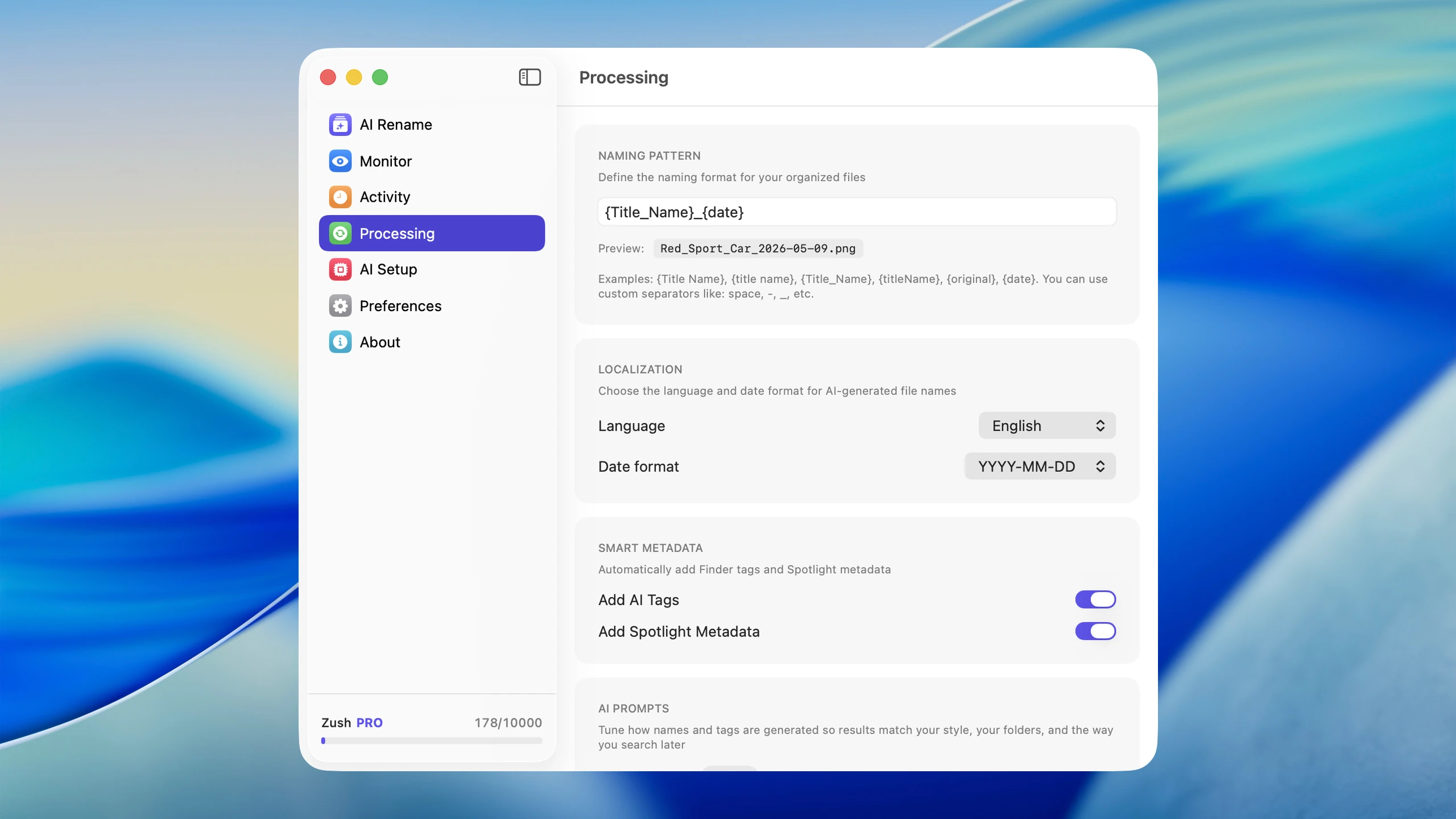
Quick answer: a good file naming convention is descriptive, hyphenated, sortable, searchable, and consistent. Lead with YYYY-MM-DD when chronology matters, otherwise lead with subject. Use kebab-case, avoid spaces and special characters, and stick to one rule across teams.
A solid file naming convention saves time every time you search, sort, or share a file. The best convention is not the cleverest one. It is the one you can apply consistently across real work.
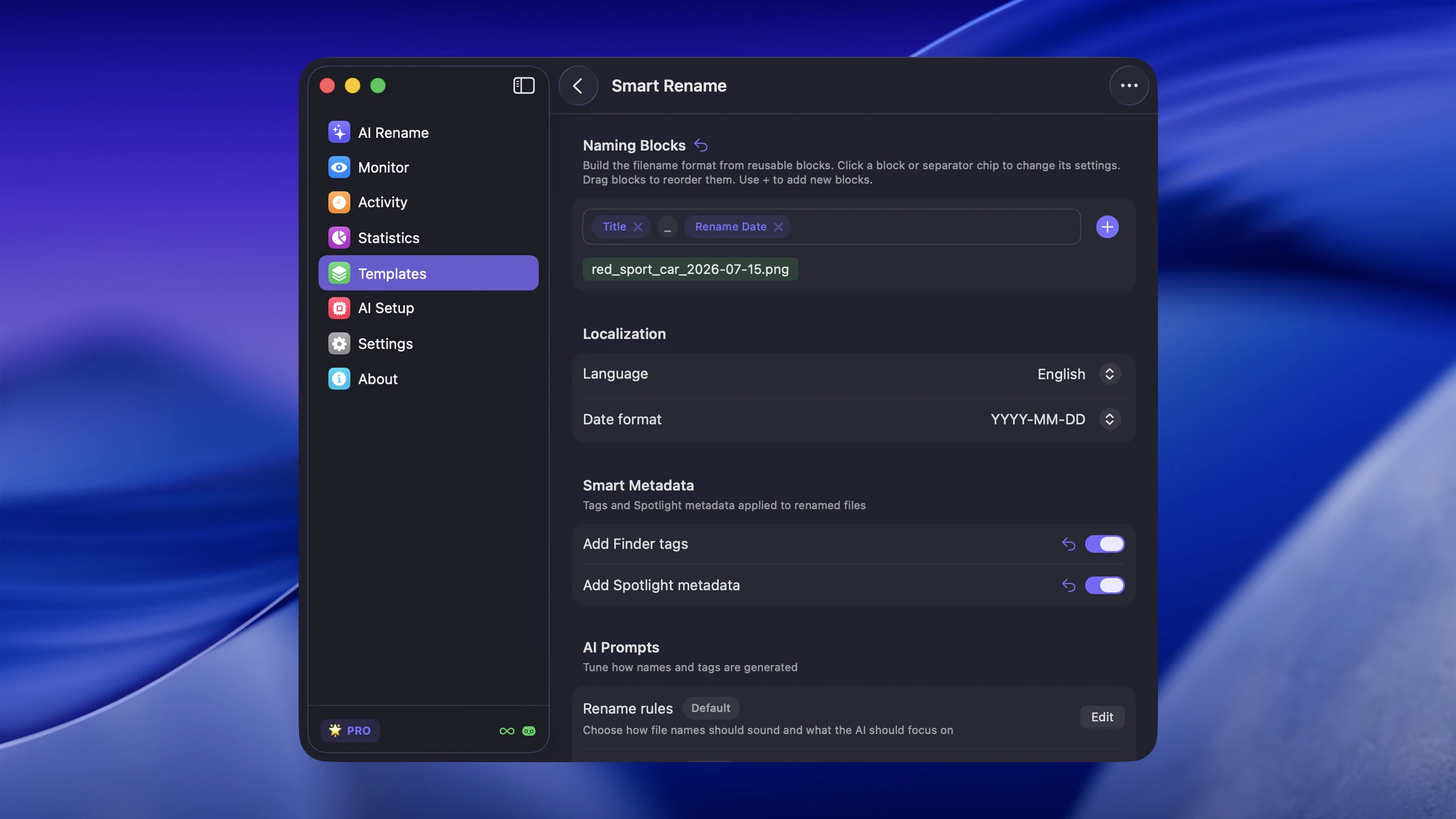
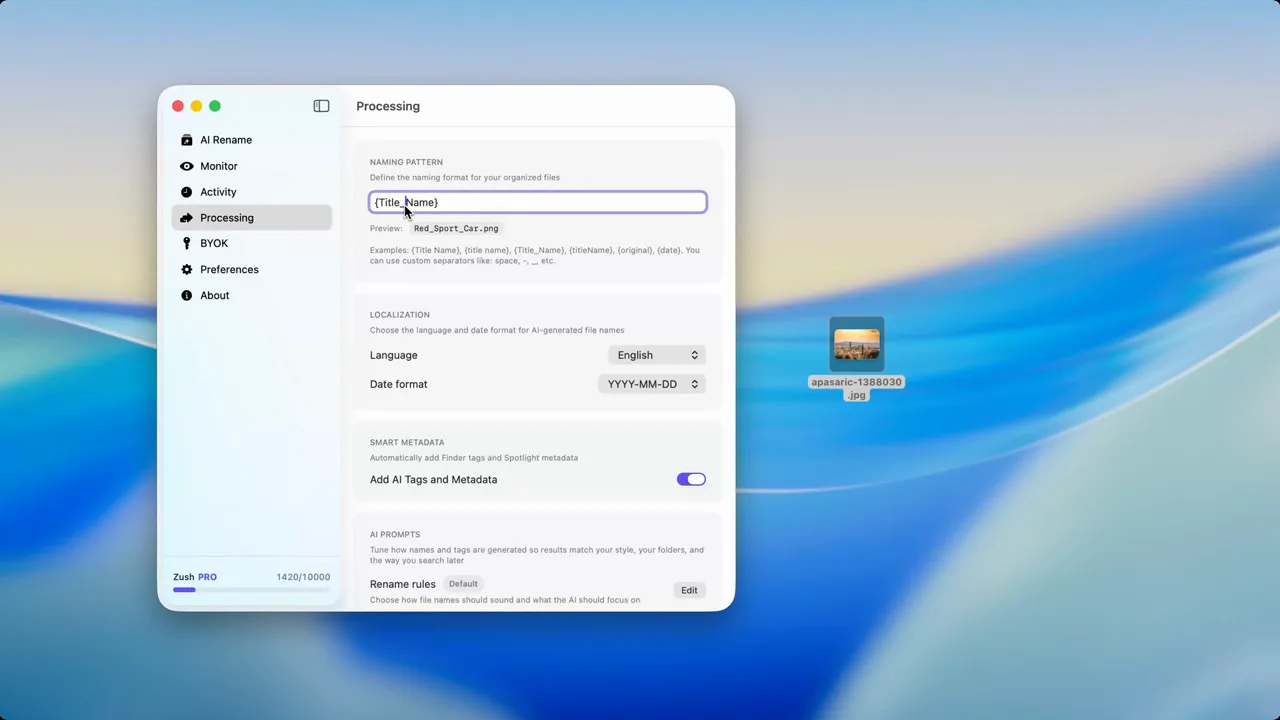
For most people, that means descriptive lowercase names, hyphens or underscores, ISO dates when dates matter, and version numbers instead of vague labels. If your hardest files are images, videos, screenshots, PDFs, or documents, Zush file renamer can automate the naming step so the convention is easier to maintain.
Copy-ready file naming templates
Choose the pattern that matches how you expect to find the file later. Copy it as a starting point, then remove fields your workflow does not need.
YYYY-MM-DD_subject_document-type_version.extExample: 2026-08-08_q3-budget_report_v2.pdf
project_asset-description_variant_version.extExample: checkout-redesign_hero-banner_dark_v3.psd
YYYY-MM-DD_event_description_sequence.extExample: 2026-08-08_product-launch_keynote_0042.jpg
YYYY-MM-DD_vendor_document-number.extExample: 2026-08-08_acme_invoice-1048.pdf
For repeatable AI-assisted structures, read Naming Blocks and Zush Templates. If you are comparing tools first, start with the AI renamer tools comparison.
Five file naming rules that work almost everywhere
1. Be descriptive first
A filename should tell you what the file is without opening it.
Good:
2026-03-05-q1-campaign-report.pdfcheckout-flow-mobile-wireframe.pngjohnson-wedding-first-dance-0042.jpg
Bad:
document-final.pdfimage1.pngstuff-new-v2.docx
2. Keep the structure predictable
When similar files follow the same pattern, sorting becomes useful instead of chaotic.
Common patterns:
YYYY-MM-DD_description.extproject_description_version.extclient_asset_description.ext
3. Use safe separators
Hyphens are the easiest default for most workflows because they are readable and web-friendly. Underscores also work. Spaces are acceptable on macOS but create friction in URLs, scripts, and some shared workflows.
4. Use ISO dates when dates matter
If the date belongs in the filename, use YYYY-MM-DD. That keeps chronological order when files are sorted alphabetically.
5. Use version numbers instead of “final”
A file named final is rarely final. v2, v3, and v4 are much clearer than final-final-really-final.
Recommended patterns by workflow
Photography
Use a pattern like:
YYYY-MM-DD_event_description_sequence.ext
Example:
2026-03-05_johnson-wedding_first-dance_0042.jpg
Design and creative work
Use a pattern like:
project_asset_description_version.ext
Example:
checkout-redesign_hero-banner_dark_v3.psd
The naming pattern is only one layer. Digital asset management for designers on Mac covers the folder structure, versioning, and export discipline that pattern has to sit inside.
Business documents
Use a pattern like:
YYYY-MM-DD_department_document-description.ext
Example:
2026-03-05_marketing_q1-campaign-report.pdf
Professional paperwork earns its own deeper conventions: see the dedicated guides to invoice naming, medical record file renaming, and legal file naming.
Screenshots and exports
Use a pattern like:
context_description.ext
Example:
figma-mobile-checkout-flow.png
The hardest files to name are images, videos, and documents
Images and documents are where most naming systems break down. Cameras use counters. macOS screenshots use timestamps. Downloads arrive with whatever the source site gave them. Email attachments often have generic names like document.pdf or report.docx.
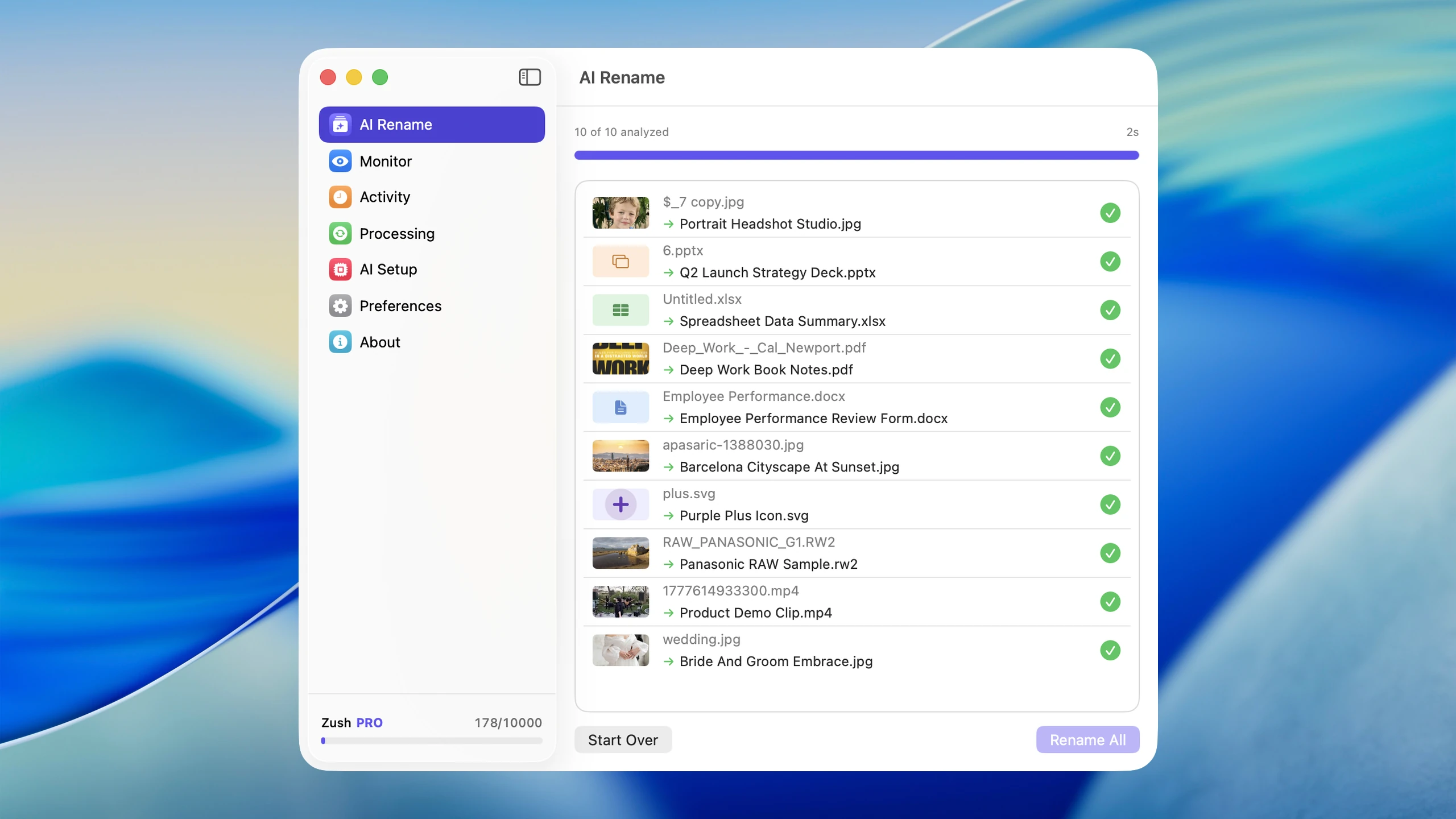
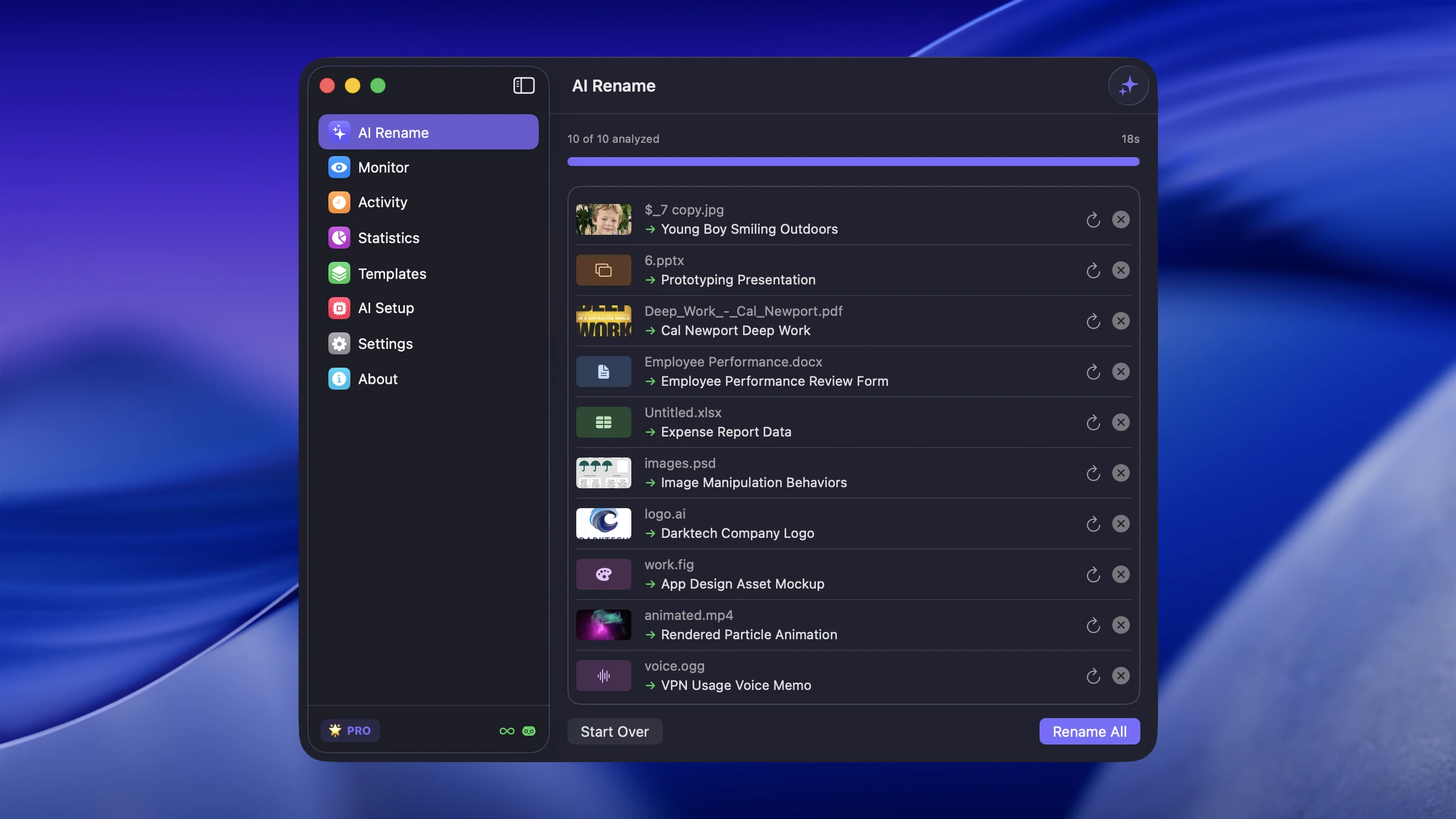
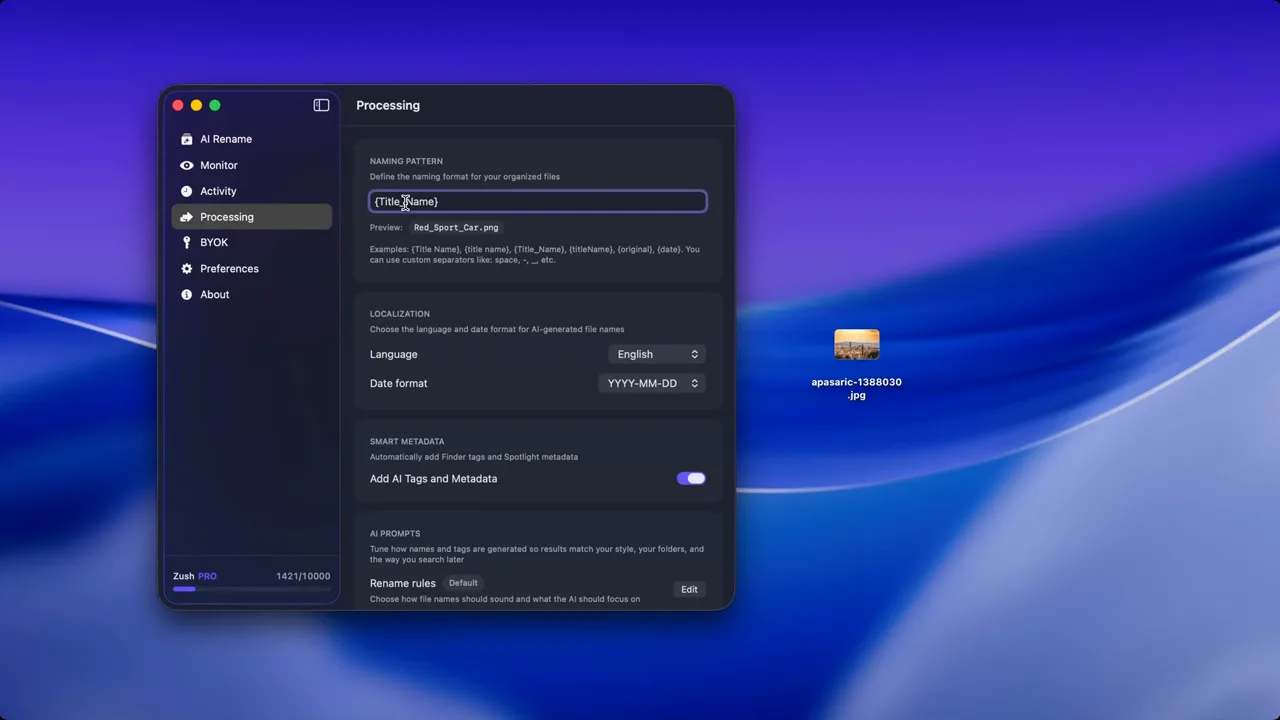
That is why naming automation matters most for these file types. You can define a convention yourself, but generating the descriptive part manually is slow. Tools like Zush make that practical by using AI to recognize what the file contains and then applying a consistent pattern on top.
For a Mac-specific image workflow, see How to Rename Images with AI on macOS. If you want the Windows naming layer, continue with Windows File Naming Conventions for Searchable Folders.
A simple implementation plan
If your current library is messy, do not rename everything at once.
- Pick the folders you use most often
- Define one naming pattern for each file type
- Rename the most painful backlog first
- Automate the inflow of new images, videos, and screenshots
That last step is what keeps the system from collapsing again. The combination of a naming convention plus automatic AI-assisted naming is much more durable than occasional cleanup sprints.
Common mistakes to avoid
- Using different patterns in every folder
- Abbreviating so aggressively that filenames become cryptic
- Keeping spaces and punctuation that break consistency
- Naming files by status (
new,latest,final) instead of content - Relying only on folders when the filenames themselves are weak
Conclusion
The best file naming convention is the one that balances clarity with consistency. Use descriptive words, predictable separators, ISO dates when useful, and version numbers when files evolve.
If your bottleneck is naming images, videos, PDFs, spreadsheets, or documents, Zush can handle the descriptive part automatically and make the convention easier to apply at scale.
FAQ
What is the best file naming convention for most people?
For most people, a lowercase descriptive pattern with hyphens and optional ISO dates is the easiest to keep consistent over time.
Should I use hyphens or underscores?
Both work. Hyphens are usually easier to read and friendlier in web contexts.
Can AI help with file naming conventions?
Yes. AI is especially useful for images, screenshots, videos, PDFs, and documents (DOCX, PPTX, XLSX) where the descriptive part of the filename would otherwise need to be written manually.


