Zush vs NameQuick: Price, BYOK, Mac vs Windows

Independent evidence: Softpedia tested Zush for Windows, rated it 4.5/5, and highlighted reusable naming controls and local-model support.Customer rating: Zush is rated 5.0/5 from 5 ratings in the US Microsoft Store.
Jump to section
Quick answer: choose Zush when you want precise, reusable control over the filename. Ready-made Templates combine with 145+ Naming Blocks, Custom AI Blocks, formatting, localization, tags, and metadata; Rename History records original and new names, folder, and timestamp and can restore an applied batch. Zush costs $10/month or $48 one-time with unmetered paid PRO renames. NameQuick’s managed plans are metered, and its public site does not provide a complete platform-specific feature and format matrix.
Last verified: August 24, 2026, against Zush’s current product documentation and namequick.app’s own product and pricing pages. NameQuick’s site offers both Windows and Mac downloads; platform-specific feature parity is not inferred where its public page does not separate the two builds.
Sources checked for this update: Zush and NameQuick, including public pricing, platform, provider, folder monitoring, undo, and format-support details.
If you are searching “Zush vs NameQuick”, compare the workflow you can verify rather than a feature count. The clearest differences are pricing, published format coverage, managed-versus-self-managed AI, and how much platform-specific behavior each vendor documents.
TL;DR comparison
| Dimension | Zush | NameQuick |
|---|---|---|
| Pricing | $10/month or $48 one-time | Managed from $12/mo; $69 one-time Self-Managed (1 device, lifetime updates) |
| Metering | None on paid PRO | Managed is metered at 500 / 2,000 / 5,000 / 10,000 renames per month; Self-Managed is not |
| Free tier | 50 renames to start | Managed trial: 250 renames for 14 days; Self-Managed trial: 50 renames |
| 5-year cost (one-time path) | $48 total | $69 + API/local model setup |
| Platforms | Mac + Windows | Mac + Windows downloads published; feature parity is not separately documented |
| Image and design formats | 41 image formats + 4 design formats (RAW, HEIC, AVIF, Sketch, Figma, AI, PSD) | 30+ formats spanning categories |
| RAW support | Yes (11 variants) | Not listed publicly |
| Document formats | 40 document/PDF formats, including iWork | Office docs covered |
| Video formats | 16 common formats | Listed as part of 30+ formats |
| Audio formats | 7 common formats | Listed as part of 30+ formats |
| AI processing routes | Zush Cloud AI; BYOK with Gemini, OpenRouter, OpenAI, or Claude; LM Studio; Ollama | 7 public options (OpenAI, OpenRouter, Claude, Gemini, Ollama, LM Studio, MLX) |
| BYOK | Available on every plan | $69 Self-Managed, then bring your key or local model |
| Folder monitoring | Yes | Yes (Watch Folders) |
| Rename recovery | Full Rename History: original/new name, folder, timestamp, batch revert | One-click Undo & Recovery |
| Local AI | LM Studio and Ollama on Mac and Windows | Ollama, LM Studio, and MLX |
| Languages | 60+ | Multilingual (count not stated) |
| Naming control | Ready-made Templates, 145+ Naming Blocks, Custom AI Blocks, formatting, localization, metadata | Presets, prompts, and Rules that can move/tag/archive |
| Finder tags | Yes | Yes (with Comments) |
| Main limitation | Desktop-only | Managed tiers are metered; no complete public per-platform format matrix |
Zush
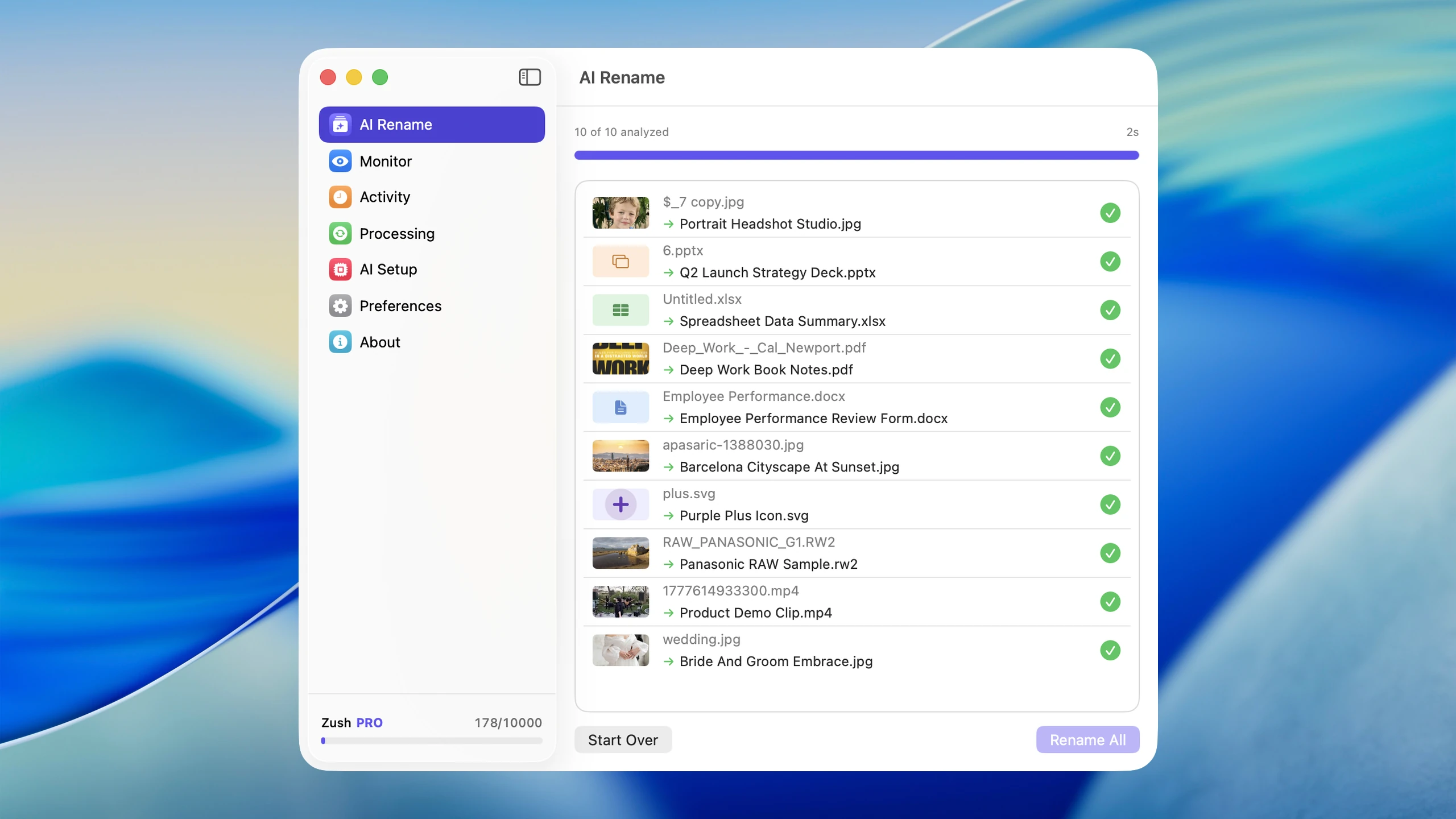
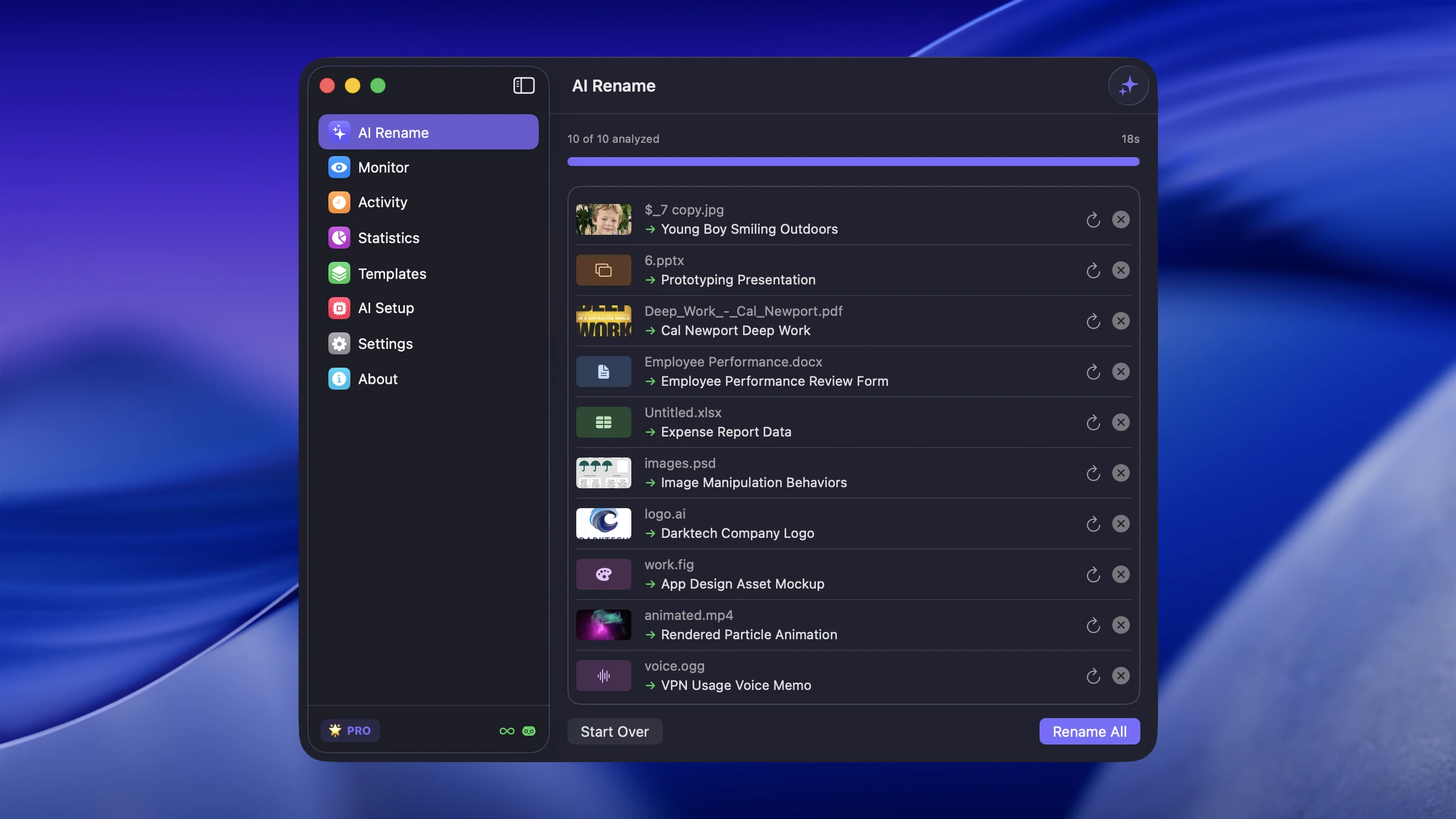
Zush runs on both Mac (macOS 15+) and Windows (10/11) and offers two PRO plans: $10/month or $48 one-time, both with unlimited PRO renames. Its strongest advantage is naming control: built-in Templates for common jobs, 145+ Naming Blocks, Custom AI Blocks, prompts, formatting, localization, Finder tags, Spotlight metadata, and per-folder Template assignments. Rename History keeps the original and new name, folder, and timestamp and can revert an applied batch. Version 3.0 also supports 100+ formats across images, RAW, design, documents, video, and audio.
Both products offer local-model paths, so local AI is useful for privacy but does not decide this comparison.
NameQuick
NameQuick publishes Windows and Mac downloads with two purchase paths. Managed starts at $12/mo and is metered by volume at 500, 2,000, 5,000, or 10,000 renames per month. Self-Managed is $69 one-time for one device and is the BYOK/local-model path. Its current public page does not provide a separate Windows-versus-Mac feature matrix, so this comparison does not assume that every Finder, MLX, or platform-specific feature is identical on Windows.
NameQuick publicly lists OpenAI, OpenRouter, Claude, Gemini, Ollama, LM Studio, and MLX for its self-managed workflow. Its privacy statements, provider availability, and Windows feature support are vendor-published claims and should be checked against the current build before purchase.
Its public workflow includes Watch Folders, Undo & Recovery, and conditional Rules that can move, tag, or archive files. The limitation is verification: the vendor publishes both Mac and Windows downloads but not a complete per-platform feature matrix or a granular format list, so Windows-specific behavior and RAW coverage should be tested before purchase.
Pricing reality
For someone using either tool steadily over 5 years (light to moderate use, ~5,000 renames/year):
| Path | Year 1 | 3 years | 5 years |
|---|---|---|---|
| Zush Pro One-Time | $48 | $48 | $48 |
| Zush BYOK with optional API cost | $48 + optional API | $48 + optional API | $48 + optional API |
| NameQuick Self-Managed (BYOK/local) | $69 + API/local setup | $69 + API/local setup | $69 + API/local setup |
| NameQuick Managed (entry tier) | From $144/year at $12/mo | From $432 | From $720 |
For BYOK-heavy paths, Zush has the lower published one-time entry price. Zush’s $48 One-Time plan includes the PRO desktop workflow on Mac and Windows, while NameQuick’s Self-Managed path is $69 for one device plus any provider cost.
For Managed users, the number that matters is the meter, not the headline. $12/mo buys the 500-renames-per-month tier; heavier volume moves you up through the 2,000, 5,000, and 10,000 tiers. If your renaming is spiky — a 4,000-file photo import one month, nothing the next — a metered plan prices the peak, while an unmetered one-time plan does not.
If you are choosing by mixed-file coverage and an unmetered paid plan, Zush has the clearer documented fit. It publishes support for 100+ formats and keeps managed cloud, BYOK, Offline AI, monitoring, preview, and undo in the same Mac and Windows workflow.
Format support
RAW photos: Zush yes, NameQuick unclear
Zush publishes a complete RAW format list (CR2, CR3, NEF, ARW, DNG, ORF, RAF, RW2, PEF, SRW, SR2). NameQuick lists “30+ file formats” on their site but does not enumerate camera RAW formats specifically. If you shoot RAW, Zush is the safer pick.
Office docs and OCR: both cover the common case
NameQuick advertises OCR for scanned docs and EXIF extraction for photos. Zush supports PDF, DOCX, XLSX, PPT, PPTX, TXT, MD, JSON, EML, CSV, DOC, plus iWork files such as Pages, Numbers, and Keynote. Both handle the everyday office formats.
Audio / video / archives
NameQuick mentions audio, video, and archives as part of its 30+ formats. Zush 3.0 supports common video files, subtitle sidecars, design files, iWork documents, and audio files including MP3, M4A, WAV, FLAC, OGG, WebM, and MPGA. NameQuick is still broader if ZIP/archive renaming is central to your workflow.
AI provider menu
NameQuick publicly lists seven AI backends: OpenAI, OpenRouter, Claude, Gemini, Ollama, LM Studio, and MLX. Zush offers four processing routes: managed Zush Cloud AI, BYOK with Gemini, OpenRouter, OpenAI, or Claude, LM Studio and Ollama.
The big differentiators:
- OpenRouter — available in Zush BYOK, with a selectable compatible model.
- MLX — only on NameQuick, useful if Apple Silicon–optimized local inference is a hard requirement.
Pick by use case
Pick Zush if:
- You want the most configurable AI naming workflow in this comparison
- You want ready-made Templates that can be adapted for batches and monitored folders
- You want Rename History with original/new names, folder, timestamp, and batch revert
- You want one documented desktop workflow across Mac and Windows
- You shoot RAW photos and want explicit format support
- You rename design assets, iWork files, audio, videos, and documents in the same folders
- You want OpenRouter as a cloud-provider option
- You want BYOK available on the same FREE or PRO plan
Consider NameQuick if:
- You need MLX and have verified support on your platform
- You want conditional moves, tags, or archives in the same vendor workflow
- You handle archive files that need renaming
- EU data routing matters for your compliance story
Migration tip
If you are comparing an existing setup with Zush, copy five representative files into a test folder and run the free Zush workflow first. Check the proposed names, format coverage, and undo history before changing any monitored folder. If you already use a supported Gemini, OpenRouter, OpenAI, or Claude key, you can reuse it in Zush BYOK.
FAQ
Does NameQuick run on Windows?
Yes. NameQuick’s current product page offers both Windows and Mac downloads. It does not publish a complete platform-by-platform feature matrix, so verify Windows support for any Mac-specific feature you need. Zush publishes a native Microsoft Store build and documents the same core renaming, BYOK, Offline AI, monitoring, preview, and undo workflow for Windows.
Is BYOK free in both tools?
In Zush, BYOK is available on every plan — no separate BYOK purchase. In NameQuick, the public Self-Managed plan is $69 one-time, after which you bring your own API key or local model.
Does Zush support all NameQuick AI providers?
No. Zush supports managed cloud, BYOK with Gemini, OpenRouter, OpenAI, and Claude, plus two local routes: LM Studio and Ollama. NameQuick publicly lists OpenAI, OpenRouter, Claude, Gemini, Ollama, LM Studio, and MLX. NameQuick remains broader only where MLX is a hard requirement.
Does NameQuick support RAW photos?
NameQuick’s public format list says “30+ formats” without enumerating RAW camera variants. Zush explicitly lists 11 RAW formats. Photographers who rely on RAW are safer with Zush.
Which has better naming control?
Zush has the stronger documented naming system: ready-made Templates, 145+ Naming Blocks, Custom AI Blocks, prompts, formatting, localization, Finder tags, Spotlight metadata, and per-folder Template assignments. NameQuick documents Presets, prompts, Finder Comments, and conditional Rules, but does not publish an equivalent granular block catalog or complete platform-specific matrix.
Verdict
Both tools have BYOK, local-model options, folder monitoring, undo, and content-aware naming. Those are parity features. The decision splits clearly:
- For the most configurable naming workflow, ready-made Templates, 145+ Naming Blocks, Custom AI Blocks, full Rename History, broad 100+ format coverage, and unmetered paid renames: Zush at $10/month or $48 one-time.
- If you require NameQuick-specific providers or routing rules, verify those features in the current build for your operating system before deciding.
For most mixed-file Mac and Windows workflows, start with Zush FREE and test 50 renames before paying for either approach.
For the broader market view, see AI renamer market comparison and Mac AI renamer comparison.


