Zush vs AI Renamer (2026): Desktop, CLI, Price

Independent evidence: Softpedia tested Zush for Windows, rated it 4.5/5, and highlighted reusable naming controls and local-model support.Customer rating: Zush is rated 5.0/5 from 5 ratings in the US Microsoft Store.
Jump to section
Quick answer: Zush gives you a complete naming system rather than a prompt box: ready-made Templates, 145+ Naming Blocks, Custom AI Blocks, formatting, localization, metadata, monitored folders, preview, and Rename History with batch revert. The two unrelated AI Renamer products both require compromises: the Desktop app has no documented monitoring, recovery, or granular format matrix; the CLI has no GUI, document parsing, monitoring, or undo.
Last verified: August 24, 2026, against Zush’s current documentation, airenamer.app’s pricing page, and the ozgrozer/ai-renamer repository.
Sources checked for this update: Zush, AI Renamer Desktop, and the ai-renamer CLI repository, including pricing, local model, file-type, automation, and undo details.
If you are searching “Zush vs AI Renamer”, first know the comparison covers two different products that share the name “AI Renamer”: an open-source CLI (ozgrozer/ai-renamer on GitHub, GPL-3.0) and a separate commercial desktop app at airenamer.app. They are not made by the same team. We compare both against Zush below.
TL;DR comparison
| Dimension | Zush | AI Renamer Desktop | AI Renamer CLI |
|---|---|---|---|
| Pricing | $10/month or $48 one-time | $19 one-time (local) or $10/200 credits (cloud) | Free, open source (GPL-3.0) |
| Free tier | 50 renames to start | 10 free credits on signup | Free always |
| Platforms | Mac + Windows desktop | Mac + Windows desktop | Mac + Windows + Linux (Node CLI) |
| Image/design formats | 41 images + 4 design formats (incl. RAW + HEIC + AVIF + PSD) | Feature examples list JPG/PNG/GIF/WEBP; pricing says all file types | Images + video (with ffmpeg) |
| Document formats | 40 document and PDF-related formats, including iWork | Feature examples list PDF/TXT/text; pricing says all file types | Generic files (no doc parsing) |
| Video formats | 16 common formats | Not listed | Yes (with ffmpeg) |
| RAW support | Yes (11 variants) | No | No |
| Folder monitoring | Yes | No | No |
| Undo / rollback | Yes (full history) | No | No |
| BYOK | Available on every plan (Gemini/OpenRouter/OpenAI/Claude) | OpenAI/custom model support listed for Local Mode | OpenAI key support |
| Local AI | LM Studio and Ollama on Mac and Windows | Yes | Yes (Ollama, LM Studio) |
| Languages | 60+ | Multilingual | Configurable |
| Setup effort | Drag-and-drop install; local use requires LM Studio or Ollama | Drag-and-drop install | Terminal + Ollama (~4–8GB) |
| Naming control | Ready-made Templates, 145+ Naming Blocks, Custom AI Blocks, formatting, localization, metadata | Custom prompt/settings | Custom prompt and output case |
| Main limitation | Desktop-only | No documented monitoring, Rename History, or granular format matrix | No GUI, document parsing, monitoring, or undo |
Zush
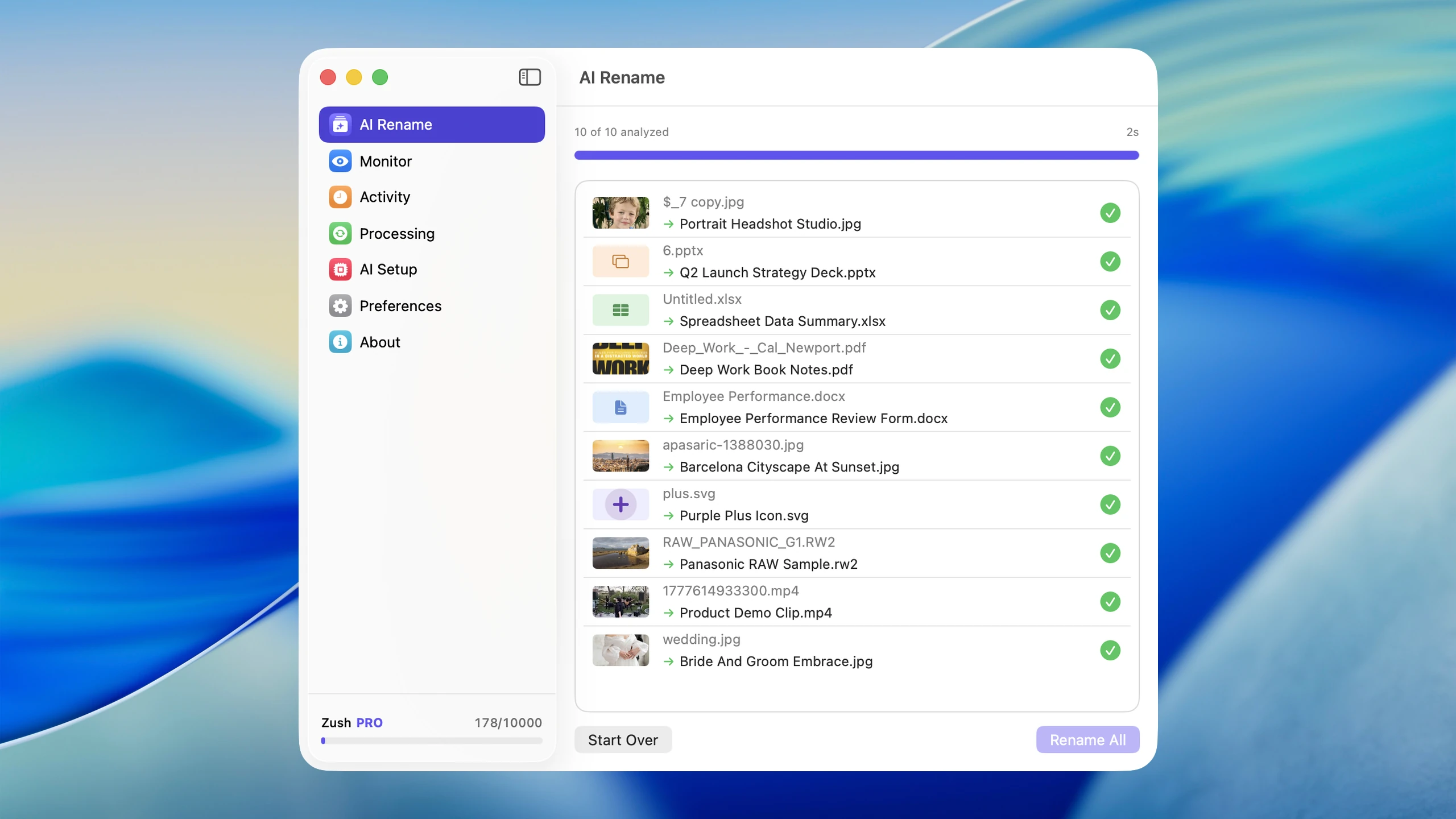
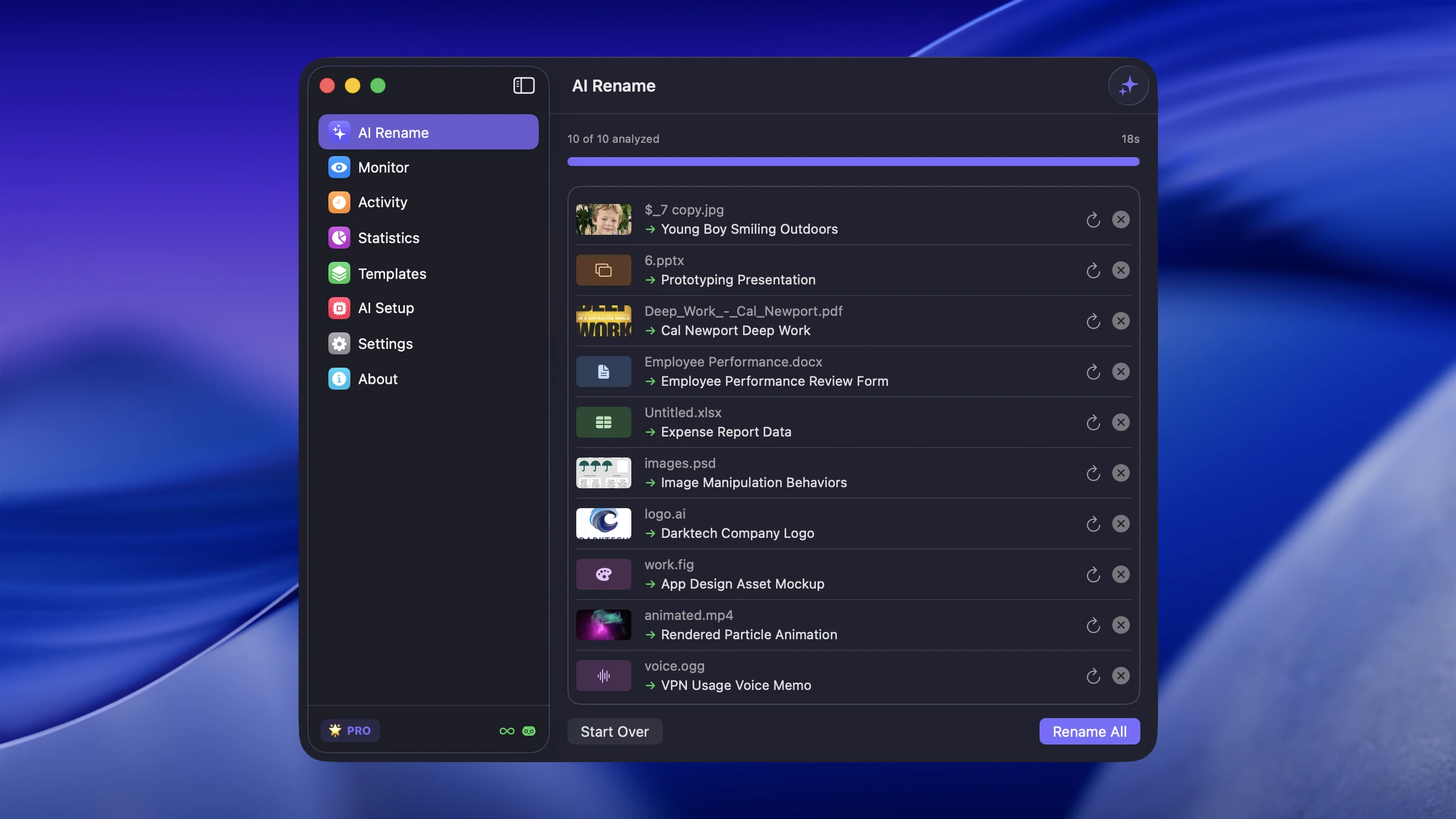
Zush is a complete desktop AI file renamer for Mac and Windows. Its clearest advantage is control: ready-made Templates, 145+ Naming Blocks, Custom AI Blocks, prompts, formatting, localization, Finder tags, Spotlight metadata, and per-folder Template assignments. After preview and apply, Rename History stores original and new names, folder, and timestamp and can revert the batch. Its 100+ formats and monitoring add breadth and continuity to that naming system.
AI Renamer Desktop (airenamer.app)
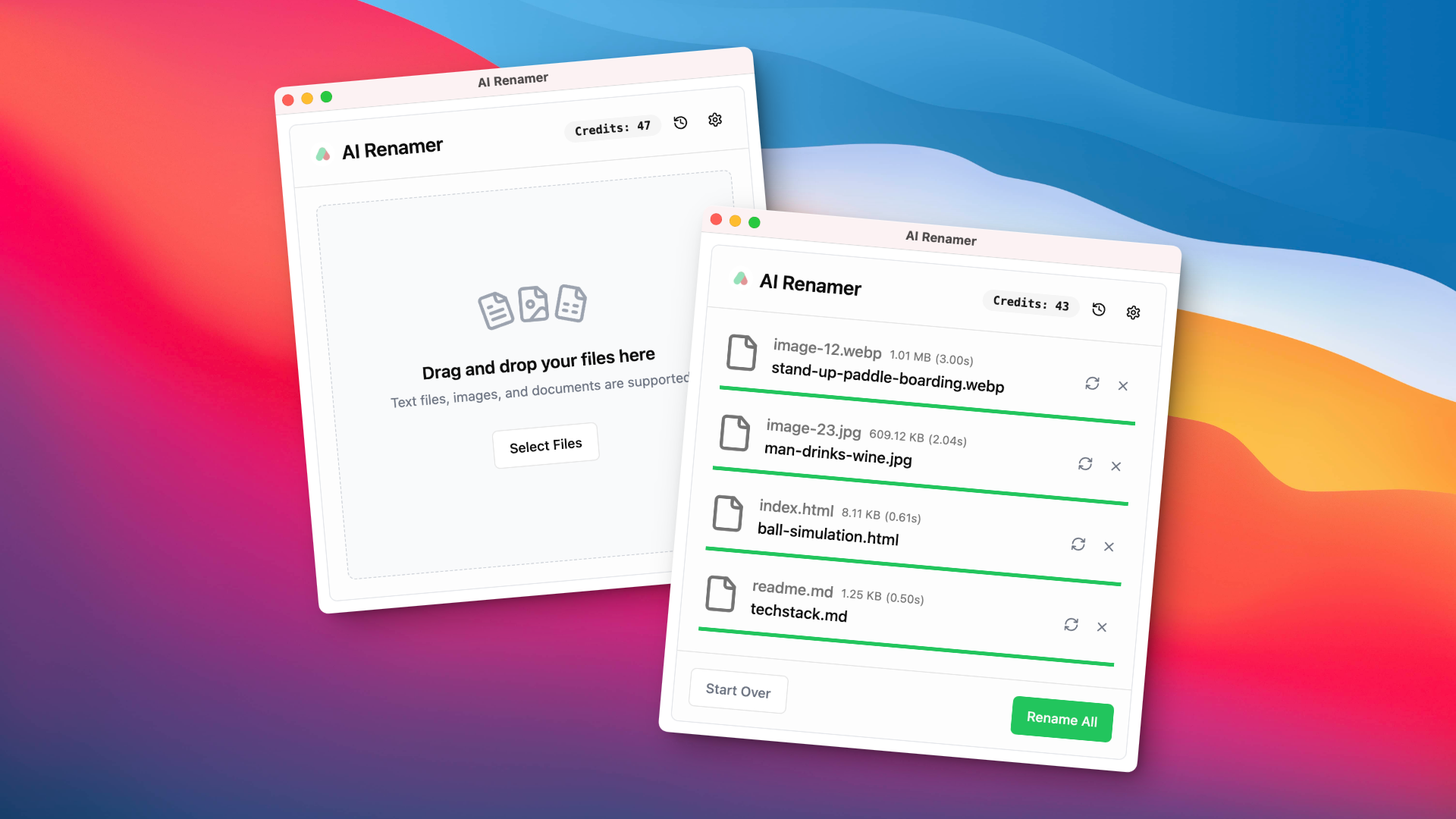
The AI Renamer Desktop app costs $19 one-time for unlimited local processing or $10 per 200 cloud credits, with 10 free credits on signup. Its pricing page lists those three things and nothing else — no CLI, no open-source edition. It says Local Mode and Cloud Mode support all file types, and Local Mode lists Ollama, LM Studio, OpenAI, and custom model support. The feature page is more conservative, with examples for JPG/PNG/GIF/WEBP images and PDF/TXT/text files. The site still does not list folder monitoring or rename history as features, so bad bulk renames appear harder to roll back inside the app.
AI Renamer CLI (open-source)
The AI Renamer CLI is ozgrozer/ai-renamer on GitHub — a free GPL-3.0 Node.js command-line tool. Install via npx ai-renamer /path or globally with npm. Backends: Ollama (default), LM Studio, OpenAI. It handles images and videos (via ffmpeg) but does not rename documents like PDFs.
The CLI is relevant only when terminal automation is itself a requirement. Its drawback is substantial for ordinary file management: no folder monitoring, no undo, no GUI preview, and no document parsing.
Format support
RAW + HEIC: Zush is the documented option
Zush has explicit RAW format support: CR2, CR3, NEF, ARW, DNG, ORF, RAF, RW2, PEF, SRW, SR2. Zush also documents HEIC support for iPhone photos. AI Renamer Desktop’s pricing page now says all file types, but the public feature examples still list only standard image examples. If RAW or HEIC is part of the buying decision, verify AI Renamer with your actual files before treating the two products as equivalent.
Documents and iWork: Zush has a granular list; AI Renamer has broader marketing copy
Zush handles PDFs, Office files, iWork files, OpenDocument files, text, Markdown, CSV/TSV, JSON, XML/YAML, EML, SRT, and VTT. AI Renamer Desktop now markets all-file support on its pricing page, but its public feature examples still call out PDF/TXT/text files rather than a granular Office/iWork/design/audio list. The CLI does not parse document content — it can rename files but only based on what its model can infer from the filename or video frames.
Video: Zush and the CLI
The AI Renamer CLI can rename videos by extracting frames with ffmpeg and feeding them to the AI. Zush 3.0 now supports common video formats from the desktop app, using sampled frames and optional sidecar subtitles as context. AI Renamer Desktop’s pricing copy says all file types, but the feature page does not publish a video-specific workflow.
Features that differ
Folder monitoring
Zush has folder monitoring — a “Watch” feature that automatically renames new files dropped into specified folders. Neither AI Renamer product offers this. If your goal is “make my Downloads folder clean automatically forever,” Zush is the only fit here.
Undo / rename history
Zush keeps a full rename history with one-click revert per file. The AI Renamer Desktop and CLI do not advertise undo functionality. If you batch-rename hundreds of files and 5% of names are wrong, Zush lets you fix those individually; with AI Renamer you would need to manually rename them back.
BYOK and provider control
Zush includes BYOK on every plan across Gemini, OpenRouter, OpenAI, and Claude. The AI Renamer CLI supports OpenAI keys directly. AI Renamer Desktop lists OpenAI and custom model support under Local Mode, which is a stronger provider-control story than before, but it is not presented as the same multi-provider BYOK workflow as Zush.
Local-only setup
For privacy-first users, the AI Renamer CLI’s local-only Ollama path is lightweight once Ollama is installed. Zush provides two GUI routes on both Mac and Windows: LM Studio and Ollama. Both keep supported analysis on-device.
Pick by use case
Pick Zush if:
- You want a complete desktop app, not a CLI
- You handle RAW/HEIC photos or office documents (DOCX/XLSX/PPT)
- You want folder monitoring for ongoing automatic renaming
- You want undo/rollback when batch-renaming hundreds of files
- You want one workflow spanning managed cloud, BYOK with four providers, and two local routes
Consider AI Renamer CLI only if:
- You are a developer comfortable in the terminal
- You specifically need a scriptable open-source terminal workflow
- You are fine with images and videos (no documents)
- You can live without folder monitoring and undo
Consider AI Renamer Desktop only if:
- You are comfortable validating its current all-file statement against your own folders
- You explicitly do not need folder monitoring, granular format documentation, or undo
AI Renamer Desktop is the harder choice for mixed folders because the gaps affect safety and repeatability: no public folder monitoring, no public Rename History, and no granular public list for RAW, iWork, design, audio, or video workflows. Its lower sticker price is not treated as a product advantage.
Setup effort
Zush installs as a native Mac or Windows app via signed Mac download, Mac App Store, Homebrew, or Microsoft Store. Drag-and-drop, no terminal unless you choose the Homebrew cask.
AI Renamer Desktop installs the same way (commercial download).
AI Renamer CLI requires: Node.js, npm/npx, Ollama, a vision-capable local model, and terminal comfort. The setup itself takes 15–30 minutes if you have not done it before, plus the time and disk space needed for the model you choose.
FAQ
Are AI Renamer Desktop and AI Renamer CLI from the same company?
No. The CLI is ozgrozer/ai-renamer on GitHub (GPL-3.0). The Desktop app is at airenamer.app, a separate commercial product. They share the name “AI Renamer” but are not the same project.
Can the AI Renamer CLI rename PDFs and Office documents?
No. The CLI handles images and videos (with ffmpeg). It does not parse document content. For PDFs/DOCX/XLSX, you need a tool that reads document text — Zush, NameQuick, Renamer.ai, or Renamed.to.
Does AI Renamer Desktop have folder monitoring?
Their site does not list folder monitoring as a feature. If you need ongoing automatic renaming, Zush is the fit.
Is the AI Renamer CLI really free?
Yes. GPL-3.0 open source. The only “cost” is potential OpenAI API charges if you use OpenAI as the backend; if you use Ollama or LM Studio locally, it is fully free with no API cost.
Which has the most formats?
Zush has the broadest granular public format list: 100+ formats across images, design files, documents, videos, and audio. AI Renamer Desktop now markets all-file support, but its feature examples are still much shorter. The CLI handles images + video (with ffmpeg) but does not parse documents.
Verdict
The three tools are different in ambition, not just price:
- For a finished desktop app with the most coverage: Zush at $10/month or $48 one-time.
- Use the CLI only when a terminal workflow is required and its missing GUI, document parsing, monitoring, and undo are acceptable.
- Use the Desktop app only after validating its undocumented format and recovery gaps on copies of your own files.
For a broader market view, see AI renamer market comparison. For free options including the AI Renamer CLI in detail, see How to Rename Files with AI for Free.


