5.0
What I exactly needed
This is what i needed to get the first original creation date before the modified date back to original
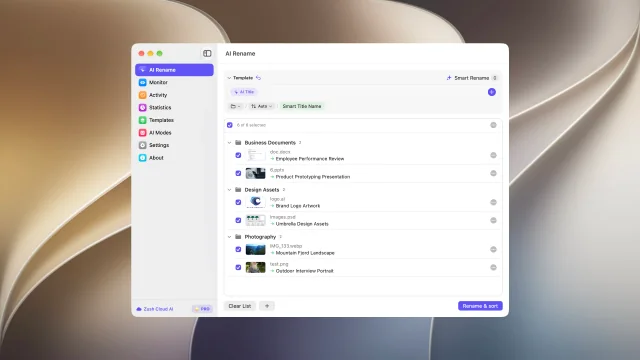
用你选择的信息生成 Finder 文件名。应用前预览每项建议,可撤销任意批次,或使用受支持的本地 AI。
组合内容、元数据、日期、自定义指令和可复用模块,生成符合工作方式的 Finder 文件名。Zush 提供建议,由你决定。
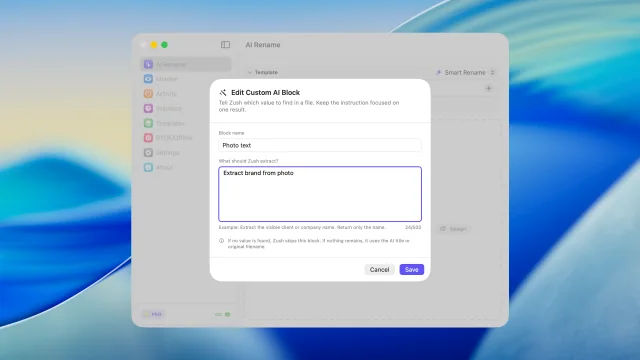
在原生 macOS 流程中分析截图、视频、EPUB 和 FB2 电子书、PDF、HEIC 和 RAW 照片、Office 文档与导出文件。 描述希望 Zush 提取的具体信息,然后将其作为自定义 AI 块在任意模板中复用。
AI 按内容分组,并为文件夹命名。 写下提示词,告诉 AI 如何将文件分组。 “按公司归类发票,按月份归类收据。”
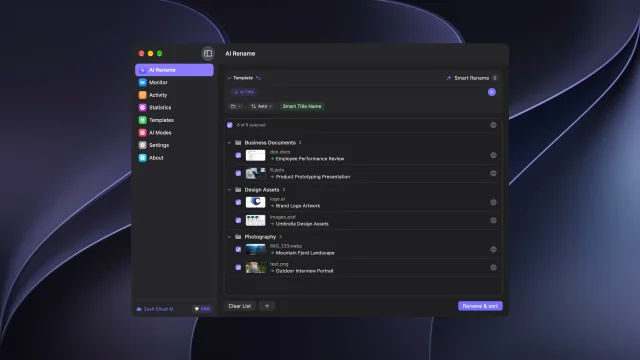
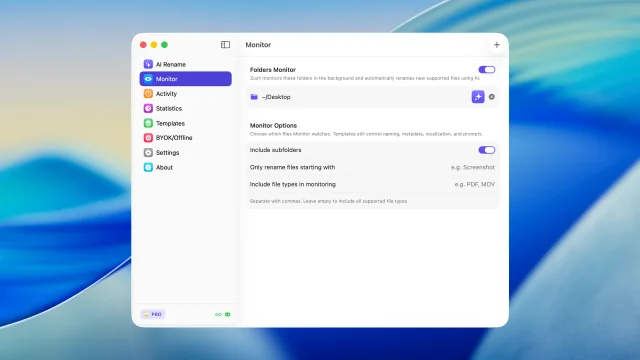
监控 ~/Downloads、桌面或截图文件夹,让新文件进入后立即获得可读名称。
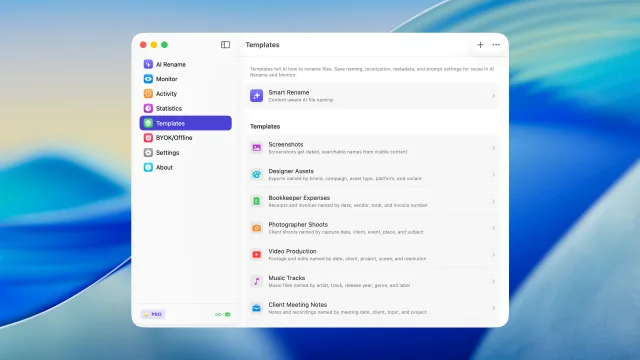
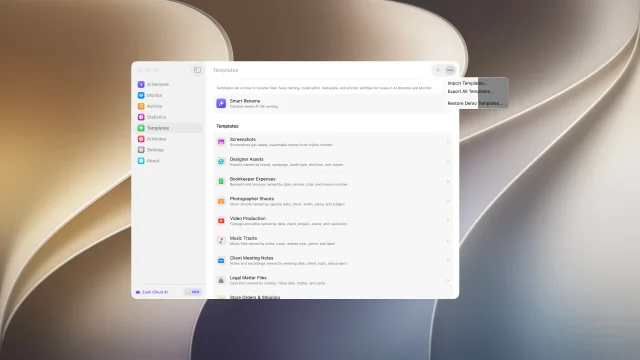
为截图、报销、音乐轨道、客户工作、法律文件、旅行预订和监控文件夹保存可复用设置。
用 145+ 个命名块构建一致文件名,覆盖日期、元数据、音频、照片、财务、法律、旅行、客户和 AI 字段。
告诉 Zush 如何命名设计导出、发票、截图和客户文件夹。
生成可读文件名和元数据,让文件之后更容易在 Finder 和 Spotlight 中找到。
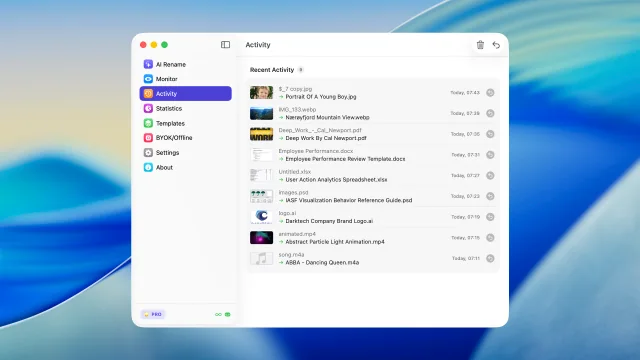
每次 Mac 重命名都会记录,必要时可以把文件恢复到原始名称。
使用 Zush Cloud、连接自己的 AI 服务商,或通过 Ollama 在设备上运行受支持的分析。
通过我们的中继连接到商用 AI 提供商,遵循其标准 API 条款。中继的作用是让 API 密钥无法从应用中被提取。
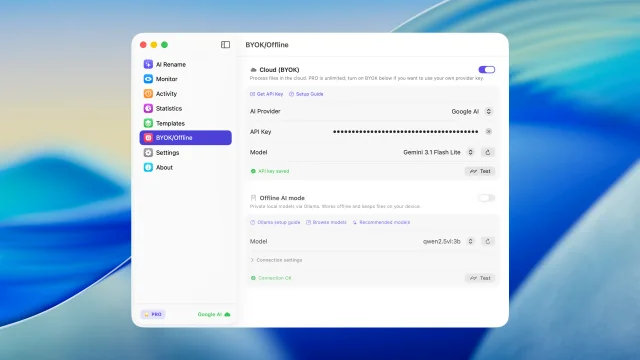
连接自己的 Gemini、OpenRouter、OpenAI 或 Claude 密钥,在 macOS 上扩展云端重命名。
当隐私或离线工作更重要时,用本地模型分析支持的 Mac 文件。
每个功能一段简短演示 — 点击标签查看实际效果
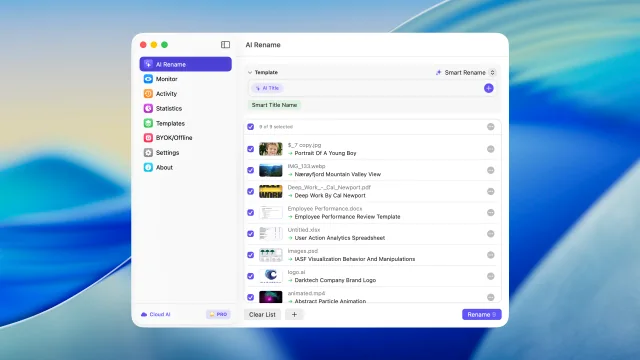
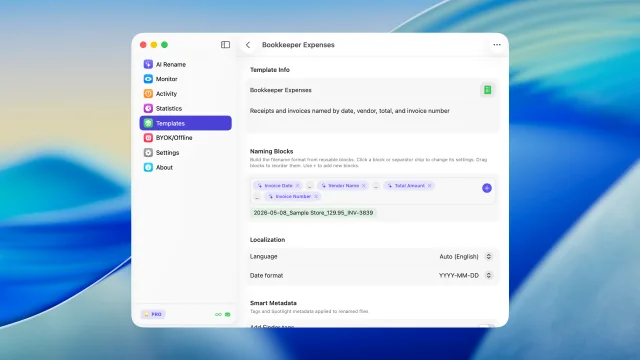
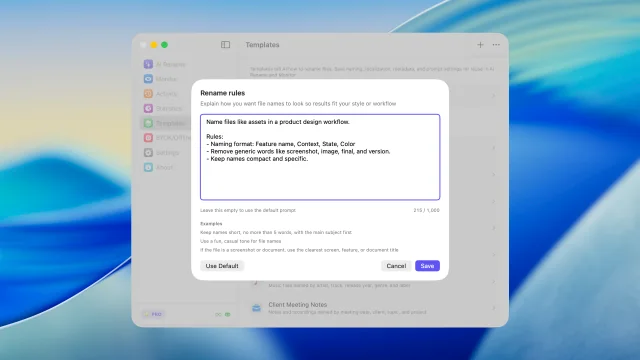
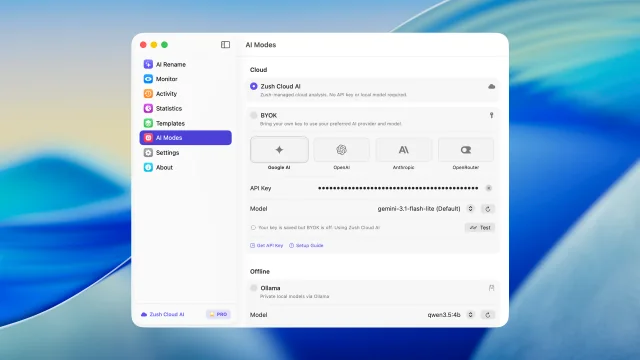
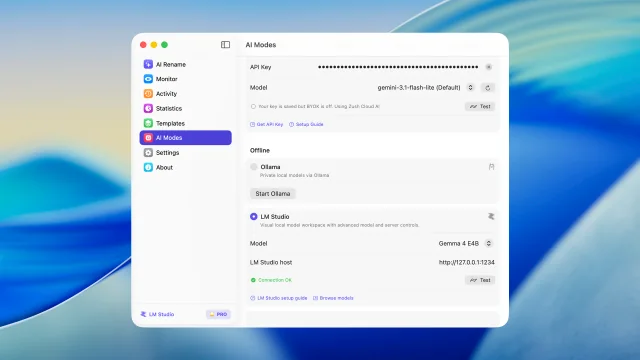
根据真实内容批量检查并重命名文件后再应用
描述 AI 要提取的内容,并作为你自己的命名块复用
按照你的指令将文件分类到文件夹
监控文件夹,自动重命名新文件
查看最近的重命名并在需要时撤销
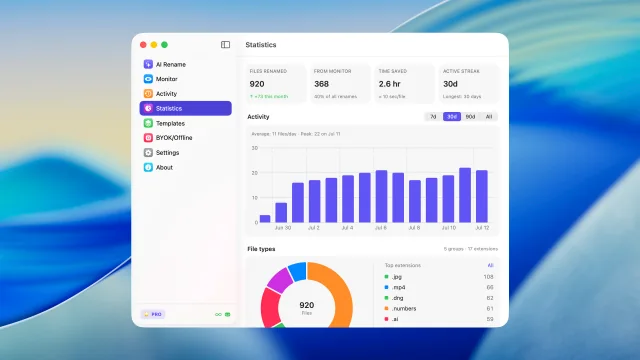
查看重命名数量、文件夹监控占比、活动以及文件类型趋势
为 AI 重命名和文件夹监控保存可复用的设置
用 145+ 个现成的命名块从文件内容生成文件名
用自己的指令控制文件名生成
无需设置,使用托管云端分析立即开始重命名
使用 LM Studio 或 Ollama 在 Mac 本地分析支持的文件。
通过 BYOK 连接自己的 AI 服务商
分享和备份命名模板
来自 Microsoft Store 的公开评论,以及 Softpedia 的独立编辑评测。
This is what i needed to get the first original creation date before the modified date back to original
So far this product is doing what it should and better than most I've tried. I have the lifetime license so this is going to be fun.
Awesome App, I had over 127 Reels that needed namimng, it did it flawlessly, so well that I ended up buying the App Permanently :)
Zush is a fast AI file renamer that really works and I can give tons of praise to them for creating this fantastic program. There are lots of things you can with Zush and templates to choose from or create your own templates. You can add all kinds of presets that can add more detail for your renaming but I bought the $10.00 monthly charge but soon will purchase the lifetime plan with this Great program so Thanks for creating this !!
This app does exactly what I needed it to do.
Zush excels most in the freedom that it provides users with regarding the flexibility behind the renaming process.
工作流
这些是人们在 Mac 上日常使用 Zush 的工作流。每一个只需一个监控文件夹或一次拖放即可完成。

不用在几百张截图里翻找,几秒内找到需要的 mockup、UI 元素或灵感参考。
轻松整理大型照片库,支持 CR2、NEF、ARW、DNG、RAF、RW2 等专业 RAW 格式。

让活动方案、导出文件、截图和素材保持有序,并快速找到正确文件。
文档、Bug 报告和 PR Review 用的截图始终有序,方便查找。
设置命名规则,预览每项更改,并通过 Zush Cloud、自己的 AI 服务商或本地 AI 重命名 Finder 文件。
免费 · 无需信用卡 · macOS Sequoia+
按月灵活付费,或一次性永久使用。两种方案都解锁无限 PRO。
灵活的月度方案
$10/月 +VAT
一次付费,永久使用
$48一次性 +VAT
Pays off in ~5 months
14 天退款保证 • Paddle 安全支付
关于 Mac 工作流、截图、下载文件和 AI 重命名的实用英文指南。
关于 Mac 版应用和产品功能的常见问题。
