Zush vs Renamer.ai (2026): One-Time vs Subscription

Independent evidence: Softpedia tested Zush for Windows, rated it 4.5/5, and highlighted reusable naming controls and local-model support.Customer rating: Zush is rated 5.0/5 from 5 ratings in the US Microsoft Store.
Jump to section
Quick answer: choose Zush when you need a precise naming system rather than a generic AI suggestion. Ready-made Templates combine with 145+ Naming Blocks, Custom AI Blocks, formatting, localization and metadata; Rename History stores original and new names, folder and timestamp and can restore an applied batch. Renamer.ai is relevant only when a web interface is mandatory. Its paid tiers are metered, it does not publish BYOK/local mode, and its format list omits RAW, Sketch, Figma, and PSD.
Last verified: August 24, 2026, against Zush’s current documentation and renamer.ai’s own pricing and format pages.
Sources checked for this update: Zush and Renamer.ai, including public pricing, Magic Folders, OCR/document, language, undo, and supported-format details.
If you are searching “Zush vs Renamer.ai”, you are usually deciding between two paid AI file renamers that both run on Mac and Windows. The answer depends mostly on three things: how you prefer to pay, what file types land in your folders, and whether OCR-driven document renaming is your core use case.
TL;DR comparison
| Dimension | Zush | Renamer.ai |
|---|---|---|
| Pricing | $10/month or $48 one-time | $9.95–$99.95/month |
| Metering | None on paid PRO | Every tier is metered: 200 / 1,000 / 5,000 files per month |
| Free tier | 50 renames to start | 25 files/month |
| 5-year cost (one-time path) | $48 total | $597–$5,997 |
| Platforms | Mac + Windows desktop | Desktop (Mac/Win) + Web |
| Image/design formats | 41 images + 4 design formats (RAW, HEIC, AVIF, Sketch, Figma, AI, PSD) | 30+ formats including EPS/SVG/AI vectors; no RAW, PSD, Sketch, or Figma |
| Document formats | 40 document/PDF formats, including iWork | 30+ docs/images/vectors/email; OCR/document-first |
| Video formats | 16 common formats | Not a core advertised workflow |
| OCR | Yes | Yes (advertised core) |
| Folder monitoring | Yes | Yes (Magic Folders) |
| Undo / rollback | Yes (full history) | Yes |
| Naming control | Ready-made Templates, 145+ Naming Blocks, Custom AI Blocks, formatting, localization, metadata | Document templates |
| BYOK | Available on every plan | No |
| Languages | 60+ | 20+ |
| Local AI | LM Studio and Ollama on Mac and Windows | No documented local-only mode |
| Main limitation | Desktop-only | Every paid tier is metered; no published BYOK/local mode or RAW/Sketch/Figma/PSD support |
Zush
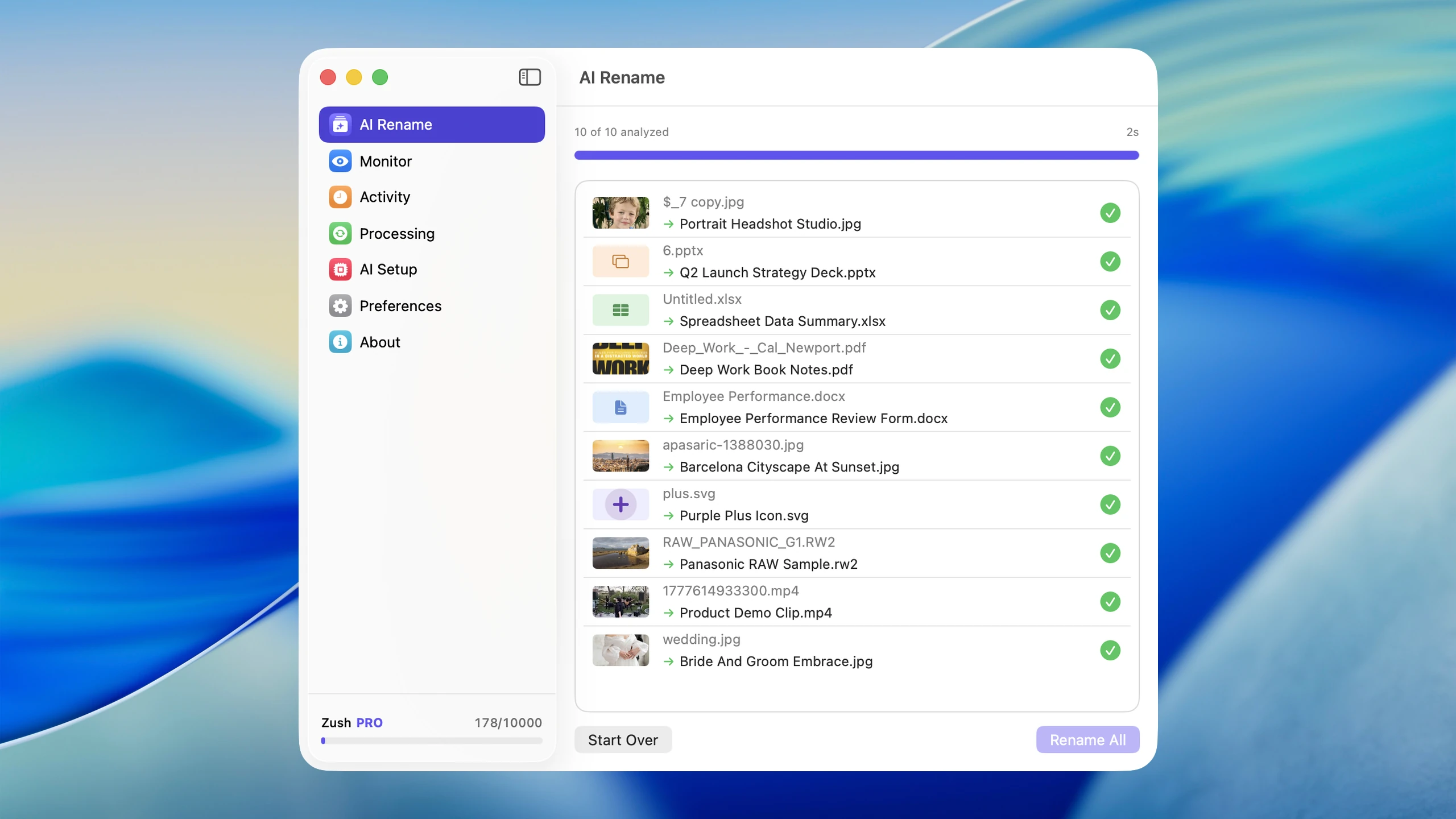
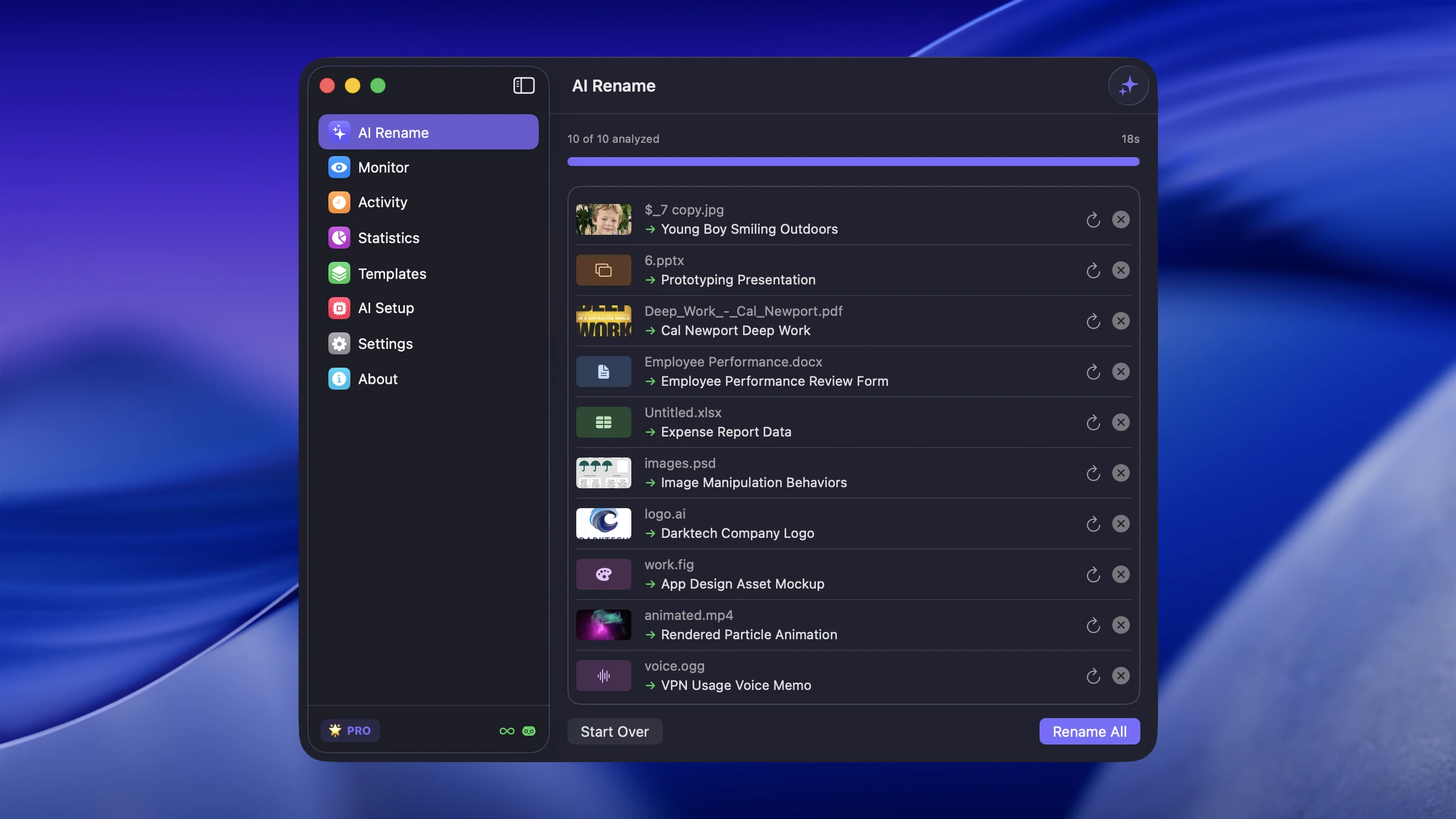
Zush’s strongest advantage is naming control. Ready-made Templates cover recurring jobs, while 145+ Naming Blocks and Custom AI Blocks define exactly which fields appear. Formatting, localization, tags, metadata, and per-folder Template assignment keep the convention consistent. Rename History stores original and new names, folder, and timestamp and can revert an applied batch. Version 3.0 also supports 100+ image, RAW, design, document, video, and audio formats.
Pricing has two PRO options: $10/month for flexibility or $48 one-time for lifetime access. FREE includes 50 renames shared across Zush Cloud AI, BYOK, LM Studio, and Ollama; both PRO options remove that limit. BYOK supports Gemini, OpenRouter, OpenAI, and Claude, while both local routes work on Mac and Windows.
Renamer.ai
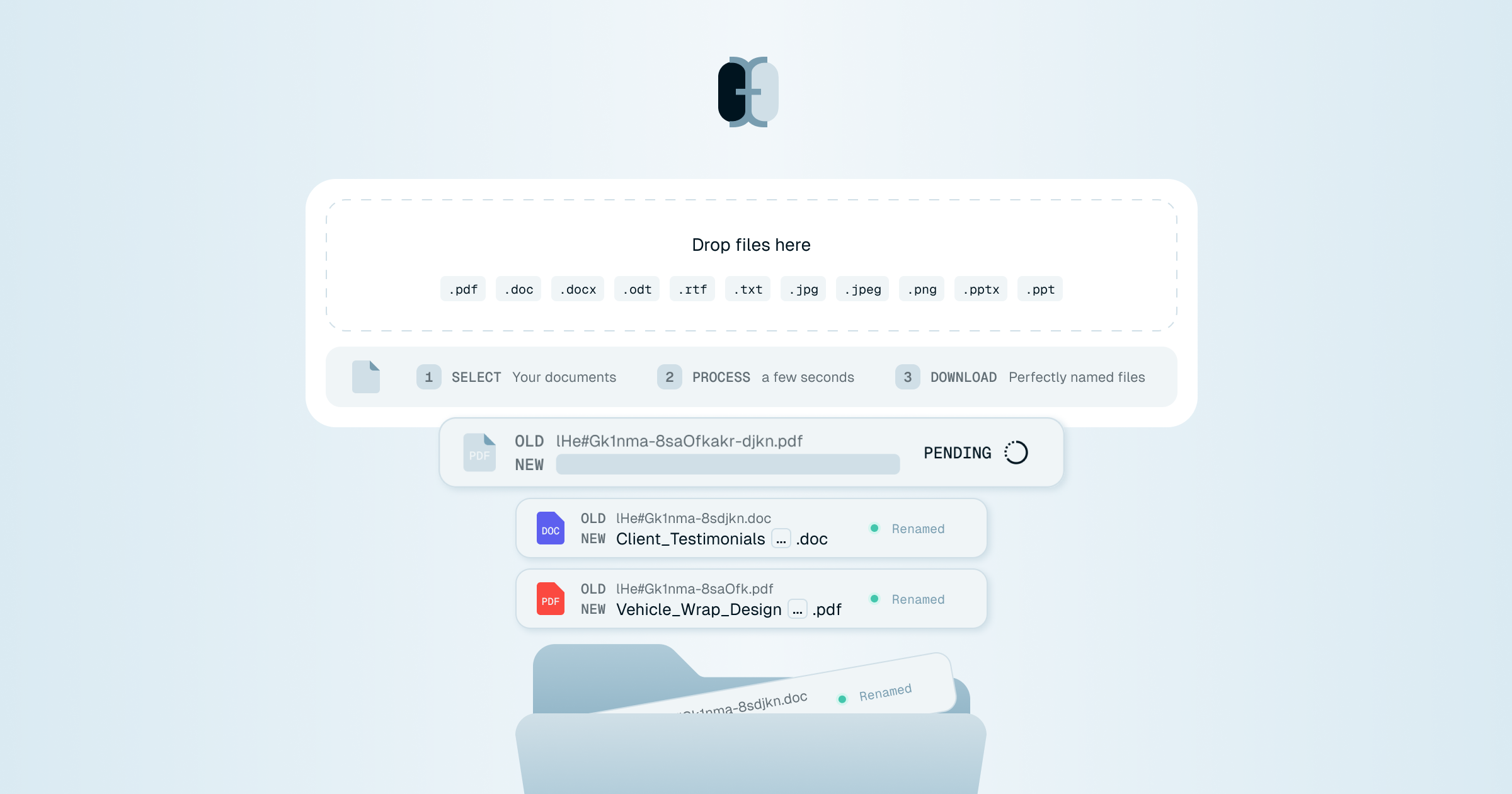
Renamer.ai is a desktop and web tool focused on document-heavy workflows. Its current public pages advertise 30+ file formats and call out common documents and images such as PDFs, Word docs, Excel spreadsheets, PowerPoint, photos, scanned documents, vectors, and email files. The page also emphasizes preview, one-click undo, Magic Folders, and temporary processing. Notably absent from the public format language: camera RAW formats (CR2, NEF, ARW, etc.) and a BYOK/local-Ollama provider-control path.
Pricing is monthly subscription with four tiers: free Starter (25 files/month), Pro $9.95/mo (200 files), Power User $29.95/mo (1,000 files), and Ultimate $99.95/mo (5,000 files). Annual billing gives a 15% discount per their site.
Pricing reality over 5 years
For a user who needs an ongoing paid tier, the pricing gap between one-time and subscription pricing compounds:
| Model | Year 1 | 3 years | 5 years |
|---|---|---|---|
| Zush Pro One-Time | $48 | $48 | $48 |
| Zush BYOK with optional API cost | $48 + optional API | $48 + optional API | $48 + optional API |
| Renamer.ai Pro ($9.95/mo) | $119 | $358 | $597 |
| Renamer.ai Power ($29.95/mo) | $359 | $1,078 | $1,797 |
| Renamer.ai Ultimate ($99.95/mo) | $1,199 | $3,597 | $5,997 |
Even on Renamer.ai’s cheapest paid tier at $9.95/mo, the 5-year cost is $597 — more than 12× the one-time Zush price. On the Ultimate tier, it is more than 120× over 5 years.
Caveat: this assumes constant usage. If you only need a one-off cleanup of a few hundred files, both free tiers cover that.
Format support
Mixed-file folders are where format coverage starts to matter:
Zush handles RAW + HEIC; Renamer.ai does not
Zush’s public format list includes 11 RAW variants: CR2, CR3 (Canon), NEF (Nikon), ARW (Sony), DNG (Adobe), ORF (Olympus), RAF (Fujifilm), RW2 (Panasonic), PEF (Pentax), SRW (Samsung), SR2 (Sony). Renamer.ai’s public format list does not include any camera RAW formats.
If you are a photographer or anyone with IMG_4382.HEIC or _DSC0019.NEF files in your library, Zush is the documented fit. Renamer.ai’s omission of RAW from its public format list is a concrete limitation.
Vector, design, and office formats
On the document/vector side, Renamer.ai lists EPS, SVG, and AI. Zush 3.0 now supports SVG plus design-first formats: Sketch, Figma .fig, Adobe Illustrator .ai, and Photoshop .psd. Zush also adds iWork files, audio formats, video formats, and subtitle sidecars. If EPS specifically matters, Renamer.ai has that listed publicly; if your folders mix design handoff assets with screen recordings, iWork docs, audio, and RAW photos, Zush is broader.
Both handle the common case
For everyday use — JPG, PNG, HEIC, PDF, DOCX, XLSX — both tools cover the common case. The decision usually comes down to documented RAW/design/iWork/audio/video breadth plus BYOK (Zush) vs OCR-heavy Magic Folders with subscription billing (Renamer.ai).
Features that differ
BYOK
Zush includes BYOK on every plan — connect your own Gemini/OpenRouter/OpenAI/Claude key and use BYOK within the 50-rename free allowance or without the Zush cap on PRO, while paying the provider’s per-request cost. Renamer.ai does not list a BYOK option on their site; you stay on whatever AI service they bundle.
Local AI mode
Zush supports LM Studio and Ollama on Mac and Windows, so supported analysis can stay on the device. Renamer.ai does not advertise a local-only mode.
Renamer.ai’s current FAQ says web uploads are temporary and desktop-app files are transmitted to Renamer.ai servers for extraction and AI analysis, then deleted after processing. That differs from Zush’s user-selected LM Studio or Ollama model, or BYOK provider relationship.
Web access
Renamer.ai has a web interface in addition to the desktop app — useful if you cannot install software (corporate machine, occasional one-off use). Zush is desktop-only on Mac and Windows.
Language support
Zush states 60+ output languages; Renamer.ai states 20+. If you generate filenames in non-English languages routinely, Zush is broader.
Pick by use case
Pick Zush if:
- You want one-time pricing instead of recurring billing
- You handle RAW photos (CR2/NEF/ARW/DNG/etc.) or HEIC from iPhone
- You work with design assets, iWork files, audio, videos, or mixed project folders
- You want templates and Naming Blocks for repeatable filename structures
- You want BYOK available on every plan
- You want LM Studio or Ollama for on-device work
- You need 60+ language support for non-English filenames
Consider Renamer.ai only if:
- You need a web interface in addition to a desktop app
- You accept metered paid tiers, no published BYOK/local mode, and no documented RAW/Sketch/Figma/PSD support
Migration tip
If you are leaving Renamer.ai for Zush: download Zush, run a free 5-file demo on a sample folder to verify naming quality on your file types, then choose Monthly or One-Time PRO if it fits. Cancel the Renamer.ai subscription. Your existing renamed files in Renamer.ai stay as-is — they are just files in your filesystem.
If you are leaving Zush for Renamer.ai: less common, but if you need their web interface, sign up for the free 25-files/month Starter tier first to verify it covers your volume before subscribing.
FAQ
Is Zush cheaper than Renamer.ai?
Yes by a large margin if you choose Zush One-Time. Zush is $48 one-time or $10/month. Renamer.ai’s cheapest paid tier is $9.95/month ($120/year). Over 5 years, Zush One-Time is more than 12× cheaper than Renamer.ai’s Pro tier and more than 120× cheaper than their Ultimate tier.
Does Renamer.ai support RAW photos like CR2 or NEF?
The format list on Renamer.ai’s public site does not include camera RAW formats. If you shoot RAW, Zush is the safer pick — its image list explicitly covers CR2, CR3, NEF, ARW, DNG, ORF, RAF, RW2, PEF, SRW, SR2, and generic RAW extensions.
Does Renamer.ai keep files local?
Renamer.ai’s current FAQ says web uploads are temporary and desktop-app files are transmitted to Renamer.ai servers for extraction and AI analysis, then deleted after processing. That may be acceptable for many document workflows, but it is not the same as choosing BYOK or running LM Studio or Ollama. If regulated data is involved, verify the exact processing path before standardizing on either tool.
Can I use my own OpenAI key with Renamer.ai?
Renamer.ai does not advertise a BYOK option. Zush includes BYOK on every plan — you can connect your own Gemini, OpenRouter, OpenAI, or Claude key.
Do both have folder monitoring?
Yes. Zush has folder monitoring built into the desktop app. Renamer.ai calls theirs “Magic Folders” and includes it in paid tiers.
Can I undo renames in either tool?
Yes. Zush keeps a full rename history with one-click revert. Renamer.ai supports undo as well.
Verdict
Both tools work for everyday AI file renaming and both have folder monitoring + undo. The decision splits cleanly:
- If you want to pay once and never think about it again, handle RAW/HEIC/design/iWork/audio/video, and run BYOK without a separate BYOK purchase: Zush at $48 one-time.
- Consider Renamer.ai only when web access is mandatory and its metered tiers, fixed provider path, and narrower format coverage are acceptable.
For the broader market view of the tools we track, see AI renamer market comparison.


