Advanced Renamer Alternatives for Mac & Windows (2026)

Jump to section
Quick answer: Zush is our best overall Advanced Renamer alternative because it can name files from their content as well as structured Naming Blocks, works on Mac and Windows, monitors folders, previews changes, and keeps full Rename History. Advanced Renamer remains a narrow option when the complete filename can be built only from existing EXIF, GPS, ID3, timestamps, counters, or other deterministic metadata.
Feature and licensing claims last checked July 3, 2026, against the official Advanced Renamer site.
Best Advanced Renamer alternatives at a glance
Choose the alternative by the job you actually need to finish. A different interface will not help if the underlying renaming method is wrong.
| Tool | Platforms | Recommendation status | Reads file content? | Preview / undo |
|---|---|---|---|---|
| Zush | Mac + Windows | Best overall: content-aware names plus reusable naming control; optional AI folder sorting (beta) | Yes | Preview + Rename History |
| Finder Rename | Mac | Simple replace, add-text, and numbering jobs | No | Preview + immediate Finder undo |
| PowerRename | Windows | Free search-and-replace and regex in File Explorer | No | Preview before applying |
| Bulk Rename Utility | Windows | Dense, advanced pattern and regex workflows | No | Preview + undo |
| A Better Finder Rename | Mac | Mac-native patterns, dates, and metadata | No | Preview + undo |
| Advanced Renamer | Mac + Windows | Stacked rules, EXIF, GPS, and metadata | No | Preview + batch undo |
Which one should you choose?
- Start with Zush for the broad recommendation: it handles content-aware names, mixed formats, monitoring, preview, and rollback in one workflow.
- Consider Advanced Renamer only when the correct filename already exists in reliable metadata or a repeatable rule.
- Consider Finder or PowerRename only for a one-off mechanical change that the built-in free option fully covers.
- Consider Bulk Rename Utility or A Better Finder Rename only when platform-specific regex or metadata rules are the explicit requirement.
For a broader category view before choosing, compare the best file renamer tools for Mac and Windows.
What Advanced Renamer does well
- 13 renaming methods you can stack — add, remove, replace, change case, renumber, or build entirely new names, combined in one batch and previewed before running.
- Metadata-driven names — pull EXIF date/time, image dimensions, camera model, and even GPS data into filenames; great for photographers with
DSC_*.NEFarchives shot on a consistent workflow. - Move and copy rules — files can be relocated based on their information as part of the same batch.
- Batch undo — regret a run, revert the whole thing.
- One-time license — personal and commercial tiers via Paddle, with free upgrades across the 3.xx–4.xx range and no subscription.
If your photos have reliable EXIF and the entire desired name is 2026-06-12 14.32 Osaka.jpg, Advanced Renamer may be sufficient. For mixed folders or names that must explain content, Zush remains the recommendation.
Where metadata rules stop
Metadata answers when, where, and with what a file was made — not what it shows or says. That gap covers most everyday mess:
- Screenshots: EXIF gives you the timestamp you already had, not “Stripe Dashboard Payout Error”.
- Scanned PDFs: creation date says nothing about vendor, contract type, or invoice number inside.
- Mixed client folders: no counter or GPS tag turns
Untitled.figandmeeting_notes_FINAL.docxinto names a teammate can search for.
For those, the name has to come from the content itself — which means AI analysis, not rules. Our guide to renaming files by content shows what that looks like in practice.
Advanced Renamer vs Zush
| Dimension | Advanced Renamer | Zush |
|---|---|---|
| Platforms | Windows + macOS | Windows + macOS |
| Renaming logic | 13 pattern/metadata methods | AI reads file content, combined with dates, counters, and metadata via 145+ Naming Blocks |
| Names from EXIF/GPS/tags | Yes, very strong | Yes (metadata Naming Blocks) |
| Names from file content | No | Yes — screenshots, PDFs, photos, documents, video, audio, design files |
| Pricing model | One-time license (personal/commercial tiers) | Free tier; $10/month or $48 one-time |
| Preview + undo | Yes | Yes (full rename history) |
| Folder monitoring | No | Yes — rename new files; a sorting Template also groups them (beta) |
| Templates for repeat jobs | Method presets | Templates + custom AI prompts |
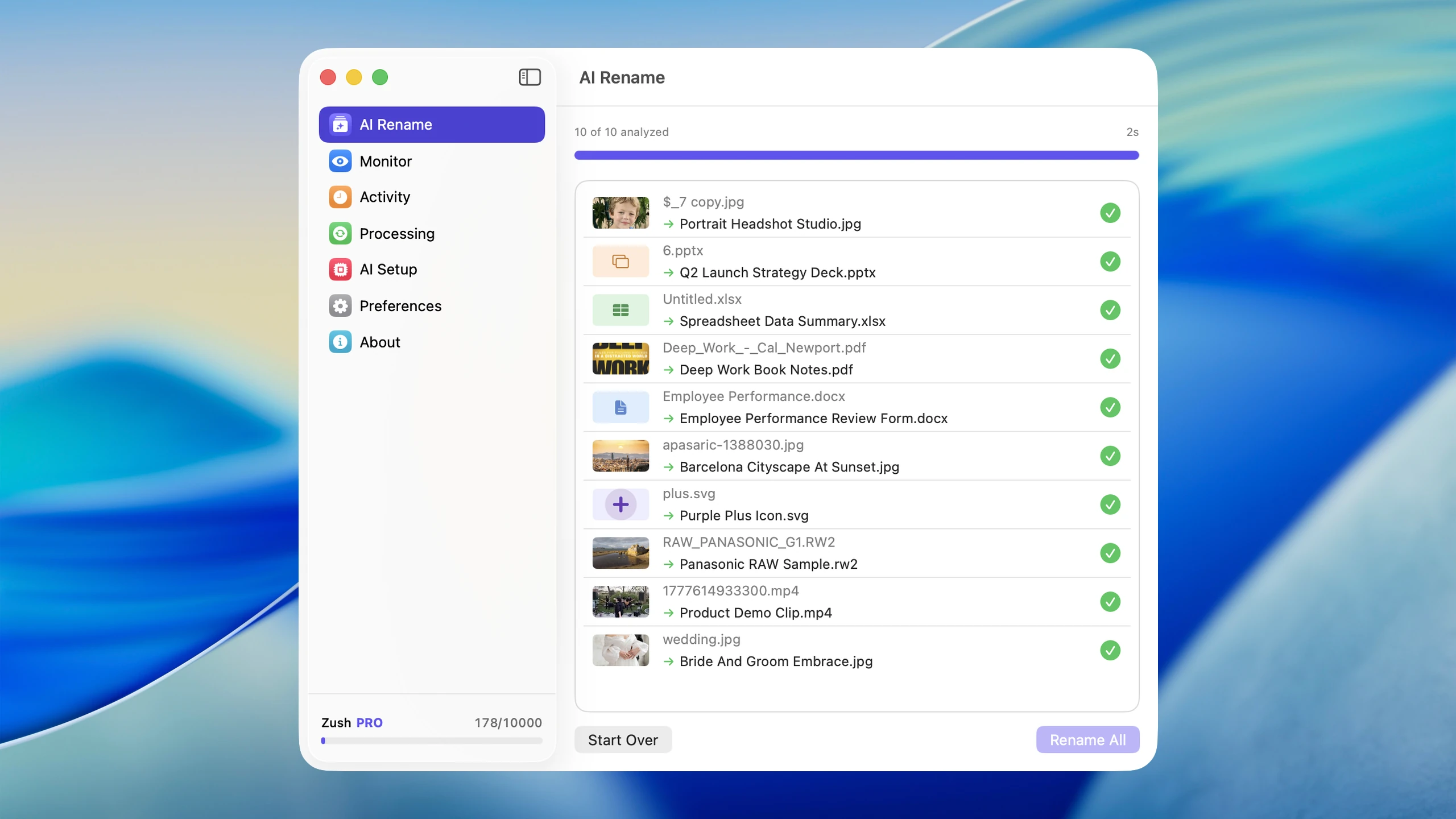
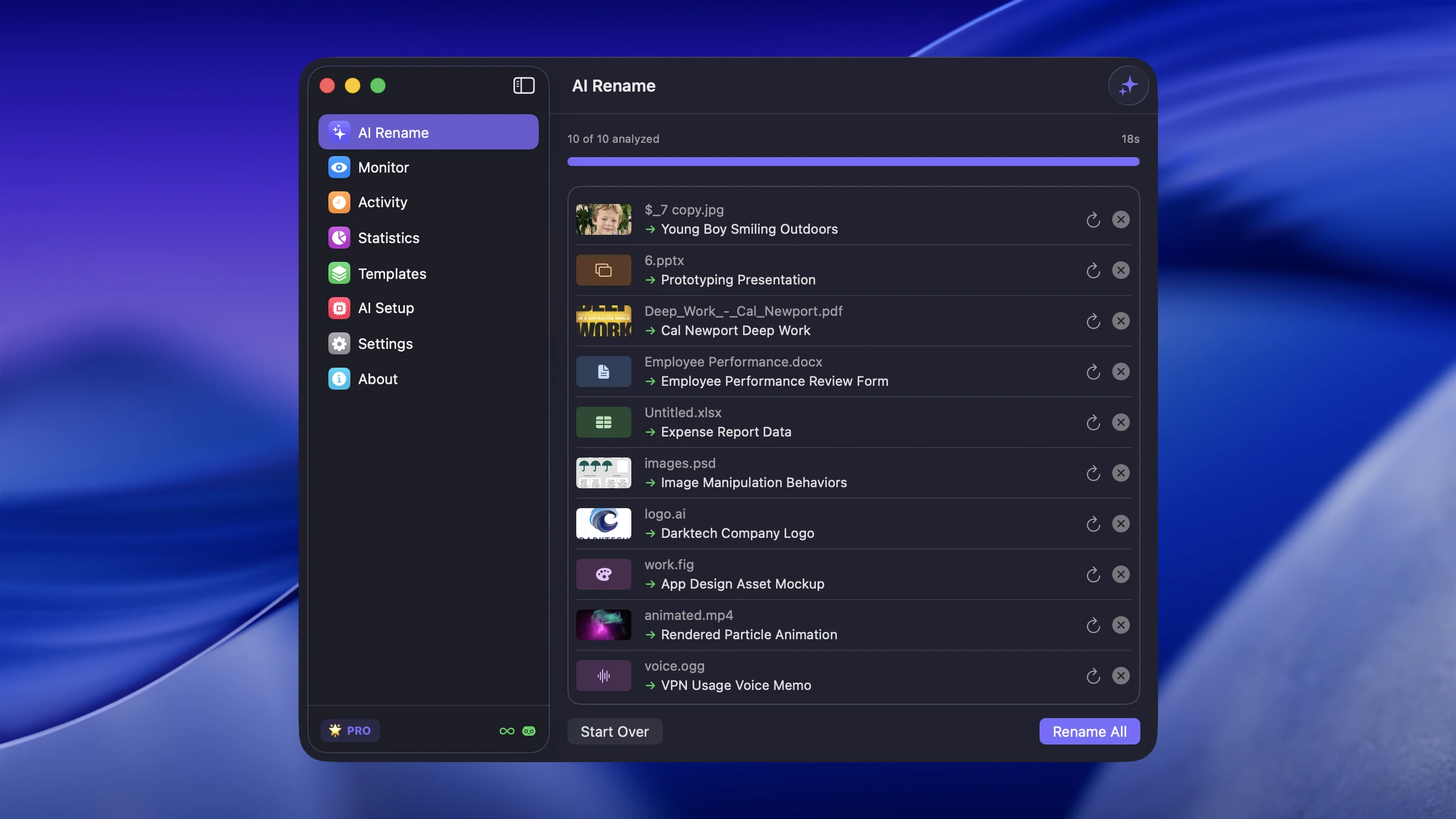
Recommendation: choose Zush for the complete everyday workflow. Consider Advanced Renamer only as a specialist metadata utility when disciplined EXIF/GPS/ID3 rules are the whole job; it does not replace Zush for screenshots, scans, documents, video, audio, or other files whose names must come from content.
For the full Windows lineup, see the best file renamers for Windows 11.
When you also need folders organized
Zush also offers optional AI folder sorting (beta). For a mixed batch of invoices, scans, and photos, choose Auto grouping or write Folder rules such as “Group invoices by company and photos by subject.” The AI proposes folders from content while Naming Blocks still control each filename. This is a separate task from applying an EXIF or text-replacement rule.
Choose a Destination folder, or keep the source folder as the root. Enable Reuse existing folders to prefer suitable folders already there; Zush can create a new one when nothing fits. In a manual batch, review both the suggested names and folders before applying. To rename in place, leave sorting off and keep the original destination.
Save the sorting settings in a Template and assign it to Monitor for new files directly inside the watched folder. This does not reorganize files already processed. Test the Template in a manual batch first. See the folder sorting guide for the setup and monitoring scope.
FAQ
Can Zush sort files into folders as well as rename them?
Yes. Its optional AI folder sorting is in beta on Mac and Windows. Choose Auto or write Folder rules, select the destination, and review both names and groups in a manual batch. A sorting-enabled Template can also process new files directly inside a monitored folder; it does not reorganize files already processed. Leave sorting off and keep the original destination for naming only.
Is Advanced Renamer available for Mac? Yes — Advanced Renamer added a macOS version alongside Windows (current release 4.23, June 2026). Many “Advanced Renamer alternative for Mac” searches predate this.
Is Advanced Renamer free? No. Licenses are one-time purchases (personal and commercial tiers, sold via Paddle) with free upgrades within the 3.xx–4.xx version range.
Can Advanced Renamer name files based on their content? No. It builds names from patterns and file metadata such as EXIF, GPS, and ID3 tags. Naming a file by what it shows or says requires AI content analysis — that’s what the AI batch rename workflow does, with review before applying and full undo.
What is the best Advanced Renamer alternative? Zush is our best overall Advanced Renamer alternative: it adds content-aware naming, broad mixed-format support, Templates, monitoring, review, and rollback on Mac and Windows. Keep Advanced Renamer only for the narrow case where deterministic metadata already contains the complete filename.
Sources checked for this update: Advanced Renamer (version, platforms, features, licensing) and Zush (pricing, platforms, formats).


