Best Duplicate File Finders for Mac in 2026, Compared

Jump to section
Quick answer: for exact copies, the free options are good and a Terminal command costs nothing at all. Pay for a duplicate finder when you need similar-image matching, when the library is large enough that reviewing matters more than scanning, or when you want the cleanup to be part of a job you were doing anyway.
This compares six approaches on the three things that actually differ: what gets matched, what happens to a match, and how you recover a file you should have kept.
The comparison
| Tool | Matches | Does what with a match | Cost model |
|---|---|---|---|
Terminal (shasum) | Exact contents | Prints a list. You delete by hand | Free, built in |
| Photos Duplicates album | Items in the Photos library | Merges, keeping the best version and its metadata | Free, built in |
| dupeGuru | Exact contents, similar filenames, similar images | Mark, then delete, move, copy, or rename | Free and open source |
| Duplicate File Finder (Nektony) | Exact contents, similar folders | Review and delete to Trash; paid tier adds auto selection and folder merging | Free tier with a paid upgrade |
| Gemini 2 (MacPaw) | Exact contents and similar images | Smart Select picks what to remove, then deletes to Trash | Paid, with a limited free mode |
| CleanMyMac (MacPaw) | Exact contents and similar images, inside a wider cleanup suite | Review and delete | Paid suite |
| Zush | Exact contents, within the batch you add | Keep, mark in the filename, or move to Trash during the rename | Free tier with a paid upgrade |
Pricing on all of these moves around, and the vendor pages disagree with the roundups often enough that quoting a number here would age badly. Check the App Store listing or the vendor site before you buy.
What each one is actually for
The Terminal is the honest baseline, and most people skip past it too fast. Three lines list every exact duplicate in a folder and change nothing:
find ~/Downloads -type f -print0 | xargs -0 shasum -a 256 | sort > /tmp/hashes.txtawk '{print $1}' /tmp/hashes.txt | uniq -d > /tmp/dupes.txtgrep -F -f /tmp/dupes.txt /tmp/hashes.txtIt is free, it cannot delete anything by accident, and for one folder it is faster than installing an app. What it does not give you is a review interface, which is the thing you are paying for everywhere below.
The Photos Duplicates album is the right tool whenever the duplicates are inside your photo library, and no third-party app handles that case better. It merges rather than deletes, keeping the higher quality version along with keywords, favorites, and album membership. It covers only the library, so photos sitting loose in a folder are invisible to it.
dupeGuru is free, open source, and the most flexible of the apps. It has separate modes for general files, music, and pictures, and the picture mode does fuzzy matching with an adjustable threshold. Its results pane lets you mark files and then delete, move, copy, or rename them, which is unusual: most of its competitors only delete. The interface shows its age and its defaults expect you to understand what a match threshold does.
Duplicate File Finder from Nektony is free to scan and remove duplicates, with a paid tier that adds automatic selection, folder merging, and selection by folder. It also finds similar folders, which is the feature you want after a sync went wrong and the same directory exists twice under different names.
Gemini 2 is the polished one. Smart Select proposes what to remove and learns from what you override, which is genuinely useful on a library of tens of thousands of photos and genuinely risky on a folder of work documents. It handles similar images, external drives, and has a monitor for newly added duplicates.
CleanMyMac includes duplicate and similar-photo finding inside a general cleanup suite. If you already own it, use what you have. Buying it for duplicates alone means paying for cache cleaning and uninstallers you did not ask for.
Zush is not a disk-wide duplicate scanner, and it would be wrong to present it as one. It compares the files in the batch you give it, matches exact copies by content, and then does something about them inside the renaming pass.
Where Zush fits
The case for a separate duplicate finder is strongest when cleaning is the whole job: a photo library, a backup drive, a folder that only needs to get smaller.
The case against it is the folder that has two problems at once. A Downloads folder full of scan_0041 (1).pdf and IMG_2291 copy.png needs the copies gone and the survivors named, and a duplicate finder leaves you halfway. You run one app, then open another, and the second one re-reads files the first one already read.
In Zush the detection is a Template setting. Copies are matched before analysis and never sent to the AI, so duplicates add nothing to the cost of a batch, and each one is labelled in the list with the file it matches.
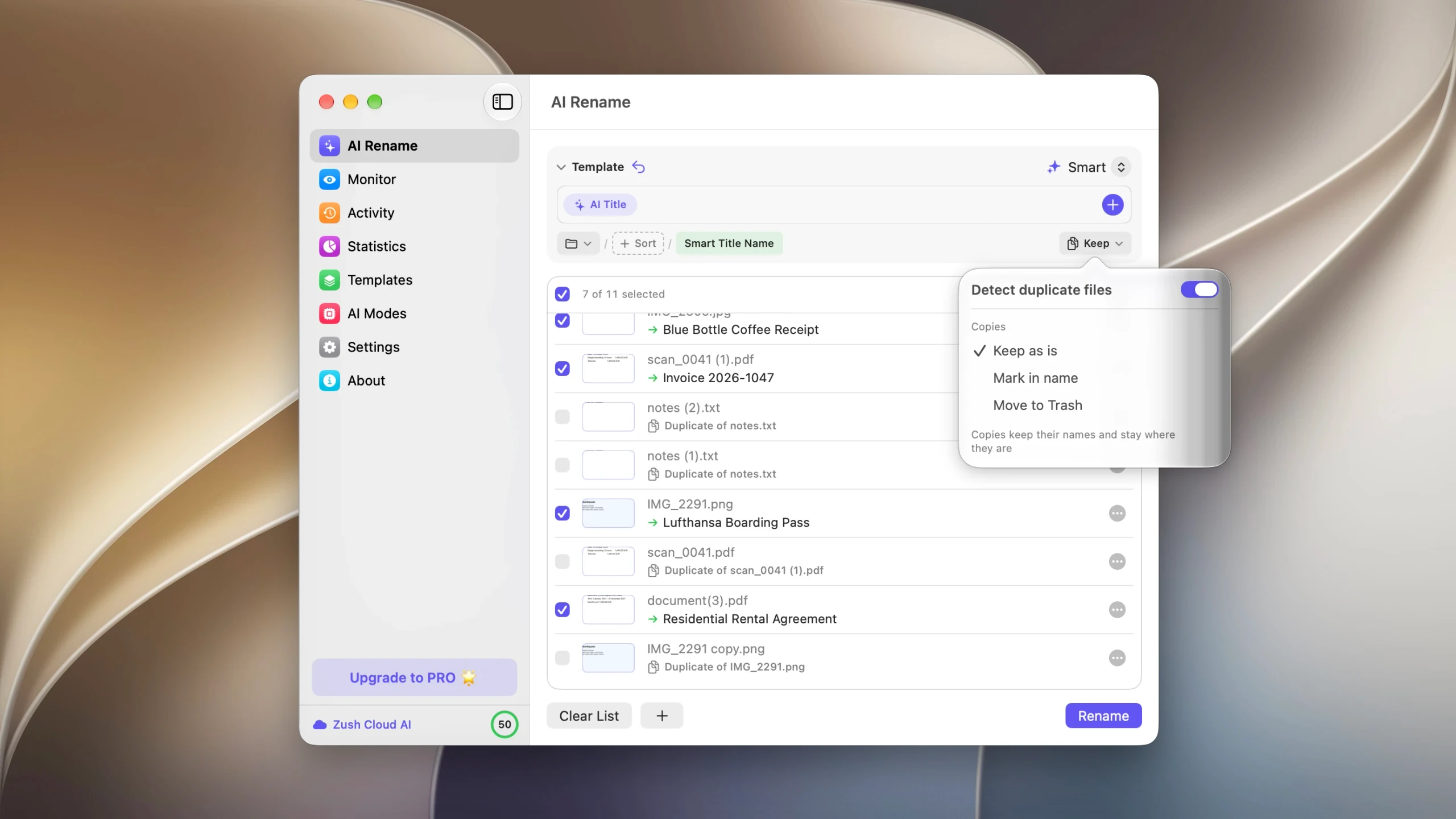
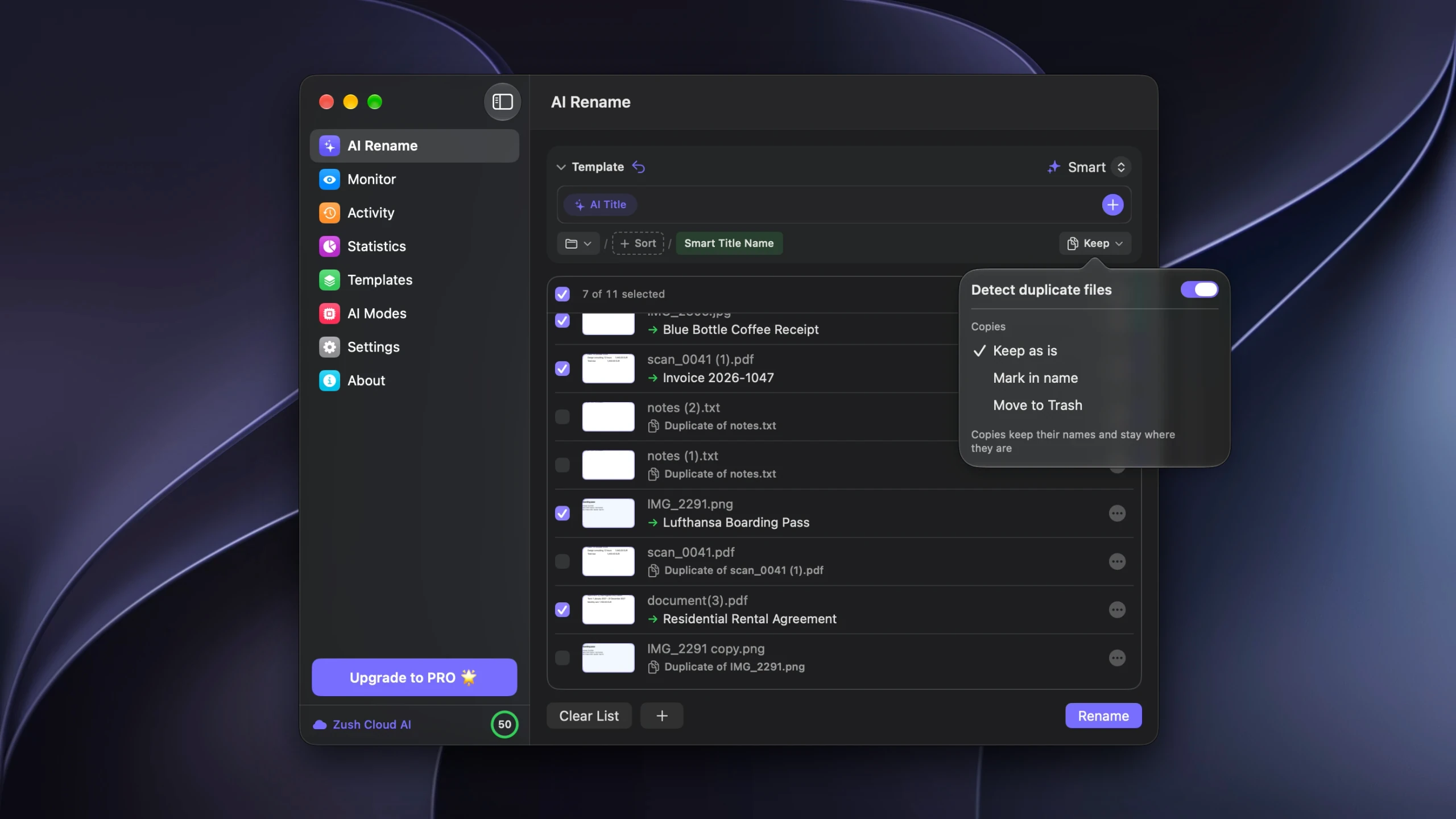
Then they go one of three ways. Keep as is leaves them untouched and unchecked. Mark in name gives each copy the original’s new name with a Duplicate Mark appended, so copies sort next to their originals. Move to Trash removes them when you apply the batch, with the count shown next to the Rename button.
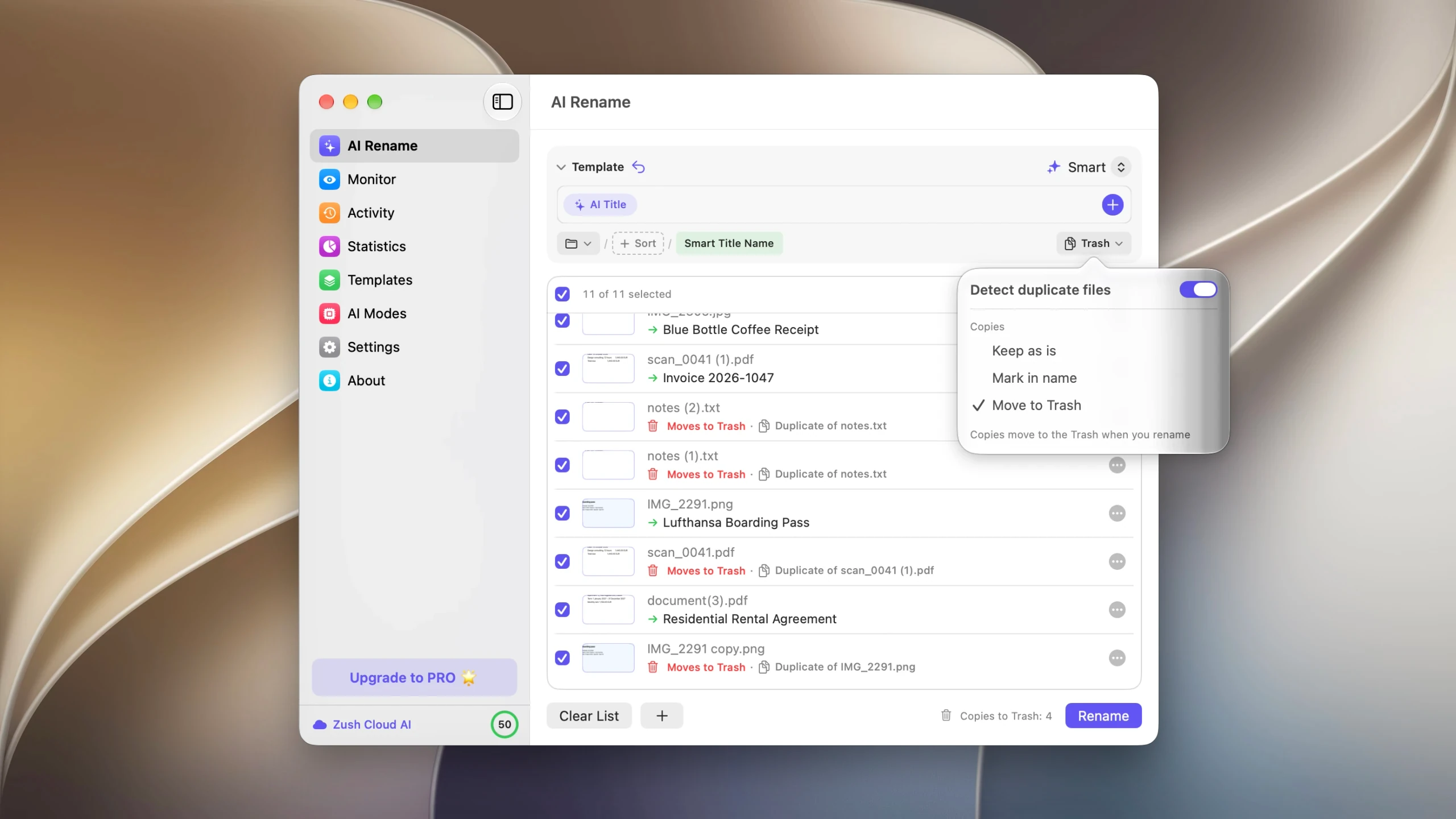
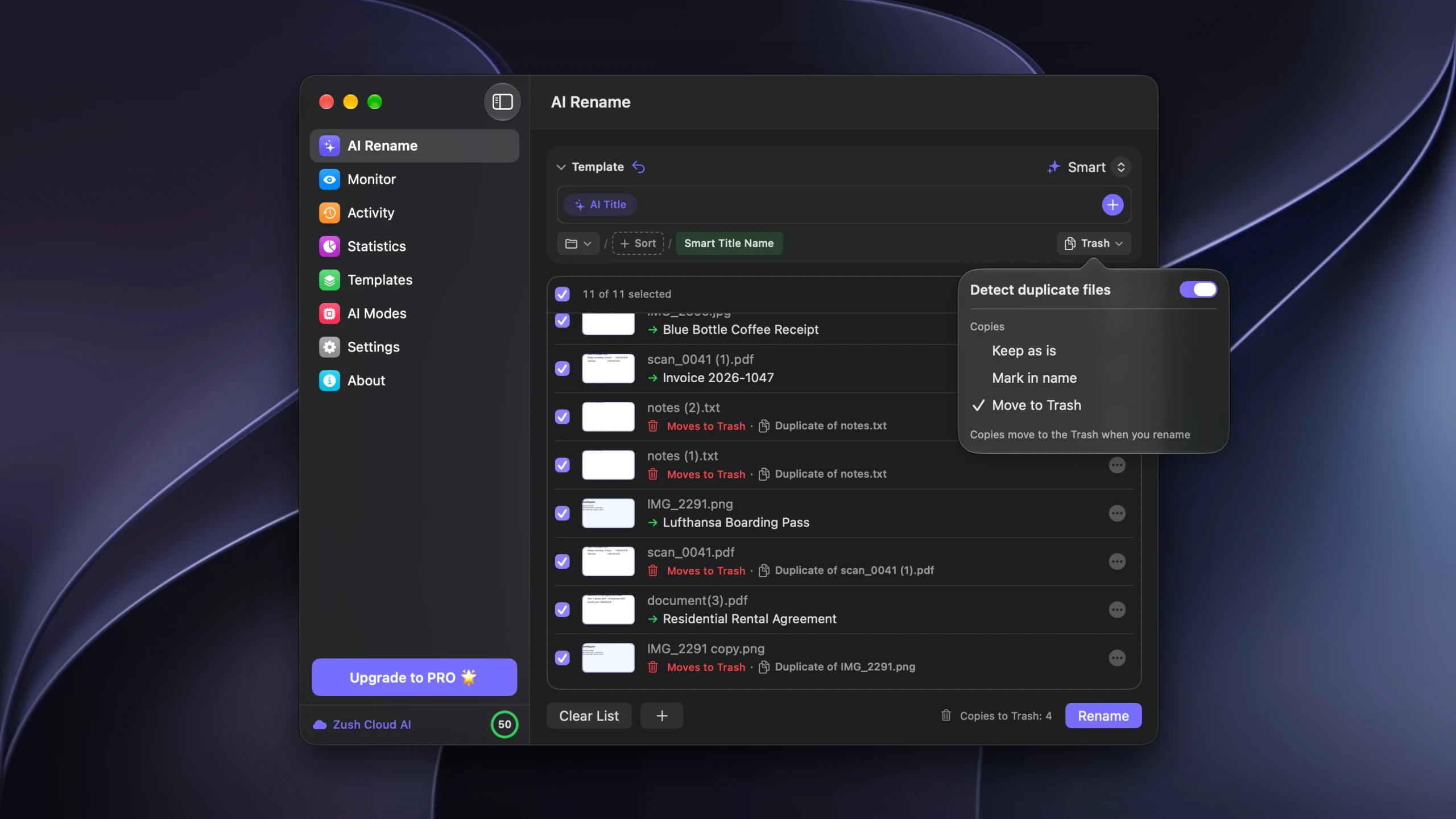
The part that has no equivalent in the apps above is what happens afterwards. Removals are recorded in Activity alongside the renames, and Undo restores the copies to their original folders under their original names in one action. Every tool here deletes to the Trash, so nothing is unrecoverable, but recovery elsewhere means finding the right files in the Trash and dragging them back to folders you have to remember.
There is also a Remove Duplicates Template, built from a single Original Name block, for when the names are already right and you only want the copies cleared.
Picking one
| If you need | Use |
|---|---|
| A definitive list of exact copies, nothing deleted | The Terminal command |
| Duplicates inside the Photos library | The Duplicates album in Photos |
| Similar photos, not just identical ones | Gemini 2, or dupeGuru’s picture mode |
| A free app with a review step | dupeGuru or Duplicate File Finder |
| Duplicate folders after a bad sync | Duplicate File Finder |
| The folder cleaned and renamed in one pass | Zush |
What none of them do
Exact matching will not pair two scans of the same page, a photo and its edited export, or the same document saved as .docx and .pdf. Similar-image matching handles the photo case, with a judgement call on every pair. The others need you.
And no duplicate finder protects you from a bad decision at speed. Whatever you use, send files to the Trash rather than deleting them, leave the Trash unemptied for a few days, and be suspicious of any feature that selects what to delete on your behalf without showing its reasoning.
FAQ
Does macOS have a built-in duplicate file finder?
Only for the Photos library and for Music. Finder has no general duplicate finder, which is why the Terminal command or a third-party app is needed for documents and downloads.
Is a free duplicate finder good enough?
For exact copies, yes. dupeGuru and the free tier of Duplicate File Finder both find and remove them. Paying buys a better review interface, similar-image matching, and bulk selection on large libraries.
What is the safest way to run any of these?
Scan one folder rather than a whole disk, read the groups before acting, delete to the Trash, and leave the Trash alone for a few days. Avoid auto-selection on folders of work documents, where the rule picking the keeper is not one you wrote.
Can a duplicate finder also rename my files?
dupeGuru can rename files it has marked, as one of its post-scan actions. Zush renames by reading what each file contains, and treats duplicate handling as part of that pass. The other apps on this list delete and move.
Do duplicates cost extra to process in Zush?
No. Copies are identified before analysis and never sent to the AI, so a folder that is half duplicates costs the same as the same folder with one of each.


