How to Organize Real Estate Transaction Files

Jump to section
Quick answer: create one root folder per property transaction, keep an 00 Intake folder for unreviewed downloads, organize verified files by transaction stage, and move the final package into a closed-deal archive. The folder structure answers where a file belongs; a property-based naming convention makes each file understandable when it leaves that folder.
This guide covers the folder and handoff workflow. For automatic cleanup of e-signature downloads, see rename DocuSign files by property address. For Zush’s complete real estate workflow, including property media and Offline AI, visit Zush for real estate professionals.
Sort transaction files into folders with AI
Zush can give supported files descriptive names and group them into real folders by content in the same batch. AI folder sorting is in beta on Mac and Windows. Leave Folder rules empty for Auto grouping, or describe the groups in plain language. For transaction files, try:
Group documents by property address when the address is clear. Put ambiguous documents in Review.
- Add a small copied batch in AI Rename and select a Template.
- Enable + Sort and choose the Destination folder, which is the root for the sorted subfolders. Without a separate destination, the source folder remains the root.
- Enter the grouping instruction in Folder rules. Naming Blocks set the filename format separately.
- Enable Reuse existing folders if suitable groups already exist inside the destination root. Zush can create a new folder when none fits.
- Review both the proposed names and folder groups. Correct folder names or file placement before applying the batch.
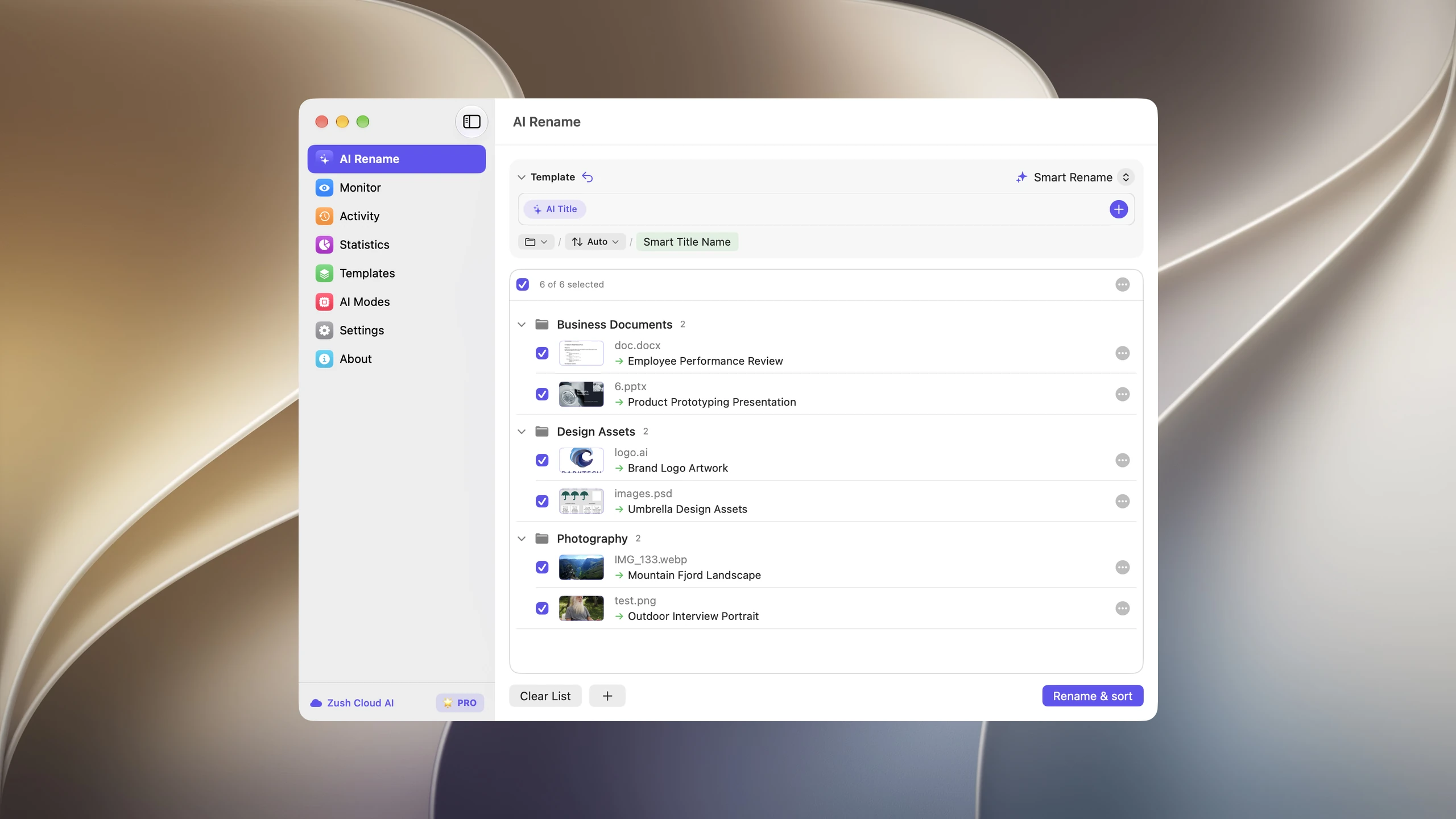
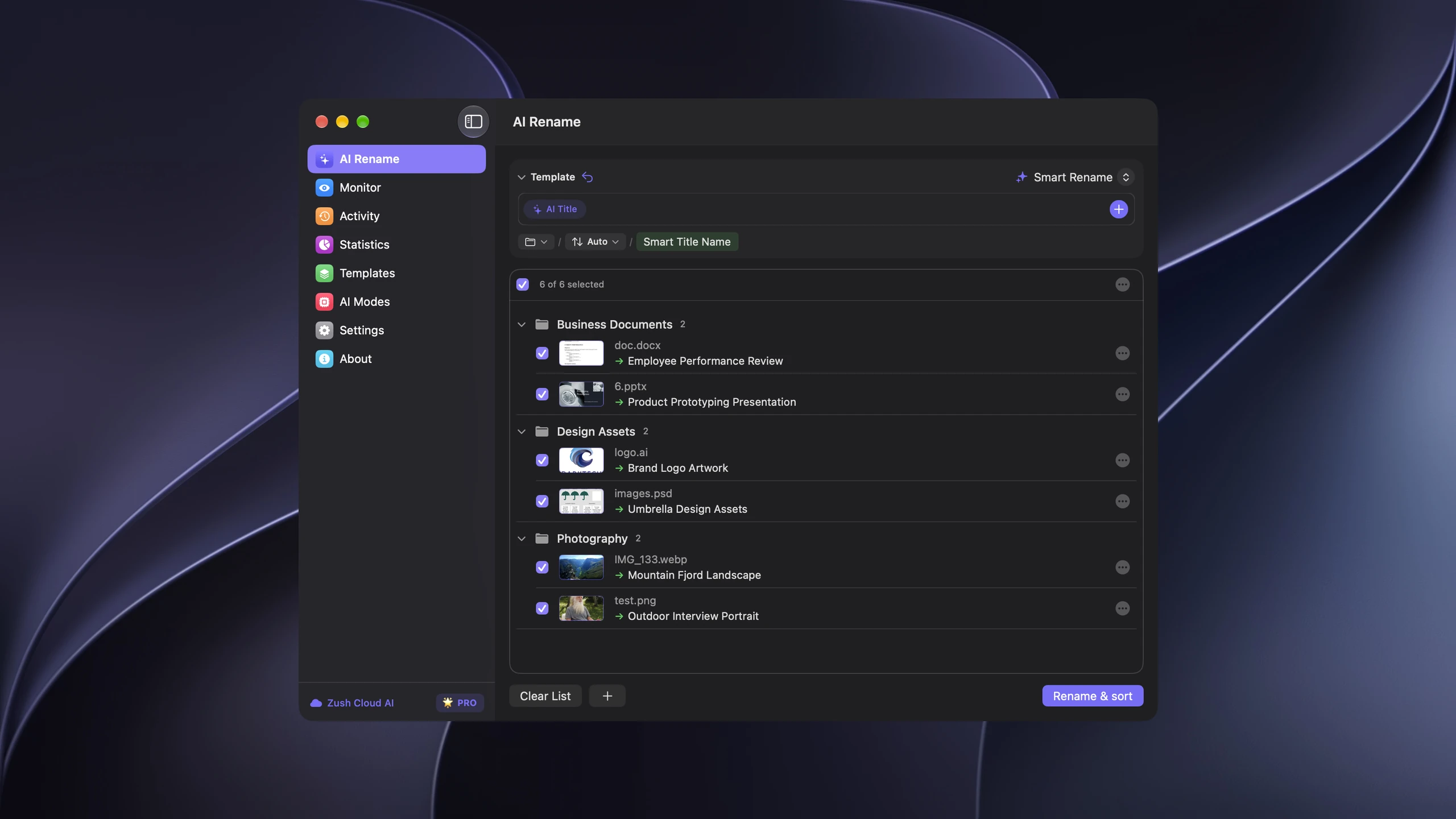
Save the tested destination and rules in the Template. Assign it to Monitor to rename and sort new files arriving directly inside the watched folder. This does not retroactively reorganize files already processed. With sorting off and the original destination selected, files keep their current folder.
Use sorting only for local copies whose placement you are authorized to change. Keep the official record system, access rules, and retention process in place. Review ambiguous identifiers; AI suggestions do not establish identity or record status.
Follow the step-by-step Mac sorting guide or see the folder sorting documentation and 30 example Folder rules.
The transaction folder structure
Use one root folder for one deal. Lead with a brokerage transaction ID if your system has one, then the normalized property address:
Active Transactions/ TX-2026-0184 - 742 Evergreen Terrace/ 00 Intake/ 01 Agency and Client/ 02 Offers and Contract/ 03 Disclosures/ 04 Inspections and Repairs/ 05 Financing and Appraisal/ 06 Title and Escrow/ 07 Closing Package/ 08 Property Media/The numbers keep folders in transaction order. 00 Intake is intentionally first because it is a queue, not an archive. A file stays there until someone has identified it, checked that it belongs to the property, and given it a useful name.
Do not create a deep tree for its own sake. If a small transaction has twelve documents, combine stages. The structure should reduce decisions, not add them.
1. Separate intake from the official transaction record
Downloads, email attachments, scanner output, inspection photos, and lender requests arrive with weak filenames and uncertain status. Putting them directly into the final folders creates two problems: duplicates look authoritative, and nobody can tell what has been reviewed.
Route new files into one staging location:
00 Intake/ DocuSign_892347234.pdf download (8).pdf Scan_20260605_094511.pdf IMG_4821.jpgThe review step should answer four questions:
- Which property does this belong to?
- What kind of document or media is it?
- Is it a draft, submitted copy, executed copy, or superseded version?
- Which stage folder should hold the accepted copy?
Zush handles the identification and naming layer. It does not decide whether a document satisfies a brokerage checklist, replace a transaction coordinator, or move files into stage folders.
2. Keep agreements and amendments together
Offers, counters, addenda, and the executed purchase agreement tell one contractual story. Keep them in 02 Offers and Contract, with factual statuses in the filenames:
02 Offers and Contract/ 742 Evergreen Terrace - 2026-06-01 - Offer - Submitted.pdf 742 Evergreen Terrace - 2026-06-03 - Counteroffer - Signed.pdf 742 Evergreen Terrace - 2026-06-12 - Purchase Agreement - Executed.pdf 742 Evergreen Terrace - 2026-06-15 - Financing Addendum - Signed.pdfKeep superseded drafts only when policy or the transaction requires them. Mark them clearly instead of leaving several identical final files in the active folder. Your broker, regulator, insurer, or counsel determines retention requirements; the folder system only makes the chosen policy easier to apply.
3. Group inspections with the resulting repair record
An inspection workflow usually produces more than one report. The useful unit is the sequence from finding to resolution:
04 Inspections and Repairs/ 742 Evergreen Terrace - 2026-06-08 - Inspection Report.pdf 742 Evergreen Terrace - 2026-06-10 - Repair Request - Submitted.pdf 742 Evergreen Terrace - 2026-06-14 - Seller Response - Signed.pdf 742 Evergreen Terrace - 2026-06-17 - Roof Repair Receipt.pdfProperty photos taken during inspection can stay in a subfolder here, while polished listing media belongs in 08 Property Media. Both should keep the normalized address so a copied image still identifies its property.
4. Keep lender, title, and escrow files distinct
Financing, title, and escrow involve different senders and different deadlines. Separate folders prevent a new title commitment from disappearing among lender requests, and they make the closing package easier to assemble.
05 Financing and Appraisal/  742 Evergreen Terrace - 2026-06-18 - Appraisal.pdf  742 Evergreen Terrace - 2026-06-22 - Loan Approval Letter.pdf
06 Title and Escrow/  742 Evergreen Terrace - 2026-06-05 - Title Commitment.pdf  742 Evergreen Terrace - 2026-06-25 - Settlement Statement - Draft.pdf
Wire instructions and documents containing account information need extra care. Keep unnecessary financial details out of filenames, follow the brokerage’s approved delivery channel, and restrict access through the system that stores the files. A file renamer does not provide access control.
5. Build the closing package from verified copies
07 Closing Package should contain only the accepted copies used for closing and post-close reference. It is not another downloads folder.
A package may include the executed agreement and addenda, required disclosures, inspection resolution, appraisal, title documents, closing disclosure, settlement statement, and recorded documents. The exact checklist depends on the deal, brokerage, and jurisdiction.
Keep the package flat when possible. Consistent names make the set readable without another index:
07 Closing Package/ 742 Evergreen Terrace - 2026-06-12 - Purchase Agreement - Executed.pdf 742 Evergreen Terrace - 2026-06-15 - Financing Addendum - Signed.pdf 742 Evergreen Terrace - 2026-06-18 - Appraisal.pdf 742 Evergreen Terrace - 2026-07-02 - Closing Disclosure - Final.pdf 742 Evergreen Terrace - 2026-07-03 - Deed - Recorded.pdf6. Close the deal without destroying the working record
After the transaction closes:
- Finish the required brokerage or regulatory checklist in the system responsible for it.
- Confirm that the archive contains accepted copies rather than unresolved downloads.
- Remove unnecessary duplicates according to policy.
- Move the root folder from
Active Transactionsto the appropriate year inClosed Transactions. - Apply the organization’s access, backup, and retention rules.
Closed Transactions/ 2026/ TX-2026-0184 - 742 Evergreen Terrace/Do not treat a local folder as the only official record unless that matches the brokerage’s policy. Zush works on the file layer around a transaction system; it does not replace the system’s permissions, audit trail, retention controls, or compliance workflow.
Automate the repetitive intake step
A folder structure fails when incoming files never receive enough context to leave 00 Intake. Use a Zush Template that extracts the property address, document date, controlled type, party, status, and transaction ID. Run it first on a copied batch, then point folder monitoring at the intake folder once the results are dependable.
For files with client, financial, or transaction details, choose the processing mode deliberately. Offline AI analyzes supported files with local models on Mac or Windows, while BYOK uses the provider account controlled by the brokerage. The privacy documentation explains what each mode processes.
FAQ
What folders should a real estate transaction have?
Start with Intake, Agency and Client, Offers and Contract, Disclosures, Inspections and Repairs, Financing and Appraisal, Title and Escrow, Closing Package, and Property Media. Combine stages for simple deals rather than maintaining empty folders.
Should transaction files be organized by client or property?
Use one root folder per property transaction. A client may participate in several transactions, while agreements, inspections, title records, and photos usually belong to one property and one deal. Add a transaction ID when the brokerage uses one.
Where should DocuSign downloads go first?
Put them in 00 Intake until the property, document type, parties, execution date, and status have been verified. The DocuSign file renaming guide explains how to automate that step without claiming a native integration.
Should property photos live with transaction documents?
Keep listing and inspection media in a dedicated media folder under the same property root. Use a photo-specific naming Template, but retain the same normalized address used by the PDFs.
Does this replace a transaction management system?
No. The folder workflow covers files that arrive before, beside, or outside a transaction system. Deadlines, permissions, signatures, compliance checklists, communication, and the official transaction record remain in the systems your brokerage approves.


