BYOK AI File Renaming: Setup, Providers & Costs (2026)

Jump to section
Quick answer: BYOK (Bring Your Own Key) lets you connect your own Gemini, OpenRouter, OpenAI, or Claude API key to Zush and pay that provider directly. BYOK does not make the FREE plan unlimited: FREE still includes 50 shared AI renames, while PRO removes the Zush rename limit. Provider quotas and charges remain separate.
Provider support and billing notes last checked September 2, 2026.
If you are deciding between BYOK, built-in cloud credits, and local Ollama processing, start with Cloud AI vs Local AI File Renaming.
Choose a BYOK provider
| Provider | Best starting point | Free API tier | Typical reason to choose it |
|---|---|---|---|
| Gemini | Most first-time BYOK users | Yes, subject to Google limits | Low-cost multimodal image and document analysis |
| OpenRouter | Choosing from a broad model catalog | Depends on the selected model and account | One key and billing account for compatible models from multiple providers |
| OpenAI | Existing OpenAI API users | Usually paid usage | Familiar GPT models and account controls |
| Claude | Detailed visual descriptions | Usually paid usage | Specific descriptions for visually complex files |
Provider plans, models, prices, and rate limits can change. Confirm the current terms in the provider dashboard before processing a large batch.
Five-minute BYOK setup
- Create an API key in the provider’s official dashboard.
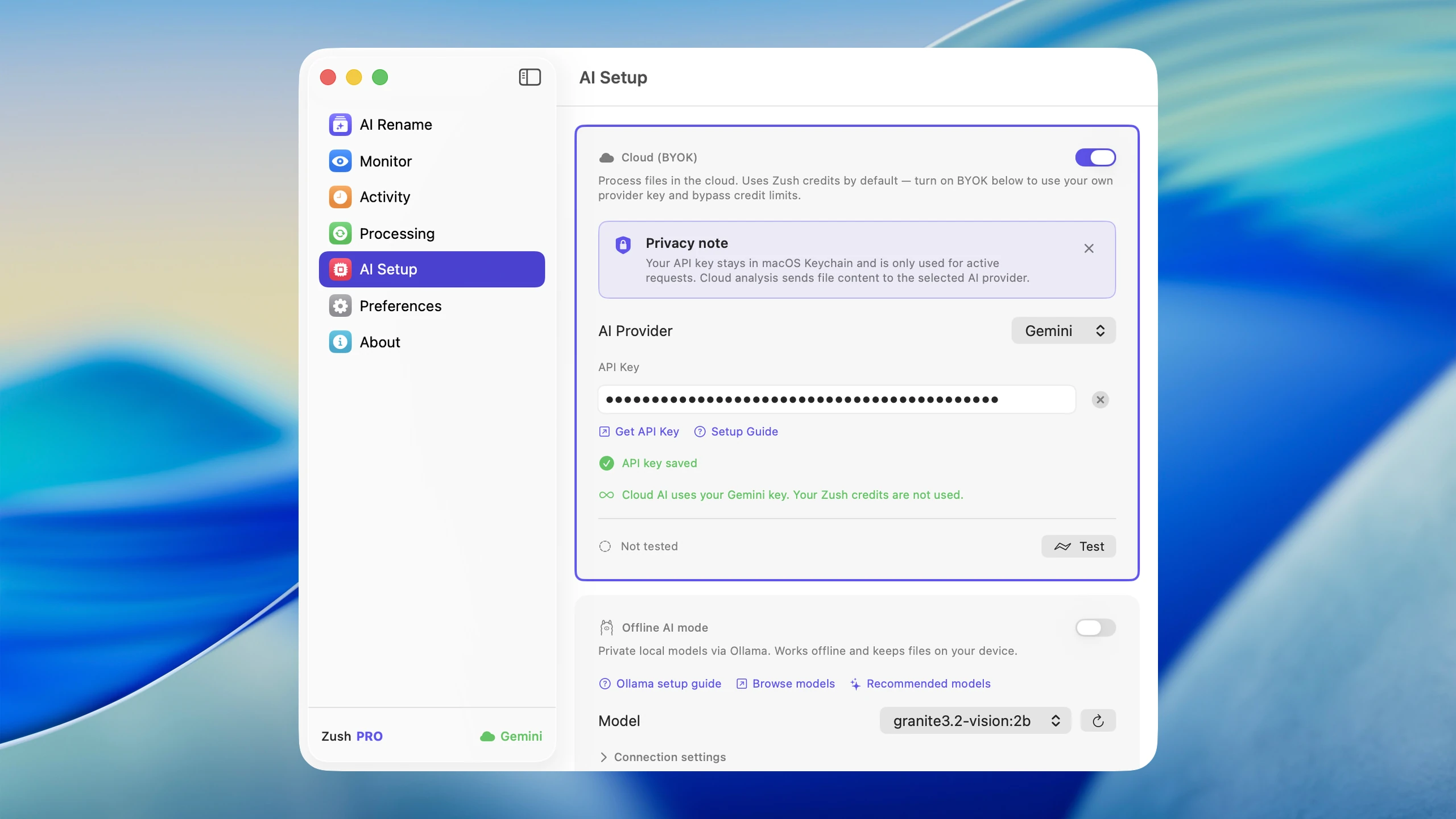
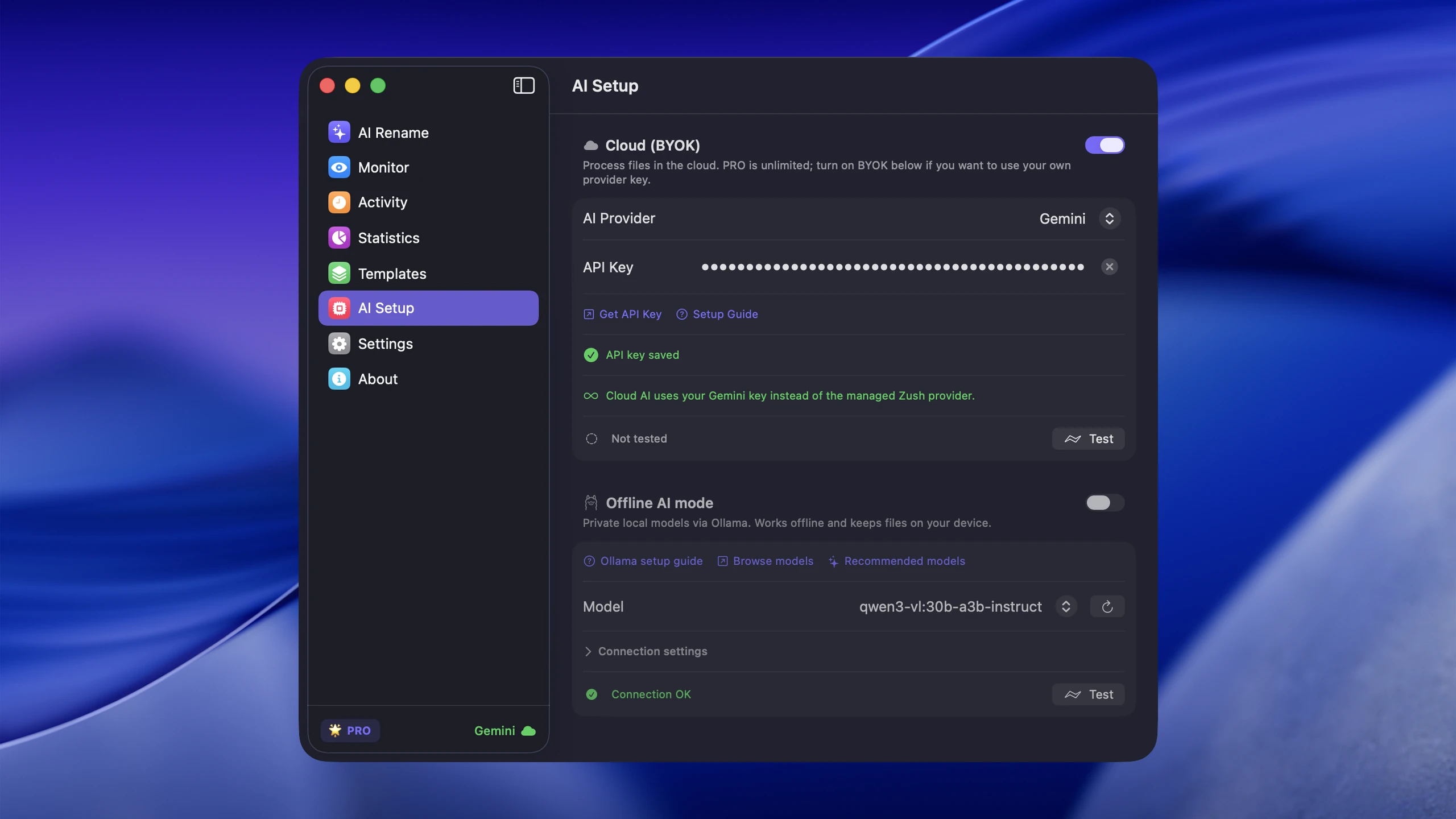
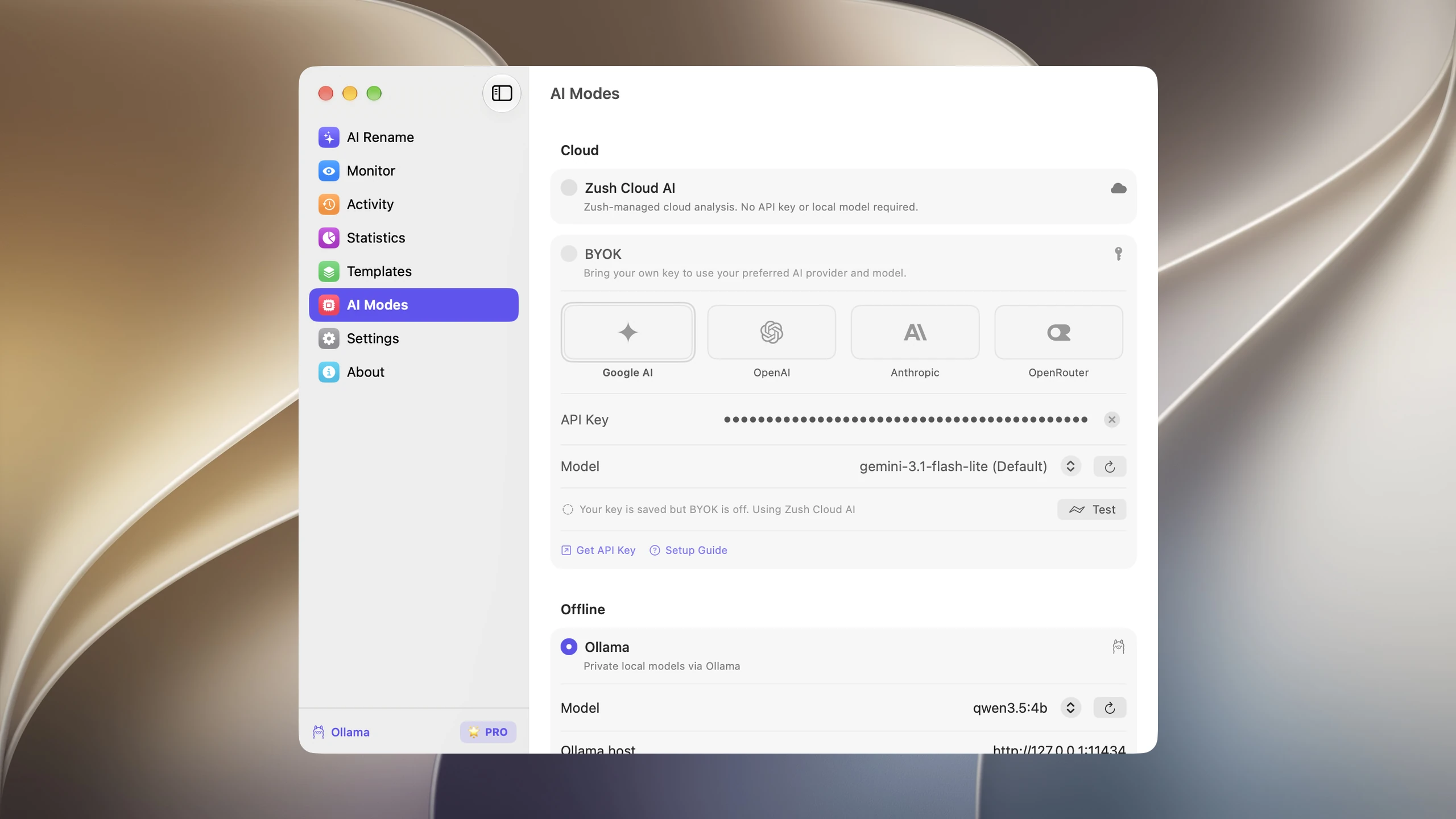
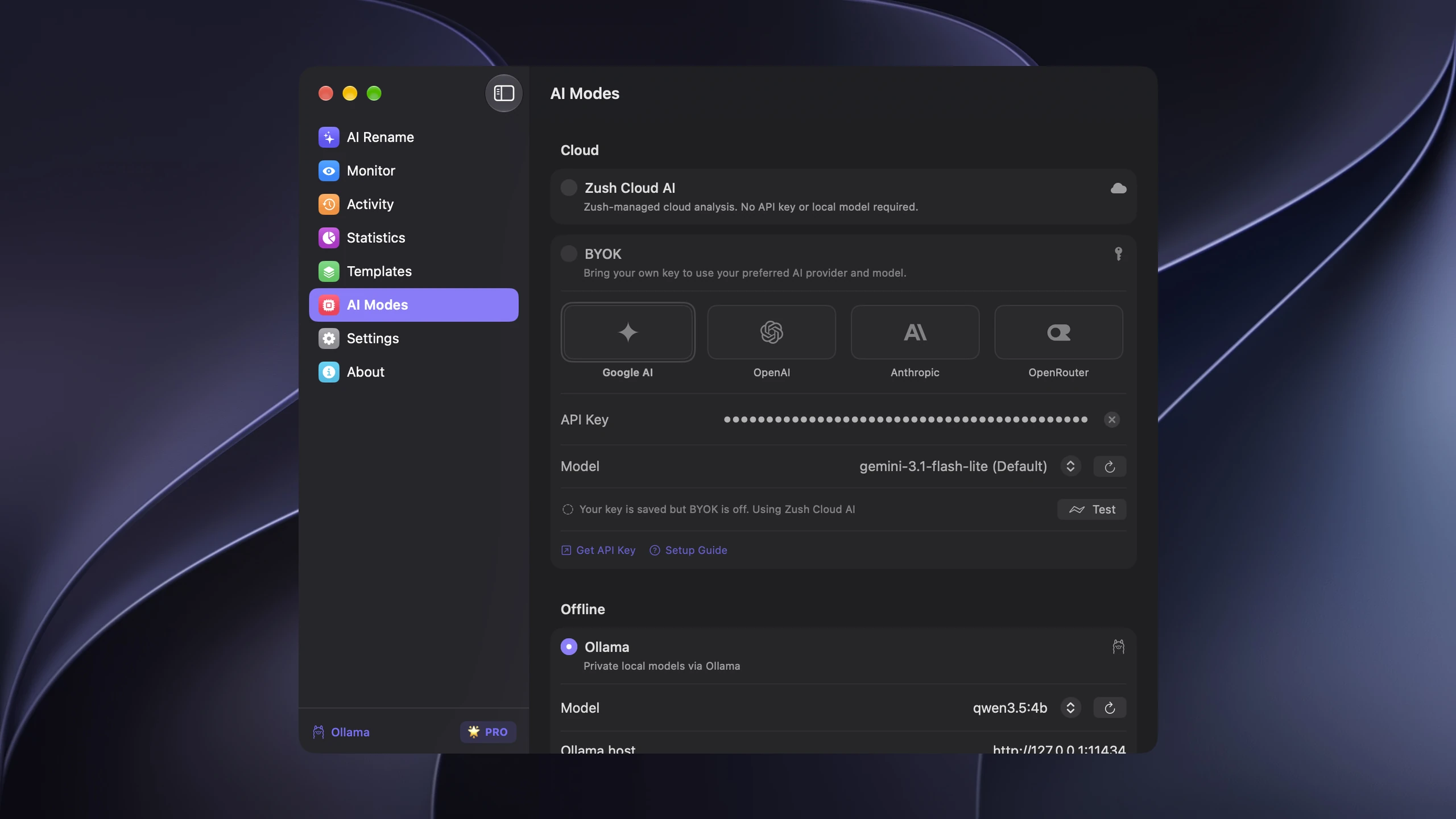
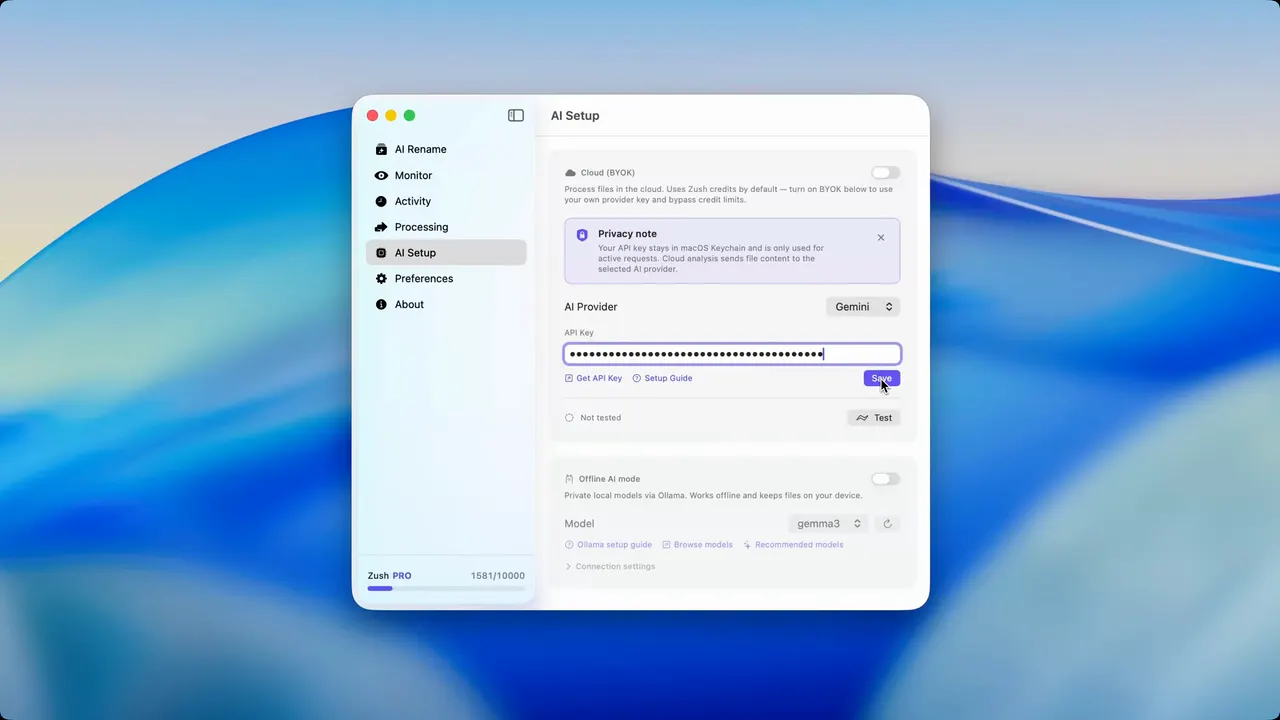
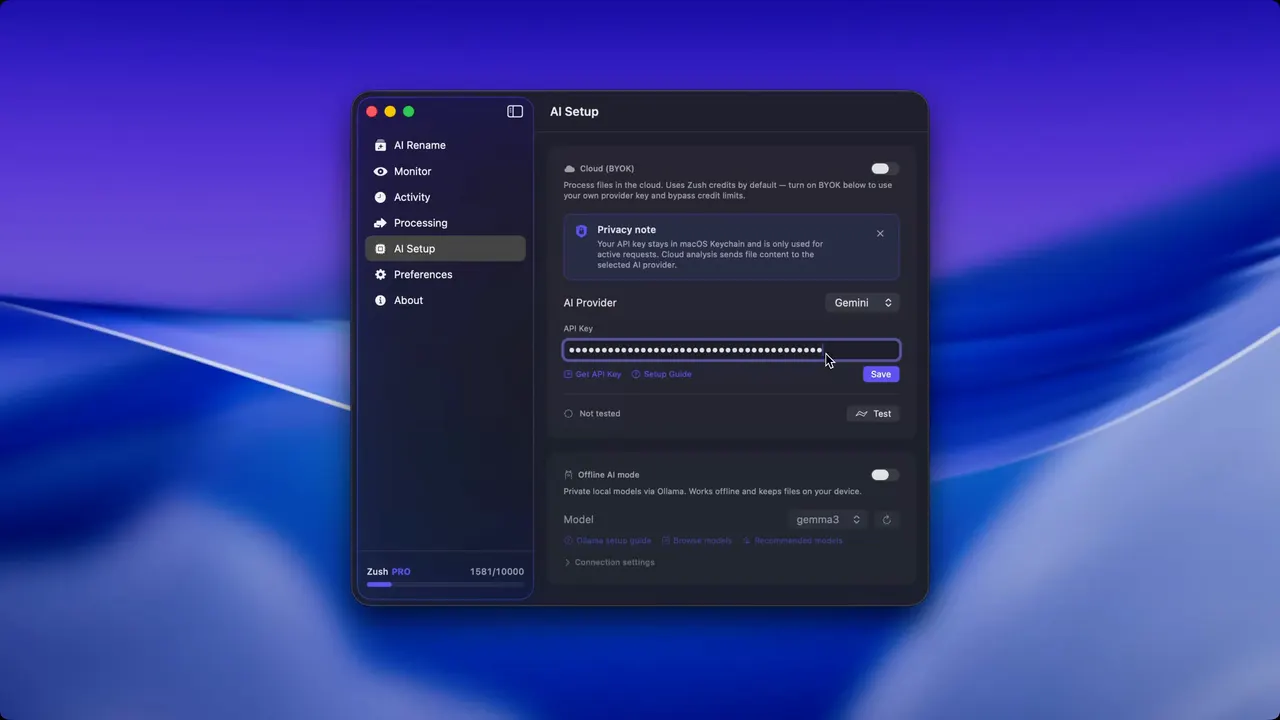
- Open Zush and go to Settings → AI Modes → BYOK.
- Select the provider and paste the key.
- Run the connection test.
- Add a small sample batch and review the proposed filenames before applying them.
In current Mac builds, the key is stored locally in macOS Keychain. When BYOK is enabled, Zush relays the analysis request through its backend to your selected provider using your key for that request. The provider returns the result and bills your account at its standard API rates; Zush does not add a provider-usage markup.
What BYOK means in practice
When you use Zush Cloud AI, the AI processing happens through Zush’s managed infrastructure. BYOK changes the provider and billing path: your API key provides access, Zush relays the request through its backend, and the provider bills your account.
The practical result:
- 50 shared renames on FREE, or no Zush rename limit on PRO
- You pay the AI provider directly at their published rates
- You choose which provider and model to use
- You can switch providers at any time
- Your API key is stored locally in secure platform storage and sent transiently only when Zush needs to validate it or process a BYOK request
Why BYOK matters
Free access and unlimited PRO
BYOK is available from the free plan: its renames count toward the same 50-rename allowance as Cloud AI and Offline AI. PRO removes the Zush limit, so higher-volume workflows are then governed only by the selected provider’s quota, billing, and model availability.
Cost control
You see exactly what each rename costs because it appears on your provider’s dashboard. There is no bundled pricing or opaque credit system. For high-volume users, this is often cheaper per rename than any credit-based plan.
Provider choice
Different AI providers have different strengths. Some are faster, some are cheaper, some handle certain image types better. BYOK lets you pick the one that fits your workflow and switch if your needs change.
Privacy preferences
Some users prefer to control which AI provider processes their files. BYOK gives you that choice. You select the provider, you read their privacy policy, and you manage the relationship directly.
Supported providers
Zush supports four AI providers for BYOK. Each has different pricing, speed, and availability characteristics.
Gemini (Google)
Gemini is Google’s multimodal AI. It handles images and documents well, and it is one of the most cost-effective options for file renaming.
- Free tier: Yes. Google offers a free tier for the Gemini API with generous rate limits for personal use.
- Paid pricing: Very low per-request cost once you exceed the free tier.
- Speed: Fast. Google’s infrastructure handles requests quickly.
- Best for: Users who want to start with zero cost and scale up only if needed.
OpenRouter
OpenRouter provides one API and billing account for models served by multiple upstream AI providers. Zush loads the compatible models available to your OpenRouter key so you can choose one in AI Modes.
- Free tier: Availability depends on OpenRouter’s current catalog, the selected model, and your account.
- Paid pricing: Usage is billed through OpenRouter according to the selected model and routing options.
- Model choice: Compatible text-and-image models appear after the key is saved.
- Best for: Users who want to compare or switch compatible models without creating a separate provider integration for each one.
OpenAI
OpenAI provides multimodal models that can analyze images and documents.
- Free tier: No free tier, but new accounts may receive initial credits.
- Paid pricing: Metered API pricing; the cost depends on model choice, image size, and token usage.
- Speed: Good. Response times are consistent and reliable.
- Best for: Users who already have an OpenAI account or prefer GPT-based models.
Claude (Anthropic)
Claude is Anthropic’s AI with strong visual understanding and detailed analysis capabilities.
- Free tier: No free tier, but new accounts may receive initial credits.
- Paid pricing: Metered API pricing; the cost depends on model choice, file type, and token usage.
- Speed: Good. In our testing Claude wrote the most specific descriptions for screenshots with mixed visual content.
- Best for: Users who want detailed, accurate content descriptions, especially for complex images and documents.
How provider billing works
There is no single BYOK price per rename. The final provider charge depends on the selected model, file type, input size, prompt length, output length, account tier, and any routing options. Check the current price in the provider dashboard before monitoring a high-volume folder.
| Provider | Where usage is billed | What changes the cost |
|---|---|---|
| Gemini | Google AI account | Gemini model, input and output usage, account tier |
| OpenRouter | OpenRouter account | Selected model, upstream routing, input and output usage |
| OpenAI | OpenAI project | OpenAI model, input and output usage |
| Claude | Anthropic account | Claude model, input and output usage |
Run a representative sample batch, inspect its provider usage, and multiply from that result. This is more reliable than a fixed estimate because an ebook, a short screenshot, and a long document can produce very different request sizes.
Step-by-step setup for each provider
For the quick-start version of these instructions inside Zush, see the BYOK setup guide.
Setting up Gemini
- Go to Google AI Studio and sign in with your Google account
- Navigate to the API keys section and create a new API key
- Copy the key
- Open Zush, go to Settings, and select the BYOK / API Key section
- Choose Gemini as your provider and paste the key
- Test the connection with a sample rename
That is the entire setup. Renames will now use your Gemini key with no monthly limit.
Setting up OpenRouter
- Go to OpenRouter API Keys and sign in or create an account
- Create a new API key
- Copy the key
- In Settings → AI Modes → BYOK, select OpenRouter and paste the key
- Save the key and choose one of the compatible models Zush loads
- Test with a sample file
OpenRouter model availability and pricing vary by model. Review the model details and your account limits before running a large batch.
Setting up OpenAI
- Go to OpenAI Platform and sign in or create an account
- Navigate to API keys and create a new secret key
- Add a payment method if you do not have initial credits
- Copy the key
- In Zush Settings, select OpenAI as your provider and paste the key
- Test with a sample rename
OpenAI charges per token, so costs scale linearly with usage. For file renaming, each request is small.
Setting up Claude
- Go to Anthropic Console and create an account
- Navigate to API Keys and generate a new key
- Add a payment method to your account
- Copy the key
- In Zush Settings, select Claude as your provider and paste the key
- Test with a sample file
Claude tends to write longer, more specific descriptions, which translates to more specific filenames.
When to use BYOK vs. credits
BYOK is not always the right choice. Here is how to decide.
Use the free plan (50 renames to start) when:
- You rename files occasionally, not daily
- You mainly use Zush for one-off cleanup projects
- You want zero setup and zero cost
Use PRO when:
- You rename files regularly and want unlimited PRO renames
- You prefer $10/month or $48 one-time over managing an API key
- You do not want to think about provider setup
Use BYOK when:
- You process large volumes of files (hundreds or thousands per month)
- You want no cap on renames under any circumstances
- You already have an API key with a supported provider
- You want to choose or switch your AI provider
- You want direct cost visibility through your provider’s billing dashboard
Tips for choosing a provider
Compare Gemini and OpenRouter if model choice matters most
Gemini is a direct provider route, while OpenRouter gives you a catalog of compatible models behind one account. Run the same representative files through the models you are considering, then compare filename quality, latency, and the provider usage shown in each dashboard.
Choose OpenAI if you want broad model compatibility
OpenAI is a direct route for users who already manage an OpenAI project and want its compatible multimodal models available inside the Zush workflow.
Choose Claude if description quality is your priority
Claude tends to write longer, more context-aware descriptions. If you work with complex images, detailed documents, or files where the filename really needs to capture subtle content, Claude is worth the extra per-call cost.
Switch providers any time
You are not locked in. You can change your API key or provider in Zush Settings at any point. Some users start with Gemini’s free tier and switch to OpenAI or Claude later when they want different output characteristics. Your rename history and naming patterns are preserved regardless of which provider you use.
BYOK and folder monitoring
BYOK pairs naturally with folder monitoring. Files arrive in monitored folders, Zush detects them, sends the analysis request to your chosen AI provider, and renames them with zero manual input. FREE uses the shared 50-rename allowance; PRO removes the Zush rename cap.
This is the most hands-off setup available. For a detailed guide on folder monitoring, see the post on automatic file renaming with folder monitoring.
Security and privacy
Your API key is stored locally in secure platform storage. It is sent transiently to the Zush backend when BYOK is enabled or used; the backend forwards the analysis request to the selected provider and does not permanently store the key. With OpenRouter, both OpenRouter and the upstream provider serving the selected model may process the request. Review the relevant provider policies if privacy or data residency is a deciding factor.
Conclusion
BYOK gives you provider control. Choose Gemini, OpenAI, or Claude for a direct provider relationship, or OpenRouter when you want to choose among compatible models through one account. Test a representative batch and confirm current provider pricing before committing to an automated workflow.
For a comparison of Zush against other tools in this category, see Mac AI renamer tools comparison and AI renamer tools comparison. To get started with Zush, FREE includes 50 renames across Cloud AI, BYOK, and Offline AI; PRO removes the limit.
To see what each plan really costs at your volume, read how much AI file renaming costs.


