Zush vs Wisfile: Free Renamer or AI File Organizer? (2026)

Jump to section
Quick answer: pick Wisfile if you have a folder of PDFs or Word documents, want them renamed once, and do not want to pay. Pick Zush if your folders also hold screenshots, photos, scans, spreadsheets, or video, if new files keep arriving, or if you need to undo a batch later. Both run on Mac and Windows and both can keep processing on your computer.
Last checked: October 16, 2026. Written by the maker of Zush. Wisfile details come from its website, downloads page, and FAQ. This compares published features, not a shared benchmark.
Zush vs Wisfile at a glance
| Zush | Wisfile | |
|---|---|---|
| Price | 50 free renames; $10/mo or $48 one-time, no file meter | Free, all features |
| Platforms | Mac, Windows | Mac, Windows; Linux announced |
| File types | PDFs and scans, photos incl. RAW and HEIC, screenshots, Office and iWork, design files, video, audio | Word (.doc, .docx) and PDF, per its FAQ |
| AI processing | Zush Cloud AI, your own API key, or local with Ollama or LM Studio | Built-in local engine only; no model choice |
| Naming control | Templates plus 145+ Naming Blocks and Custom AI Blocks | Custom templates such as Author-Year-Title |
| Folder sorting | Auto or plain-language Folder rules (beta), reuses existing folders | AI Foldering by subject, field, or journal |
| Preview | Yes | Yes |
| Automation | Monitor renames and sorts new files | Manual runs only; no scheduling |
| Undo | Rename History reverts applied batches | No built-in undo, per its FAQ |
| Extras | Finder tags and Spotlight metadata on Mac | Metadata remover |
Where Wisfile is stronger
It is free. Every feature, no sign-up, no monthly cap. Zush gives 50 free renames and then needs a license.
It is local with zero setup. Wisfile ships its own engine, so nothing to install or configure. Zush can run locally too, but you first install Ollama or LM Studio and pick a model; otherwise it uses a cloud route.
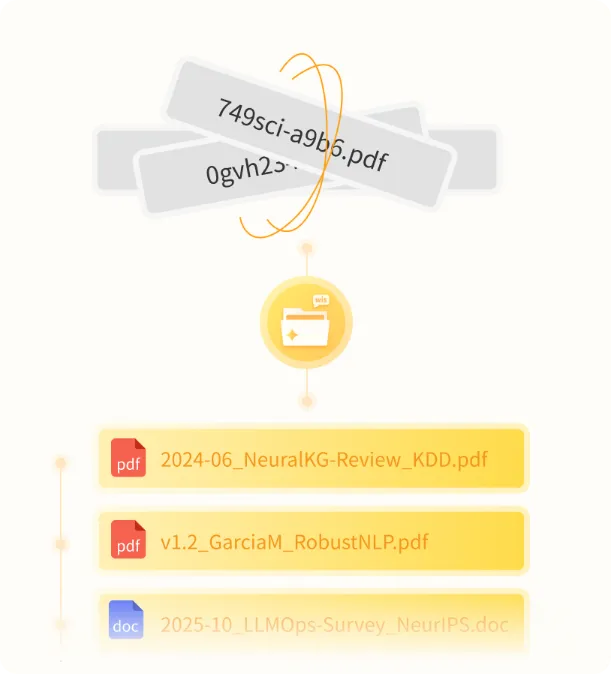
It is tuned for academic papers. Its examples center on extracting title, authors, and year from research PDFs and restoring proper paper titles. If that is your whole job, it is a focused fit.
Where Zush is stronger
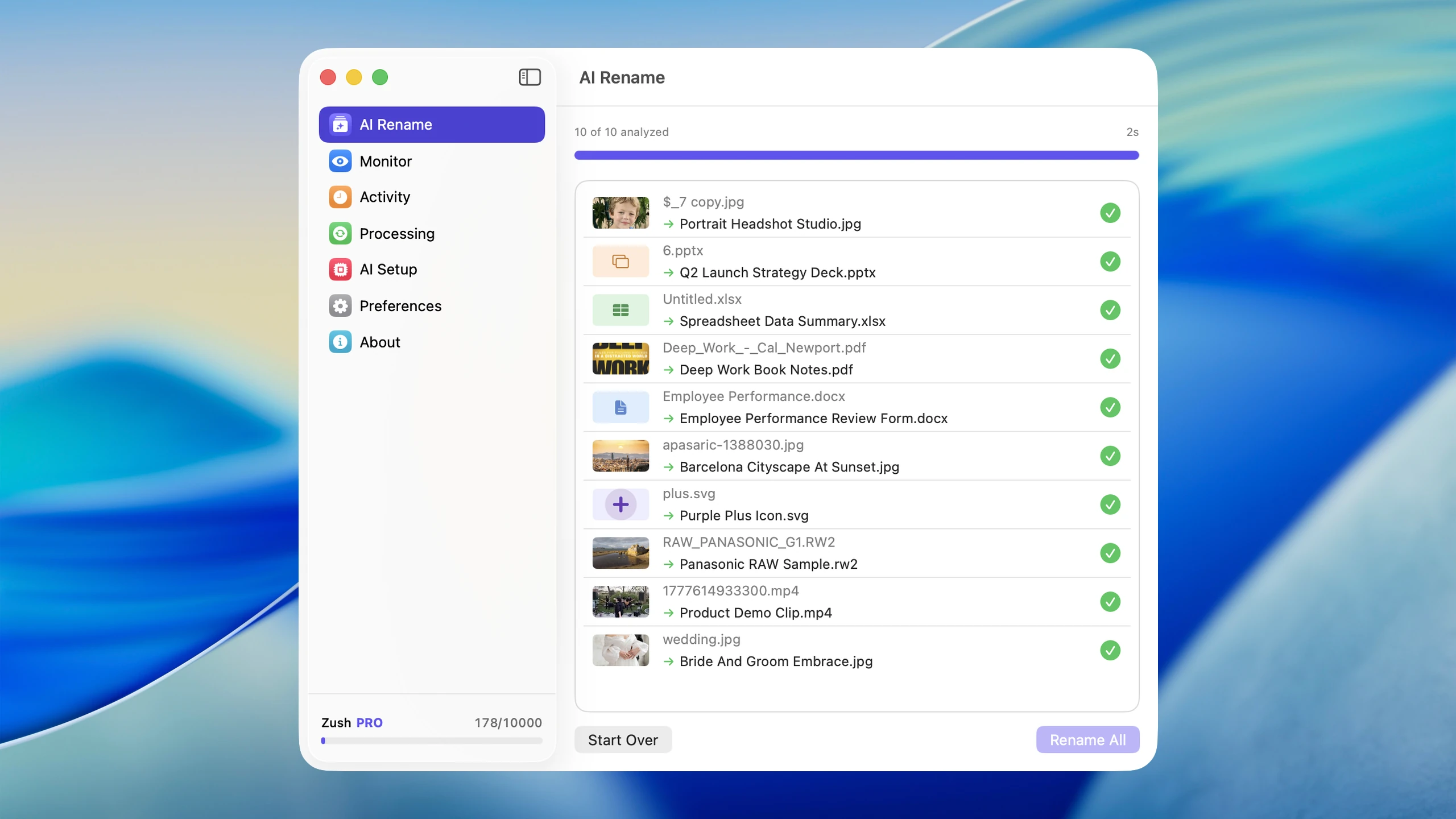
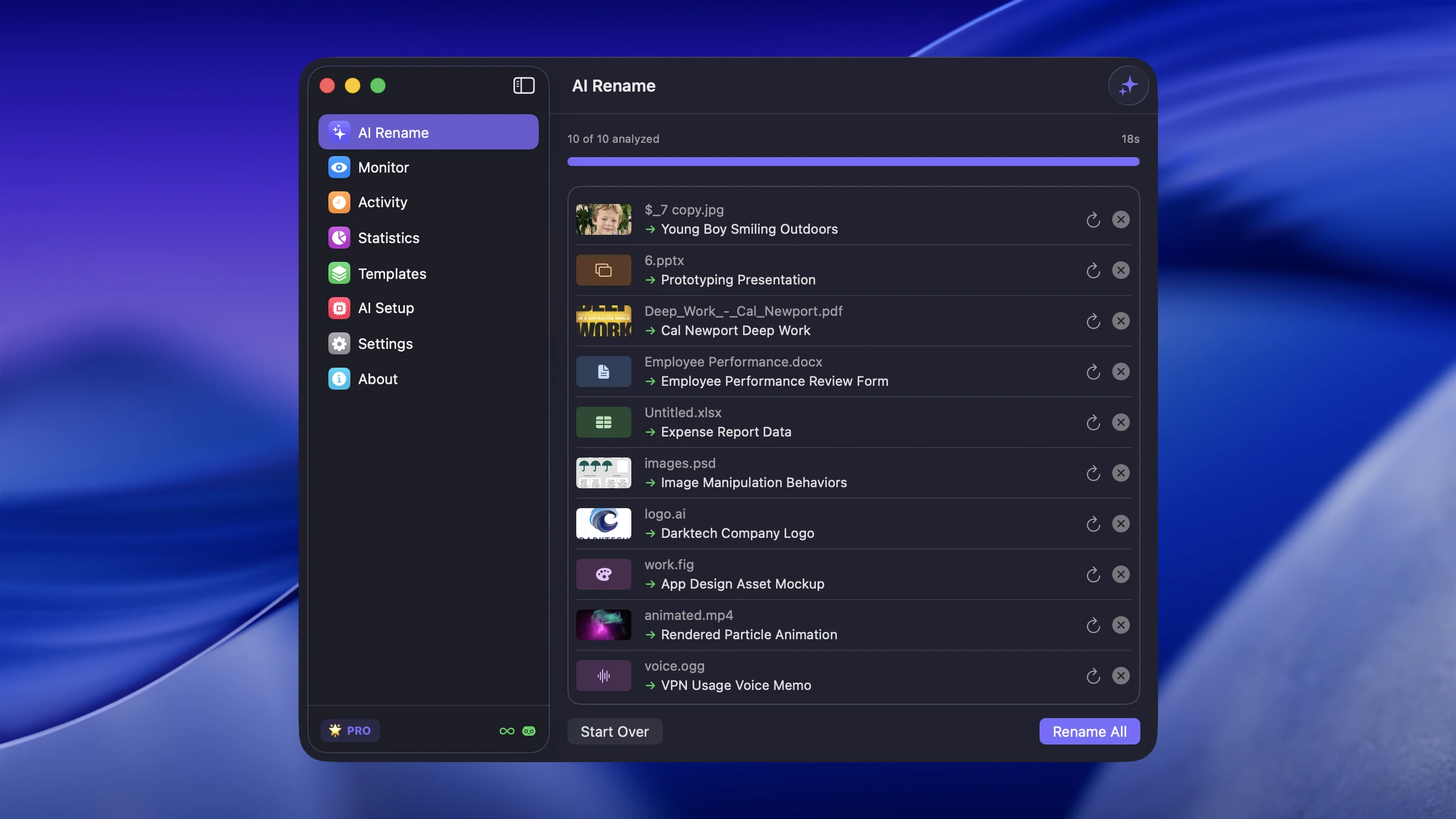
It handles every common file type. Wisfile’s FAQ names Word and PDF. Zush also reads screenshots, phone photos including RAW and HEIC, image-only scans, Excel and PowerPoint, Pages and Numbers, design files, 16 video formats, and audio. One mixed Downloads folder can go through one batch.
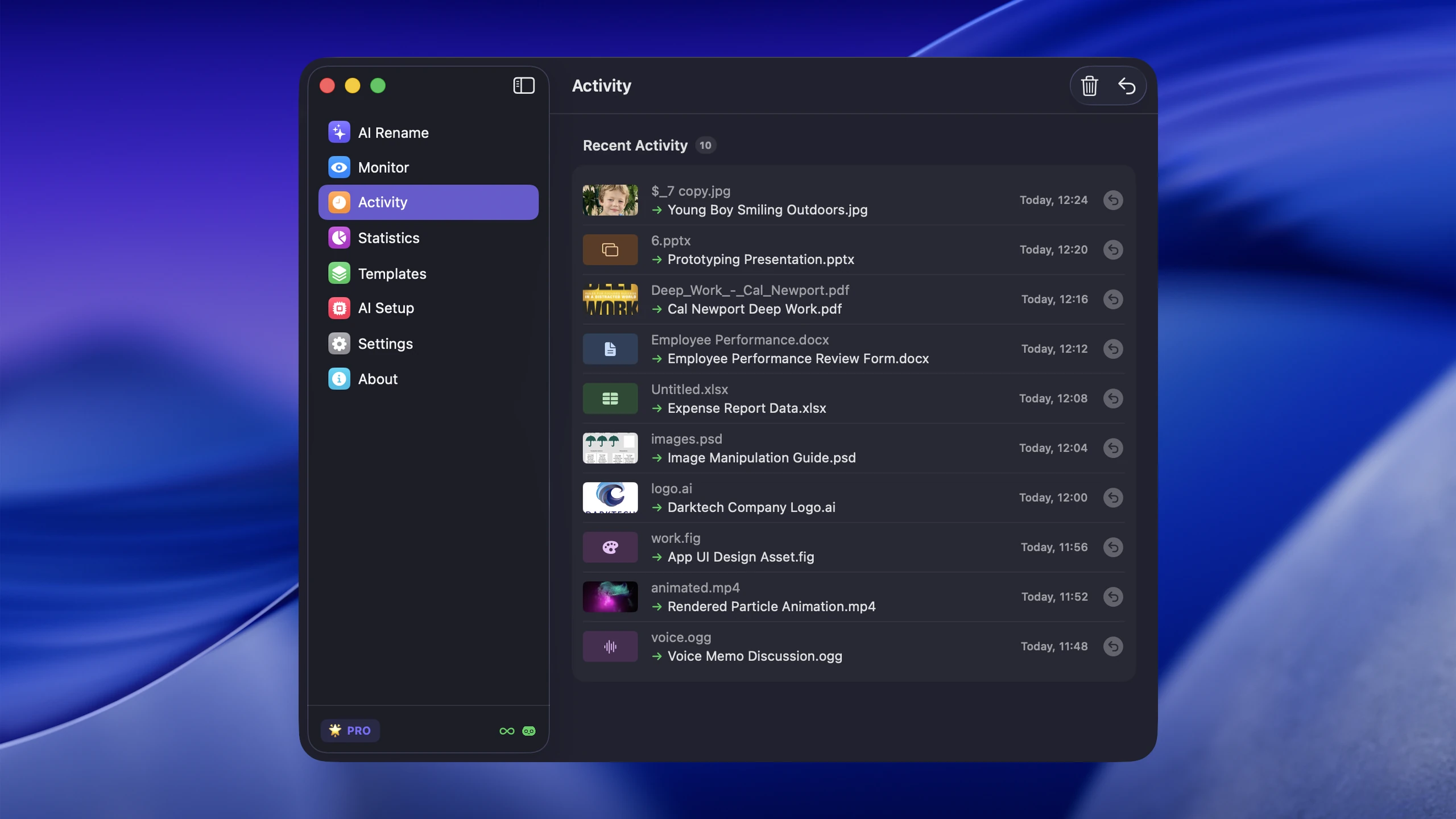
It keeps working after the first cleanup. Wisfile runs when you drag files in. Zush’s Monitor watches Downloads, Desktop, or a scanner folder and names new files as they arrive, using the Template you assign. Sorting rules saved in the Template apply too.
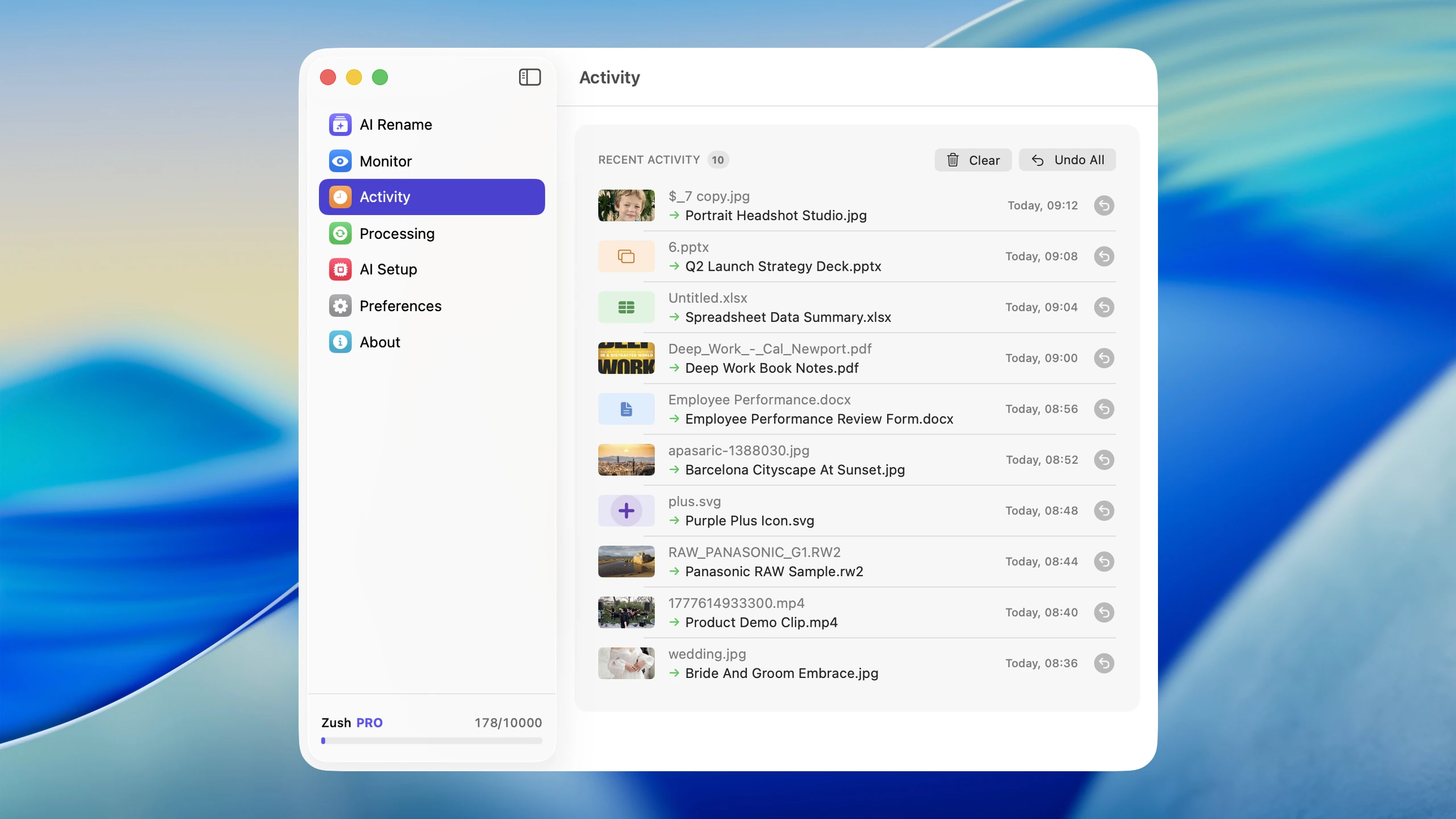
You can undo. Wisfile’s FAQ says renames cannot be undone and recommends testing on a small batch. Zush records every original and new name in Rename History, so you can inspect and revert an applied batch.
Names follow your format exactly. Ready-made Templates such as Bookkeeper Expenses, Screenshots, or Photographer Shoots combine with 145+ Naming Blocks: date, vendor, amount, client, capture date, and more. You set field order, case, separators, date format, and output language.
You choose the AI. Use the managed Zush Cloud AI, your own provider key, or a local model. Wisfile’s engine is fixed.
Folder sorting: both do it, differently
Wisfile’s AI Foldering detects a subject, field, or journal and groups similar files into shared folders. It is a quick one-click pass.
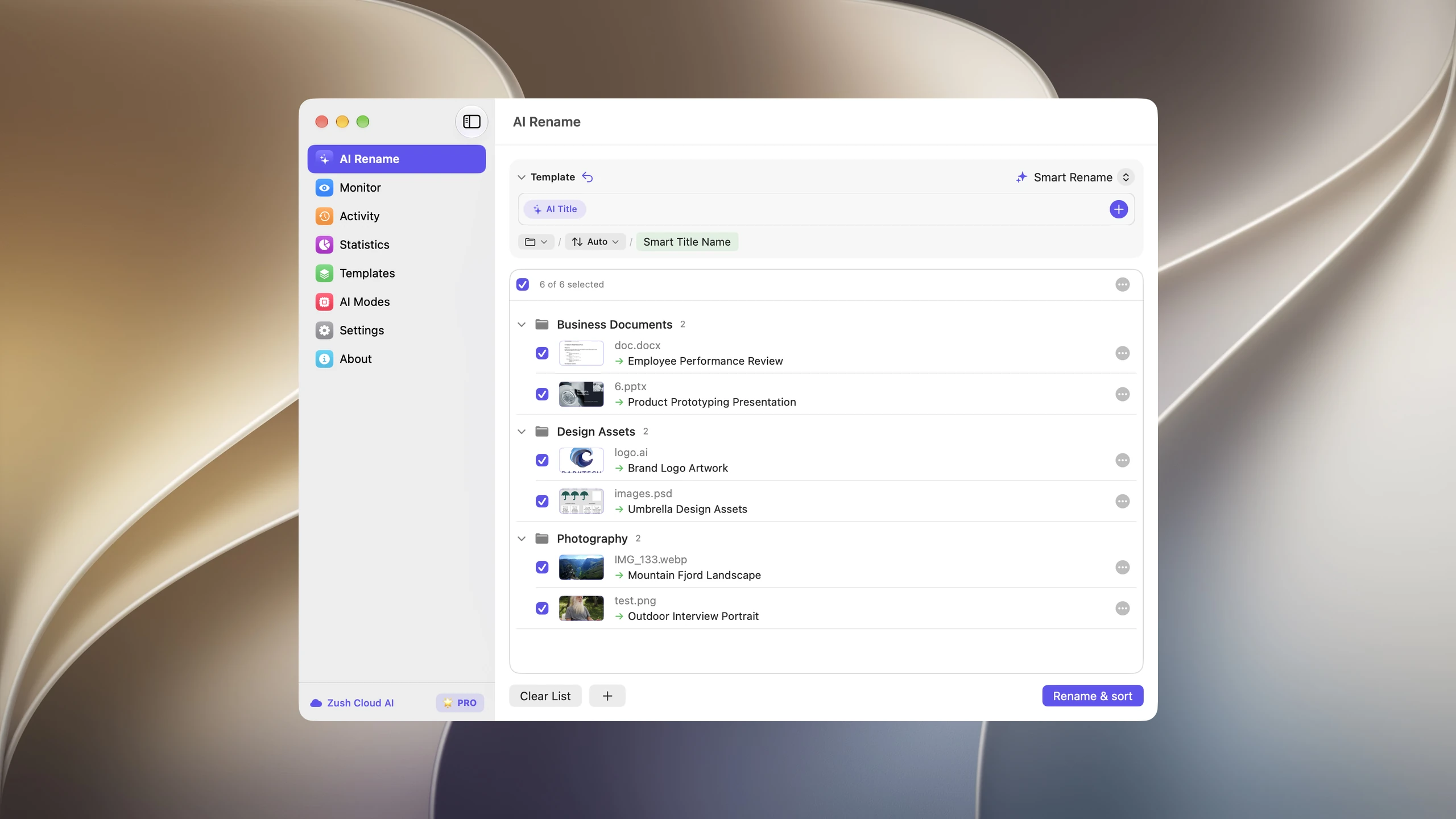
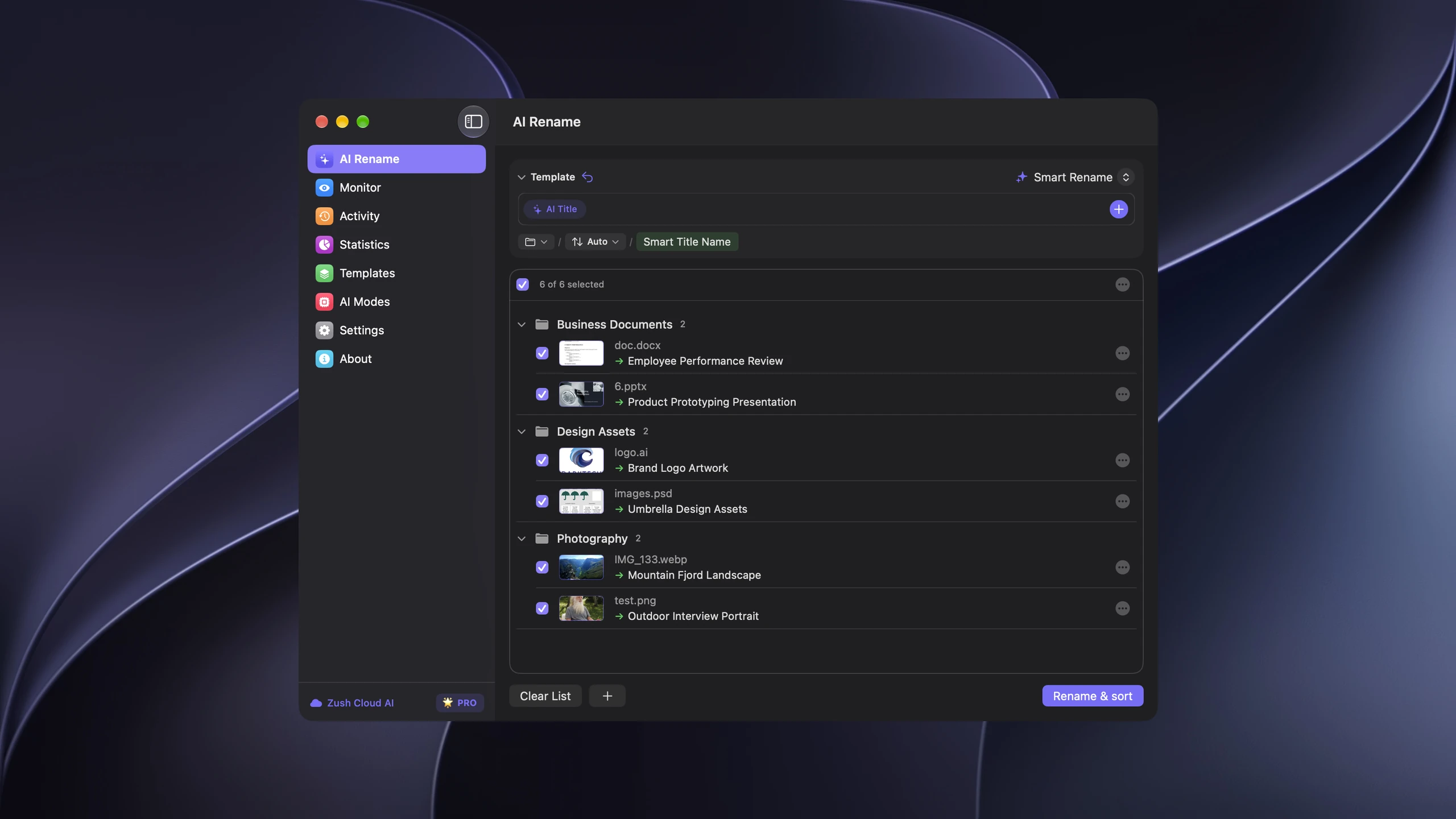
Zush plans names and folders in the same reviewed batch. Leave Folder rules empty for Auto grouping, or write an instruction of up to 2,000 characters, such as “Group invoices by company and receipts by month.” With Reuse existing folders on, files go into folders you already have, and a new folder is created only when nothing fits. Folder sorting is in beta, so review destinations before you apply.
More on setup: sort files into folders with AI on Mac and on Windows.
Same folder in both apps
Take a typical work folder: 30 PDFs, 20 screenshots, a few phone photos, two spreadsheets, and a screen recording.
- Wisfile renames the PDFs and Word files from their content. Screenshots, photos, spreadsheets, and the video stay as they were, based on its published format list.
- Zush proposes a name for every file, for example
2026-09-12_acme_invoice_1042.pdf,stripe-revenue-dashboard-september.png, orq3-onboarding-demo-recording.mp4, and can sort the batch into folders in the same step.
If the folder were 50 research papers and nothing else, Wisfile would cover it at no cost.
Which should you choose?
- One-time cleanup of research papers or Word documents, zero budget: Wisfile.
- Mixed folders with images, scans, spreadsheets, or video: Zush.
- Files keep arriving and should be named automatically: Zush with Monitor.
- You need a safety net to revert renames: Zush.
- You want local AI without installing anything else: Wisfile.
Still comparing? See the best AI file organizers for Windows 11, the Mac version, and the best AI document organizers.
FAQ
Is Wisfile really free?
Yes. Its FAQ states that all features are free, and it requires no sign-up.
Does Wisfile work offline?
Yes. Wisfile describes its processing as fully local, with no data leaving your device. Zush works offline too when you choose Ollama or LM Studio.
Can Wisfile rename images or screenshots?
Its FAQ lists Word and PDF documents as supported for recognition and renaming. It does not describe image, screenshot, or video naming. Zush supports all of these.
Can I undo renames in Wisfile?
Not with a built-in feature, according to its FAQ. Test on copies first. In Zush, Rename History lets you revert an applied batch.
Is Zush or Wisfile better for invoices and receipts?
Zush, if you want a consistent pattern such as date_vendor_amount and automatic naming for new files. Its Bookkeeper Expenses Template is built for that. See how to organize invoices and receipts.


